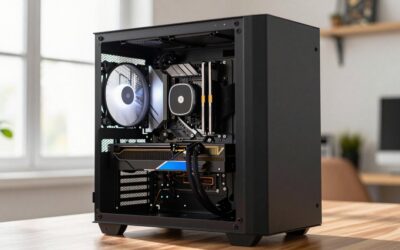
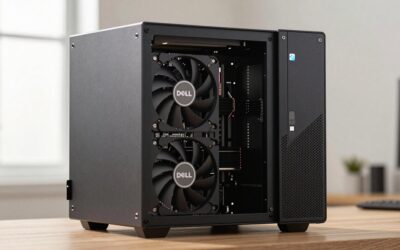
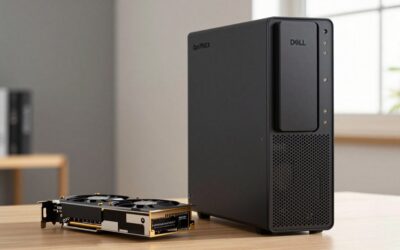
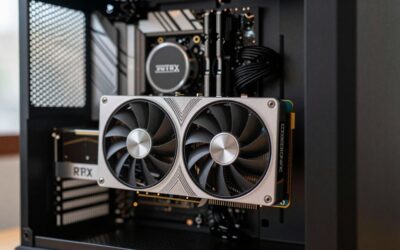
The best HP EliteDesk 800 G1 graphics card upgrade is a low-profile, slot-powered GPU — for most owners that means the GTX 1650 Low Profile or RX 6400 Low Profile — because every 800 G1 chassis caps the PCIe x16 slot at 75W and none of the stock power supplies ship with PCIe power cables. Pick anything hungrier and you hit a wall of proprietary PSU connectors and missing cables. Below is how to match the right card to your chassis, the power math behind each pick, and the install gotchas that trip people up.
First, Work Out Which 800 G1 You Have
HP sold the 800 G1 in three chassis, and they are not interchangeable when it comes to GPU upgrades:

msi Gaming GeForce GT 1030 4GB DDR4 64-bit HDCP Support DirectX 12 DP/HDMI Single Fan OC Graphics Card (GT 1030 4GD4 LP OC)
Included for 'HP EliteDesk 800 G1 Graphics Card Upgrade: Best GPUs That Fit' as a relevant option in this category; details come from the product listing.
View on Amazon
msi Gaming RTX 3050 LP 6G OC Graphics Card (NVIDIA RTX 3050, 96-Bit, Boost Clock: 1492 MHz, 6GB GDDR6 14 Gbps, HDMI/DP, Ampere Architecture)
Included for 'HP EliteDesk 800 G1 Graphics Card Upgrade: Best GPUs That Fit' because the listing specifies 96-Bit and Boost Clock: 1492 MHz, details this guide uses to compare options.
View on Amazon
51RISC Radeon RX 550 LP Graphics Card, Low Profile 4GB GDDR5 Small Form Factor Video Card for Gaming 4K Display Desktop/Mini PC SFF Video Card (RX 550 4GB Low Profile)
Included for 'HP EliteDesk 800 G1 Graphics Card Upgrade: Best GPUs That Fit' as a relevant option in this category; details come from the product listing.
View on Amazon| Chassis | Stock PSU | Slot power ceiling | Card height accepted | PCIe power cables |
|---|---|---|---|---|
| USDT (ultra-slim) | 135W external adapter | No PCIe x16 slot | None | — |
| SFF (small form factor) | 240W, proprietary slim unit | 75W | Low-profile, up to dual-slot, ~170mm | None |
| TWR / CMT (tower) | 320W | 75W | Full-height or low-profile | None |
If you have the USDT, stop here — there’s no internal x16 slot at all, so no graphics card upgrade is possible. For everyone else, the rule is simple: whatever you buy must draw all its power through the slot (75W or less) and ship with a low-profile bracket if you’re in the SFF. That limits compatible graphics cards for the 800 G1 SFF to LP models like the GT 1030, RX 6400 LP, GTX 1650 LP, and RTX 3050 6GB LP — full-height cards are tower-only.
Do the Power Math Before You Buy
“75W or less” is necessary but not quite sufficient — the GPU still shares the PSU with the CPU. Here’s a realistic full-load budget using an i5-4590 or i7-4790 (both 84W TDP, the common CPUs in these machines), plus roughly 45W for the motherboard, RAM, an SSD and fans:
| Configuration | Estimated peak draw | % of PSU | Verdict |
|---|---|---|---|
| SFF + RX 6400 (53W) | 84 + 45 + 53 ≈ 182W | ~76% of 240W | Comfortable |
| SFF + GTX 1650 LP (75W) | 84 + 45 + 75 ≈ 204W | ~85% of 240W | Works, but thin margin on a 10+ year-old PSU |
| Tower + RTX 3050 6GB (70W) | 84 + 45 + 70 ≈ 199W | ~62% of 320W | Plenty of headroom |
Two takeaways: in the SFF, the RX 6400 is the genuinely safe pick while the 1650 LP works but asks a lot of an aging 240W unit — if your CPU is a 65W “S” suffix model (i5-4590S, i7-4790S), that margin improves to about 80%. In the tower, any slot-powered card is trivially within budget; the 320W unit’s limit is the missing PCIe cables, not wattage.
The Cards That Actually Fit — No Adapters Required
| Card (low-profile versions) | TDP | External power plug? | Performance tier | Notes for the 800 G1 |
|---|---|---|---|---|
| GT 1030 LP 2GB | 30W | No | Esports / 720p–1080p low | Huge jump over the stock HD 4600; cheapest way to get HDMI 2.0 and modern codec decode |
| RX 6400 LP 4GB | 53W | No | 1080p medium | Best power-to-performance ratio; ideal for the SFF’s 240W PSU |
| GTX 1650 LP 4GB | 75W | No | 1080p medium-high | At the slot ceiling; PCIe 3.0 x16 link suits this machine perfectly |
| GTX 1050 Ti LP 4GB | 75W | No | 1080p medium | Older alternative; only worth it noticeably cheaper than a 1650 |
| RTX 3050 6GB LP | 70W | No | 1080p high + DLSS | Fastest slot-powered card that exists; makes most sense in the tower |
One detail spec sheets don’t advertise: the RX 6400 uses a PCIe 4.0 x4 interface. The 800 G1’s slot is PCIe 3.0, so the card falls back to Gen 3 x4 — about half the bandwidth it was designed for. In practice that costs a few percent in VRAM-heavy games, which means on this specific machine the GTX 1650 LP (native Gen 3 x16) is often the slightly more consistent performer despite similar benchmark averages elsewhere. The RX 6400 counters with lower power draw and AV1 decode.
What about cards with 6-pin or 8-pin connectors — a GTX 1660 Super, RTX 3060, RX 6600? In the tower they’re physically fine, but the 320W stock PSU has no PCIe leads, so you’d need either an ATX PSU swap or SATA-to-PCIe adapters. Adapters on a decade-old proprietary supply are a gamble, and honestly a Haswell quad-core starts bottlenecking anything past the RTX 3050 class anyway — that money is better saved toward a newer platform.
Pick by Situation
| Your machine | Buy | Why |
|---|---|---|
| SFF, esports + general use, tight budget | GT 1030 LP | 30W sips power, silent, fits anywhere |
| SFF, 1080p AAA gaming | RX 6400 LP | 53W leaves real headroom on the 240W PSU |
| SFF, want max fps, healthy PSU | GTX 1650 LP | Fastest sane option at 75W; Gen 3 x16 link |
| Tower, best card with zero adapter hassle | RTX 3050 6GB LP or GTX 1650 | 320W covers it easily; DLSS extends useful life |
| Tower, willing to swap the PSU | Up to ~120W cards (1660 Super class) | Requires ATX PSU — verify motherboard pinout first |
| USDT | Nothing | No slot — a RAM/SSD upgrade is the better spend |
Install It Right: Steps That Prevent the Common Failures
- Update the BIOS first. Flash the latest HP BIOS (2.xx series) while the old setup still works. Newer cards can refuse to POST on early BIOS revisions, and this is the #1 reported cause of “black screen after install.”
- Enable UEFI mode if you’re installing an RX 6400 or RTX 3050. These cards only carry UEFI graphics support — no legacy VGA BIOS. In BIOS setup, set boot to UEFI native (disable legacy/CSM). GTX 1650 and older cards tolerate either mode.
- Swap the bracket, not just the card. LP cards ship with both full-height and low-profile brackets — fit the LP one before you try to close the SFF case. Confirm both brackets are in the box when buying used.
- Plug the monitor into the card, not the motherboard. HP disables the onboard DisplayPort/VGA the moment a discrete card is detected. Most LP cards output DP + HDMI, so grab a DP-to-HDMI cable if your monitor lacks DisplayPort.
- Clean-install the driver. If you’re crossing vendors (old NVIDIA card → RX 6400, for example), remove the old driver first — driver conflicts on these older boards produce no-boot loops that look like hardware failure.
If You Actually Have the EliteDesk 800 G3
The EliteDesk 800 G3 graphics card upgrade follows the same 75W slot-power logic, but the PSU numbers shift: the G3 SFF uses a 180W supply and the G3 tower a 250W unit, both proprietary. That tighter SFF budget changes the recommendation — a 65W Kaby Lake CPU plus a 75W GTX 1650 plus ~45W of platform comes to roughly 185W, which exceeds the 180W rating on paper. So for a G3 SFF, the RX 6400 LP (53W, ~163W total) or GT 1030 are the responsible picks; the G3 tower’s 250W handles the 1650 or RTX 3050 6GB comfortably. The G3 also runs the same PCIe 3.0 x16 slot, so the RX 6400 bandwidth caveat applies there too.
FAQ
Will a GTX 1650 LP overload the 240W SFF power supply?
Not immediately — owners run them daily — but you’re asking ~85% of rated output from a PSU that’s over a decade old. Keep the CPU stock, stick to a single drive, and if the machine ever randomly reboots under gaming load, that’s the PSU telling you it’s done. The RX 6400 gets you ~85% of the performance at ~70% of the stress.
Why does my new card give no display output?
Usually one of three things: you’re still plugged into the motherboard (it’s now disabled), the BIOS needs updating, or you’re running legacy boot mode with a UEFI-only card (RX 6400, RTX 3050). Check cable → BIOS version → UEFI setting, in that order.
Is upgrading an 800 G1 still worth it in 2026?
Just don’t sink PSU-swap money into chasing bigger GPUs; the platform ceiling is real.