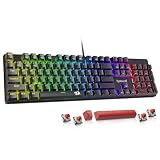
- Top Pick: SteelSeries Apex 3 TKL RGB Gaming Keyboard – Tenkeyless Compact Form Factor – 8-Zone RGB Illumination – IP32 Water & Dust Resistant – Whisper Quiet Gaming Switch – Gaming Grade Anti-Ghosting,Black
- Best Value: Logitech G PRO Mechanical TKL Tenkeyless Gaming Keyboard (Clicky) – Black
- Premium Choice: Corsair K55 CORE TKL RGB Gaming Keyboard – Tenkeyless, 8-Zone RGB, Quiet Membrane Keys, Spill Resistant, Media Keys, 1000Hz Polling – NA Layout – Black
Full-size and tenkeyless (TKL) keyboards look almost identical until you put them side by side. A full-size board carries the complete 104/105-key layout, number pad included, and typically measures 17 to 18 inches wide. A TKL chops off that number pad, trimming roughly 3.5 inches of width while keeping the function row, arrow cluster, and navigation keys intact. Everything else — switch type, RGB, build quality, polling rate — is independent of the form factor, which means the real question isn’t “which is better,” it’s “which one fits how you actually play.”
That question matters more in 2026 than it did five years ago. Monitors have grown, mouse sensitivities have dropped, and the low-DPI aiming style popularized by competitive FPS play demands physical desk real estate that a number pad quietly steals. At the same time, sim racing, flight sim, MMO, and creative workloads have all gotten more numpad-dependent, and a wave of affordable TKL boards from SteelSeries, Logitech, Corsair, and Razer has made the compact option easier to justify than ever. Below is how the two layouts genuinely differ, and which one belongs on your desk.
As an Amazon Associate we earn from qualifying purchases at no extra cost to you. Product prices and availability are accurate as of the date shown and are subject to change.






⚡ Save on Your Next PC — Amazon Prime
Prime members get fast free shipping on the systems above, plus early access to Prime Day & Black Friday PC deals. New members get a 30-day free trial.
Watch: Full-Size vs TKL Keyboard: 2026 Comparison — Video Review
Quick Verdict
Pick a full-size keyboard if you regularly enter numbers — spreadsheets, accounting, CAD, MMO keybinds, sim rigs with numpad-mapped controls — or if you simply have the desk space and never want to think about a missing key. Pick a TKL if you play mouse-heavy games at low sensitivity, share a desk with a monitor arm or stream gear, or move your setup between LAN events and home. For most competitive gamers in 2026, TKL boards like the Logitech G PRO TKL or SteelSeries Apex 3 TKL are the smarter default; full-size remains the better all-round productivity tool.
Key Differences
- Footprint: Full-size boards run 17–18 inches wide; TKLs land around 14 inches, freeing roughly 3.5 inches of horizontal mouse space without shrinking any keycaps.
- Number pad: Full-size keeps the dedicated 17-key cluster for fast numeric entry. TKL removes it entirely, pushing numeric input to the top row or an external pad.
- Mouse ergonomics: With a TKL you can centre the alphanumeric block in front of your shoulder and swing the mouse in a wider arc — a genuine advantage at 400–800 DPI.
- Portability: TKLs are lighter and fit standard backpacks and LAN bags; full-size boards usually need a dedicated case.
- Extra features: Full-size layouts more often include dedicated media keys, volume wheels, and macro columns, though compact boards like the Corsair K55 CORE TKL now build media controls into the top row.
- Price and value: At the same tier, TKLs typically cost slightly less, since there are fewer switches, stabilisers, and PCB area to manufacture.
Full-Size Keyboards: The Complete Layout
The strongest argument for full-size is friction removal. If your day involves invoices, data entry, Excel, Blender, or CAD, the number pad isn’t a luxury — it’s a measurable speed advantage, and no amount of muscle memory on the top row will match it. The same applies to sim racing and flight sim players who map pit menus, radio frequencies, or system toggles to numpad keys, and to MMO players who need every bindable surface they can get. Full-size boards also tend to be the flagship variant in a lineup, which means they’re where manufacturers put analogue switches, 8,000 Hz polling, hot-swap sockets, and premium gasket mounting first.
The trade-off is space and posture. On a desk narrower than about 47 inches, a full-size board forces your mouse hand outward, rotating your shoulder and putting the keyboard’s centre well left of your body midline. Over long sessions that asymmetry is the single most common source of desk-related shoulder and wrist discomfort. If you’re a high-sensitivity player who barely lifts the mouse, this may never bother you. If you flick at 30 cm/360°, you’ll feel it within a week.
TKL Keyboards: The Competitive Standard
TKL has become the default at nearly every esports event for a reason: it gives back the exact space a low-sensitivity player needs while removing nothing that games actually use. Options at this size are now unusually strong. The Logitech G PRO TKL remains the pro-scene benchmark with crisp clicky mechanical switches and a detachable cable. The Logitech G413 TKL SE offers a no-nonsense mechanical typing feel with an aluminium top plate. The SteelSeries Apex 3 TKL targets quiet play with whisper-soft membrane switches, IP32 water and dust resistance, and 8-zone RGB — and the Renewed Apex 3 TKL is a sensible way to get the same board for less.
Membrane and low-profile fans are well served too. The Corsair K55 CORE TKL pairs quiet keys and spill resistance with dedicated media controls and 1,000 Hz polling, while the Razer Ornata V3 TKL uses low-profile keycaps and a hybrid mecha-membrane feel that shortens travel distance for faster actuation. The only real compromise is numeric entry, and a separate USB numpad — placed on the left, where it’s arguably more ergonomic anyway — solves that for under the cost of a game.
Which Should You Buy?
- For competitive FPS at low sensitivity: pick TKL — the Logitech G PRO TKL or G413 TKL SE give you the arm room your aim needs.
- For work and gaming on one machine: pick full-size, unless you’re willing to keep a standalone numpad on the desk.
- For quiet shared spaces or dorms: pick TKL with membrane switches — the SteelSeries Apex 3 TKL or Corsair K55 CORE TKL stay near-silent.
- For small or crowded desks: pick TKL; the Razer Ornata V3 TKL’s low-profile design keeps things especially tidy under a monitor arm.
- For sim racing, flight sim, or MMOs: pick full-size — numpad binds are too useful to give up.
Frequently Asked Questions
Do TKL keyboards give a real competitive advantage?
Not directly — no game reads your layout. The advantage is indirect but genuine: more mouse space allows lower sensitivity, which improves micro-adjustment precision and reduces shoulder strain during long sessions.
Can I still enter numbers quickly on a TKL?
Yes, using the top number row, which is fine for occasional input like chat, prices, or in-game codes. For sustained data entry, add an external USB numpad rather than switching layouts entirely.
Are renewed keyboards worth buying?
Often, yes. A renewed unit such as the Apex 3 TKL is inspected and tested before resale, and keyboards have few wear-prone parts beyond switches and keycaps. Just confirm the return window before ordering.
Is a mechanical TKL better than a membrane TKL?
Mechanical boards offer crisper feedback, longer lifespan, and easier repair. Membrane boards like the Apex 3 TKL and K55 CORE TKL are quieter, more spill-tolerant, and cheaper — a better fit for shared rooms and budget builds.
Final Verdict
If you spend most of your desk time aiming, TKL is the correct answer in 2026: the space it returns to your mouse hand improves both accuracy and comfort, and boards like the Logitech G PRO TKL, G413 TKL SE, SteelSeries Apex 3 TKL, Corsair K55 CORE TKL, and Razer Ornata V3 TKL cover every switch preference and budget. If your keyboard also has to earn its keep in spreadsheets, sim rigs, or MMO raids, keep the full-size layout — and if you’re genuinely torn, buy the TKL plus a standalone numpad, which gets you the best of both without surrendering the desk.