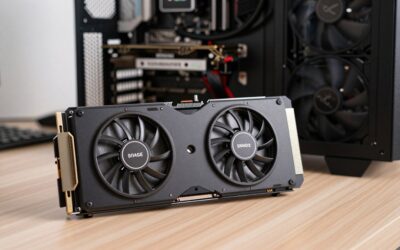
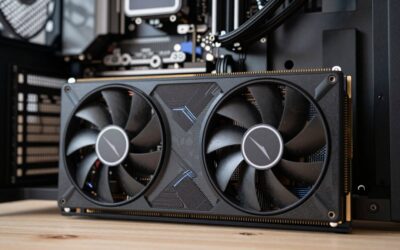
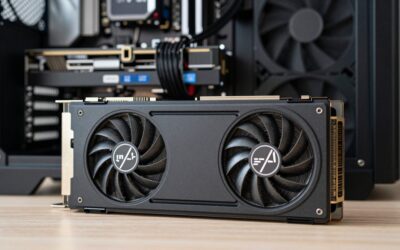
The best graphics card for 4K video editing in 2026 is the GeForce RTX 5070 Ti for most editors, because it combines 16 GB of VRAM with two NVENC encoders and Blackwell’s hardware decoding of 10-bit 4:2:2 H.264 and HEVC, the formats most mirrorless cameras record; step up to the RTX 5080 for heavy multicam work, and only to the RTX 5090 if you grade 6K–8K footage or export constantly. For editing, the GPU’s media engine and memory matter more than gaming frame rates, so the ranking looks different from any gaming chart.
Quick answer: For most people in 2026, the best graphics cards for 4k video editing is the H.264/HEVC 8-bit 4:2:0 — our #1 rated choice. See the full ranked comparison, alternatives and buying advice below.
Start with your camera’s codec, not the GPU
Smooth 4K scrubbing depends on whether your footage is decoded by dedicated hardware or brute-forced by the CPU. Long-GOP camera codecs (H.264 and HEVC) are hard to decode in software, especially in 10-bit 4:2:2. Intra-frame codecs such as ProRes, Blackmagic RAW and DNxHR are easy to decode but lean on GPU memory and effects processing instead. Match the card to what you actually shoot.

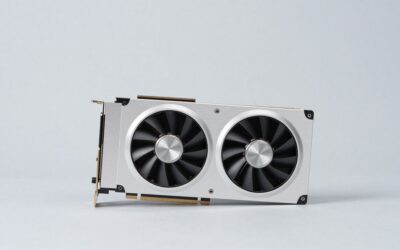
GIGABYTE GeForce RTX 3050 WINDFORCE OC V2 6G Graphics Card, 2X WINDFORCE Fans, 6GB GDDR6 96-bit GDDR6, GV-N3050WF2OCV2-6GD Graphics Card
Included for 'Best Graphics Cards for 4K Video Editing: Codec Support, VRAM and Real Picks' because the listing specifies 2X WINDFORCE Fans and 6GB GDDR6 96-bit GDDR6, details this guide uses to compare options.
View on Amazon
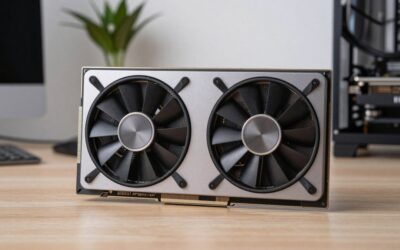
msi Gaming GeForce RTX 3060 Ventus 2X 12G OC V1 Graphics Card - 15 Gbps GDRR6 Boost Clock: 1807 MHz 192-Bit HDMI/DP PCIe 4 Torx Twin Fan Ampere
Included for 'Best Graphics Cards for 4K Video Editing: Codec Support, VRAM and Real Picks' as a relevant option in this category; details come from the product listing.
View on Amazon
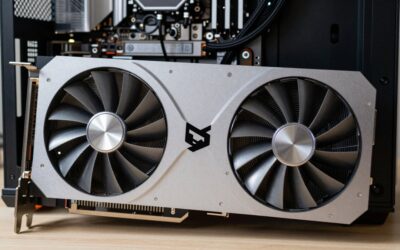
GIGABYTE GeForce RTX 5080 Gaming OC 16G Graphics Card, WINDFORCE Cooling System, 16GB 256-bit GDDR7, GV-N5080GAMING OC-16GD Video Card
Included for 'Best Graphics Cards for 4K Video Editing: Codec Support, VRAM and Real Picks' because the listing specifies WINDFORCE Cooling System and 16GB 256-bit GDDR7, details this guide uses to compare options.
View on Amazon| Footage type | Common sources | What carries the load | GPU priority |
|---|---|---|---|
| H.264/HEVC 8-bit 4:2:0 | Phones, drones, entry cameras | Any modern hardware decoder | Almost any current GPU works |
| H.264/HEVC 10-bit 4:2:2 | Sony, Canon, Panasonic, Fujifilm mirrorless | Needs 4:2:2 hardware decode | RTX 50 series or Intel media engine |
| ProRes / DNxHR | Atomos recorders, intermediates | CPU decode, GPU for effects | VRAM and GPU compute |
| Blackmagic RAW / RED RAW | Cinema cameras | GPU debayer | Raw GPU compute and VRAM |
That second row is why RTX 50 series cards are such a big deal for editors. Earlier GeForce generations could not hardware-decode 4:2:2 H.264 or HEVC, so many editors relied on Intel Quick Sync. Blackwell adds it on every RTX 50 card from the 5060 upward, and both Premiere Pro and DaVinci Resolve support it. AMD’s Radeon media engine still does not decode those 4:2:2 formats in hardware, which is the main reason Radeon cards rank lower here despite strong raw performance.
How much VRAM a 4K timeline really uses
A single 4K UHD frame held at 32-bit float precision, which is how DaVinci Resolve processes color, takes 3840 × 2160 pixels × 4 channels × 4 bytes ≈ 133 MB. A grade with six nodes, a spatial noise reduction pass and a few cached frames easily holds 20–40 frames in GPU memory, which is 2.7–5.3 GB before you add temporal noise reduction, Magic Mask, Fusion titles or AI tools. That is why 8 GB cards throw “GPU memory full” errors on serious 4K grading.
| Workload | Practical VRAM |
|---|---|
| 4K cuts, light color, titles (Premiere or Resolve) | 8–12 GB |
| 4K grading with noise reduction, Magic Mask | 12–16 GB |
| 4K multicam with heavy effects, Fusion compositing | 16 GB |
| 6K–8K raw, HDR grading, AI upscaling | 24–32 GB |
The best cards for 4K editing
| GPU | VRAM | NVENC / NVDEC | 10-bit 4:2:2 H.264/HEVC decode | Typical 2026 street range |
|---|---|---|---|---|
| RTX 5090 | 32 GB | 3 / 2 | Yes | $4,300+ |
| RTX 5080 | 16 GB | 2 / 2 | Yes | $1,350–$1,600 |
| RTX 5070 Ti | 16 GB | 2 / 1 | Yes | $950–$1,150 |
| RTX 5060 Ti 16 GB | 16 GB | 1 / 1 | Yes | $650–$800 |
| Radeon RX 9070 XT | 16 GB | AMD media engine | No | $740–$800 |
| Intel Arc B580 | 12 GB | Intel media engine | HEVC yes | $260–$310 |
RTX 5070 Ti: best for most 4K editors
Two encoders speed up exports and let you render two formats at once; one decoder comfortably handles typical 4K timelines and moderate multicam. 16 GB covers grading with noise reduction. It is the card most editors should buy.
RTX 5080: best for multicam
The second decoder is the real reason to pay more. Multicam edits with four or more 10-bit 4:2:2 angles, or timelines that mix several long-GOP sources, play back more reliably with two decode engines.
RTX 5090: for 6K–8K and finishing work
32 GB of VRAM, three encoders and two decoders. It shines with RED or Blackmagic RAW at 6K and above, HDR finishing and AI-heavy tools. With street prices more than double its $1,999 MSRP in 2026, it only makes financial sense for paid, high-resolution work.
RTX 5060 Ti 16 GB: budget pick that still decodes 4:2:2
The same media capabilities as bigger RTX 50 cards with less compute. Fine for YouTube creators cutting 4K with modest color work. Avoid the 8 GB version.
Radeon RX 9070 XT: best for ProRes and raw on a budget
Strong effects performance and 16 GB of VRAM make it a good Resolve card if you shoot ProRes, BRAW or 4:2:0 footage. If your camera records 10-bit 4:2:2 long-GOP, choose an RTX 50 card instead.
Intel Arc B580: the cheapest capable editing card
12 GB of VRAM and an Intel media engine with HEVC 4:2:2 decode and AV1 encode at a low price. A smart pick for an entry-level editing PC, or as a decode helper in a system that already has an NVIDIA card.
Decision matrix
| Your situation | Best choice |
|---|---|
| Sony/Canon/Panasonic 10-bit 4:2:2, single camera | RTX 5070 Ti (or RTX 5060 Ti 16 GB on a budget) |
| Multicam interviews or events with 3+ angles | RTX 5080 |
| Cinema camera raw, HDR deliverables, 6K–8K | RTX 5090 |
| ProRes/BRAW in Resolve, tight budget | RX 9070 XT |
| Entry-level 4K editing PC | Arc B580 |
| Intel Core Ultra 200S system | Keep the iGPU enabled for Quick Sync alongside any of the above |
Settings that make 4K editing smoother
- Premiere Pro: in Preferences > Media, enable hardware-accelerated decoding for both NVIDIA and Intel; set Mercury Playback Engine to GPU Acceleration (CUDA).
- DaVinci Resolve: in Preferences > Decode Options, enable NVIDIA and Intel decoders; set GPU processing mode to CUDA on GeForce. Hardware-accelerated 4:2:2 decoding requires Resolve Studio.
- Use proxies when the decoder runs out. Generating 1080p ProRes Proxy files frees the GPU for color and effects on any card.
- Keep the iGPU active on Intel builds (set it as enabled in BIOS even with a discrete card) so editors can use Quick Sync as a second decoder.
- Pair with 64 GB of system RAM for 4K grading and Fusion; 32 GB works for straight cuts.
FAQ
Does the GPU affect export time?
Yes, when you export H.264, HEVC or AV1 using the hardware encoder. More NVENC engines speed up exports with split encoding; ProRes exports depend mainly on the CPU.
Is a GeForce card good enough, or do I need an RTX PRO card?
GeForce cards are fully supported in Premiere Pro and Resolve. Professional cards add ECC memory and more VRAM per slot, which matter mostly for 8K finishing and large facilities.
Ready to decide? Our #1 pick for 2026 is the H.264/HEVC 8-bit 4:2:0.
Live price & availability on Amazon.