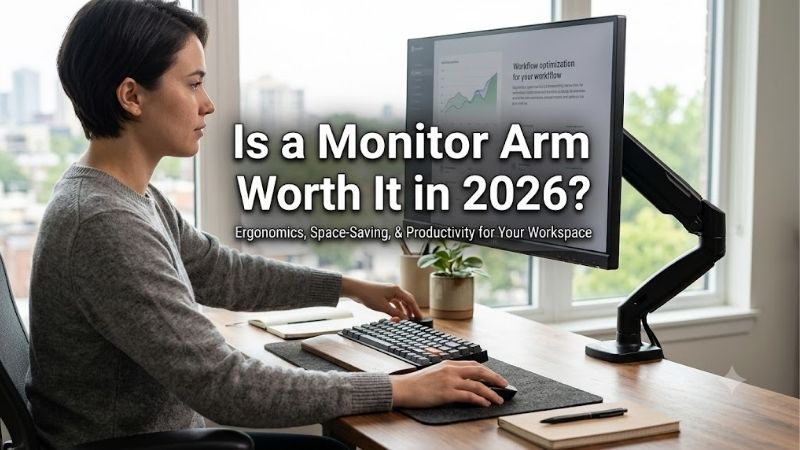
Is a monitor arm worth it in 2026 with an existing factory monitor stand? Yes, when a bulky base crowds your keyboard, height adjustment disappoints, or repositioning becomes frequent. An adequate existing stand makes replacement less compelling. Compatibility and a suitable mounting surface decide whether the upgrade works.
How to Choose a Monitor Arm
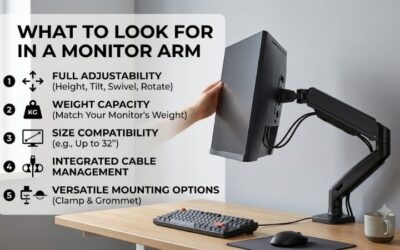
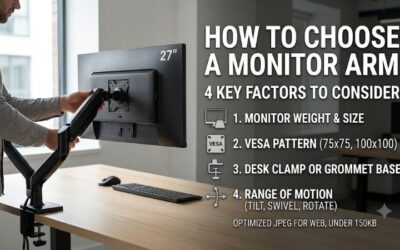
To answer “is a monitor arm worth it in 2026,” compare the improvement against complete installation expense. This guide evaluates four real mounts through display compatibility, desktop support, movement, and screen layout. Use manufacturer-approved configurations on a suitable desk; excess arm capacity cannot compensate for weak construction.
Display Weight and Mounting Compatibility
Monitor compatibility starts with stand-free weight, mounting holes, and enclosure depth. Accessories count toward the supported load, while counterbalanced arms can also specify a minimum weight. This particularly affects lightweight office displays and deeply curved panels. Greater maximum capacity cannot guarantee correct counterbalance.
When asking is a monitor arm worth it in 2026 for a heavy curved display, prioritize tilt-pivot compatibility over screen diagonal. Forward leverage can challenge ordinary mounts. Ergotron HX Desk Monitor Arm with HD Pivot targets substantial curved panels, making it relevant when your display meets its specified application.
Desktop Construction and Attachment Options
Desktop suitability includes material, edge shape, thickness, and underside access. A clamp needs secure contact on a structurally suitable desktop. Frames and beveled edges can obstruct that contact. Consult manufacturer mounting guidance first; a reinforcement plate does not automatically make glass or hollow construction suitable.
An accessible rear edge suits clamp mounting, while a suitable through-hole provides an alternative where edge access is restricted. Either method must match the desktop’s structural requirements. VIVO STAND-V002 includes clamp and grommet hardware, making it useful when mounting flexibility benefits compatible dual-display installations.
Useful Movement Versus Unnecessary Adjustment
Routine movement has value when it changes how you use the workstation. Consider screen sharing, different working positions, and close-up detailed work. Counterbalanced designs accommodate frequent changes more conveniently than fixed-height arrangements. A capable original stand may suffice for predominantly stationary use.
If you ask is a monitor arm worth it in 2026 for frequent repositioning, prioritize usable travel over decorative features. Ergotron LX Desk Monitor Arm offers 13 usable inches of lift for compatible displays. Choose it for otherwise unavailable adjustment, instead of automatically purchasing unnecessary premium hardware.
Complete Cost and Screen Layout
Total cost includes the mount, any approved monitor adapter, and configuration-specific installation accessories. Two screens may justify shared hardware, but single-screen configurations cannot benefit from unused capacity. Compare the purchase with a simpler stand adjustment before committing; target a specific daily limitation.
For one screen, is a monitor arm worth it in 2026 often depends on useful movement for everyday workstation tasks without unnecessary capacity. ARCTIC X1-3D supports a compatible display up to 22 lb with gas-spring positioning. Choose it when single-screen adjustment solves the problem and its clamp specifications match your desktop.
Top Picks
Your answer to “is a monitor arm worth it in 2026?” depends on workstation sharing, single-screen space, and curved-display requirements. These picks match those needs using published features rather than claimed detailed research. Compare final purchase costs and exact equipment compatibility before deciding the appropriate upgrade.
| Product | Best For | Key Spec | Watch Out For |
|---|---|---|---|
| Ergotron LX Desk Monitor Arm | Best Overall | 7–25 lb capacity; 13-inch lift | Minimum load excludes some lightweight monitors |
| ARCTIC X1-3D | Best Value | 22 lb maximum; six-year warranty | ±15-degree tilt; 20–55 mm desktop thickness |
| Ergotron HX Desk Monitor Arm with HD Pivot | Best for Heavy Curved Displays | Specified for 28–42 lb panels measuring 6–12 inches deep | Specialized compatibility; unsuitable for many lighter screens |
| VIVO STAND-V002 | Best for Stable Dual Displays | Two 13–30-inch screens; 22 lb each | Shared-pole height adjustment |
Ergotron LX Desk Monitor Arm: Best Overall
Ergotron LX Desk Monitor Arm is the best overall choice here for frequently repositioned compatible everyday displays. The original LX supports 7–25 lb and provides 13 inches of lift. That practical combination supports shared workstations and flexible switching between focused work and occasional collaborative viewing.
The tradeoff is that its counterbalance excludes displays below the supported minimum, potentially excluding very lightweight monitors. This recommendation concerns the original LX rather than LX Pro, with different specifications. Buy for its documented adjustment range after verifying the SKU and stand-free monitor weight.
ARCTIC X1-3D: Best Value
ARCTIC X1-3D is the best value choice for one compatible monitor requiring adjustable positioning. Its specified maximum load is 22 lb, with support for VESA 75 × 75 mm and 100 × 100 mm mounting. A six-year manufacturer’s warranty adds an ownership benefit; value still depends on US checkout pricing and installation requirements.
Its limitations are the ±15-degree tilt range and clamp compatibility with desktops measuring 20–55 mm thick. Those restrictions exclude thicker worktops and more extreme viewing angles. Choose it for a conventional compatible single-screen desk, while checking physical fit instead of prioritizing purchase price alone.
Ergotron HX Desk Monitor Arm with HD Pivot: Best for Heavy Curved Displays
Ergotron HX Desk Monitor Arm with HD Pivot is the best option here for compatible heavy curved displays. Its specified application includes panels weighing 28–42 lb and measuring 6–12 inches deep without their stands. Its specialized pivot addresses forward leverage, providing a defined application beyond increased maximum weight.
The drawback is compatibility: its supported application excludes many lighter conventional screens, despite matching mounting patterns. It also excludes dual-display configurations. Buy this HD Pivot configuration when specified for your monitor, and verify the package contents because standard HX packages do not automatically include this pivot.
VIVO STAND-V002: Best for Stable Dual Displays
VIVO STAND-V002 is the best choice for stable dual-screen layouts where height changes are infrequent. The standard version accommodates two 13–30-inch displays weighing up to 22 lb each and features a 17-inch pole. Detachable mounting plates help with attachment, while small plate-level adjustments align different monitor housings.
Its shared-pole height arrangement is less convenient for regular vertical repositioning than independently counterbalanced arms. Display width also constrains useful placement despite acceptable screen weights. Choose STAND-V002 when consolidating bases outweighs effortless movement, and distinguish it from larger-screen variants.
Frequently Asked Questions
Before answering “is a monitor arm worth it in 2026?” for your equipment, resolve compatibility questions before installation. An arm does not automatically improve monitor performance, eliminate movement, or fit every desktop. These answers distinguish useful placement flexibility from situations where the existing stand remains sufficient.
Does a Monitor Arm Improve Gaming Performance?
No, a monitor arm does not increase refresh rate, resolution, or gaming frame rates. Its benefit is placement: removing a bulky base creates keyboard and mouse positioning clearance. That benefit matters on cramped desks, but it should not be confused with a display upgrade or a justification for gaming performance claims.
For buyers asking is a monitor arm worth it in 2026, adequate existing placement can make gaming benefits minor. Before purchasing, measure the area occupied by the stand and identify the anticipated improvement. A mount is easier to justify when it resolves a specific clearance problem instead of copying another setup’s appearance.
Can You Mount an Arm on Any Desk?
No, a monitor arm cannot fit every desktop merely through sufficient clamp opening. The mounting surface must meet installation requirements for construction and contact area. Glass, damaged boards, and hollow desktops need explicit compatibility guidance. Check both the desk and arm instructions before selecting hardware.
An unsuitable surface cannot become compatible through excessive tightening or arbitrary plates. Without manufacturer confirmation of installation compatibility, retain the original stand or consider another approved mounting solution. Include any required structural accessories in the cost assessment before purchasing.
Will a Monitor Arm Stop Screen Wobble?
Some wobble is possible, and mounts cannot guarantee motionless screens during desk movement. Desktop rigidity, extension, display weight, and joint adjustment all influence movement. A long extended arm transmits disturbances differently from compact stands, so evaluate the layout instead of expecting vibration isolation.
Position the display within the intended adjustment envelope and follow its instructions for securing joints. If movement appears during typing, investigate desktop flex before replacing hardware. A compatible mount cannot correct every source of desk vibration; buying a heavier-rated model is not automatically corrective.
Is a Monitor Arm Useful on a Standing Desk?
Yes, an arm can be worth buying for a standing desk for placement flexibility unavailable through the original stand. The arm moves with the desktop, without independently covering its entire sitting-to-standing travel. Assess your preferred screen positions in both modes, alongside desktop compatibility, before choosing adjustment hardware.
Allow cable slack for the arm’s movement and the desktop’s full travel, especially for connections below the desktop. Keep cables clear of moving joints and check travel slowly after routing. A mechanically compatible installation can strain connectors when cables tighten during desktop travel or forward screen movement.
Final Thoughts
So, is a monitor arm worth it in 2026? Yes, for specific clearance or positioning problems on compatible desks. Choose Ergotron LX for frequent adjustment, ARCTIC X1-3D for single-screen value, HX with HD Pivot for compatible heavy curves, and VIVO STAND-V002 for stable dual displays. Retain an original stand that already meets your requirements.