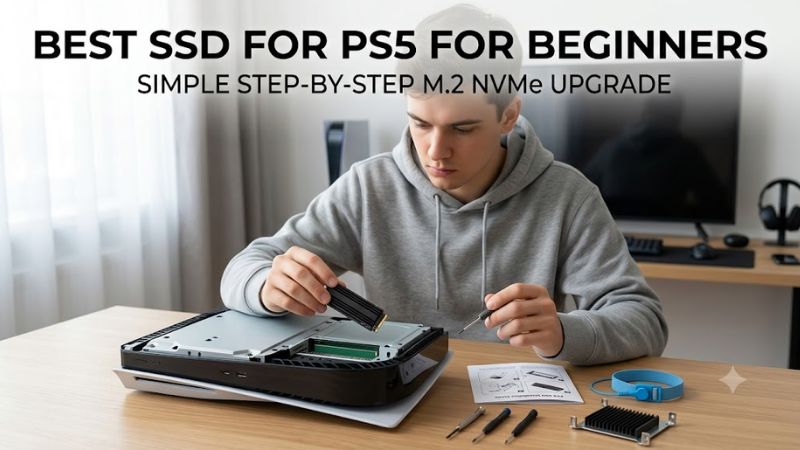
Best SSD for ps5 for beginners should make storage expansion simple, not turn it into a spec-sheet puzzle. A compatible drive needs PCIe 4.0 x4 NVMe support, enough speed for PS5, and effective cooling. This guide compares four proven heatsink models so first-time buyers can choose capacity, performance, and value with confidence.
How to Choose a PS5 SSD
Choosing the best ssd for ps5 for beginners begins with Sony’s compatibility requirements, then narrows to capacity, cooling, and long-term value. WD_BLACK SN850X, Samsung 990 PRO, Crucial T500, and Corsair MP600 PRO LPX all use PCIe 4.0 x4 and offer integrated-heatsink versions suitable for the console’s expansion bay.
Start With PS5 Compatibility
Sony recommends a PCIe 4.0 x4 M.2 NVMe SSD with sequential reads of 5,500MB/s or faster plus effective thermal dissipation. That compatibility specification favors heatsink-equipped WD_BLACK SN850X, Samsung 990 PRO, Crucial T500, and Corsair MP600 PRO LPX models instead of slower-generation Gen3 storage or inadequately cooled alternatives.
The console accepts supported M.2 capacities from 250GB to 8TB, but beginners should focus on drives that fit the physical bay without modification. All four picks here use the common M.2 2280 format and are sold with low-profile heatsinks. That makes installation simpler and avoids shopping separately for a compatible cooling solution.
Pick Capacity Before Chasing Speed
For newcomers, 2TB is the most practical capacity because it adds substantial game space without immediately paying for 4TB or 8TB storage. WD_BLACK SN850X, Samsung 990 PRO, Crucial T500, and Corsair MP600 PRO LPX all offer 2TB heatsink configurations, so this sensible capacity does not lock buyers into one manufacturer.
A 1TB drive still makes sense for a smaller rotation of games, while 4TB better suits players who keep large AAA libraries installed. Best ssd for ps5 for beginners is therefore less about buying the largest drive possible and more about matching storage to habits. Start at 2TB unless your library clearly points higher or lower.
Use Read Speed as a Compatibility Filter
Peak sequential speed should verify PS5 compatibility, not dominate purchasing decisions. Samsung rates 990 PRO at up to 7,450MB/s, Crucial’s 2TB T500 at 7,400MB/s, WD_BLACK SN850X at 7,300MB/s, and Corsair MP600 PRO LPX at 7,100MB/s, giving every recommendation substantial performance headroom beyond Sony’s official guidance.
Those figures all sit comfortably above Sony’s 5,500MB/s recommendation, so differences on a specification sheet should not outweigh capacity, cooling, warranty, or price. For beginners, every drive in this group has ample rated sequential performance. Choose Samsung or Crucial for higher headline speed, not because the others are inadequate.
Choose a Factory Heatsink for Simplicity
A heatsink helps manage temperature inside the PS5 expansion compartment, and Sony requires effective heat dissipation for added M.2 storage. Buying a factory-equipped version reduces installation decisions because the cooling hardware is already matched to the SSD. That is a major convenience for someone opening a PS5 for the first time.
WD_BLACK SN850X, Samsung 990 PRO, Crucial T500, and Corsair MP600 PRO LPX all offer integrated-heatsink configurations. Beginners should favor those editions over bare drives when pricing is close, because preassembled cooling simplifies the purchase and reduces fitment uncertainty during a first-time PS5 installation.
Top Picks
The best ssd for ps5 for beginners should balance installation ease with proven Gen4 performance rather than chase one benchmark number. WD_BLACK SN850X is the strongest all-around choice, Crucial T500 brings excellent value, Samsung 990 PRO suits speed-focused buyers, and Corsair MP600 PRO LPX is especially appealing for larger libraries.
| Product | Best For | Key Spec | Watch Out For |
|---|---|---|---|
| WD_BLACK SN850X with Heatsink | Best Overall | Up to 7,300MB/s read | Heatsink version is the one to choose for PS5 |
| Crucial T500 with Heatsink | Best Value | Up to 7,400MB/s read at 2TB | Performance varies by capacity |
| Samsung 990 PRO with Heatsink | Best For Maximum Rated Speed | Up to 7,450MB/s read | Premium positioning may be unnecessary for casual use |
| Corsair MP600 PRO LPX | Best For Large Game Libraries | Up to 7,100MB/s read | Lower peak read rating than the other three |
WD_BLACK SN850X With Heatsink — Best Overall
WD_BLACK SN850X with Heatsink is the easiest overall recommendation because it combines a PS5-compatible heatsink model with up to 7,300MB/s sequential read speed on 1TB through 4TB versions. SanDisk also offers capacities up to 8TB. Its main drawback is that buyers must avoid confusing the heatsink model with the bare version.
For best ssd for ps5 for beginners, the SN850X works especially well because there is little to overthink after selecting capacity. The 2TB version offers strong rated performance and substantial room for modern games, while the integrated heatsink simplifies the installation decision. It is a balanced pick rather than a benchmark-only choice.
Crucial T500 With Heatsink — Best Value
Crucial T500 with Heatsink targets buyers wanting high rated speed in a straightforward PS5-ready package. The 2TB version reaches up to 7,400MB/s reads and 7,000MB/s writes, while Crucial’s integrated heatsink keeps installation uncomplicated. That performance-and-simplicity balance makes it a strong value-focused choice.
Its drawback is that published performance changes by capacity, so shoppers should not assume every T500 variant carries identical numbers. The 1TB heatsink model is rated lower than the 2TB version, though it still comfortably clears Sony’s recommendation. For many buyers, the 2TB T500 is the capacity-performance sweet spot.
Samsung 990 PRO With Heatsink — Best For Maximum Rated Speed
Samsung 990 PRO with Heatsink is the speed-focused choice, rated for up to 7,450MB/s sequential reads and 6,900MB/s writes. Samsung lists the heatsink model for client PCs and PlayStation 5 use, and its integrated thermal solution keeps the purchase simple. The tradeoff is that PS5 users may not need its extra benchmark headroom.
Best ssd for ps5 for beginners does not require chasing the fastest box number, but 990 PRO appeals to buyers wanting a mature high-end Gen4 platform. The 1TB heatsink model includes 1GB LPDDR4 cache and a Samsung controller. Its premium positioning makes the most sense when maximum rated performance matters more than minimizing purchase cost.
Corsair MP600 PRO LPX — Best For Large Game Libraries
Corsair MP600 PRO LPX is designed around console-friendly installation, using a low-profile aluminum heat spreader and PCIe 4.0 x4 interface. Corsair rates sequential reads up to 7,100MB/s, and the family extends to high capacities including 8TB. That makes it especially useful for players who dislike constantly deleting games.
The main compromise is simple: its peak read rating is lower than the SN850X, T500, and 990 PRO, although it still exceeds Sony’s recommended threshold by a comfortable margin. For best ssd for ps5 for beginners, that tradeoff is easy to accept when capacity availability and a factory-installed heatsink matter more than leaderboard specs.
Frequently Asked Questions
The best ssd for ps5 for beginners raises the same practical questions again and again: how fast the drive must be, whether a heatsink is mandatory, which capacity is sensible, and whether games can run directly from expanded storage. The answers are straightforward once you separate Sony’s requirements from marketing numbers.
How Fast Should a PS5 SSD Be?
A PS5 expansion SSD should be a PCIe 4.0 x4 M.2 NVMe drive, and Sony recommends sequential read performance of 5,500MB/s or faster. Every drive in this guide exceeds that figure on its rated specification. That makes compatibility, heatsink fit, capacity, and overall value more useful decision points than chasing tiny speed differences.
Published maximum speeds are measured under specific test conditions, so the number printed on a box is not a promise that the PS5 will display that exact result. Treat the rating as a qualification check. Once a drive comfortably clears Sony’s recommendation, focus on buying the right model and capacity with suitable cooling.
Does a PS5 SSD Need a Heatsink?
Yes, the PS5 requires effective heat dissipation for an added M.2 SSD, which can come from a drive with an integrated heatsink or a compatible cooling structure attached separately. Beginners are usually better served by a factory-heatsink version because it removes another compatibility and installation decision from the process.
Beginners should choose the heatsink edition whenever a drive is sold both ways. WD_BLACK SN850X, Samsung 990 PRO, and Crucial T500 commonly appear in heatsink and non-heatsink configurations, so verify the exact SKU carefully. Corsair MP600 PRO LPX already centers its console-focused design around low-profile integrated cooling.
Is 1TB or 2TB Better for PS5?
For most buyers, 2TB is the stronger long-term starting point because modern installations consume storage quickly and extra capacity reduces repetitive deletion. A 1TB SSD still suits smaller rotations, tighter budgets, or existing PS4 external-storage users, while 4TB makes greater sense for consistently large installed libraries.
Capacity does not make the SSD inherently faster in everyday PS5 use, although manufacturers may rate different capacities differently. Check the exact version before buying. If you regularly keep multiple large releases installed, 2TB offers a more comfortable balance. Move to 4TB only when your library or download habits justify it.
Can PS5 Games Run Directly From an Added M.2 SSD?
Yes, compatible M.2 expansion storage can hold, download, copy, and launch PS5 games directly after it is installed and formatted by the console. You do not need to move a game back to the internal SSD before playing it. That is the main advantage of M.2 expansion compared with using USB extended storage for PS5 software.
Keep the PS5 system software current before installing a new drive and follow the console’s installation procedure carefully. If a particular game behaves unexpectedly from added storage, Sony recommends moving it to the console’s internal ultra-high-speed SSD. That is an exception rather than a reason to avoid compatible M.2 expansion.
Final Thoughts
Best ssd for ps5 for beginners comes down to four easy choices: WD_BLACK SN850X for the best overall balance, Crucial T500 for value, Samsung 990 PRO for maximum rated speed, and Corsair MP600 PRO LPX for large libraries. Choose a heatsink model, start around 2TB, and prioritize verified PS5 compatibility over small benchmark differences.