
Best NVMe SSD for a budget build shopping gets difficult when similar prices hide different capacities, endurance ratings, and transfer limits. Savings matter only with motherboard compatibility and adequate game storage. Prioritize actual usable capacity and workload before paying extra for an impressive sequential speed.
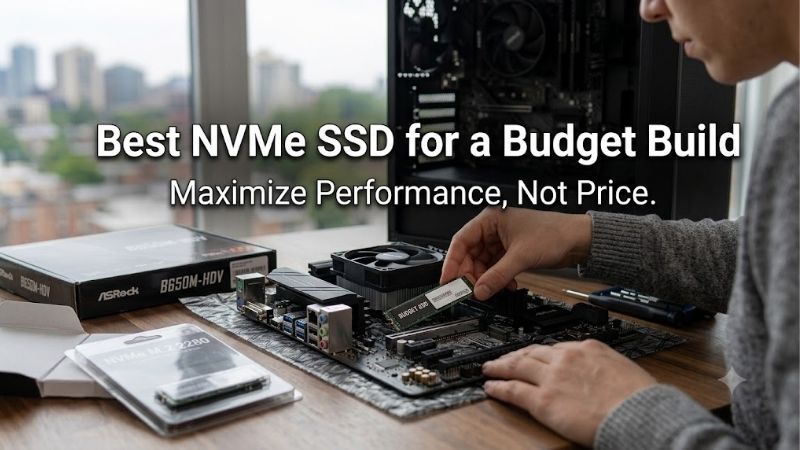
Quick answer: For most people in 2026, the best nvme ssd for a budget build is the Lexar NM790 1TB — our #1 rated choice. See the full ranked comparison, alternatives and buying advice below.
How to Choose an NVMe SSD
The best NVMe SSD for a budget build should preserve funds for higher-priority components. This guide compares four specific capacities through storage space, advertised performance, endurance, and compatibility. Recommendations are conditional on checkout price; none earns its role merely because the packaging calls it fast.
Capacity and Price per Terabyte
Usable capacity determines installation turnover and external storage requirements. Include Windows, applications, updates, and your active library when estimating requirements. Compare price per terabyte rather than sticker price alone. Buying a smaller drive saves initially but potentially accelerates replacement expense.
For a substantial game library, the best NVMe SSD for a budget build may be a larger mainstream model instead of a faster smaller drive. Kingston NV3 2TB doubles these 1TB selections’ nominal capacity. Choose that version when capacity outweighs maximum endurance per terabyte, provided checkout pricing justifies expansion.
Sequential Speed and Real Workloads
Sequential speed describes large transfers under test conditions, not every desktop interaction. Game and application launches have other bottlenecks, including random-access latency and CPU processing. Treat advertised figures as ceilings rather than guaranteed results. Faster storage cannot automatically improve gaming frame rates.
When choosing the best NVMe SSD for a budget build for frequent large-file transfers, additional throughput can justify a modest premium. Lexar NM790 1TB advertises up to 7,400 MB/s reads and 6,500 MB/s writes. Choose it when priced close to slower alternatives, provided your motherboard offers compatible PCIe 4.0 bandwidth.
Endurance and Warranty Terms
Endurance ratings describe specified cumulative writes, while warranty coverage includes additional terms. Compare equivalent capacities before comparing durability. TBW is not a predicted failure date or protection against data loss. Higher allowances matter more for repeated project writes than for a mostly read-oriented game library.
When evaluating the best NVMe SSD for a budget build for everyday computing, warranty terms deserve attention alongside speed. WD Blue SN580 1TB has a 600 TBW rating and five-year limited coverage. Choose it for discounted general-purpose storage, rather than paying an older-model premium that erases its mainstream value.
Motherboard Compatibility and Cooling
Compatibility means matching protocol, connector, physical length, and motherboard slot support. M.2 describes a form factor without guaranteeing NVMe compatibility. These picks concern 2280 drives, measuring 22 mm wide and 80 mm long. Check the board manual for slot bandwidth and lane-sharing restrictions before purchasing replacement storage.
A motherboard heatsink can make a bare drive more practical than a bulky preinstalled cooler. Check surrounding clearance and follow the board’s installation instructions. TEAMGROUP MP44L 1TB uses a thin heat-spreading label instead of oversized fins, making it a useful candidate alongside compatible motherboard cooling.
Top Picks
The best NVMe SSD for a budget build depends on current checkout differences between models and capacities. These selections explain four purchasing roles using manufacturer specifications, without independent benchmark claims. The comparison below identifies the exact versions discussed; faster or larger variants can differ.
| Product | Best For | Key Spec | Watch Out For |
|---|---|---|---|
| Lexar NM790 1TB | Best Overall | Up to 7,400/6,500 MB/s read/write; 1,000 TBW | A substantial premium undermines budget value |
| TEAMGROUP MP44L 1TB | Best Value | Up to 5,000/4,500 MB/s read/write | Current manufacturer table lists 320 TBW |
| WD Blue SN580 1TB | Best for Everyday Boot Drives | Up to 4,150 MB/s reads; 600 TBW | Older stock needs a persuasive discount |
| Kingston NV3 2TB | Best for Larger Game Libraries | Up to 6,000/5,000 MB/s read/write; 640 TBW | Lower endurance per terabyte than NM790 |
Lexar NM790 1TB: Best Overall
Lexar NM790 1TB is the best overall choice here with a modest checkout price premium. It combines advertised sequential speeds up to 7,400/6,500 MB/s with a 1,000 TBW endurance rating. These published specifications suit primary gaming and project storage, while its single-sided 2280 construction fits compatible desktop slots.
The drawback is that its headline speeds describe favorable sequential workloads without establishing sustained post-cache writing. Paying substantially more for this drive undermines budget value. Choose NM790 for its published performance and endurance balance, but buy sufficient capacity before chasing transfer ceilings.
TEAMGROUP MP44L 1TB: Best Value
TEAMGROUP MP44L 1TB earns the best value role when meaningfully cheaper than NM790. The current manufacturer table lists up to 5,000 MB/s reads and 4,500 MB/s writes for this capacity. Its thin label avoids the clearance demands of a tall cooler, suiting straightforward builds with existing compatible motherboard cooling.
The important compromise is its currently published 320 TBW allowance, below the other selected 1TB models. Older listings may show different endurance figures, so verify the supplied version and warranty instead of assuming unchanged specifications. Choose it when its everyday-storage discount offsets that limitation.
WD Blue SN580 1TB: Best for Everyday Boot Drives
WD Blue SN580 1TB is the best option here for a discounted everyday boot drive. It advertises sequential reads up to 4,150 MB/s, with 600 TBW endurance and a five-year limited warranty. Those documented manufacturer specifications suit Windows, applications, and modest game libraries without premium transfer requirements.
The downside is that its advertised throughput trails the faster choices, and older stock can become unattractive at inflated prices. Do not pay extra for WD Blue brand familiarity. Buy this SN580 when its discount is persuasive; if it approaches NM790 pricing, the faster option provides stronger advertised specifications.
Kingston NV3 2TB: Best for Larger Game Libraries
Kingston NV3 2TB is the best choice here for economical game-library expansion, assuming competitive current checkout pricing. This 2280 version advertises reads up to 6,000 MB/s and writes up to 5,000 MB/s. Its primary practical advantage is twice the nominal space of the 1TB selections, reducing frequent installation turnover.
Its 640 TBW rating works out to 320 TBW per nominal terabyte, below NM790’s allowance per terabyte. That makes capacity the reason to choose it, instead of heavy-write workstation suitability. Confirm the 2280 package and exact capacity, because NV3 naming also appears on physically shorter drives requiring different slots.
Frequently Asked Questions
Before ordering the best NVMe SSD for a budget build, resolve assumptions behind misleading comparisons. A generation label does not establish motherboard compatibility, onboard DRAM is not the sole quality measure, and a heatsink cannot replace correct installation. These answers connect specifications to practical purchasing decisions.
Should a Budget Build Use a 1TB or 2TB SSD?
Choose 1TB when your active software and games fit comfortably and 2TB compromises higher-priority components. Choose 2TB when a substantial installed library already approaches that limit. Practical capacity planning outweighs universal recommendations: a fast smaller drive cannot store files that exceed its available space.
For buyers comparing the best NVMe SSD for a budget build, allow room for updates and temporary files rather than filling storage immediately. Estimate your actual installed library instead of your entire purchased collection. With another available slot, starting with 1TB and expanding later can work, despite potentially higher cumulative costs.
Will a PCIe 4.0 SSD Work in a PCIe 3.0 Slot?
A compatible PCIe 4.0 NVMe drive can generally operate in a PCIe 3.0 NVMe slot, at negotiated connection speeds. The slot still requires correct protocol and physical support. Verify motherboard documentation, especially on older systems where SATA-only M.2 connectors or restricted boot support complicate installation.
Paying a large premium for Gen4 throughput makes less sense without compatible motherboard bandwidth. A competitively priced Gen4 drive can suit subsequent motherboard upgrades. Check whether the selected slot shares bandwidth with another device, since those restrictions can change the practical value of an otherwise compatible purchase.
Does a Budget Gaming SSD Need DRAM?
No, a budget gaming SSD does not automatically need dedicated onboard DRAM. Some NVMe designs use host memory for mapping tasks, while caching and controller behavior also influence performance. Judge the complete drive and your workload rather than assuming one omitted component disqualifies inexpensive operating-system drives.
Heavy sustained writes deserve closer scrutiny than ordinary gaming installations. Advertised burst speeds do not reveal extended-copy behavior, particularly as free space shrinks. For predominantly write-heavy workloads, consult sustained-write testing for the exact capacity and revision instead of relying solely on DRAM labeling.
Do You Need an SSD Heatsink?
Not every desktop NVMe SSD requires an aftermarket heatsink. Cooling needs depend on the drive, airflow, mounting location, and workload, and many motherboards include compatible covers. Follow the SSD and motherboard guidance before installation; extra cooling should solve documented thermal requirements rather than merely decorate.
Install the drive with the computer powered down and disconnected, following motherboard instructions. If using a supplied thermal pad, remove its protective film as directed and avoid stacking incompatible cooling assemblies. Check drive temperatures under representative workloads before purchasing additional cooling at capacity’s expense.
Final Thoughts
The best NVMe SSD for a budget build depends on capacity requirements and checkout pricing. Favor Lexar NM790 1TB for balanced specifications, TEAMGROUP MP44L 1TB for a meaningful discount, WD Blue SN580 1TB for discounted everyday use, and Kingston NV3 2TB for library space. Verify the exact version and maintain separate important-file backups.
Ready to decide? Our #1 pick for 2026 is the Lexar NM790 1TB.
Live price & availability on Amazon.









