Best nvme SSD for a high end build matters when a powerful CPU and GPU expose storage bottlenecks during installs, file transfers, gaming, and creative work. The right drive is not simply the one with the biggest sequential number; this guide compares interface, capacity, sustained performance, endurance, and thermals to separate useful upgrades from wasted speed.
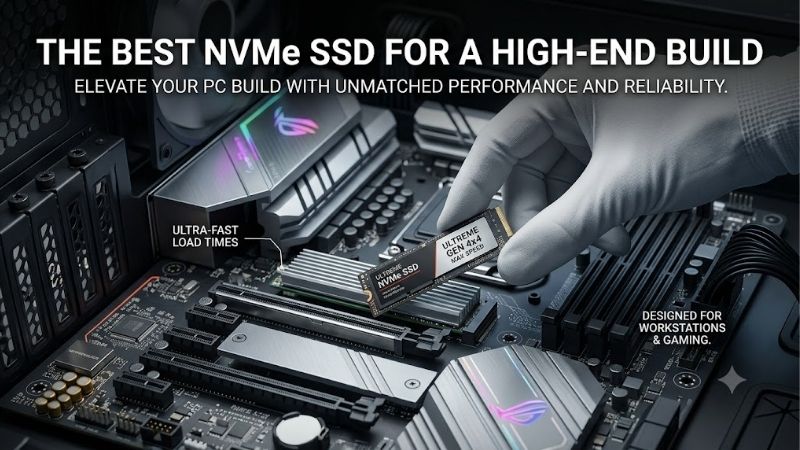
Quick answer: For most people in 2026, the best nvme ssd for a high end build is the Samsung 9100 PRO 2TB — our #1 rated choice. See the full ranked comparison, alternatives and buying advice below.
How to Choose an NVMe SSD
A high-end NVMe choice starts with the platform around it. Check your motherboard’s M.2 generation, available PCIe lanes, heatsink clearance, and workload before comparing drive names. The goal is to match the SSD to the system so its rated bandwidth is usable, rather than paying for performance that your slot cannot actually deliver.
Interface Generation
Interface generation sets the ceiling for sequential bandwidth. PCIe 4.0 drives such as the Samsung 990 PRO and WD_BLACK SN850X can reach roughly 7 GB/s, while PCIe 5.0 models move well beyond 10 GB/s. Gen5 makes the most sense when the motherboard exposes a suitable x4 slot and your workload can use that bandwidth.
For what to look for in an NVMe SSD, interface speed is the first divider because moving from Gen4 to Gen5 also raises power and cooling demands. A premium Gen4 drive can be smarter for gaming-heavy systems, while the Samsung 9100 PRO and FireCuda 540 make stronger cases when large sequential transfers dominate.
Capacity And Free Space
Capacity should follow the role of the drive rather than the size of the PC budget. Two terabytes is a sensible high-end starting point for large games and applications, while four terabytes becomes more useful for video assets, virtual machines, or a project library that stays on one fast volume instead of moving between drives.
The WD_BLACK SN850X offers 2TB and 4TB options, while the Samsung 9100 PRO reaches 8TB across its family, giving builders room to scale without immediately adding another drive. Larger capacity can also preserve free space, which helps keep a fast SSD from becoming cramped under a heavy working set.
Sustained Performance
Rated sequential speed tells only part of the story. Random IOPS, cache behavior, and sustained writes matter when a workstation handles many files or long transfers. A drive can post a huge headline read number yet slow after its high-speed cache fills, so demanding users should look beyond the peak figure before buying.
For what to look for in an NVMe SSD, sustained behavior matters on a premium build where the drive may handle game libraries, exports, scratch data, or large archives. The FireCuda 540 combines 10,000 MB/s reads and writes with 2,000 TBW, while the 9100 PRO targets heavy workloads with newer Gen5 bandwidth.
Cooling And Thermals
Heat is the practical price of extreme NVMe performance. High-end Gen5 drives can draw more power than mature Gen4 models, and their controllers benefit from a proper motherboard heatsink or dedicated cooling. Placement also matters because a drive under a graphics card can face a warmer environment than one in a lower M.2 slot.
Cooling therefore belongs in what to look for in an NVMe SSD, not as an afterthought. The Samsung 9100 PRO has a slim bare-drive format, while the WD_BLACK SN850X is available with an integrated heatsink, making it attractive when the motherboard cover is unsuitable or airflow around the M.2 area is limited.
Top Picks
The four picks below target different high-end priorities rather than competing only on benchmark numbers. Samsung’s 9100 PRO leads on Gen5 balance, the 990 PRO keeps mature Gen4 performance compelling, WD_BLACK SN850X remains a strong gaming-focused option, and FireCuda 540 stands out for write endurance and transfer speed.
| Product | Best For | Key Spec | Watch Out For |
|---|---|---|---|
| Samsung 9100 PRO 2TB | Best Overall | PCIe 5.0; 14,700/13,400 MB/s | Needs a Gen5-capable platform |
| Samsung 990 PRO 2TB | Best Value | PCIe 4.0; 7,450/6,900 MB/s | Lower bandwidth than Gen5 |
| WD_BLACK SN850X 2TB | Best For Gaming | PCIe 4.0; 7,300/6,600 MB/s | Gen4 ceiling |
| Seagate FireCuda 540 2TB | Best For Heavy Workloads | PCIe 5.0; 10,000/10,000 MB/s | Not the fastest current Gen5 read speed |
Samsung 9100 PRO 2TB
Samsung 9100 PRO 2TB is the Best Overall choice for a premium system with a PCIe 5.0 M.2 slot and a workload capable of using it. Samsung rates the 2TB version at up to 14,700 MB/s sequential read and 13,400 MB/s sequential write, with 1,200 TBW and a five-year limited warranty.
Its advantage is the combination of high Gen5 throughput, TLC NAND, a 2GB DRAM cache, and Samsung’s management software. The drawback is simple: those numbers are wasted on a Gen4-only slot, and sustained heavy use still makes motherboard cooling important, so this is best for appropriately equipped builds.
Samsung 990 PRO 2TB
Samsung 990 PRO 2TB is the Best Value pick when you want top-tier Gen4 performance without moving to a hotter Gen5 platform. It uses PCIe 4.0 x4, reaches up to 7,450 MB/s read and 6,900 MB/s write, and carries a 1,200 TBW rating with a five-year limited warranty.
The 990 PRO’s strength is how close it gets to the practical ceiling of PCIe 4.0 while using TLC NAND and a DRAM cache. Its main weakness is that a PCIe 5.0 build can offer much higher sequential bandwidth, so it makes less sense when every part of the system is already built around Gen5.
WD_BLACK SN850X 2TB
WD_BLACK SN850X 2TB is the Best For Gaming option when fast game loads and a mature platform matter more than chasing Gen5 benchmarks. Sandisk rates it at up to 7,300 MB/s read, 6,600 MB/s write, 1,200K random-read IOPS, and 1,100K random-write IOPS, with 1,200 TBW and a five-year warranty.
Its gaming focus is backed by Microsoft DirectStorage support and optional factory heatsinks, giving builders flexibility around motherboard cooling. The tradeoff is its PCIe 4.0 interface: a workstation performing repeated huge transfers can gain more from Gen5, while a gaming-first system may see little reason to pay for extra bandwidth.
Seagate FireCuda 540 2TB
Seagate FireCuda 540 2TB is the Best For Heavy Workloads pick for users who write large datasets frequently. Its PCIe 5.0 x4 interface reaches up to 10,000 MB/s for sequential reads and writes, while the 2TB model is rated for 1,490K random-read IOPS, 1,500K random-write IOPS, and 2,000 TBW.
The strongest reason to choose it is endurance: 2,000 TBW is notably higher than many consumer Gen5 and Gen4 alternatives. The weakness is its older Gen5 performance ceiling compared with newer flagships such as the 9100 PRO, so it makes most sense when sustained writes and durability matter more than peak read speed.
Frequently Asked Questions
Most premium-build buyers narrow the choice to a few practical questions: whether Gen5 is worth it, how much capacity makes sense, whether an NVMe heatsink is necessary, and whether a flagship SSD changes gaming performance. The answers depend heavily on workload and motherboard capability rather than the SSD label alone.
Is A PCIe 5.0 SSD Worth It For Gaming?
Is a PCIe 5.0 SSD worth it for a high-end gaming PC? Usually, only when the system has a Gen5-capable M.2 slot and workloads that benefit from very high transfer rates. Game loading rarely scales in direct proportion to sequential bandwidth, so a strong Gen4 drive can remain the efficient choice for gaming-first builds.
The exception is a mixed workstation that regularly moves large video files, datasets, disk images, or other sequential workloads. In that situation, what to look for in an NVMe SSD should include Gen5 support and cooling capacity, making the 9100 PRO or FireCuda 540 more compelling than simply buying a faster-looking model.
Is 2TB Enough For A High-End Build?
Is 2TB enough for a high-end build? For most single-system users, 2TB is a practical starting point because modern games and creative applications consume significant space. Builders with large media libraries or multiple virtual machines should consider 4TB so active projects can stay on one fast volume without constantly moving data between storage devices.
Capacity also changes long-term value. A 4TB model such as the 9100 PRO can reduce the need for a second drive later, while 2TB options like the 990 PRO and SN850X keep the first purchase focused. Avoid filling any SSD to the last few gigabytes because working space is part of everyday performance and maintenance.
Do High-End NVMe SSDs Need A Heatsink?
Do high-end NVMe SSDs need a heatsink? Gen5 models generally benefit from proper cooling, especially during long transfers, while many Gen4 drives can run comfortably under a motherboard heatsink. The key is the controller, workload, airflow, and whether the drive can maintain its rated behavior without thermal throttling during sustained activity.
For what to look for in an NVMe SSD, check whether your motherboard already provides an M.2 cover before paying for a separate heatsink model. The SN850X offers a factory-heatsink version, while the bare 9100 PRO can rely on a board’s cooler, giving builders two sensible routes depending on slot layout and included hardware.
Will A Faster NVMe SSD Improve Gaming FPS?
Will a faster NVMe SSD improve gaming FPS? No, not directly. Storage speed mainly affects loading and file-transfer behavior, while frame rates depend much more on the CPU, GPU, memory, and game engine. Moving from a slow SATA drive to fast NVMe can feel dramatic, but switching between flagship NVMe tiers is usually less visible in FPS.
The bigger difference appears in workflows that repeatedly stream or move large amounts of data. For that reason, sustained writes, capacity, and thermals can matter more than peak read speed. For gaming, the SN850X is easy to justify; for creator-heavy work, the FireCuda 540 has a stronger endurance case for frequent large writes.
Final Thoughts
For a premium PC, the best choice is the SSD that matches the platform and workload rather than the drive with the largest specification sheet. In what to look for in an NVMe SSD, the practical answer is Gen5 capability, sensible capacity, sustained behavior, and cooling. Choose 9100 PRO, 990 PRO, SN850X, or FireCuda 540 by priority.
Ready to decide? Our #1 pick for 2026 is the Samsung 9100 PRO 2TB.
Live price & availability on Amazon.