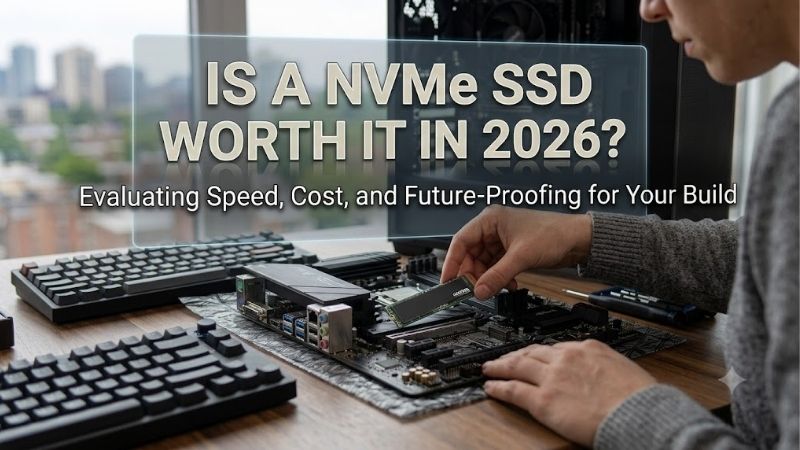
Is a nvme ssd worth it in 2026 with existing functional storage? Yes, especially when replacing an HDD or adding needed capacity in a compatible system. Replacing a satisfactory SATA SSD is less compelling for basic office work. The worthwhile upgrade solves an actual storage problem without forcing unnecessary hardware changes.
Quick answer: Our top pick in 2026 is the Samsung 990 EVO Plus 2TB — our #1 rated choice. See the full ranked comparison, alternatives and buying advice below.
How to Choose an NVMe SSD
To answer is a nvme ssd worth it in 2026, evaluate your existing drive, capacity, transfer workload, and physical compatibility. This guide compares four 2TB models, explaining where each earns its cost. Recommendations use manufacturer specifications and configuration analysis rather than personal benchmarking claims.
Existing Storage
An HDD based system has more potential to benefit from an SSD upgrade than an existing SSD system. However, slow downloads, insufficient memory, or processor limitations need diagnosis. Identify delays before purchasing; faster internal storage cannot automatically accelerate a network connection or processor limited application.
When asking is a nvme ssd worth it in 2026, distinguish necessary replacement from unnecessary performance experimentation. A compatible new build can choose NVMe directly, while an existing SATA system may need no change. Choose the Samsung 990 EVO Plus 2TB for a compatible everyday upgrade that supplies needed capacity.
Capacity and Cost
Capacity should cover applications, working files, game installations, and expected growth rather than current usage. Larger storage can reduce repeated deletion or another replacement purchase, but capacity must remain affordable. Compare delivered prices at the same capacity instead of letting smaller drives suggest misleading savings.
Migration expenses also count: a single slot laptop may need an NVMe enclosure, while a desktop with a spare slot provides another connection. Retaining an existing drive for storage can improve the economics. Choose the WD Blue SN580 2TB when its complete upgrade cost stays lower than faster alternatives at equivalent capacity.
Workload and Resources
Large file transfers can justify additional throughput, provided both drives and their connection support it. Manufacturer sequential ratings describe favorable conditions rather than guaranteed copy speeds. If your work mostly involves documents and browsing, buying more peak bandwidth may deliver less than additional capacity.
For buyers asking is a nvme ssd worth it in 2026 for demanding projects, resources beyond bandwidth matter. Dedicated DRAM stores mapping information, while some designs use a host memory buffer instead. Neither guarantees every workload result. Choose the Samsung 990 PRO 2TB when onboard DRAM and its specified endurance match desktop workloads.
Compatibility and Cooling
M.2 identifies a physical format without guaranteeing NVMe support. Check the system’s protocol, mounting length, and clearance before performance comparisons. Desktop cooling accessories may not fit beneath laptop covers, and shorter drives need appropriate mounting. Follow the host manufacturer’s installation and cooling requirements.
Most desktop upgrades here use M.2 2280, a standardized 22-by-80 mm physical footprint. Compact 2230 installations instead require a 30 mm length, excluding longer recommendations. Choose the Corsair MP600 MINI 2TB when your device explicitly supports its compact format and an upgrade provides usable additional storage.
Top Picks
For shoppers asking is a nvme ssd worth it in 2026, recommendations address distinct needs. Overall balance, economical capacity, demanding desktop workloads, and compact device fit deserve separate choices. The quoted ratings describe the selected 2TB versions and manufacturer testing conditions rather than guaranteed everyday results.
| Product | Best For | Key Spec | Watch Out For |
|---|---|---|---|
| Samsung 990 EVO Plus 2TB | Best Overall | Up to 7,250 MB/s sequential reads | No dedicated onboard DRAM |
| WD Blue SN580 2TB | Best Value | Up to 4,150 MB/s reads; 900 TBW | Lower transfer ceiling |
| Samsung 990 PRO 2TB | Demanding desktop workloads | 2GB DRAM; 1,200 TBW | Requires suitable host bandwidth |
| Corsair MP600 MINI 2TB | Compatible compact devices | M.2 2230; 3D TLC NAND | Verify exact device support |
Samsung 990 EVO Plus 2TB: Best Overall
The Samsung 990 EVO Plus 2TB is my overall recommendation for compatible everyday PCs when priced sensibly against budget options. Samsung rates sequential reads up to 7,250 MB/s and writes up to 6,300 MB/s. TLC flash and Samsung Magician support combine useful capacity with documented firmware management capabilities.
Its compromise is the absence of dedicated onboard DRAM, a consideration for specialized workloads. Buyers asking is a nvme ssd worth it in 2026 should distinguish EVO Plus from 990 EVO. Select this model when capacity and management support meet your requirements, rather than assuming similar names describe equivalent hardware.
WD Blue SN580 2TB: Best Value
The WD Blue SN580 2TB suits buyers whose strongest reason to upgrade is capacity at a lower complete cost. Its single sided M.2 2280 layout and TLC flash fit compatible computers with matching clearance. Published specifications include sequential reads up to 4,150 MB/s, 900 TBW endurance, and a five year limited warranty at this capacity.
Its disadvantage is a lower throughput ceiling than the Samsung options, which can matter for transfers between fast drives. That limitation is easier to accept when pricing meaningfully reduces expenditure. Choose the SN580 for verified savings; if discounts narrow the difference, compare the faster alternatives before purchasing.
Samsung 990 PRO 2TB: Best for Desktop Workloads
The Samsung 990 PRO 2TB serves desktop users handling larger projects and frequent storage activity. Samsung specifies 2GB of onboard DRAM, up to 7,450 MB/s sequential reads, and 6,900 MB/s writes. Its documented 1,200 TBW endurance provides another specification alongside performance, rather than buying purely for speed rankings.
The drawback is that restricted slots prevent using its advertised PCIe 4.0 bandwidth. This makes the premium harder to justify for lightly used systems or bottlenecked workloads. Choose the PRO when your desktop workload benefits from its capabilities, while remembering that write caching affects published transfer specifications.
Corsair MP600 MINI 2TB: Best for Compact Devices
The Corsair MP600 MINI 2TB addresses approved handheld and tablet upgrades requiring M.2 2230 storage. Corsair specifies a PCIe 4.0 NVMe interface and 3D TLC flash in the compact format. Its meaningful advantage is substantial internal capacity where 2280 drives cannot fit, so physical compatibility takes priority over performance rankings.
Its drawback is narrower mounting suitability: a desktop with only an 80 mm fastening position does not automatically support 2230. Verify exact device revisions before purchase. Choose the MINI for an approved compact installation, and check the product name because Corsair’s CORE MINI is a separately specified product family.
Frequently Asked Questions
The question is a nvme ssd worth it in 2026 usually depends on what is being replaced, beyond theoretical speed. These answers cover SATA replacement, older connections, cooling requirements, and migration choices. Each can change the complete upgrade expenditure or reduce the benefit of purchasing a more expensive performance tier.
Replace a Working SATA SSD?
Not automatically. Replacing a satisfactory SATA SSD for daily browsing or office applications may provide limited responsiveness improvements versus addressing capacity or another bottleneck. NVMe becomes easier to justify when you need additional storage, perform suitable large transfers, or plan a compatible new build.
You can also retain the SATA drive and add NVMe storage with motherboard support, without unnecessary immediate migration. That avoids discarding useful capacity, although slot sharing restrictions deserve checking. Evaluate the storage layout before migration rather than assuming an upgrade requires replacing existing hardware.
Will It Work With Gen3?
A compatible Gen4 NVMe drive can operate through a PCIe 3.0 connection, but host bandwidth limits throughput. The Samsung 990 EVO Plus explicitly supports PCIe 3.0 x4 operation. Physical fit and firmware boot support remain separate requirements, so an available connector alone does not establish complete upgrade compatibility.
For shoppers asking is a nvme ssd worth it in 2026 on an older computer, capacity may justify purchasing even without maximum speed. Compare checkout prices with that bandwidth limit in mind. Paying extra solely for a Gen4 read rating makes less sense when the connection cannot provide the advertised performance ceiling.
Is a Heatsink Necessary?
Not always; cooling depends on the drive, host design, airflow, and workload. A desktop motherboard may provide an M.2 heatsink, while a laptop may rely on original thermal pads. Match the bare or heatsink equipped version to host requirements instead of treating additional metal as universally beneficial beneath restricted laptop covers.
Before installation, back up important files and follow service instructions for shutdown, isolation, and handling. Do not stack incompatible cooling accessories or alter the chassis to force clearance. If temperatures cause concern, assess the approved thermal arrangement and workload rather than improvising unsupported modifications.
Clone or Reinstall Windows?
Clone when preserving an installation matters; reinstall when you want a clean environment and can restore applications separately. Both approaches require a verified backup and sufficient destination capacity. A single slot laptop also needs temporary connectivity, so include a compatible NVMe enclosure in migration planning.
Before erasing the original drive, verify replacement booting and important file access. Keep any disk encryption recovery information available throughout system migration. The temporary enclosure must support the NVMe protocol; an M.2 SATA enclosure cannot be assumed compatible simply because its connector appears similar.
Final Thoughts
So, is a nvme ssd worth it in 2026? Yes, for HDD replacement, needed capacity, or suitable transfer workloads. Choose EVO Plus for balance, SN580 for savings, 990 PRO for demanding desktop use, or MP600 MINI for compact devices. Retain satisfactory SATA storage when replacement adds expense without addressing a storage problem.
Ready to decide? Our #1 pick for 2026 is the Samsung 990 EVO Plus 2TB.
Live price & availability on Amazon.