A creator PC case is judged on different things than a gaming case: how many 3.5″ drives it can actually hold, how loud it is when a render pins every core for an hour, whether a 165 mm air cooler and a 3.5-slot GPU both fit, and whether the front ports are where your capture device and audio interface can reach them. Looks come last. Below is how to pick by what you actually make.
- What Creator Builds Need That Gaming Builds Do Not
- Best PC Case by Creator Use Case
- Video Editing: Storage-First Full Towers
- Music Production: Quiet Above Everything
- Streaming: Ports, Airflow and Looking Right on Camera
- What Is the Best Case for 4 GPUs?
- How to Choose in Five Minutes
- Frequently Asked Questions
What Creator Builds Need That Gaming Builds Do Not
Drive bays for local media — and the awkward truth about them
The 3.5″ drive cage is quietly disappearing. Most airflow-focused mid towers now ship with two 3.5″ trays at most, and several popular dual-chamber cases give you exactly two, mounted where a front radiator wants to go. That is fine for a gaming build living on a single NVMe drive. It is not fine if you shoot 4K and keep a year of project files spinning locally, because 4K footage eats terabytes and spinning disks are still the cheapest place to park it.
There are two workarounds. The first is a case deliberately designed for storage: the Fractal Design Define 7 and Meshify 2 series accept extra trays and convert into a storage layout holding well over a dozen 3.5″ drives, and the Phanteks Enthoo Pro 2 and Corsair 7000D take stacked cages. The second is to stop storing media in the tower at all — archive to a NAS or direct-attached enclosure and keep only the active project on NVMe. Read our notes on network storage for editing workflows before buying six drive cages you will never fill.
Noise is a requirement, not a preference
If a microphone is in the same room as the tower, fan noise is recorded material — the one area where a creator’s needs oppose a gamer’s. Sound-dampened cases, with padded solid panels like the Define 7 or be quiet!’s Silent Base and Dark Base lines, lower the noise reaching your mic. They also restrict intake, so the same hardware runs warmer and the fans may ramp higher to compensate.
The honest trade-off: dampening changes the character of the noise more than the raw volume. It muffles coil whine and high-frequency fan chatter — exactly what a condenser mic picks up — while a mesh case with slow 140 mm fans can measure quieter yet sound worse on a recording. For most people the answer is a quiet-oriented case, large low-RPM fans and an undervolted GPU, with the tower off the mic axis. Our guide to building a genuinely quiet PC covers the fan curves.
Cooler and GPU clearance
Creator workloads are sustained, not bursty, so cooling headroom matters more than peak clocks. A dual-tower air cooler such as the Noctua NH-D15 stands around 165 mm tall, so look for 170 mm or more of stated clearance. Current high-end GPUs are routinely 3 to 3.5 slots thick and well over 320 mm long, and a solid front panel eats length a mesh panel gives back. Check both numbers on the spec sheet — see how to check cooler and GPU clearance.
Front-panel ports that suit capture and audio gear
A creator plugs and unplugs hardware constantly: card readers, capture devices, stream decks, external SSDs. A front USB-C port on a 10 Gbps or 20 Gbps header is the most useful port on the case, and two front USB-A ports will frustrate you within a week. One caveat: USB audio interfaces are happier on a rear port wired straight to the motherboard, so keep the front ports for storage and capture.
Dust filtering for machines that run long jobs
A box that renders overnight moves a lot of air, and air carries dust that settles on heatsinks and slowly raises every temperature in the system. Full-length removable, washable filters on the intakes are worth more to a creator than to a gamer. This is where showcase glass cases lose points — a three-sided glass design often has no side filter at all.
Best PC Case by Creator Use Case
| Use case | Top priority | Panel style | 3.5″ bays to look for | Size class | Representative case |
|---|---|---|---|---|---|
| Video editing | Local storage + sustained cooling | Solid or mesh, both workable | 4 or more (expandable) | Full tower | Fractal Design Define 7 / Meshify 2 XL |
| Music production | Acoustics above all | Sound-dampened solid | 2 is usually enough | Mid or full tower | be quiet! Silent Base 802 |
| Streaming | Port access, airflow, looks on camera | Mesh or dual-chamber glass | 2 | Mid tower | NZXT H7 Flow / Lian Li O11 Dynamic EVO |
| Quiet-first build | Low measured and perceived noise | Dampened solid, 140 mm fans | 2 to 4 | Mid tower | be quiet! Dark Base 701 |
| Multi-GPU workstation | Slot count, board size, PSU room | Mesh, heavily ventilated | 6 or more | Super tower | Phanteks Enthoo Pro 2 Server Edition |
Video Editing: Storage-First Full Towers
The Fractal Design Define 7 is the default recommendation, because it solves the problem nobody else takes seriously. It ships with a modest number of trays but accepts many more, and its storage layout converts the front chamber into a drive stack. It is sound-dampened and the front panel hinges open for filter access. Want mesh for a hot CPU and GPU pairing? The Meshify 2 shares the chassis with an airflow front.
Best for: editors keeping project media on spinning disks. Trade-off: it is large, heavy and expensive for the volume, and the dampened front costs you some thermal headroom. Who should skip it: anyone whose media lives on a NAS and who would rather spend the money on a GPU that shortens export times.
Music Production: Quiet Above Everything
be quiet!’s Silent Base 802 is the most flexible pick because the front and top panels swap between solid (quiet) and mesh (airflow), so you tune the case to the build instead of buying twice. The Dark Base 701 goes further with heavier dampening and better stock fans. Either suits a modest, undervolted GPU and a large air cooler running slowly.
Best for: anyone tracking vocals or acoustic instruments near the machine. Trade-off: dampened panels plus a 350 W GPU is a bad combination; the quiet case cannot fix a component that simply dumps a lot of heat. Who should skip it: builders running a top-tier GPU flat out, who will get a better result from a mesh case with slow, large fans.
Streaming: Ports, Airflow and Looking Right on Camera
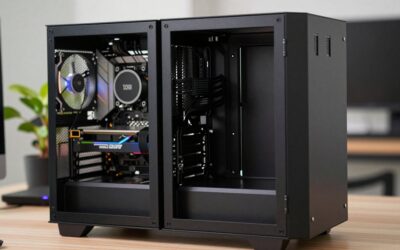
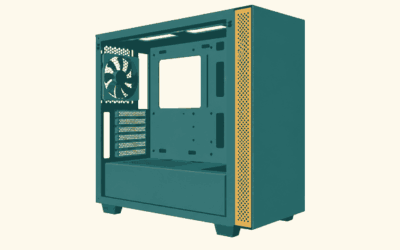
Streaming is the one creator category where appearance is a legitimate spec, because the tower is often in frame. The NZXT H7 Flow is the sensible middle: perforated front and top, a useful cable channel behind the tray, front USB-C, and a clean look on camera. If the PC is a set piece, a dual-chamber Lian Li O11 Dynamic EVO hides cables entirely — at the cost of two 3.5″ bays and no side filtration.
Best for: single-PC streaming setups where the tower is visible. Trade-off: the showcase cases are storage-poor, which pushes your VOD archive onto external drives. Who should skip it: anyone building a two-PC streaming setup, where the encoding box should be a plain, cheap, well-ventilated mid tower.
What Is the Best Case for 4 GPUs?
Be clear about what this build requires, because the case is the least of it. Four cards mean a motherboard with four spaced x16 slots and a platform with the PCIe lanes to feed them — Threadripper or a server chipset, not a mainstream desktop board — plus two-slot or blower-style cards, since 3.5-slot gaming coolers cannot sit four abreast. You also need a PSU, or two, sized for the total draw.
Given that, the Phanteks Enthoo Pro 2 Server Edition is the usual consumer answer: SSI-EEB support, dual PSU mounting, a second system, plenty of expansion slots and fan mounts. The alternative past two cards is to leave towers behind for a 4U rackmount chassis with high-static-pressure fans — louder, but designed for this. If the goal is local AI or rendering, see our overview of workstation build planning first.
How to Choose in Five Minutes
Count the 3.5″ drives you will realistically install in three years and rule out cases that cannot hold them. If a microphone shares the room, choose dampened panels and large slow fans over maximum airflow. Check cooler height and GPU length against your actual parts. Prefer a front USB-C port. Then pick the one you like looking at. Our step-by-step build walkthrough and case airflow and fan placement guide cover what comes next.
Frequently Asked Questions
Who makes the best PC case for streamers?
There is no single best manufacturer, but three come up repeatedly for streaming builds. NZXT is strongest on clean looks, tidy cable routing and a simple build experience, which matters when the tower appears on camera. Lian Li leads on dual-chamber showcase designs. Fractal Design wins when you need storage capacity and quiet operation instead of visual drama. Choose by which of those three priorities your stream actually depends on.
Do I still need 3.5″ drive bays if I have NVMe storage?
It depends entirely on how much footage you keep. NVMe is the right home for the project you are cutting today, but capacity per dollar on solid state storage is still far behind hard drives, so most video editors keep archives on spinning disks or a NAS. If you shoot regularly at 4K or higher, plan for at least four bays in the tower or accept that you are committing to network or external storage instead.
Is a mesh case or a sound-dampened case better for recording audio?
A dampened case usually sounds better on a microphone even when a meter says the two are similar, because the padding absorbs the high-frequency fan and coil whine that condenser mics capture most clearly. The cost is thermal: restricted intake means higher component temperatures and potentially higher fan speeds. If your GPU draws a lot of power under sustained load, a mesh case with large, slow-spinning fans is often the quieter real-world result.
Which NZXT case is best for a creator build?
For most creators the H7 Flow is the right NZXT model: it is a standard ATX mid tower with a perforated front and top for sustained loads, front USB-C, and the cable management channel the brand is known for. Step up to the H9 Flow if you want the dual-chamber fishbowl look for on-camera builds. Both are storage-light, so plan on external or network archives.
What case do I need for a four-GPU workstation?
You need a super tower that accepts SSI-EEB or E-ATX motherboards with enough rear expansion slots for four dual-slot cards, dual PSU mounting, and heavy ventilation — the Phanteks Enthoo Pro 2 Server Edition is the common consumer choice. Remember the case is not the constraint: the motherboard, the PCIe lane count of your CPU platform, and the physical thickness of modern GPU coolers decide whether four cards fit at all.