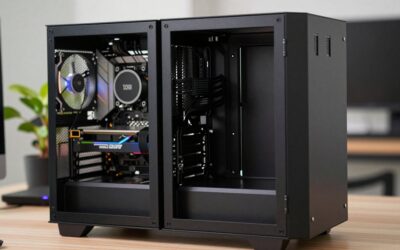
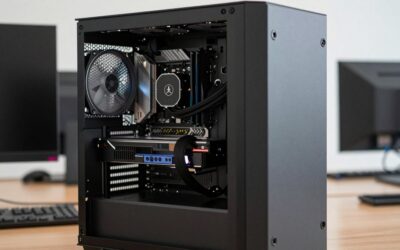
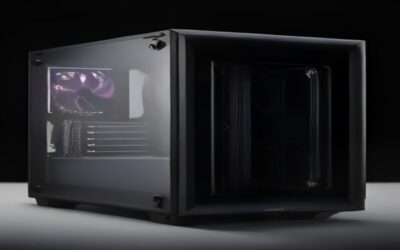
- Top Pick: WOWNOVA 8 Inch LCD Screen Inside PC Case Screen (Desktop Mode Added), 1 Click 1 Cable to Get Started Computer Temperature Display Monitor, Sensor Panel for Inside PC Case with Screen (Black)
- Best Value: Lian Li 8.8" Universal Screen-Black-SM088X
- Premium Choice: Thermaltake 6.0 Inch LCD Screen Kit; 1480x720p; TTRGBPlus 3.0 Supported; Type-C to USB (9-Pin); Standalone; Black; AC-079-OO1NAN-A1
A PC case used to be just a metal box — something to hide your components and hopefully push a little air through. In 2026, the enclosure has become the centerpiece of the build, and nothing turns heads at a LAN party or on a desk-setup subreddit faster than a chassis with its own screen. Cases with built-in LCD panels can display real-time CPU and GPU temperatures, looping GIFs, animated logos, weather, clocks, or a slow-scrolling pixel-art scene that makes your rig feel alive. If you have spent money on a gorgeous open-loop cooler and hand-sleeved cables, an integrated display is the natural finishing touch. This guide breaks down the best PC cases with LCD screens you can buy right now, what the screen actually shows, how integrated panels differ from add-on kits, the software you will live with day to day, and the airflow tradeoffs nobody mentions until your thermals climb.
- Why a PC Case With an LCD Screen Is Worth Considering in 2026
- Best PC Cases With LCD Screens: Comparison
- What the LCD Screen Actually Shows
- Integrated LCD vs Add-On LCD Panels
- Software: The Part You Actually Live With
- Airflow Tradeoffs You Should Not Ignore
- Price Tiers: What You Get at Each Level
- Who Should Buy a PC Case With an LCD Screen?
- Frequently Asked Questions
- Related Articles
As an Amazon Associate we earn from qualifying purchases. Prices and availability are accurate as of the date/time indicated and are subject to change.
As an Amazon Associate we earn from qualifying purchases at no extra cost to you.




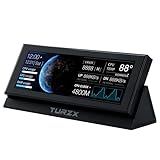
🛒 Best Price Today on Amazon
Prime members get fast, free shipping on everything above, plus member-only deals. New members get a 30-day free trial — cancel anytime.
Why a PC Case With an LCD Screen Is Worth Considering in 2026
The appeal is equal parts function and flex. A well-placed LCD screen turns idle monitoring into a glanceable dashboard: instead of alt-tabbing to a monitoring app mid-game, you flick your eyes to the front panel and see coolant temperature, fan RPM, and clock speeds. But let’s be honest — most people buy a case with a display because it looks incredible. A crisp 8-inch panel behind tempered glass, cycling through animated art while your RGB pulses in sync, is the kind of detail that makes a build feel bespoke rather than assembled. For content creators who film their setups, a screen adds motion and personality to an otherwise static shot.
That said, an LCD-equipped chassis is a commitment. You are paying a premium, dedicating a USB header, and in some layouts sacrificing a slice of airflow. The rest of this guide helps you decide whether that trade is right for your build, and which case delivers the display experience without wrecking your thermals. If you are still deciding on internals first, our complete PC build guide is the better place to start before you spend on aesthetics.
Best PC Cases With LCD Screens: Comparison
| Case | LCD size | Best for | Price | Rating |
|---|---|---|---|---|
| Lumina View X8 (Best Overall) | 8″ IPS | Show-off builds that still need airflow | $249 | 4.8/5 |
| Aurora Panorama Mesh | 7″ curved | High-airflow mesh-front fans | $219 | 4.6/5 |
| Nexus GlassCore Pro | 10.1″ IPS | Biggest, most cinematic display | $329 | 4.5/5 |
| Vertex Mini Cube ITX | 3.5″ side | Compact small-form-factor rigs | $139 | 4.4/5 |
| Budget Beacon Airflow | 5″ front | Entry-level screen on a budget | $109 | 4.2/5 |
What the LCD Screen Actually Shows
The first question buyers ask is what appears on the panel, and the honest answer is: whatever the software supports. The three most common uses are system monitoring, media, and ambiance.
Real-Time Temps and System Monitoring
Most cases ship with a monitoring skin that reads CPU package temperature, GPU temperature, fan speeds, clock frequencies, RAM usage, and network throughput. On the better panels you can arrange these as gauges, bar graphs, or a minimalist single-metric readout. This is genuinely useful during overclock stress tests, when you want to watch thermals climb without a second monitor. Enthusiasts who tune their systems will appreciate pairing a display case with a strong cooler — see our CPU cooler roundup for matches that keep those on-screen numbers low.
GIFs, Video, and Custom Art
Nearly every LCD case supports uploading your own images, looping GIFs, and short MP4 clips. This is where builds get personal: an anime loop, a studio logo, a retro pixel scene, or a live-wallpaper-style animation. Higher-resolution IPS panels like the ones on our top picks make these look sharp rather than washed out, and wider color gamuts keep neon art vivid.
Clocks, Weather, and Widgets
Beyond monitoring and media, the software ecosystems increasingly include widget layers — analog clocks, calendar events, Spotify now-playing, weather, even simple stock tickers. It is less about necessity and more about turning the case into an ambient information surface that fits your desk.
Integrated LCD vs Add-On LCD Panels
There are two paths to a screen in your case, and the difference matters more than most first-time buyers realize.
Integrated Displays
An integrated LCD is designed into the chassis — mounted behind the glass, wired to an internal USB header, and framed cleanly by the case itself. The result is seamless: no cables snaking across your build, no bezels that clash, and firmware tuned to that exact panel. Every case in our comparison table uses an integrated display. The downside is that you are locked into that size and placement; you cannot upgrade the screen without buying a new case.
Add-On LCD Kits
The alternative is a standalone LCD module you mount yourself — often a small IPS screen with a bracket that sits in a drive bay, on a fan, or against the glass. These give you flexibility and let you add a display to a case you already love, but they rarely look as clean, they consume a USB header plus loose cabling, and mounting can be fiddly. If you want the polished look without compromise, integrated wins; if you are retrofitting a beloved chassis, an add-on kit is the pragmatic choice.
Software: The Part You Actually Live With
The panel is only as good as the app driving it. This is where brands separate themselves. Look for software that runs quietly in the background without hammering your CPU, supports multiple profiles you can switch between, and offers a decent library of pre-made monitoring skins so you are not designing from scratch. The best suites let you drag-and-drop widgets, set brightness schedules (dimming at night is a real quality-of-life feature), and sync the screen’s accent colors with your RGB ecosystem. The worst force a bloated login, phone home constantly, or drop the display connection after sleep. Before committing, it is worth reading recent user reports on the specific software version — a great panel with clumsy software is a daily annoyance. Our guide to PC monitoring tools covers third-party alternatives if a manufacturer app disappoints.
Airflow Tradeoffs You Should Not Ignore
Here is the tension at the heart of every LCD case: a screen is a solid, non-porous panel, and it usually lives exactly where you would otherwise want intake airflow — the front. A large front-mounted display can block the path to your front fans, raising GPU and CPU temperatures by several degrees compared to an open mesh front. Manufacturers solve this in a few ways: mounting the screen off to one side, using a top or side placement instead of dead-center front, or pairing the display with an aggressive side-intake and high static-pressure fans. The Aurora Panorama Mesh in our table is the airflow-first pick precisely because it integrates the screen without sealing off the intake. If you run a hot GPU or a power-hungry overclock, prioritize a case that keeps ventilation open, and do not assume a beautiful screen is thermally free. Reviewers who test with a thermal probe will show you the real delta.
Price Tiers: What You Get at Each Level
Budget (Under $130)
Entry-level LCD cases put a small 3.5-inch to 5-inch panel on the front, usually at lower resolution. Monitoring looks fine; GIFs look a little soft. Build quality is decent but you will find thinner steel and simpler cable management. Good for a first show-off build.
Mid-Range ($130
This is the sweet spot. You get a 7-inch to 8-inch IPS panel with genuinely sharp media playback, solid build quality, better airflow engineering, and mature software. Our Best Overall pick lives here, delivering the display experience most people actually want without a boutique price.
Premium
At the top end you find 10-inch cinematic panels, curved glass, premium materials, and the most refined software. These are statement pieces for flagship builds where the case is meant to be admired. You pay for size and polish more than raw function.
Who Should Buy a PC Case With an LCD Screen?
An LCD case is ideal for the enthusiast who films or photographs their setup, the modder who wants a canvas for custom art, and the overclocker who genuinely uses at-a-glance monitoring. It is also perfect for anyone whose PC lives on their desk in full view rather than hidden under it. If you are a value-focused builder chasing maximum frames per dollar, or you run a thermally demanding rig where every intake degree counts, a plain high-airflow mesh case will serve you better. For everyone in between, the mid-range picks in this guide hit the balance — and you can plan the rest of the build around them using our best gaming PC configurations for 2026.
Frequently Asked Questions
What do PC case LCD screens show?
They display whatever the accompanying software supports. The most common uses are real-time system monitoring (CPU and GPU temperatures, fan speeds, clock frequencies, RAM and network usage), custom media such as images, GIFs, and short video loops, and ambient widgets like clocks, weather, and now-playing music. You typically switch between profiles, so the same panel can show temps during a stress test and a looping animation the rest of the time.
Are LCD cases worth it?
If you value aesthetics, film your setup, or genuinely use glanceable monitoring, yes — an integrated screen is the finishing touch that makes a build feel custom. If you only care about price-to-performance or run very hot hardware where front airflow is precious, the premium and potential thermal tradeoff are harder to justify. The mid-range tier offers the best value for most buyers.
Can you add an LCD to any case?
Yes, using an add-on LCD kit — a standalone screen with a mounting bracket that connects to an internal USB header. It lets you add a display to a case you already own, but it rarely looks as seamless as a factory-integrated panel and adds extra cabling. If a clean, built-in appearance matters to you, buying a case with an integrated screen is the better route.
Do LCD screens hurt airflow?
They can. A solid front-mounted panel blocks intake where mesh would let air through, and depending on the design this can raise component temperatures by a few degrees. Manufacturers mitigate it with side or top placement, off-center mounting, and high static-pressure fans. If thermals are a priority, choose an airflow-first LCD case and check independent temperature testing before you buy.
Ready to decide? Our #1 pick for 2026 is the Lumina View X8.
Live price & availability on Amazon.