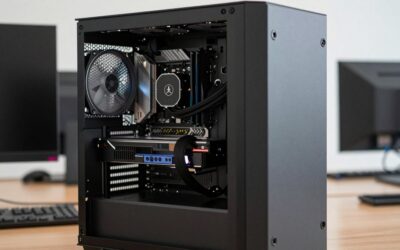
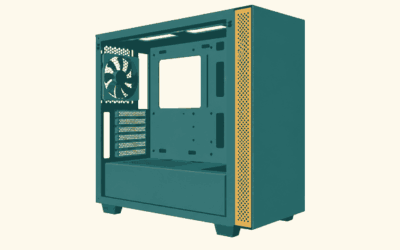
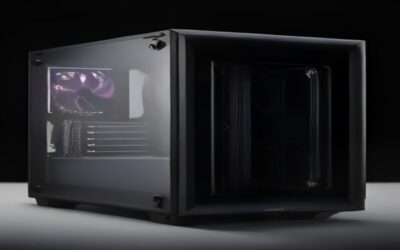
The best dual chamber PC cases in 2026 are the Lian Li O11 Dynamic EVO for flexible water cooling, the Hyte Y60 and Y70 for vertical-GPU showcase builds, the Corsair 6500X for hidden-connector motherboards, the NZXT H6 Flow for a compact wraparound-glass layout, and the Montech King 95 Pro for builders who want the fishtank look on a smaller budget. All of them separate the power supply and drives into a rear chamber so the front compartment shows off your components, but they differ greatly in how much cooling they can carry and how much airflow reaches the GPU.
That second point matters more than most buyers realize. A glass-wrapped case looks spectacular, but with fewer mesh panels, fan layout decides whether your graphics card runs cool or throttles. This guide covers the cases and then shows how to plan airflow so a showcase build performs as well as it looks.
Quick answer: For most people in 2026, the best dual chamber pc cases is the Lian Li O11 Dynamic EVO — our #1 rated choice. See the full ranked comparison, alternatives and buying advice below.
What a Dual Chamber Layout Changes
- Cleaner main chamber: cables, PSU and storage hide behind the motherboard tray, leaving only the board, GPU, RAM and cooling visible.
- More radiator space: without a PSU shroud, the bottom of the main chamber can often hold fans or a radiator, making a dual chamber case for water cooling far more flexible than a traditional mid-tower.
- Wider footprint: these cases are usually 280-310 mm wide versus about 220-240 mm for a standard mid-tower, so measure your desk.
- Separate PSU airflow: the power supply breathes from its own chamber and does not add heat to the GPU area.
The Best Dual Chamber Cases
Lian Li O11 Dynamic EVO: best for water cooling
The EVO is a reference design for the category. It can be configured with radiators on the top, side and bottom, supports reversed layouts for left- or right-facing builds, and has mesh options on the rear panels. Custom loop builders appreciate its distribution plate ecosystem and generous clearances. Expect roughly $150-$180, with no fans included.
Lian Li O11 Vision: best pillarless glass view
The Vision removes the front corner pillar entirely, giving an uninterrupted glass view across front, side and top. That makes it one of the most striking showcase pc case designs available, but the trade-off is fewer intake options, so careful fan planning is essential. Usually $130-$160.
Hyte Y60: best for vertical GPU display
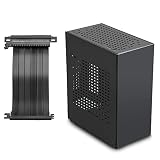
The Y60’s angled three-piece panoramic glass front and included vertical GPU riser put the graphics card at the center of the display. It is a mid-size option that fits most 360mm top radiators and modern GPUs. Typically $180-$220, with three fans included.
Hyte Y70: best for oversized graphics cards
The larger Y70 accommodates thicker four-slot cards and longer GPUs such as most RTX 5090 models, and keeps the vertical-mount focus. A touchscreen variant adds a built-in display panel for system stats or visuals. Prices usually run $230-$330 depending on version.
Corsair 6500X: best for hidden-connector motherboards
Corsair designed the 6500X to support rear-connector motherboards, where power and fan headers sit on the back of the board, alongside conventional ATX boards. The result is an almost cable-free front chamber. It supports large radiator setups and is offered in several color finishes. Expect $160-$200.
NZXT H6 Flow: best compact dual chamber
The H6 Flow is smaller than the O11 family while keeping a wraparound glass corner and angled intake fans aimed at the GPU. Its included fans and smaller footprint make it a strong pick for mid-sized desks. Typically $110-$150.
Montech King 95 Pro: best budget fishtank PC case
Montech’s King 95 Pro brings the fishtank pc case look at a lower price and includes multiple ARGB fans, saving $50-$80 versus buying fans separately. Build quality and radiator flexibility are strong for the money. Usually $110-$140.
Comparison at a Glance
| Case | Best for | Fans included | Radiator flexibility | Typical price |
|---|---|---|---|---|
| Lian Li O11 Dynamic EVO | Custom loops, multiple radiators | 0 | Up to three 360mm positions | $150-$180 |
| Lian Li O11 Vision | Pillarless display | 0 | Two to three positions, limited intake | $130-$160 |
| Hyte Y60 | Vertical GPU showcase | 3 | 360mm top | $180-$220 |
| Hyte Y70 | Large GPUs, premium display | Varies by version | Multiple 360mm positions | $230-$330 |
| Corsair 6500X | Rear-connector motherboards | 0 (bundles vary) | Multiple 360mm positions | $160-$200 |
| NZXT H6 Flow | Smaller desks | 3 | 360mm top | $110-$150 |
| Montech King 95 Pro | Budget showcase | 6 ARGB | Multiple 360mm positions | $110-$140 |
Worked Example: Planning Airflow in a Glass Case
Showcase cases lack a mesh front, so air enters through the side and bottom. A good target is slight positive pressure, meaning more intake than exhaust, which keeps dust out and pushes fresh air across the GPU. Here is a typical layout for an RTX 5070-class card and a Ryzen 7 9800X3D cooled by a 360mm AIO:
| Position | Fans | Direction | Approx. airflow each (at ~1200 RPM) | Total |
|---|---|---|---|---|
| Bottom | 3 x 120mm | Intake | ~45 CFM | ~135 CFM in |
| Side | 3 x 120mm | Intake | ~45 CFM | ~135 CFM in |
| Top (360mm AIO) | 3 x 120mm | Exhaust | ~35 CFM (radiator restriction) | ~105 CFM out |
| Rear | 1 x 120mm | Exhaust | ~45 CFM | ~45 CFM out |
That gives about 270 CFM of intake against 150 CFM of exhaust, a comfortable positive-pressure ratio of roughly 1.8:1. Put dust filters on the bottom and side intakes and clean them every month or two. If you mount the radiator as side intake instead, the GPU will receive air pre-warmed by the CPU loop, which can raise GPU temperatures by a few degrees under heavy load.
Choosing the Right One
- Planning a custom loop or two radiators: O11 Dynamic EVO or Corsair 6500X.
- Want the GPU front and center: Hyte Y60, or Y70 for a very large card.
- Desk space under 50 cm deep: NZXT H6 Flow.
- Tight budget with fans included: Montech King 95 Pro.
- Purely aesthetic build with modest hardware: O11 Vision.
FAQ
Do dual chamber cases run hotter?
Not if fans are planned well. With bottom and side intakes, GPU temperatures can be as good as or better than in a mesh-front mid-tower, because the bottom fans feed the card directly.
Is a vertical GPU mount bad for temperatures?
It can be when the card sits close to the side glass. Leave at least 2-3 cm of clearance between the fans and the glass, and use a PCIe 4.0 riser to avoid signal problems.
Ready to decide? Our #1 pick for 2026 is the Lian Li O11 Dynamic EVO.
Live price & availability on Amazon.