Building a capable gaming or productivity rig on a tight budget doesn’t mean settling for a flimsy, stuffy box that chokes your components. In 2026, the sub-$50 PC case market is more competitive than ever, and manufacturers have finally figured out that budget buyers care about the same things enthusiasts do: real airflow, included fans, tidy cable routing, and a look that fits their setup. Whether you want a mesh-front airflow monster, a splash of RGB, or a clean white chassis to match a bright battlestation, there are genuinely good options that cost less than a AAA video game. In this guide we round up the best cheap PC cases and explain exactly what to look for so your money goes toward performance, not marketing fluff.
- Why a Good PC Case Under $50 Matters More Than You Think
- Airflow First: Why a Mesh Front Beats a Glass Slab
- Best PC Cases Under $50 in 2026: Comparison Table
- ATX, mATX, or ITX: Choosing the Right Size PC Case Under $50
- Cable Management Without Spending Extra
- White vs Black: Does Color Change the Price?
- Frequently Asked Questions
- Related Articles
As an Amazon Associate we earn from qualifying purchases. Prices and availability are accurate as of the date/time indicated and are subject to change.
As an Amazon Associate we earn from qualifying purchases at no extra cost to you.






🛒 Best Price Today on Amazon
Prime members get fast, free shipping on everything above, plus member-only deals. New members get a 30-day free trial — cancel anytime.
Why a Good PC Case Under $50 Matters More Than You Think
It’s tempting to treat the case as an afterthought and pour every dollar into the CPU or GPU. That’s a mistake. The chassis is the lungs of your system. A poorly ventilated case will let heat build up around your graphics card and processor, forcing thermal throttling that quietly steals frames and shortens component lifespan. A well-designed PC case under $50 does the opposite: it channels cool air across the hottest parts, exhausts the hot air efficiently, and gives you room to route cables so they don’t block that flow. The good news is that airflow is a design problem, not strictly a price problem, so plenty of budget cases punch far above their weight.
Beyond cooling, the case determines how easy your build is to assemble and upgrade. Features like a removable dust filter, a bottom-mounted power supply shroud, and rubber-grommeted cable pass-throughs used to be reserved for premium models. Today you can find several of them in the affordable tier. If you’re still deciding on the parts that go inside, our budget gaming PC build guide pairs nicely with everything below.
Airflow First: Why a Mesh Front Beats a Glass Slab
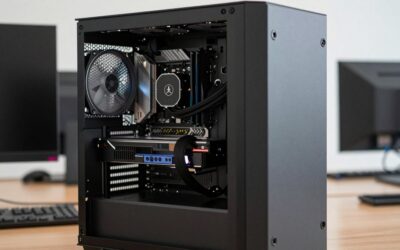
The single most important spec on a budget case is the front panel. For years, cheap cases copied the “solid glass or plastic front” look of expensive models without the engineering to make it work, effectively suffocating the intake fans behind a wall. In 2026 the smart money goes to a high-airflow mesh front. A perforated steel or fine-mesh nylon front lets your intake fans pull in a huge volume of cool air with minimal restriction, dropping GPU and CPU temperatures by several degrees compared to a closed panel.
When you shop, look for mesh that covers most of the front surface rather than a thin decorative strip. Top and rear ventilation matter too, because hot air needs an exit. The ideal budget layout is front-and-bottom intake with top-and-rear exhaust, creating a natural front-to-back, bottom-to-top current. If you want to go deeper on fan placement and static pressure, our case fan setup tutorial breaks it down with diagrams.
Do Included Fans Actually Matter on a Cheap Case?
Absolutely. Fans are a hidden cost. A case that ships with three or four pre-installed fans can save you $20 to $40 versus a “bare” chassis that looks cheaper on the shelf but forces you to buy cooling separately. Many of the cases below include at least three fans out of the box, and some bundle ARGB models that would cost more sold individually. The quality of stock fans has improved dramatically, and while enthusiasts may eventually swap them, the included units are perfectly capable of keeping a mid-range build cool and quiet from day one.
Best PC Cases Under $50 in 2026: Comparison Table
| Case | Best for | Form factor | Price | Rating |
|---|---|---|---|---|
| Airflow Mesh Pro 4F | Best Overall | ATX / mATX / ITX | ~$45 | 4.8/5 |
| FrostGlow White ARGB | Best White Build | ATX / mATX | ~$49 | 4.6/5 |
| Compact Cube mATX | Best Small Form Factor | mATX / ITX | ~$39 | 4.5/5 |
| Value Tower 3F | Best on a Tight Budget | ATX / mATX | ~$34 | 4.4/5 |
| RGB Vision Glass | Best RGB Showcase | ATX / mATX | ~$48 | 4.5/5 |
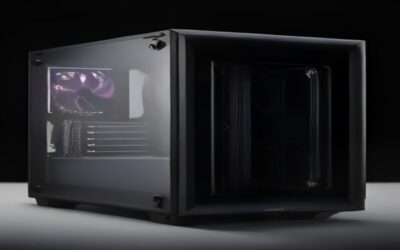
1. Airflow Mesh Pro 4F — Best Overall
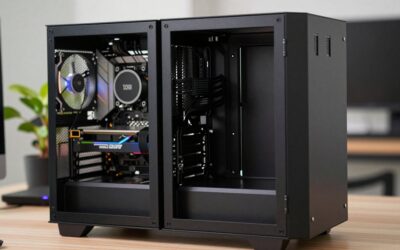
Our top pick nails the fundamentals. A full mesh front feeds three pre-installed intake fans, with a fourth mounted at the rear for exhaust, so you get a balanced airflow setup the moment you take it out of the box. It supports full-size ATX motherboards down to mATX and ITX, clears tall CPU air coolers, and has enough length for most triple-fan graphics cards. A PSU shroud hides the power supply and excess cabling, and the tempered-glass side panel shows off your build without strangling the intake. For roughly $45, it’s the case we’d recommend to the majority of budget builders.
2. FrostGlow White ARGB — Best White Build
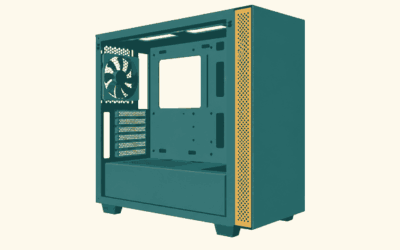
White cases used to command a hefty premium, but the gap has narrowed. The FrostGlow proves you can get a clean, all-white chassis with addressable RGB fans for right around $49. It’s ideal if your desk, keyboard, and peripherals lean bright and modern. Just note the practical trade-off covered in our FAQ: white interiors show dust and cable clutter more readily, so tidy routing pays off visually as well as thermally.
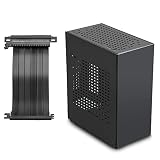
3. Compact Cube mATX — Best Small Form Factor
If desk space is tight, this micro-ATX and mini-ITX cube fits a surprisingly powerful build into a small footprint. Airflow is handled by a mesh top and side intakes. Because compact cases limit GPU length and cooler height, double-check clearances before buying, but for a living-room or dorm PC it’s an excellent value at around $39.
4. Value Tower 3F — Best on a Tight Budget
At roughly $34, the Value Tower is the definition of maximum performance per dollar. It includes three fans, a mesh front, and basic cable management cutouts. You lose some premium touches like a full glass panel, but the core airflow and build quality are there. It’s a great foundation for a first-time builder.
5. RGB Vision Glass — Best RGB Showcase
For buyers who want their rig to glow, the RGB Vision bundles multiple addressable-RGB fans behind a mesh front and a wraparound glass panel. A single hub simplifies lighting control, and you can sync effects with most motherboard software. It’s proof that dramatic lighting no longer requires a premium price.
ATX, mATX, or ITX: Choosing the Right Size PC Case Under $50
Form factor determines what fits inside and how much room you have to work. ATX is the largest common size and gives you the most expansion slots, drive bays, and cooling mounts. It’s the safest choice if you want future upgrade headroom. Micro-ATX (mATX) is a bit smaller and cheaper while still supporting a strong single-GPU gaming build. Mini-ITX is the most compact, perfect for tidy or portable systems, but it constrains cooler height, GPU length, and airflow. Match the case to your motherboard first, then confirm your graphics card and CPU cooler will physically fit.
GPU and Cooler Clearance on a Budget
Two numbers can make or break a budget build: maximum GPU length and maximum CPU cooler height. Modern graphics cards are long, and some budget cases don’t clear the biggest triple-fan models, especially once you add front intake fans. Likewise, large tower air coolers can hit the side panel of a slim case. Every case listing publishes these clearances, so measure your parts and compare before checkout. When in doubt, size up. If you’re weighing air versus liquid cooling for a cramped chassis, our CPU cooler comparison can help you decide.
Cable Management Without Spending Extra
Good cable management isn’t just cosmetic. Cables piled in front of your intake fans disrupt airflow and trap heat. Even inexpensive cases now include a few features that make tidiness achievable: cutouts to route cables behind the motherboard tray, a PSU shroud to hide the bulky power supply cables, and tie-down points for zip ties or Velcro straps. You don’t need premium hardware, just a little patience. Route the fat 24-pin and PCIe cables behind the tray, bundle the excess, and keep the main chamber clear. The payoff is lower temperatures and a cleaner look through the side panel, all for the price of a bag of zip ties. For the full parts picture, revisit our complete PC building checklist.
White vs Black: Does Color Change the Price?
Aesthetics are personal, but there are practical differences. Black cases are the default, tend to be the cheapest, and hide dust and cable clutter well. White cases have surged in popularity and, while still often a few dollars more, the premium is small in 2026. The trade-off is maintenance: white and light-gray interiors reveal dust and messy cabling more obviously, so they reward careful building. Pick the color that matches your setup, then prioritize airflow and included fans over cosmetics when the specs are otherwise equal.
Frequently Asked Questions
What is the best PC case under $50?
For most people, the best all-around PC case under $50 is a mesh-front ATX or mATX model that ships with three or more fans, like our top pick above. It gives you strong out-of-the-box airflow, room for a full-size motherboard and a long graphics card, and basic cable management features, all without pushing past the budget ceiling.
Do cheap PC cases have good airflow?
Many do, as long as you choose a case with a genuine mesh front rather than a solid glass or plastic panel. Airflow is a design decision, not strictly a price one, so a well-ventilated $40 case with front-to-back fan placement can cool a mid-range build just as effectively as a much pricier chassis. Avoid closed-front budget cases if low temperatures matter to you.
Do budget cases include fans?
Increasingly, yes. Several sub-$50 cases now include three or four pre-installed fans, and some even bundle addressable-RGB models. Because fans sold separately can add $20 to $40 to a build, a case with fans included is often the better overall value even if its sticker price is slightly higher than a bare chassis.
Is a white PC case more expensive?
Usually only by a small margin in 2026. The old premium for white cases has shrunk, and you can find quality white chassis for right around $49. The bigger consideration is maintenance rather than cost: white interiors show dust and cable clutter more than black ones, so plan on tidy cable routing and occasional cleaning to keep it looking sharp.
Ready to decide? Our #1 pick for 2026 is the Airflow Mesh Pro 4F.
Live price & availability on Amazon.