
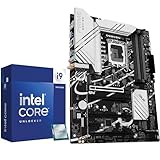
- Top Pick: Micro Center CPU Motherboard Combo – Intel i9-14900K 14th Gen 24-Cores LGA 1700 Desktop Processor Bundle with TUF Gaming Z790-Plus WiFi Gaming Motherboard
- Best Value: Micro Center CPU Motherboard Combo lga1700 Processor with DDR5 ATX Mobo
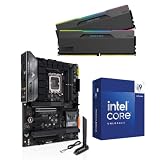
- Premium Choice: 3-in-1 Combo: Intel Core i9-14900K CPU+ASUS Tuf Gaming Z790-Plus WiFi Motherboard and Klevv 32GB DDR5
Intel’s Core i9-14900K is a beast of a processor, and it demands a motherboard that can feed and cool its enormous power draw. Pick the wrong board and you will hit throttling, instability, or worse. This roundup covers the best motherboard for the i9-14900K across every budget, from value Z790 boards to no-compromise flagships.
As an Amazon Associate I earn from qualifying purchases.
As an Amazon Associate we earn from qualifying purchases at no extra cost to you.





🛒 Best Price Today on Amazon
Prime members get fast, free shipping on everything above, plus member-only deals. New members get a 30-day free trial — cancel anytime.
What the i9-14900K Needs From a Motherboard
The i9-14900K can pull well over 250 watts under full load, which places extreme demands on a motherboard’s power delivery. For this chip you want a Z790 board (or a high-end B760 at minimum) with a robust VRM, generous heatsinks, and up-to-date BIOS microcode that addresses the platform’s known stability quirks. DDR5 support, multiple M.2 slots, and strong connectivity round out the requirements. Skimping on the board is the classic mistake that leaves 14900K performance on the table. If you are also finalizing cooling, our flagship cooling guide and CPU temperature guide are essential companions to this article.
Best i9-14900K Motherboards Compared
These boards all deliver the strong VRMs and stable BIOS the i9-14900K requires, ranging from sensible value picks to premium flagships. All support DDR5 and offer the connectivity a high-end build deserves. Choose based on your budget, form factor, and how much overclocking headroom you want.
| Product | Best For | Standout Feature | Rating |
|---|---|---|---|
| ASUS ROG Strix Z790-E Gaming WiFi | Best overall for i9-14900K | Powerful VRMs and rich connectivity | 4.8/5 |
| MSI MAG Z790 Tomahawk WiFi | Best value Z790 board | Strong power delivery at a fair price | 4.8/5 |
| Gigabyte Z790 Aorus Master | Serious overclocking | Massive VRM for sustained heavy loads | 4.7/5 |
| ASRock Z790 PG Lightning | Budget 14900K builds | Solid VRM for the entry price | 4.5/5 |
| ASUS ROG Strix Z790-I Gaming | Small form factor builds | Flagship features in Mini-ITX | 4.6/5 |
Best Overall Motherboard for i9-14900K
The ASUS ROG Strix Z790-E Gaming WiFi is the balanced flagship most 14900K builders should choose. Its potent VRM feeds the chip without breaking a sweat, and it packs DDR5, multiple fast M.2 slots, Wi-Fi, and premium connectivity. It handles both stock operation and moderate overclocking with stability. For a high-end gaming or creation rig, this board leaves nothing wanting. Pair it with fast memory from our DDR5 RAM guide.
Best Value Motherboard for i9-14900K
The MSI MAG Z790 Tomahawk WiFi proves you do not need to spend flagship money to run a 14900K well. Its strong VRM comfortably sustains the chip’s heavy power draw, and it includes DDR5 support, solid M.2 connectivity, and Wi-Fi. This is the value sweet spot for builders who want reliable 14900K performance without paying for features they will never use. See our value build guide for the rest of the parts.
Best Motherboard for Overclocking the i9-14900K
If you plan to push the 14900K hard, the Gigabyte Z790 Aorus Master brings an enormous VRM and elaborate cooling designed for sustained maximum loads. Overclocking a chip this power-hungry generates serious heat, so this board pairs best with a 360mm liquid cooler and a well-ventilated case. For enthusiasts chasing every megahertz, it provides the headroom and stability that lesser boards lack. Read our overclocking guide before you start.
Best Budget Motherboard for i9-14900K
Pairing a flagship CPU with a cheaper board is risky, but the ASRock Z790 PG Lightning threads the needle with a surprisingly capable VRM at an entry price. It runs the 14900K at stock reliably, though it leaves little room for aggressive overclocking. For builders who spent their budget on the CPU and GPU and just need a dependable foundation, it is a sensible choice. Confirm compatibility in our motherboard buying guide.
Best Mini-ITX Motherboard for i9-14900K
Running a 14900K in a small case is ambitious but achievable with the ASUS ROG Strix Z790-I Gaming. It compresses flagship-class VRMs and features into a Mini-ITX footprint, though thermals demand careful planning with a strong compact cooler and excellent case airflow. The payoff is a tiny yet monstrously powerful machine. Our small form factor guide details the clearance and cooling considerations you must respect.
BIOS and Stability Tips for the i9-14900K
Whatever board you choose, update to the latest BIOS immediately. Intel’s high-end chips of this era saw stability improvements delivered through microcode updates, so current firmware is essential for reliable operation. Apply the recommended power settings for your board, ensure your cooler and case airflow are up to the task, and monitor temperatures under load. These steps guarantee your 14900K runs stably at its full potential.
Frequently Asked Questions
Do I need a Z790 board for the i9-14900K?
A Z790 board is strongly recommended because it offers the robust power delivery and overclocking support the 14900K’s high power draw demands. A high-end B760 can run the chip at stock in a pinch, but Z790 provides the VRM strength, connectivity, and headroom that make the most of this flagship processor.
How important is the VRM for the i9-14900K?
Extremely important. The 14900K can draw over 250 watts under load, which stresses the motherboard’s voltage regulation heavily. A weak VRM overheats and throttles, robbing you of performance and risking instability. Choosing a board with a strong VRM and good heatsinks is essential to running this chip reliably at full speed.
Why does BIOS matter for the i9-14900K?
Intel’s flagship chips of this generation received important stability and behavior fixes through BIOS microcode updates. Running outdated firmware can cause crashes or degraded performance, so updating to the latest BIOS before use is critical. It ensures the board applies correct power limits and voltage behavior for stable long-term operation.
What cooler do I need for the i9-14900K?
Because the 14900K runs very hot under load, a high-end cooler is essential. A 360mm all-in-one liquid cooler is the safest choice, though the best large dual-tower air coolers can also handle it in well-ventilated cases. Undersized cooling leads to immediate thermal throttling and lost performance on this power-hungry chip.











