
- Quick verdict: which monitor offers the best color and gaming experience?
- Quick comparison of the best color-focused gaming monitors
- How we selected the best monitor for color and gaming
- Best overall: MSI MPG 322UR QD-OLED X24
- Best for professional color accuracy: ASUS ProArt PA32UCDM
- Best Mini-LED option: BenQ MOBIUZ EX321UX
- Best compact high-refresh OLED: Gigabyte MO27Q28G
- Best dual-mode gaming display: ASUS ROG Strix XG32UCWMG
- Best entry-level QD-OLED: Dell Alienware AW2726DM
- What color accuracy means for gaming and creative work
- Choosing the right monitor for color and gaming
- Frequently asked questions
- Final verdict
Finding a display that delivers accurate colors for photo editing, video production, and digital art while remaining responsive in fast-paced games is not as simple as choosing a high-refresh-rate panel. The best monitor for color and gaming should combine reliable color reproduction, broad gamut coverage, excellent contrast, and responsive motion. This roundup includes six options, from professional-grade 4K OLED displays to more accessible 1440p gaming monitors, with different strengths for creative work and entertainment.
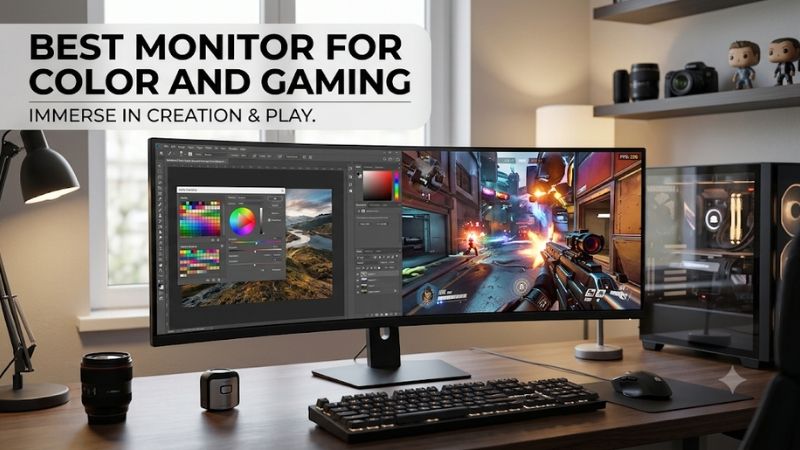
Quick verdict: which monitor offers the best color and gaming experience?
The MSI MPG 322UR QD-OLED X24 is the best overall choice. Its 31.5-inch 4K QD-OLED panel combines 240Hz gaming with excellent measured sRGB accuracy, extensive DCI-P3 coverage, and modern DisplayPort 2.1a connectivity. It is a particularly strong choice for someone who wants one display for gaming and creative work.
The ASUS ProArt PA32UCDM is better suited to professional color workflows. Its factory-calibrated QD-OLED panel, hardware calibration support, and extensive color-space presets make it more specialized for photography, video production, and color-sensitive projects.
For users who prefer LCD technology, the BenQ MOBIUZ EX321UX offers a compelling combination of Mini-LED brightness, 4K resolution, and excellent tested color accuracy. The Gigabyte MO27Q28G is a more compact alternative with a 280Hz Tandem OLED panel, while the ASUS ROG Strix XG32UCWMG provides a useful 4K/480Hz dual-mode feature.
Finally, the Dell Alienware AW2726DM is the more accessible OLED option. It delivers vibrant QD-OLED colors and 240Hz gameplay, although its default SDR color reproduction is less suitable for accurate creative work without calibration.
Quick comparison of the best color-focused gaming monitors
| Monitor | Best for | Resolution and refresh rate | Panel | Main advantage |
|---|---|---|---|---|
| MSI MPG 322UR QD-OLED X24 | Best overall | 4K, 240Hz | QD-OLED | Excellent measured color accuracy and gaming responsiveness |
| ASUS ProArt PA32UCDM | Professional color work | 4K, 240Hz | QD-OLED | Hardware calibration and extensive color-space support |
| BenQ MOBIUZ EX321UX | Bright-room color and HDR | 4K, 144Hz | IPS Mini-LED | 1,152 dimming zones and excellent color accuracy |
| Gigabyte MO27Q28G | Compact high-refresh gaming | QHD, 280Hz | Tandem WOLED | Wide gamut, factory calibration, and fast motion |
| ASUS ROG Strix XG32UCWMG | Dual-mode gaming | 4K 240Hz / 1080p 480Hz | WOLED | Flexible resolution and refresh-rate modes |
| Dell Alienware AW2726DM | More accessible OLED | QHD, 240Hz | QD-OLED | Vibrant colors and strong gaming response |
Prices vary considerably across this selection. The Dell is the entry point, while the ProArt and BenQ are professional-oriented premium purchases. Prices referenced in the article are US listing snapshots checked November 9, 2026, before sales tax and excluding shipping.
How we selected the best monitor for color and gaming
Color performance was the primary selection criterion, but gaming responsiveness also had to be competitive. A monitor that reproduces colors accurately but has poor motion handling is not an ideal recommendation for someone who regularly plays action games, racing titles, or competitive shooters.
The evaluation considers the following factors:
-
Color accuracy: Independent measurements of color deviation, grayscale performance, white balance, and gamma are more useful than manufacturer claims alone.
-
Color gamut: Coverage of sRGB, DCI-P3, and Adobe RGB determines which types of creative work a display can accommodate.
-
Gaming responsiveness: Native refresh rate, pixel response, input lag, and adaptive-sync support affect motion quality.
-
Contrast and HDR: OLED black levels and Mini-LED local dimming can make a substantial difference in visual depth and highlight presentation.
-
Connectivity: HDMI, DisplayPort, USB-C, Thunderbolt, and power delivery determine how easily the monitor integrates into a mixed gaming and productivity setup.
Independent reviews from RTINGS, Tom’s Hardware, PCWorld, and DisplayNinja provide the testing evidence. Manufacturer documentation establishes resolution, refresh-rate limits, advertised gamut coverage, calibration features, and connection specifications.
We distinguish gamut coverage from accuracy. A monitor can reproduce a very wide range of colors yet display ordinary SDR content with excessive saturation. Similarly, a manufacturer advertising a Delta E value below 2 does not automatically establish that every color mode is equally accurate.
No firsthand testing is claimed. Product recommendations are based on published measurements, manufacturer specifications, and verified US product listings.
Best overall: MSI MPG 322UR QD-OLED X24
The MSI MPG 322UR QD-OLED X24 is the strongest combination of gaming speed, image quality, and practical color accuracy in this selection. Its 31.5-inch 3840 × 2160 QD-OLED panel operates at 240Hz and uses fourth-generation tandem OLED technology. This combination provides a detailed image, deep blacks, and fast pixel transitions without sacrificing the high refresh rate expected from a premium gaming monitor.
The color specifications are particularly impressive. MSI advertises 99% DCI-P3 coverage and Delta E ≤ 2 accuracy. DisplayNinja independently measured 98.3% DCI-P3 coverage, 94.3% Adobe RGB coverage, and 99.9% sRGB coverage on its tested unit. These results make the monitor suitable for a broad range of creative applications, including gaming artwork, digital illustration, and color-rich video editing.
Its factory sRGB mode is especially important for everyday accuracy. DisplayNinja measured an average Delta E of 0.62 and a maximum of 1.9 in that mode. These are strong results for a gaming-focused display. However, the default User and Eco modes can oversaturate standard SDR content because their color gamut extends beyond sRGB. Selecting the appropriate color-space setting is therefore important when working with photographs, web graphics, and other SDR material.
Gaming performance is another major advantage. The 240Hz refresh rate and advertised 0.03ms gray-to-gray response time make it suitable for fast shooters and competitive multiplayer games. OLED’s individually controlled pixels also eliminate the backlight blooming associated with conventional local-dimming LCD displays.
Connectivity is unusually comprehensive. MSI includes DisplayPort 2.1a UHBR20, two HDMI 2.1 ports, and USB-C with up to 98W power delivery. A built-in KVM switch lets users share connected peripherals between computers. MSI also specifies a three-year warranty that includes OLED burn-in coverage.
The main compromises are its premium cost and OLED maintenance considerations. A glossy surface can reflect strong light sources, and brightness flicker can occur with variable refresh rates in certain games. Static desktop elements can also create long-term image-retention risk.
The MSI US store listed the exact model at $1,099.99 and in stock during the research check.
Buy it if you want one premium display for 4K gaming, color-sensitive creative work, and laptop connectivity. Skip it if you need a very large sustained-brightness LCD or want to avoid OLED maintenance.
Best for professional color accuracy: ASUS ProArt PA32UCDM
The ASUS ProArt PA32UCDM is designed for users who treat color reproduction as a major part of their work rather than simply preferring colorful gaming images. Its 31.5-inch 4K QD-OLED panel operates at 240Hz, making it considerably faster than many traditional professional editing monitors.
ASUS specifies 100% sRGB coverage, 99% DCI-P3 coverage, true 10-bit color, and a factory color accuracy rating of Delta E below 1. These specifications make it particularly attractive for video editors, photographers, digital artists, and professionals working across different output standards.
Its hardware calibration capabilities distinguish it from gaming-first OLED monitors. The display supports ASUS ProArt hardware calibration, Calman Ready integration, and ColourSpace compatibility. Calibration results can be written back to the monitor’s internal lookup table, allowing users to store custom picture modes instead of relying exclusively on operating-system color profiles.
Tom’s Hardware praised the PA32UCDM’s wide color gamut and professional color controls. Its review measured more than 105% DCI-P3 gamut volume and approximately 1,000 nits from a small HDR test window. The monitor also provides dedicated color modes for sRGB, BT.709, Adobe RGB, DCI-P3, BT.2020, and DICOM.
The gaming capability is substantial, but one specification deserves attention. Although the panel supports 240Hz, Tom’s Hardware found that Adaptive-Sync operates only up to 120Hz through its Rapid Rendering setting. The reviewer found this acceptable when maintaining 120 FPS, but it is an important limitation for users who expect high-refresh variable-rate gaming throughout the full 240Hz range.
Connectivity is another strength. ASUS includes dual Thunderbolt 4 connections with up to 96W power delivery, HDMI 2.1, a built-in USB hub, and an ergonomic stand with height, tilt, and pivot adjustments. The monitor can also maintain uniform brightness at a maximum of 250 nits when its Uniform Brightness feature is enabled.
At $1,599 on the B&H US listing checked during research, it is a substantial investment. Buy it if professional color workflows and hardware calibration are essential alongside gaming. Skip it if competitive gaming and unrestricted high-refresh VRR matter more than creator-focused features.
Best Mini-LED option: BenQ MOBIUZ EX321UX
The BenQ MOBIUZ EX321UX is the standout option for users who prefer an LCD display with high brightness and accurate color reproduction. Its 31.5-inch 4K IPS panel combines a 144Hz refresh rate with a 1,152-zone Mini-LED backlight.
Its advertised color coverage is particularly impressive: 99% Adobe RGB and 99% P3. These color spaces make the display attractive for photography, video production, and HDR content creation. BenQ also includes several picture modes, a factory calibration report, and uniformity technology.
RTINGS’ independent testing found excellent color accuracy before calibration, along with good gray uniformity. Its review also praised the monitor’s brightness and gaming response time. Fast-moving objects appeared crisp, and the display maintained a responsive feel across its variable-refresh range.
The Mini-LED backlight provides a meaningful advantage in bright environments. Unlike OLED, which uses individually illuminated pixels, the BenQ uses groups of local dimming zones to control brightness across different screen regions. This allows the monitor to produce bright HDR highlights while keeping surrounding areas darker.
RTINGS found that enabling local dimming significantly improves contrast and makes HDR highlights stand out. However, blooming can appear around bright objects against dark backgrounds. Without local dimming, the underlying IPS panel has more modest native contrast.
For gaming, 144Hz is less extreme than the 240Hz and 280Hz OLED alternatives, but it is still a good refresh rate for action games, racing titles, and general PC gaming. The monitor also supports FreeSync Premium Pro and provides USB-C with up to 65W power delivery, DisplayPort 2.1, HDMI 2.1, and a built-in KVM switch.
The main disadvantage is its price. BenQ’s US gaming monitor catalog lists the EX321UX at approximately $1,299.99, making it a premium LCD alternative rather than a budget purchase.
Buy it if you need excellent tested color accuracy, bright HDR highlights, and an LCD panel for a mixed creative and gaming workstation. Skip it if you prioritize 240Hz-plus competitive gaming or OLED’s pixel-level black control.
Best compact high-refresh OLED: Gigabyte MO27Q28G
The Gigabyte MO27Q28G is an appealing option for users who prefer a smaller 27-inch screen but still want excellent color reproduction and high gaming performance. Its fourth-generation RGB Tandem WOLED panel runs at 2560 × 1440 and up to 280Hz.
Gigabyte advertises 99.5% DCI-P3 color saturation, 10-bit color, and factory calibration with Delta E below 2. The manufacturer also specifies DisplayHDR True Black 500 and a 0.03ms gray-to-gray response time.
PCWorld independently measured 100% sRGB, 99% DCI-P3, and 93% Adobe RGB coverage. These results make the monitor capable of displaying a broad range of colors for gaming, photography, and video work. Its matte anti-reflective coating also helps reduce reflections compared with glossy OLED alternatives.
RTINGS found excellent SDR color accuracy in the monitor’s sRGB picture mode before calibration. Its testing also identified limitations that creative professionals should consider: certain gray tones have a red tint that cannot be corrected through calibration, while the display’s subpixel layout can create visible color fringing around text. Some midtones and bright highlights can also appear slightly crushed in the accurate sRGB mode.
For gaming, the 280Hz refresh rate and near-instantaneous response time are major advantages. The lower 1440p resolution also demands less GPU performance than 4K at comparable refresh rates. This can be useful if your system is built around a powerful 1440p graphics card rather than a high-end 4K GPU.
Gigabyte includes HDMI 2.1, DisplayPort 1.4, USB-C with up to 18W power delivery, two USB downstream ports, and a three-year warranty covering OLED burn-in. The USB-C connection is useful for basic laptop video connectivity, although 18W is insufficient to replace the power adapter of most performance laptops.
The Best Buy US listing showed $539.99, sold and shipped by Newegg Official, during the research pass. This makes it considerably more accessible than the large 4K professional monitors.
Buy it if you want a compact 1440p OLED with excellent gaming speed and strong sRGB performance. Skip it if you regularly edit fine text-heavy designs or require highly consistent grayscale reproduction for professional color work.
Best dual-mode gaming display: ASUS ROG Strix XG32UCWMG
The ASUS ROG Strix OLED XG32UCWMG provides a useful compromise for gamers who work with creative applications. Its 31.5-inch WOLED panel offers native 4K resolution at 240Hz, with an alternative 1080p mode reaching 480Hz.
This dual-mode functionality allows you to choose between detailed visuals and maximum refresh rate without replacing the monitor. Use 4K for open-world games, visual design, and video editing, then switch to 1080p 480Hz for competitive titles where frame rate is the priority.
The glossy TrueBlack coating produces sharp-looking images and preserves deep blacks in many lighting conditions. Tom’s Hardware measured color saturation just below 100% of DCI-P3 and found its image accurate without requiring calibration. It also highlighted the monitor’s strong video processing and gaming performance.
RTINGS reached a slightly more cautious conclusion about creative suitability. Its review described the monitor as accurate before calibration but found white-balance and gamma issues that should be corrected through full calibration. For paid photography or video work, relying on a manufacturer’s color presets without checking them against a colorimeter is therefore not advisable.
Connectivity includes two HDMI 2.1 ports, DisplayPort 1.4 with DSC, USB-C with DisplayPort Alt Mode, and three USB-A downstream ports. The USB-C power delivery rating is only 15W, so it should not be treated as a laptop charging solution.
ASUS also includes OLED Care Pro, a Neo Proximity Sensor, adaptive-sync support, and a three-year warranty that includes panel burn-in coverage. These features make the display more convenient for a mixed gaming and productivity setup.
The ASUS US store listed the model at $999 during the research period. Its primary drawback is that it remains a premium OLED purchase, and bright sunlight can produce distracting reflections on the glossy screen.
Buy it if you want one display for 4K gaming, high-refresh esports, and general creative work. Skip it if you need professional hardware calibration, strong laptop charging, or a matte screen for a bright workspace.
Best entry-level QD-OLED: Dell Alienware AW2726DM
The Dell Alienware AW2726DM is the more accessible choice for gamers who want QD-OLED contrast and vivid colors without paying for a large 4K workstation display. Its 26.5-inch QHD panel runs at 240Hz and offers a 0.03ms advertised gray-to-gray response time.
The display has the familiar QD-OLED strengths: deep blacks, vibrant colors, wide viewing angles, and very fast pixel transitions. RTINGS found that fast-moving objects look sharp and input lag is low. It also praised the monitor’s SDR image quality and deep black levels in dark rooms.
Color accuracy is where the price reduction becomes more noticeable. RTINGS found that the monitor is inaccurate before calibration and lacks a dedicated sRGB mode. Its wide native color gamut can oversaturate ordinary SDR content, making standard photographs, websites, and video look more vivid than intended.
Tom’s Hardware similarly found that the monitor required adjustments through its Custom Color controls to reach reference-level accuracy. Its testing measured more than 111% DCI-P3 gamut volume, illustrating the appeal of the QD-OLED color range, but wide color volume does not automatically mean accurate sRGB output.
For gaming, the 240Hz refresh rate is a practical advantage, especially at 1440p. The monitor supports AMD FreeSync Premium and VESA Adaptive-Sync. However, its HDMI 2.0 inputs do not support console 4K 120Hz signals, and connectivity is more limited than on premium alternatives.
Dell’s US listing showed $319.99 during the November 9 price check. The manufacturer advertises a three-year burn-in warranty, which is a useful addition for an OLED monitor.
Buy it if you want an affordable entry into QD-OLED gaming and are willing to calibrate your display. Skip it if you need accurate sRGB reproduction straight out of the box or require more advanced connectivity for a creator workstation.
What color accuracy means for gaming and creative work
Color accuracy and color gamut are related, but they describe different characteristics. Understanding the distinction helps prevent an expensive mistake when choosing a monitor.
Color gamut describes the range of colors a display can reproduce. Color accuracy describes how closely the colors shown match the intended reference values. A display with extensive DCI-P3 coverage can reproduce saturated colors, but that does not guarantee it will accurately display standard sRGB content.
Delta E, often written as ΔE, is commonly used to quantify color difference. Lower values indicate smaller deviations from the reference. A properly calibrated monitor with average Delta E values below 2 is generally a strong option for many creative workflows, although the acceptable threshold depends on the application and measurement method.
The three most useful color spaces for this type of purchase are:
-
sRGB: The standard reference for most websites, desktop applications, and ordinary SDR content.
-
DCI-P3: A wider color space commonly associated with modern video production and HDR-oriented content.
-
Adobe RGB: Particularly relevant for photographers and print workflows that need broader color reproduction in certain cyan and green regions.
A monitor that covers 99% of DCI-P3 is not automatically a better choice for every photographer than one with accurate Adobe RGB reproduction. The intended output matters.
For gaming, color accuracy also affects how environments appear. Incorrect gamma can make shadows too bright or too dark, while excessive saturation can cause colors to look unnatural. A well-calibrated monitor can preserve the intended appearance of the game while still delivering an engaging visual experience.
Choosing the right monitor for color and gaming
Choose the panel type based on your work environment
OLED is particularly attractive for gaming because its pixels illuminate individually. This provides deep blacks, excellent contrast, and very fast pixel response. QD-OLED also offers particularly vivid colors, making it an excellent choice for HDR games and wide-gamut content.
However, OLED requires some additional care. Static images displayed continuously can contribute to permanent burn-in. Enable the monitor’s panel protection features, use automatic screen-off settings, and avoid leaving bright static interfaces on screen for unnecessarily long periods.
Mini-LED is a useful alternative for brighter environments. It uses a large number of smaller backlight zones to improve contrast and HDR brightness. It does not offer the pixel-level precision of OLED, so halos around bright objects can still occur.
Conventional IPS is another option for people who prioritize consistent desktop use and want to avoid OLED maintenance. Its primary disadvantage is weaker native contrast, especially when displaying dark scenes in a dimly lit room.
Consider refresh rate and your graphics card
A monitor’s refresh rate determines how frequently it can update its image. Higher refresh rates can improve motion clarity and responsiveness, but the PC must also generate enough frames to take advantage of them.
A 240Hz display is useful for competitive shooters and fast-paced multiplayer games. However, it is not automatically a better purchase than a 144Hz or 165Hz monitor for someone who mostly plays cinematic single-player games.
Resolution also affects performance. A 4K display requires substantially more rendering work than a 1440p display. If your graphics card struggles to maintain high frame rates at native 4K, a 1440p OLED can offer a better balance between image quality and smooth gaming.
Variable refresh rate is important when frame rates fluctuate. Check the exact FreeSync, G-SYNC Compatible, or Adaptive-Sync range, particularly on specialized creator monitors with unusual limitations.
Use calibration for more reliable creative results
If you regularly edit photographs, video, or digital artwork, consider investing in a colorimeter. A calibration device can measure the monitor’s actual output and create a profile that brings colors closer to a specified reference.
Factory calibration is a useful starting point, but it does not guarantee that every unit will produce identical results. Panel uniformity, brightness, white balance, gamma, and ambient lighting all influence the final appearance.
For professional work, calibrate the monitor at the brightness and color temperature appropriate for your working environment. Use the correct color space for the intended output, and check that your editing applications support color management.
Remember that calibration cannot fix every display limitation. It cannot turn an ordinary edge-lit LCD into an OLED, eliminate Mini-LED blooming, or correct every issue caused by panel uniformity.
Frequently asked questions
Is OLED or IPS better for color accuracy and gaming?
OLED generally provides better contrast and faster pixel response, making it excellent for gaming. IPS can still deliver accurate colors and is often more practical for long desktop sessions involving static content. The right choice depends on your color workflow, room lighting, and maintenance preferences.
Is 99% DCI-P3 good for photo editing?
Yes, it is a strong specification for wide-gamut work, but coverage alone does not guarantee accuracy. Check the monitor’s sRGB and Adobe RGB performance, factory calibration, gamma tracking, and ability to create accurate profiles.
Do I need a 4K monitor for professional color work?
Not necessarily. A well-calibrated 1440p display can be sufficient for many photo editing and graphic design tasks. However, 4K provides additional workspace and finer detail, which can be especially useful when working with high-resolution images or detailed video timelines.
Is a 240Hz monitor useful for video editing?
The high refresh rate is not essential for editing, but it can make the overall desktop experience smoother. Accurate color reproduction, resolution, contrast, and calibration features are generally more important for editing quality.
Can I use an HDR gaming monitor for professional editing?
Yes, provided it supports the color spaces and calibration workflow required by your project. Check HDR format support, peak brightness, tone mapping, uniformity, and color accuracy. HDR certification alone does not establish professional editing suitability.
Does a wide color gamut automatically mean more accurate images?
No. A wide gamut increases the range of reproducible colors, whereas accuracy measures how closely those colors match the intended reference. A monitor with an unclamped wide gamut can oversaturate standard SDR content unless color management or an appropriate sRGB mode is used.
Final verdict
The MSI MPG 322UR QD-OLED X24 is the strongest overall recommendation because it combines 4K resolution, a 240Hz refresh rate, extensive color coverage, excellent measured sRGB accuracy, and versatile connectivity.
The ASUS ProArt PA32UCDM is better for professional color workflows that need hardware calibration, while the BenQ MOBIUZ EX321UX is a particularly attractive LCD alternative for users who prioritize brightness and HDR. The Gigabyte MO27Q28G is a strong smaller-screen choice, and the ASUS ROG Strix XG32UCWMG offers useful dual-mode flexibility.
For buyers with a tighter budget, the Dell Alienware AW2726DM provides an accessible QD-OLED gaming experience, although calibration is important for accurate SDR content.
Ultimately, prioritize measured color accuracy, suitable color-space coverage, and gaming responsiveness rather than relying on refresh rate or gamut percentages alone. A well-matched display can make games look more natural while giving you a dependable workspace for creative projects.









