
You do not need to spend $400 or more to get a responsive gaming display with a sharp image and useful features. The best gaming monitors for 250 dollars include fast 1440p IPS screens, a large curved VA option, a 4K dual-mode model, and even a 320Hz esports monitor. This roundup focuses on exact models with US price snapshots at or below $250 before sales tax, excluding shipping, and explains which compromises matter before you buy.
- Quick verdict: best gaming monitors for 250 dollars
- Quick comparison of gaming monitors under $250
- How we selected the best gaming monitors for 250 dollars
- Best balanced 1440p IPS: LG UltraGear 27GS75Q-B
- Best fast QHD option: KTC H27E6S
- Best affordable QHD monitor: Acer Nitro KGB271U X1
- Best large curved screen: LG UltraGear 32GS60QC-B
- Best 4K dual-mode monitor: MSI MAG 275UPD E14
- Best competitive esports monitor: Alienware AW2525HM
- How to choose among the best gaming monitors for 250 dollars
- Frequently asked questions
- Final verdict
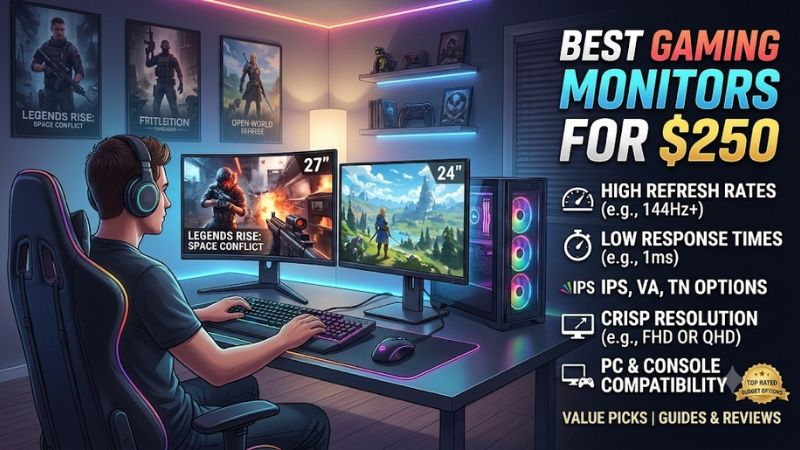
Quick verdict: best gaming monitors for 250 dollars
For most PC gamers, the LG UltraGear 27GS75Q-B is the best balanced starting point. Its 27-inch 1440p IPS panel, 180Hz native refresh rate, overclocked 200Hz mode, and adjustable stand cover everyday gaming without forcing you to pay for specialist features.
The KTC H27E6S is the stronger choice when competitive speed matters. It offers native 240Hz at 1440p and an optional 275Hz overclock, although you need DisplayPort to access its highest refresh modes. For a lower purchase price, the Acer Nitro KGB271U X1 delivers 1440p at up to 200Hz over DisplayPort.
Other buyers should consider a different format. The LG UltraGear 32GS60QC-B gives you a larger 31.5-inch curved screen, while the MSI MAG 275UPD E14 brings 4K at 144Hz and a separate 1080p 288Hz mode. Dell’s Alienware AW2525HM is the specialist pick for players who prioritize 320Hz competitive gaming over resolution.
These are not six versions of the same monitor. Their panel types, resolutions, sizes, and connection limits serve different setups.
Quick comparison of gaming monitors under $250
| Monitor | Best for | Main specifications | Price snapshot | Main drawback |
|---|---|---|---|---|
| LG UltraGear 27GS75Q-B | Balanced 1440p gaming | 27-inch IPS, 180Hz native, 200Hz overclock | $169 | No USB-C; HDR is basic |
| KTC H27E6S | Fast 1440p gaming | 27-inch Fast IPS, 240Hz native, 275Hz overclock | $199.99 | HDMI inputs do not support the highest refresh modes |
| Acer Nitro KGB271U X1 | Affordable QHD | 27-inch IPS, 200Hz over DisplayPort | $149.99 | HDMI is limited to 144Hz |
| LG UltraGear 32GS60QC-B | Large curved gaming | 31.5-inch VA, QHD, 180Hz, 1000R curve | About $200 | Dark-scene smearing and tilt-only stand |
| MSI MAG 275UPD E14 | 4K and dual-mode use | 27-inch IPS, 4K 144Hz or 1080p 288Hz | $249.99 | Modest brightness and basic HDR |
| Alienware AW2525HM | Competitive esports | 24.5-inch Fast IPS, 1080p, 320Hz over DisplayPort | $249.99 | Lower resolution than QHD alternatives |
Prices are retailer snapshots checked on November 9, 2026, except the LG 27GS75Q-B Amazon-tracked snapshot, which was recorded on November 2. Prices are before tax, and shipping is excluded. Sale prices and third-party seller offers can change, so confirm the exact model, seller, and checkout total before ordering.
How we selected the best gaming monitors for 250 dollars
The budget is a firm purchase-price limit, not an invitation to include a $300 monitor because it occasionally receives a discount. Each selected model has a US listing or price record at or below $250 in the research reviewed for this article. A price that appears only in an old deal article is not enough to qualify a product.
We considered six practical factors:
-
Native resolution and refresh rate, with overclocked modes identified separately.
-
Panel type and its effect on contrast, viewing angles, and motion.
-
Adaptive-sync support for variable frame rates.
-
Video inputs and the refresh rates available through each connection.
-
Stand adjustments, screen size, and desk fit.
-
Independent review findings where a suitable exact-model review was available.
Manufacturer specifications establish advertised features, while independent reviews help explain how those features translate into use. We do not treat a manufacturer’s 1ms or 0.5ms marketing figure as proof of measured input lag or real-world pixel response. The MSI model is included based primarily on its documented feature set and price because independent testing for that exact model was not established in this research pass.
The shortlist also avoids pretending that HDR10 alone makes a monitor an excellent HDR display. Most monitors in this budget use edge-lit LCD backlights without full-array local dimming. They can accept HDR signals, but they cannot produce the same highlight control and black levels as a strong Mini-LED or OLED display.
Best balanced 1440p IPS: LG UltraGear 27GS75Q-B
The LG UltraGear 27GS75Q-B is the most sensible general-purpose pick for someone who wants a good balance of resolution, refresh rate, and adjustability. Its 27-inch IPS panel has a native 2560 × 1440 resolution and a 180Hz refresh rate, with an overclocked mode reaching 200Hz. That makes it a useful middle ground for players who enjoy both competitive multiplayer and visually detailed single-player games.
At 27 inches, QHD gives games and desktop applications more detail than a 1080p monitor of the same size. It also provides more usable workspace for browsing, schoolwork, and productivity. The IPS panel offers broad viewing angles, which is useful if you move around at your desk or occasionally share the screen.
LG lists NVIDIA G-SYNC compatibility, AMD FreeSync support, HDR10, and 99% sRGB coverage. Its stand supports tilt, height adjustment, and pivot rotation. The ergonomic stand matters more than it may seem: being able to align the display with your eye level can be more useful over several hours than a small increase in refresh rate.
Independent testing by DisplaysTested measured the monitor at 200Hz and recorded 3ms latency, with an average gray-to-gray transition time of 4.4ms in its test. Those results provide a more realistic picture than relying only on the advertised 1ms figure. The display is responsive for normal gaming, but it is not in the same competitive-motion class as a 240Hz or 320Hz specialist.
There are limitations. The 200Hz mode is an overclock rather than the native refresh rate, and HDR10 support does not provide the contrast control of a local-dimming display. There is no USB-C video input or integrated KVM functionality, either. Buyers who want laptop docking should look elsewhere.
Buy it if you want a well-rounded QHD monitor with an adjustable stand and a high refresh rate. Skip it if you specifically need 240Hz or faster, strong HDR performance, or USB-C connectivity.
Best fast QHD option: KTC H27E6S
The KTC H27E6S is the more speed-focused 1440p choice. Its 27-inch Fast IPS panel runs at a native 240Hz, with a manufacturer-listed overclocked mode of up to 275Hz. That is a meaningful step above the LG’s 180Hz native mode, particularly for players who spend most of their time in fast shooters and competitive multiplayer games.
The 2560 × 1440 resolution remains a good fit for a 27-inch monitor. You do not have to move down to 1080p to access the native 240Hz mode, which is attractive for players who want a high refresh rate without sacrificing as much image detail.
Notebookcheck reviewed the H27E6S and found strong brightness performance. Its measurements recorded an average brightness of approximately 492 nits, with a maximum of around 552 nits in the tested sample. The review also reported a contrast ratio of about 1,236:1. These are independent test results from that specific unit and test method, not guaranteed figures for every monitor.
The connectivity details are important. The H27E6S has DisplayPort 1.4 and HDMI 2.0 inputs, but its HDMI connections are limited to lower refresh rates than DisplayPort. Use DisplayPort from a compatible graphics card if you want to run the high-refresh QHD modes. The 275Hz mode is an overclock, so treat 240Hz as the dependable native target unless your system and unit operate reliably at the higher setting.
Its HDR400 designation should not be mistaken for premium HDR. The display is bright for an IPS monitor, but it lacks the local-dimming hardware needed for strong control over bright highlights and dark areas. It also does not have HDMI 2.1 or USB-C charging.
Buy it if your priority is a fast 1440p panel and your PC has DisplayPort. Skip it if you mainly connect through HDMI, want 4K, or prefer a monitor with more versatile docking features.
Best affordable QHD monitor: Acer Nitro KGB271U X1
The Acer Nitro KGB271U X1 is a strong budget-conscious option because it brings 27-inch QHD resolution and a refresh rate of up to 200Hz to a lower price tier. Best Buy listed the exact KGB271U X1 model, SKU 6639155, at $149.99 during the November 9, 2026 price check.
Its IPS panel runs at 2560 × 1440 and supports FreeSync Premium. For someone upgrading from a basic 1080p 60Hz office monitor, the combination of a sharper resolution and high refresh rate can make a noticeable difference in both everyday use and gaming.
Acer’s headline 200Hz figure needs a connection check. TechRadar’s reporting on the exact KGB271U variant identifies 200Hz over DisplayPort and up to 144Hz over HDMI. That distinction matters if you plan to connect a console or use a laptop with HDMI as its only video output. Connect a compatible PC through DisplayPort to access the monitor’s full refresh capability.
The monitor also advertises HDR10 and a 0.5ms response figure. Those specifications should be interpreted carefully. A 350-nit-class IPS screen without local dimming will not deliver the strong HDR contrast of a more advanced backlight. Similarly, the 0.5ms figure is a manufacturer or retailer response-time claim, not a promise that every transition will complete at that speed in normal use.
Its lower price also means simpler ergonomics. The stand offers tilt adjustment rather than the height, swivel, and pivot range found on some more expensive options. You can use a compatible VESA arm if you want more positioning flexibility, but that adds to the total cost.
Buy it if you want QHD and high refresh without spending close to the full $250. Skip it if you need HDMI at 200Hz, a fully adjustable stand, or an HDR-focused screen.
Best large curved screen: LG UltraGear 32GS60QC-B
The LG UltraGear 32GS60QC-B is the pick for gamers who prefer a larger display over the fastest possible pixel transitions. It uses a 31.5-inch curved VA panel with a 2560 × 1440 resolution, a 180Hz refresh rate, and a pronounced 1000R curve.
The main advantage of VA technology is contrast. DisplayNinja lists a typical static contrast ratio of approximately 3,000:1 for this model, which can produce darker-looking blacks than many budget IPS screens. That can make games with nighttime scenes, caves, and shadow-heavy environments look more satisfying in a dim room.
The larger screen also gives games a more enveloping presentation. Racing games, action adventures, and open-world titles can benefit from the curved layout, especially when you sit centrally in front of the monitor. A 31.5-inch screen is also useful when you want large interface elements or a more spacious view without stepping up to an ultrawide display.
However, this is not the right screen for everyone. VA panels can exhibit dark-level smearing, where dark objects leave visible trails during motion. DisplayNinja’s review specifically notes ghosting behind fast-moving objects, particularly in darker scenes. It also flags variable-refresh-rate brightness flicker and a tilt-only stand.
The 1000R curve is aggressive. It may feel immersive if you sit close and centered, but it can be uncomfortable for users who prefer a flat panel or frequently look at the monitor from an angle. The screen’s QHD resolution is also less dense than a 27-inch QHD monitor, although the larger image may be more enjoyable for some games.
LG’s HDR10 support is present, but the monitor does not have a local-dimming backlight. Think of it as a curved SDR gaming display that accepts HDR signals, not a high-impact HDR monitor.
Buy it if you want a large curved display, strong VA contrast, and a high refresh rate. Skip it if you play competitive shooters, are sensitive to dark-scene smearing, or need a height-adjustable stand.
Best 4K dual-mode monitor: MSI MAG 275UPD E14
The MSI MAG 275UPD E14 is the most unusual option in this price range. Its 27-inch IPS panel supports 3840 × 2160 at up to 144Hz, or 1920 × 1080 at up to 288Hz. This dual-mode design lets you choose between a sharper image and a faster refresh mode without replacing the monitor.
The 4K mode is useful for visually detailed single-player games, high-resolution desktop work, and users who want crisp text. At 27 inches, 4K produces a high pixel density, which can make fine interface details and small text look particularly sharp. For demanding PC games, however, rendering at native 4K requires considerably more GPU performance than rendering at 1440p or 1080p.
The 1080p 288Hz mode serves a different purpose. It reduces the pixel load and allows compatible systems to target much higher frame rates in esports titles. The trade-off is a noticeable loss of sharpness compared with native 4K, especially on a 27-inch screen. You cannot run 4K and 288Hz simultaneously; the monitor switches between the two resolution-refresh combinations.
MSI lists two HDMI 2.1 ports, DisplayPort 1.4a, Adaptive-Sync, and a 1ms MPRT response-time rating. Its stand supports height adjustment, swivel, pivot, and tilt. The official MSI US store listed the exact model at $249.99 and in stock during the November 9 price check.
There are some significant compromises. The listed brightness is 250 cd/m², and the HDR support is described as HDR Ready rather than a high-brightness, local-dimming HDR implementation. It also lacks USB-C video input and USB charging. The 1ms figure is MPRT, which uses a different measurement method from gray-to-gray response time, so do not compare it directly with a measured GtG result from another display.
Independent lab testing for this exact model was not established in the sources reviewed. Its recommendation is therefore based on the manufacturer’s documented feature set and the verified US store listing, not a claim of independently measured gaming performance.
Buy it if you genuinely want a single display for 4K gaming and high-refresh 1080p esports. Skip it if you would rather have a faster native 1440p monitor or need bright, convincing HDR.
Best competitive esports monitor: Alienware AW2525HM
The Alienware AW2525HM makes a clear compromise: it prioritizes refresh rate over resolution. Its 24.5-inch Fast IPS panel runs at 1920 × 1080, reaching 320Hz through DisplayPort and up to 255Hz through HDMI. Dell listed the monitor at $249.99 during the November 9, 2026 check.
A 320Hz refresh rate is aimed at players who spend serious time in competitive titles where quick visual updates and responsive controls matter. The smaller 24.5-inch size is also practical for esports setups because it keeps the full image within a compact viewing area without requiring a large desk.
Tom’s Hardware’s review lists the monitor’s IPS/W-LED panel, 320Hz maximum refresh rate, FreeSync and G-SYNC compatibility, and a 0.5ms GtG specification. The review also identifies a 400-nit manufacturer brightness rating, two HDMI 2.1 ports, DisplayPort 1.4, and a USB hub. The stand supports height, pivot, swivel, and tilt adjustment.
The main compromise is resolution. A 1080p image on a 24.5-inch panel is acceptable for competitive gaming, but it does not look as detailed as 1440p at 27 inches. If you play cinematic games, read small text frequently, or use your monitor for creative work, the LG or KTC QHD options are better-balanced choices.
The HDMI refresh ceiling also matters. A 320Hz target requires DisplayPort; connecting a console or another device through HDMI will not deliver the full advertised refresh rate. The monitor does not include built-in speakers or an audio output, so plan on separate speakers or a headset connected to your PC or console.
Buy it if you play competitive games, have a GPU capable of producing very high frame rates, and want a compact esports screen. Skip it if you value high resolution, immersive single-player gaming, or a more versatile everyday display.
How to choose among the best gaming monitors for 250 dollars
Decide whether 1080p or 1440p makes more sense
For most users buying a new PC monitor, 1440p is the better starting point. At 27 inches, it provides sharper text and more detail than 1080p while remaining less demanding on a graphics card than 4K. The LG 27GS75Q-B, KTC H27E6S, and Acer Nitro KGB271U X1 all fit this category.
A 1080p monitor still makes sense if you play competitive games, own an entry-level graphics card, or prefer to maximize frame rates. The Alienware AW2525HM is specifically designed around that goal. The MSI dual-mode option provides a way to switch between 4K detail and 1080p speed, but it costs the full $250 budget.
Match refresh rate to the frames your PC can deliver
A 240Hz monitor does not make a game run at 240 FPS. The GPU and CPU must render those frames, and the monitor must receive a compatible signal. If your system averages 100 FPS in the games you play, paying extra for 320Hz may not be worthwhile.
Refresh rate still matters when frame rates vary. Adaptive-Sync can help the display match its refresh behavior to the GPU’s output, reducing tearing and making variable frame rates look smoother. Check the exact monitor’s supported sync range and your graphics card’s compatibility rather than relying only on a generic FreeSync or G-SYNC label.
Overclocked modes also need to be treated separately from native specifications. LG’s 27GS75Q-B reaches 200Hz from a 180Hz native mode; the KTC H27E6S offers 275Hz overclocked from 240Hz. Use native refresh as your main comparison point.
Check the inputs before choosing a monitor
The port can determine whether a monitor reaches its maximum refresh rate. The Acer KGB271U X1 supports up to 200Hz over DisplayPort but is limited to 144Hz over HDMI. The KTC H27E6S has a similar distinction, with DisplayPort needed for its top refresh modes. The Alienware AW2525HM also requires DisplayPort for 320Hz.
The MSI MAG 275UPD E14 is the most console-friendly option in this selection because it has two HDMI 2.1 ports and supports 4K 144Hz or 1080p 288Hz through its listed inputs. Still, confirm the console’s output settings and supported resolution-refresh combinations before purchase.
Think about panel behavior, not just the panel label
IPS is a good general-purpose choice because of its viewing angles and typically consistent motion behavior at this price. VA panels can offer stronger native contrast, but dark transitions can be slower. That is the key compromise with the curved LG 32GS60QC-B.
HDR needs similar care. HDR10 compatibility does not automatically mean an impressive HDR image. Without local dimming and sufficient brightness, a budget LCD can accept HDR content without producing the deep blacks and bright highlights that make HDR worthwhile. At this budget, it is usually better to prioritize resolution, refresh rate, and motion quality.
Leave room for the real checkout cost
The $250 limit in this roundup is before tax and excludes shipping. The MSI and Alienware are both listed at exactly $249.99, so even a small price change can put them above the cap. If your actual total must stay under $250 including tax, aim for a monitor priced closer to $200 or less.
Do not forget a compatible cable, a monitor arm if the included stand is limited, or speakers if the selected monitor has none. A monitor that appears cheaper can become a less attractive purchase when you need accessories to make your setup work.
Frequently asked questions
Is a 1440p 180Hz monitor better than a 1080p 320Hz monitor?
For general gaming, a 1440p 180Hz monitor is usually the more balanced choice because it offers sharper visuals and a still-fast refresh rate. A 1080p 320Hz monitor is better for competitive players who prioritize very high frame rates and motion responsiveness over image detail.
Is 240Hz worth it for gaming?
It can be worthwhile if you play fast-paced games and your PC can deliver high frame rates. For slower single-player games, 144Hz or 180Hz is already a strong experience, and spending more on resolution or image quality may make more sense.
Can a $250 gaming monitor display 4K at 144Hz?
The MSI MAG 275UPD E14 supports 4K at up to 144Hz and is listed at $249.99 in the MSI US store. It also has a 1080p 288Hz mode. The purchase price fits the pre-tax budget, but the system needs a capable GPU and a compatible connection to use 4K at high refresh rates.
Are curved gaming monitors better?
Not automatically. A curved monitor can make a large screen feel more immersive, but the benefit depends on size, curvature, viewing distance, and personal preference. The 1000R curve on the 31.5-inch LG is quite pronounced, so it is worth considering whether you prefer that shape before buying.
Should I buy a monitor with HDR10 under $250?
Treat HDR10 as a signal-compatibility feature, not a guarantee of strong HDR performance. Most affordable IPS and VA monitors lack the local dimming and brightness needed for a major HDR improvement. Prioritize refresh rate, resolution, and panel performance first.
Final verdict
The LG UltraGear 27GS75Q-B is the safest all-around recommendation for a typical PC gaming setup because it combines 1440p resolution, a high refresh rate, and a useful adjustable stand at a price comfortably below the budget ceiling. Choose the KTC H27E6S for native 240Hz QHD speed, or the Acer Nitro KGB271U X1 when a lower price matters most.
The LG UltraGear 32GS60QC-B is a better fit for players who want a large curved image, while the MSI MAG 275UPD E14 is the unusual dual-mode choice for 4K detail and 1080p esports. Competitive players who value refresh rate above resolution should consider the Alienware AW2525HM.
The best purchase is not necessarily the model closest to $250. Choose the resolution and panel type that fit your graphics card and games, verify the input needed for the refresh rate you expect, and keep the final checkout price within your budget.









