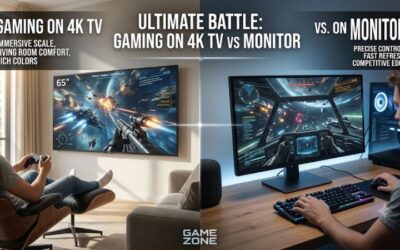
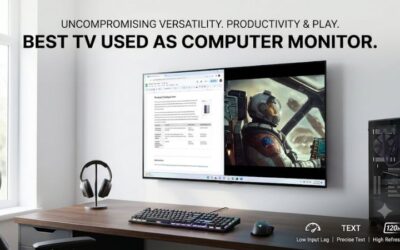
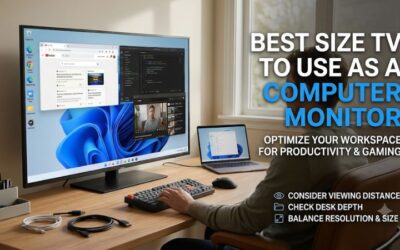
A separate television and computer monitor can take up valuable desk and living-room space. A smart monitor solves that problem by combining PC connectivity with built-in streaming applications, wireless connectivity, speakers, and remote control functionality. The best computer monitor and tv combo should provide a comfortable desktop experience while allowing you to watch movies, stream shows, and enjoy entertainment without turning on your computer. Samsung Smart Monitor and LG MyView models are particularly interesting because they combine these features in compact designs. This roundup compares seven options for different budgets, screen sizes, and everyday uses.
- Best computer monitor and TV combo: quick picks
- How we selected the best computer monitor and TV combo
- Samsung Smart Monitor M7 M70F: best overall combination
- LG MyView 32SR73U-W: best alternative to Samsung’s smart platform
- Samsung Smart Monitor M8 M80F: best for video calls and laptop productivity
- Samsung Smart Monitor M9 M90SF: best for gaming and premium entertainment
- LG MyView 32SR85U-W: best for a webcam and premium laptop setup
- Samsung Movingstyle Essential: best movable monitor and TV combination
- LG MyView 32SR53FS-W: best budget computer monitor and TV combo
- Smart monitor versus traditional TV: What is the difference?
- What to look for when buying a monitor and TV combo
- Frequently asked questions
- Conclusion
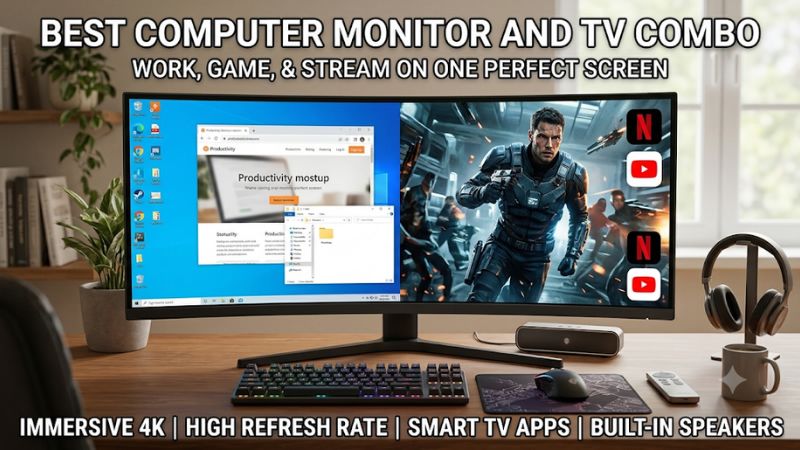
Best computer monitor and TV combo: quick picks
For most people, the Samsung Smart Monitor M7 M70F is the best starting point. It offers a 32-inch 4K display, Tizen smart TV features, built-in speakers, and USB-C connectivity. It is suitable for someone who wants one display for everyday computing and entertainment without spending premium OLED money.
The LG MyView 32SR73U-W is another strong option for buyers who prefer webOS, AirPlay 2, and USB-C laptop connectivity. Meanwhile, the Samsung Smart Monitor M9 M90SF is the premium choice for people who want a genuine gaming-oriented display with 4K resolution, QD-OLED technology, and a 165Hz refresh rate.
For buyers with different priorities, the Samsung M8 offers a built-in webcam, the Movingstyle Essential provides a rolling stand, and LG’s MyView models provide alternatives at lower price points.
| Model | Observed U.S. price | Screen | Refresh rate | Best for |
|---|---|---|---|---|
| Samsung Smart Monitor M7 M70F | $399.99 | 32-inch 4K VA | 60Hz | Best overall |
| LG MyView 32SR73U-W | $379.99 | 31.5-inch 4K VA | 60Hz | Best webOS option |
| Samsung Smart Monitor M8 M80F | $699.99 | 32-inch 4K VA | 60Hz | Best for video calls |
| Samsung Smart Monitor M9 M90SF | $1,599.99 | 32-inch 4K QD-OLED | 165Hz | Best gaming combination |
| LG MyView 32SR85U-W | $599.99 | 31.5-inch 4K IPS | 60Hz | Best webcam bundle |
| Samsung Movingstyle Essential | $699.99 | 32-inch 4K | 60Hz | Best movable display |
| LG MyView 32SR53FS-W | $229.99 | 32-inch Full HD IPS | 60Hz | Best budget option |
Prices are observed U.S. manufacturer or retailer listings checked November 11, 2026. They exclude sales tax and shipping. Availability depends on the retailer, delivery ZIP code, and current promotions.
An important distinction: These are smart monitors with streaming applications, not necessarily conventional televisions with built-in ATSC broadcast tuners. If you want to connect an antenna directly for over-the-air channels, check for an RF/coaxial input or plan to use an external TV tuner.
How we selected the best computer monitor and TV combo
A device that combines computer monitor and television functionality needs to perform two different jobs.
As a computer monitor, it should provide a suitable resolution, comfortable text rendering, reliable connections, and a practical screen size. As an entertainment display, it should offer a smart operating system, streaming applications, audio, and straightforward remote control.
The selection process considers five main criteria.
Display quality and screen resolution
Resolution is important when selecting a smart monitor because it affects both productivity and entertainment.
A 32-inch 4K display is a particularly attractive option for people who work with documents, spreadsheets, and multiple application windows. Its higher pixel density provides sharper text than a 32-inch Full HD screen.
However, Full HD remains acceptable for casual viewing and basic desktop tasks when the purchase price matters more than image sharpness.
Panel technology also matters. IPS generally offers broad viewing angles, while VA can provide stronger native contrast. Neither should automatically be considered superior without examining the exact implementation.
Smart TV operating system
The smart operating system is what separates these displays from conventional computer monitors.
Samsung uses Tizen, while LG uses webOS. Both platforms provide access to streaming services and other connected entertainment features.
The advantage is that you can watch supported content without turning on your PC or connecting a separate streaming device.
However, application availability varies by region, service, and software version. Some streaming subscriptions also require separate payments.
PC connectivity and laptop compatibility
HDMI is essential for desktop computers and gaming consoles. USB-C is especially useful for laptop owners because one cable can carry video, data, and power on compatible models.
A 65W USB-C connection is generally sufficient for many productivity laptops, although higher-power systems may need their own charger.
The number of HDMI inputs also matters when you want to connect a PC, console, and other entertainment device simultaneously.
Built-in audio and additional features
Built-in speakers reduce the need for separate desktop audio equipment.
A remote control is another useful feature because it makes adjusting volume, opening streaming applications, and navigating entertainment menus easier.
Some premium smart monitors also include webcams, smart-home controls, wireless casting, and voice assistants.
Value and practical limitations
A higher-priced monitor should offer more than smart TV applications. Higher resolution, improved connectivity, better screen quality, an adjustable stand, or gaming capabilities should justify the additional expense.
This roundup prioritizes useful combinations rather than ranking displays solely by price or manufacturer marketing.
The technical specifications come from manufacturer documentation, while independent reviews are used where available to identify practical limitations. No first-hand comparative testing was supplied for this article.
Samsung Smart Monitor M7 M70F: best overall combination
The Samsung Smart Monitor M7 M70F is the strongest overall recommendation for buyers who want an everyday computer monitor with built-in television-style entertainment.
The exact 32-inch U.S. model is LS32FM702UNXZA. It features a 3840 × 2160 VA panel, a 60Hz refresh rate, HDR10 support, and a 4ms GtG response-time specification. Its static contrast ratio is rated at 3,000:1, and typical brightness is 300 nits.
Why it works well for everyday computing
The 32-inch 4K screen offers plenty of workspace for productivity. Users can keep multiple windows visible, browse websites, edit documents, and watch videos without constantly switching between applications.
Samsung also includes USB-C connectivity with up to 65W power delivery, two HDMI 2.0 inputs, three USB ports, Wi-Fi 5, and Bluetooth 5.2.
This combination makes it convenient for laptop owners who want to reduce desk cable clutter. A compatible laptop can connect through USB-C for video, data, and charging.
The Tizen operating system provides direct access to smart TV applications, Samsung TV Plus, and Gaming Hub in supported regions. This means you can stream entertainment without connecting your computer.
Samsung also includes a remote control and built-in 10W speakers, making the display more versatile than a conventional productivity monitor.
What are the limitations?
The biggest limitation is its 60Hz refresh rate. It is suitable for ordinary productivity and casual gaming, but it is not designed for competitive players who want 144Hz or higher.
The VA panel provides stronger contrast than many basic IPS monitors, but it does not offer the deep blacks of OLED.
Its stand is also relatively basic, providing tilt adjustment rather than extensive ergonomic movement.
Buy it if you want a practical 4K smart monitor for office work, browsing, and streaming. Skip it if high-refresh gaming, extensive stand adjustment, or premium HDR is a priority.
The observed Samsung U.S. listing price was $399.99.
LG MyView 32SR73U-W: best alternative to Samsung’s smart platform
The LG MyView 32SR73U-W is an appealing option for buyers who prefer LG’s webOS interface and want a monitor that can operate independently of a connected computer.
Its 31.5-inch 4K UHD display has a resolution of 3840 × 2160. LG specifies a VA panel with a 60Hz refresh rate, 5ms response time, and 250-nit typical brightness.
Smart entertainment and connectivity
The main attraction is webOS, which provides access to supported streaming services and smart-home features.
LG also includes AirPlay 2, Screen Share, Bluetooth, and ThinQ Home Dashboard support.
These features are particularly convenient for people who use Apple devices. You can share compatible content wirelessly rather than connecting a physical video cable every time.
For PC connectivity, the monitor provides two HDMI inputs and USB-C with 65W power delivery.
Its built-in speakers are suitable for everyday entertainment, while the supplied remote makes navigating streaming applications straightforward.
At an observed manufacturer-listed price of $379.99, the 32SR73U-W offers an interesting alternative to the Samsung M7.
What could be better?
The refresh rate is limited to 60Hz, making it more appropriate for office work, browsing, and casual gaming than demanding competitive titles.
Its stand is also relatively limited, with tilt adjustment rather than extensive height and swivel movement.
The moderate brightness may be insufficient for rooms with strong direct sunlight. Its VA panel offers useful native contrast, but it is not designed to deliver high-end HDR performance.
There is also a purchasing consideration: LG’s product page displayed a price of $379.99 with a retailer-finder option rather than guaranteeing direct online stock.
Buy it if you prefer webOS, AirPlay 2, and USB-C laptop connectivity. Skip it if you need a high-refresh gaming display or a highly adjustable stand.
Samsung Smart Monitor M8 M80F: best for video calls and laptop productivity
The Samsung Smart Monitor M8 M80F is aimed at users who want a more complete desktop workstation and entertainment display.
The exact U.S. model is LS32FM803UNXZA. It has a 32-inch 4K VA panel, 60Hz refresh rate, 400-nit typical brightness, and a 4ms GtG response-time specification. It also includes HDR10/HDR10+ compatibility and a 3,000:1 static contrast specification.
Why it makes sense for a home office
The built-in Full HD webcam is one of its most useful differences compared with the M7.
Instead of purchasing a separate camera, users can rely on the bundled video-call hardware for compatible computer applications.
Samsung also includes a more adjustable ergonomic stand with height, tilt, and pivot functionality.
USB-C connectivity supports up to 65W power delivery, while HDMI and wireless connections accommodate different devices.
The smart entertainment system operates independently, so you can use streaming applications without turning on a laptop or desktop PC.
The 400-nit typical brightness rating is also higher than the M7’s 300-nit specification, which may be useful in moderately bright workspaces.
Samsung listed the monitor at $699.99 in its U.S. store.
The main drawbacks
Its 60Hz refresh rate makes it less suitable for serious PC gaming.
The higher price also needs justification. If you rarely use video calls, the webcam may not provide enough additional value compared with the less expensive M7.
The monitor’s VA panel offers good native contrast, but it does not provide OLED-level black performance.
Buy it if you regularly attend video meetings, use a laptop, and want streaming applications in the same display. Skip it if you do not need an integrated webcam or higher-priced productivity features.
Samsung Smart Monitor M9 M90SF: best for gaming and premium entertainment
The Samsung Smart Monitor M9 M90SF is the most gaming-oriented option in this selection.
Unlike the 60Hz M7 and M8 models, the M9 combines a 32-inch 4K QD-OLED display with a 165Hz refresh rate.
The exact U.S. model number is LS32FM902SNXZA. Samsung specifies a 0.03ms GtG response time, FreeSync Premium Pro, G-SYNC compatibility, HDR10+, and VESA DisplayHDR True Black 400 certification.
A more capable display for gaming
The OLED panel produces exceptionally deep blacks because individual pixels generate their own light.
This makes the display attractive for dark environments, cinematic games, and visually detailed content.
The 165Hz refresh rate is also substantially higher than the 60Hz ceiling on the mainstream smart monitors in this roundup.
Samsung includes Gaming Hub, Tizen smart TV applications, a built-in camera, and a 90W USB-C charging connection.
Connectivity includes one HDMI 2.1 input, one DisplayPort 1.4 input, and USB-C with DisplayPort functionality.
That setup is useful for connecting a gaming desktop and laptop, although buyers should remember that there is only one HDMI connection.
Tom’s Hardware reviewed the M9 as an all-in-one gaming, entertainment, and productivity display, highlighting its picture quality, smart features, and gaming responsiveness.
Why it is not a budget choice
The observed Samsung U.S. list price was $1,599.99, making it considerably more expensive than conventional smart monitors.
OLED burn-in is also a consideration for users who keep static desktop applications open for long periods. Samsung advertises burn-in coverage under normal usage conditions within its stated warranty terms, but buyers should read the exclusions.
The 32-inch screen is a practical size for desktop use, although text rendering can vary depending on the panel’s subpixel layout and operating-system scaling.
Buy it if gaming performance and premium picture quality matter as much as streaming functionality. Skip it if you mainly use office applications or need an inexpensive television-monitor replacement.
LG MyView 32SR85U-W: best for a webcam and premium laptop setup
The LG MyView 32SR85U-W is a productivity-focused smart monitor with webOS and a detachable Full HD webcam.
Its 31.5-inch IPS panel supports 3840 × 2160 resolution. LG specifies a 400-nit typical brightness rating, 60Hz refresh rate, 5ms response time, and 95% DCI-P3 color gamut.
Useful features for work and entertainment
The bundled webcam makes the display convenient for video meetings.
USB-C supports up to 90W power delivery, which is particularly useful for compatible laptops that require more power than the 65W connections provided by some competing smart monitors.
There are also two HDMI inputs, three USB-C connections, Wi-Fi, Bluetooth, AirPlay 2, and LG’s webOS platform.
This makes the 32SR85U-W suitable for a home office that also needs direct streaming functionality.
Its observed U.S. manufacturer-listed price was $599.99.
An important image-quality limitation
The specifications look attractive, but independent testing identifies meaningful compromises.
PCWorld reviewed this exact monitor and measured approximately 950:1 contrast. Its testing also found that HDR performance was unimpressive and that motion clarity was limited by the 60Hz refresh rate.
The review additionally noted that webOS could feel sluggish when navigating menus and that the built-in speakers were not especially impressive for music.
Those limitations make the high price harder to justify if picture quality is your main priority.
PCWorld+1
Buy it if you specifically need the bundled webcam, 90W USB-C charging, and smart entertainment functionality. Skip it if a better contrast ratio, smoother gaming, or more convincing HDR is important.
Samsung Movingstyle Essential: best movable monitor and TV combination
The Samsung Movingstyle Essential is a different type of smart display because its main advantage is mobility.
The 32-inch model, LS32FM701UNXZA, combines a 4K display with built-in Smart TV applications and a height-adjustable rolling stand.
The larger 43-inch version is also available for buyers who want more screen area.
Samsung describes the Movingstyle Essential as a flexible display for work and entertainment, with a rolling stand that supports height, swivel, tilt, and portrait positioning.
Why mobility matters
A conventional monitor usually stays on a desk. The Movingstyle Essential can be moved between rooms, making it suitable for people who use one display in different parts of their home.
You can use it beside a desk during the day, move it toward a seating area for streaming in the evening, or position it in portrait orientation for longer documents and certain productivity tasks.
The integrated smart platform provides entertainment applications without requiring a connected PC.
Samsung also includes SmartThings integration, allowing the display to work with compatible connected devices.
The manufacturer-listed price for the 32-inch version was $699.99, while the 43-inch version was listed at $899.99 during this research.
What are the disadvantages?
The 60Hz refresh rate is appropriate for general computing and streaming but not a strong choice for serious competitive gaming.
The rolling stand also occupies considerably more floor space than a conventional desktop stand.
Because the display is designed to move around the home, it should not be confused with a battery-powered portable monitor. It requires a suitable power connection during use.
Buy it if you want one smart display that can move between rooms. Skip it if you need a fixed, high-refresh desktop monitor or a compact desk setup.
LG MyView 32SR53FS-W: best budget computer monitor and TV combo
The LG MyView 32SR53FS-W is a lower-cost alternative for buyers who want smart entertainment without paying for a 4K display.
It features a 32-inch Full HD IPS panel with a native resolution of 1920 × 1080.
The monitor includes webOS 23, AirPlay 2, Screen Share, Bluetooth, HDMI connectivity, USB ports, and built-in stereo speakers. LG lists the model at $229.99 in its U.S. product lineup.
Why it is useful for basic home setups
Its main advantage is simplicity.
You can connect a desktop or laptop through HDMI and use the smart platform to watch supported streaming services when the computer is turned off.
AirPlay 2 and Screen Share provide additional ways to display compatible content from other devices.
The built-in speakers also eliminate the immediate need for separate desktop speakers.
For users who mainly browse the web, check email, watch videos, and occasionally work on documents, its feature combination is practical.
What you give up
The most significant compromise is resolution.
A 32-inch Full HD display has a much lower pixel density than a 32-inch 4K monitor. Small text and fine interface elements therefore appear less sharp.
The model is also limited to the basic performance category rather than offering high-refresh gaming features.
Buy it if price and streaming functionality are your main priorities. Skip it if you spend long hours reading small text or want a sharp 4K desktop image.
Smart monitor versus traditional TV: What is the difference?
Before purchasing, it is important to understand what a computer monitor and TV combination actually provides.
A smart monitor typically includes an operating system, Wi-Fi, Bluetooth, remote control, speakers, and streaming applications.
This allows it to function independently without a PC.
A traditional television generally adds TV-specific hardware and connections, such as an over-the-air broadcast tuner or coaxial antenna input, depending on the region and model.
The distinction matters because a smart monitor may stream television content through the internet but still lack the hardware needed to receive antenna broadcasts directly.
Streaming apps versus live broadcast television
Samsung’s Tizen platform and LG’s webOS provide access to supported entertainment services.
Samsung models can also offer Samsung TV Plus and Gaming Hub, while compatible LG monitors provide LG Channels and other applications.
However, these applications require an internet connection, and some streaming services require subscriptions.
If you want to receive local over-the-air television through an antenna, verify that your chosen device has the appropriate tuner. Otherwise, you will need an external ATSC tuner or a separate television receiver.
PCWorld explicitly identifies the LG MyView 32SR85U-W as a smart monitor rather than a conventional television because it lacks a TV tuner and coaxial antenna connection.
What to look for when buying a monitor and TV combo
Choosing a hybrid display requires balancing computer-related specifications with entertainment features.
The right combination depends on whether you spend more time working, gaming, or watching television.
Resolution and screen size
For a desktop monitor, 4K is particularly useful on 32-inch screens.
The higher pixel density produces sharper text and gives you more space for multiple windows.
A 27-inch Full HD display is generally more practical than a 32-inch Full HD screen if productivity is a priority.
For larger displays, consider 43 inches if you have enough desk depth or intend to watch from a couch.
Refresh rate and response time
Many smart monitors operate at 60Hz because they prioritize productivity and streaming over high-performance gaming.
This is adequate for regular desktop work, films, and casual gaming.
If you play competitive PC games, consider a hybrid display with 120Hz or higher. The Samsung M9 is particularly interesting because its 165Hz refresh rate separates it from conventional 60Hz smart monitors.
Do not confuse response time with refresh rate. A 4ms or 5ms response-time specification does not turn a 60Hz monitor into a high-refresh gaming display.
USB-C power delivery
USB-C is one of the most convenient features on modern smart monitors.
With a compatible laptop, it can transmit video and provide charging through one cable.
A 65W connection is suitable for many productivity notebooks. A 90W connection can accommodate a wider range of laptops with higher power requirements.
Check whether the monitor supports DisplayPort Alt Mode over USB-C and verify that your laptop supports the same feature.
Speakers and webcam
Built-in speakers are useful for watching movies and listening to casual audio.
However, monitor speakers are not automatically comparable to a dedicated soundbar or desktop speaker system.
A bundled webcam can also reduce the number of accessories on your desk. The Samsung M8 and LG MyView 32SR85U-W are particularly relevant for buyers who regularly attend video meetings.
Operating system and streaming compatibility
The smart operating system is central to the TV functionality.
Samsung uses Tizen, while LG uses webOS.
Check whether your preferred streaming applications are available in your region. Also consider software updates, wireless casting compatibility, and the responsiveness of the interface.
An inexpensive display with applications that you never use may offer better value than a more expensive model with unnecessary smart features.
Frequently asked questions
Can a computer monitor work as a TV?
Yes. A smart monitor can display PC video through HDMI or USB-C while running supported streaming applications through its built-in operating system. You can watch compatible content without connecting a separate computer.
What is the best computer monitor and TV combo for most people?
The Samsung Smart Monitor M7 M70F is a strong all-around choice because it combines 32-inch 4K resolution, Tizen applications, built-in speakers, and USB-C connectivity. It is a practical option for everyday desktop work and entertainment.
Are smart monitors better than regular TVs?
Smart monitors are generally more convenient for desk use because they are designed around computer inputs and productivity features. Traditional televisions may offer larger sizes, stronger home-theater features, and integrated broadcast tuners. The better option depends on your intended use.
Can I watch Netflix without connecting my PC?
Yes. Compatible Samsung and LG smart monitors can run supported streaming applications independently when connected to the internet. A subscription may be required depending on the service.
Do computer monitor and TV combos have built-in speakers?
Most models in this roundup include speakers. However, their sound quality varies, and users who enjoy movies or gaming with more immersive audio may prefer external speakers or a soundbar.
Is 4K necessary for a monitor and TV combo?
No. Full HD is sufficient for basic entertainment and casual computing. However, 4K is more suitable for 32-inch productivity displays because it produces sharper text and more detailed content.
Can I connect a gaming console to a smart monitor?
Yes. Most smart monitors provide HDMI inputs for compatible consoles. However, check the HDMI version, supported resolution, refresh rate, and VRR functionality before purchasing. A 60Hz smart monitor will not provide the same gaming experience as a 120Hz or 165Hz model.
Conclusion
The best computer monitor and TV combo depends on how you plan to divide your time between work and entertainment. The Samsung Smart Monitor M7 M70F is the strongest general recommendation because it balances 4K resolution, streaming applications, USB-C connectivity, and built-in audio.
The LG MyView 32SR73U-W is an appealing alternative for people who prefer webOS and AirPlay 2, while the Samsung M8 provides additional productivity features through its integrated webcam.
For gaming, the Samsung M9 is the clear performance-oriented option with its 165Hz QD-OLED display. Buyers who want flexibility should consider the Samsung Movingstyle Essential, while the LG MyView 32SR53FS-W provides a more affordable entry point.
Before buying, check the screen resolution, refresh rate, smart operating system, laptop compatibility, sound features, and whether the device supports the type of live television reception you need. Choosing the right combination can eliminate the need for separate displays without sacrificing everyday convenience.