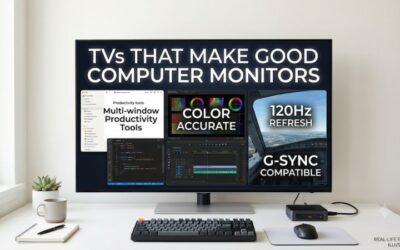
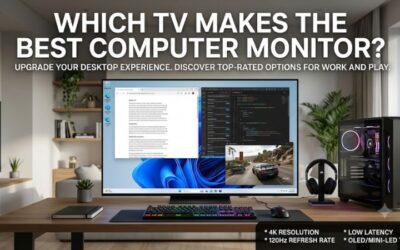
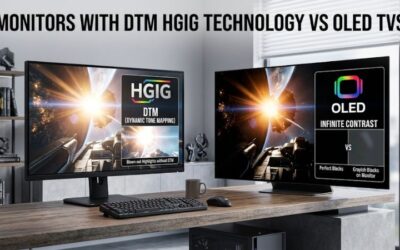
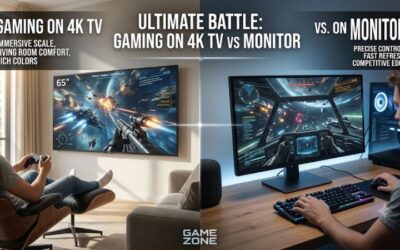
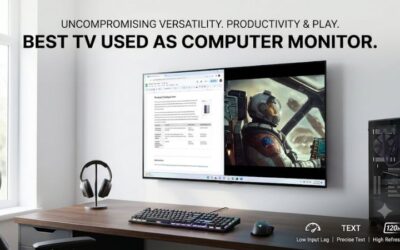
A television can give your desktop setup a much larger screen, better entertainment flexibility, and features that make PC gaming more immersive. However, choosing the best tv that doubles as a computer monitor involves more than finding a 4K model with an HDMI port. You also need sharp desktop text, low input lag, appropriate viewing distance, reliable refresh-rate support, and a panel that suits your daily workload. The LG C6 OLED is our leading compact choice, while Samsung, TCL, Hisense, and Vizio offer alternatives for different rooms and budgets.
Best TV that doubles as a computer monitor: quick verdict
The LG C6 OLED in its 42-inch configuration is the strongest overall option for most desktop users who want a television that can handle productivity and serious gaming. Its 4K resolution, 165Hz refresh rate, four full-bandwidth HDMI 2.1 ports, and nearly instantaneous pixel response make it a versatile replacement for a large gaming display. It also supports chroma 4:4:4, which is important for keeping small desktop text readable.
There are good reasons to consider alternatives, though. The Samsung S90H OLED has a matte screen coating that makes it particularly appealing in rooms with windows or overhead lighting. The TCL QM7L offers a different advantage: its RGB subpixel arrangement provides clearer desktop text than many competing televisions.
For buyers who need a less expensive or less demanding display, the Vizio Mini LED Quantum 4K is worth considering, provided its 4K refresh-rate limitation is acceptable. Hisense adds two larger-screen alternatives, the U7SG and UR9SG, for people who prioritize bright-room performance, gaming features, or living-room entertainment.
The most important distinction is that a TV that looks impressive from a couch does not automatically make a comfortable computer display. Screen size, subpixel arrangement, image processing, and desk distance should influence the purchase just as much as HDR or gaming specifications.
Quick comparison of the top TVs
| TV model | Best for | Screen size considered | Maximum 4K refresh rate | Main drawback |
|---|---|---|---|---|
| LG C6 OLED | Best overall | 42 inches | 165Hz | Nonstandard subpixel layout |
| Samsung S90H OLED | Bright rooms | 42 inches | 165Hz | No Dolby Vision |
| TCL QM7L | Desktop text clarity on a larger screen | 55 inches | 144Hz | Noticeable motion blur |
| Hisense U7SG | Bright-room LCD gaming | 55 inches | 165Hz | BGR text rendering |
| Vizio Mini LED Quantum 4K | Everyday and secondary use | 43 inches | 60Hz | Limited 4K gaming refresh rate |
| Hisense UR9SG | Large-room PC gaming | 65 inches | 180Hz | Too large for many desks |
These are category recommendations rather than results from a direct head-to-head test. RTINGS’ independent testing provides the main comparison basis, while manufacturer documentation helps confirm product names and advertised connectivity. Its dedicated PC-monitor recommendations were updated September 23, 2026. Actual performance also depends on the selected TV size, input, graphics card, and connection.
How we selected the best TVs for computer use
A television intended for PC use has to satisfy different requirements from one used primarily for movies or streaming. We prioritized native 4K resolution, clear text rendering, low-latency gaming, refresh-rate support, and practical physical dimensions.
Text clarity received particular attention. Chroma 4:4:4 support is important because computers frequently display small fonts, thin lines, and detailed interface elements. A television may produce beautiful movie images but still make spreadsheet text or browser menus look less defined.
We also considered the subpixel layout. Traditional RGB arrangements are generally preferable for desktop text, while WOLED and BGR arrangements can introduce color fringing or unusual edge patterns. Correct chroma transmission helps, but it cannot completely eliminate the limitations of a nonstandard subpixel structure.
Gaming performance was another major requirement. We looked for models supporting modern variable refresh rate technologies, automatic low-latency modes, and sufficiently high refresh rates. A native 120Hz or 144Hz television is generally more attractive for modern PC gaming than a model limited to 60Hz.
Finally, we considered room lighting and screen dimensions. An OLED television can offer excellent contrast, but reflections and extended exposure to static desktop elements require attention. Mini-LED televisions can deliver impressive brightness without the same organic pixel wear considerations, but blooming and motion behavior vary between models.
The recommendations below use independent testing and published specifications. They are not based on original detailed research by Build-PC-Guide, and no unverified benchmark numbers, owner ratings, or guaranteed retail prices are presented.
The best TVs that can double as a computer monitor
LG C6 OLED: Best overall TV for desktop and gaming use
The LG C6 OLED is the strongest all-around recommendation for someone who wants one large display for everyday computing, entertainment, and demanding PC gaming. The 42-inch version, model OLED42C6PUA, is particularly appealing because its physical dimensions are easier to accommodate on a conventional desk than those of most larger televisions.
It has a native 3840 × 2160 resolution and supports refresh rates up to 165Hz. LG advertises a 0.1ms response time, NVIDIA G-SYNC compatibility, and AMD FreeSync Premium. The television also provides four HDMI 2.1 inputs, giving users room to connect a desktop PC, gaming console, and other equipment without constantly switching cables.
One of its most significant advantages is OLED image quality. Because individual pixels produce their own light, the television can display extremely deep blacks without the backlight halos associated with conventional LCD and Mini-LED systems. This is especially attractive for dark games, movies, and applications with darker interfaces.
Its gaming performance is also excellent. RTINGS identifies nearly instantaneous pixel response and clear motion at the maximum 165Hz refresh rate. The TV supports chroma 4:4:4, making it suitable for displaying fine PC text when configured correctly.
There is one meaningful desktop limitation. The C6 uses an updated RGWB subpixel arrangement rather than a conventional RGB layout. RTINGS finds that its new arrangement improves text clarity compared with earlier designs, but Windows ClearType is not perfectly optimized for this structure. Consequently, some users may notice colored edges around small fonts.
The glossy screen coating is another consideration. It can produce an attractive image in controlled lighting, but direct reflections from windows or lamps may be distracting.
Buy If: You want a compact 42-inch OLED television with exceptional gaming responsiveness, deep contrast, and extensive HDMI connectivity.
Skip If: You spend most of your day reading small text, work in a room with uncontrolled reflections, or want to avoid OLED static-image maintenance.
The C6 is our leading recommendation because it balances screen size, gaming performance, and entertainment quality particularly well. It is not a perfect professional productivity monitor, but it is an excellent dual-purpose display.
Samsung S90H OLED: Best for bright rooms
The Samsung S90H OLED is the most compelling alternative to the LG C6 when lighting conditions are an important part of the buying decision. The 42-inch US configuration carries the model designation QN42S90HAEXZA.
Like the LG, it provides a 4K OLED panel and supports up to 165Hz for PC gaming. Its four HDMI 2.1 ports support the television’s full 48Gbps bandwidth, giving users considerable flexibility when connecting multiple high-bandwidth devices. RTINGS also confirms chroma 4:4:4 support and very low input lag in its gaming mode.
Its major distinguishing feature is Samsung’s matte Glare Free screen coating. A conventional glossy television can reflect windows, lamps, and other bright objects, particularly when the display is positioned opposite a window. The S90H handles reflections much more effectively, making it a more practical choice for certain bright office environments.
That does not mean it eliminates every lighting problem. Strong ambient lighting can still affect perceived image quality, and the position of your desk matters. However, the matte finish gives this model a meaningful advantage over many glossy OLED televisions.
The panel uses a WOLED structure with a reworked RGWB subpixel arrangement. This is slightly better for desktop text than some previous non-RGB arrangements, according to RTINGS, but it remains less ideal than a traditional RGB display for users who constantly inspect small fonts.
Samsung also does not support Dolby Vision. This is primarily an entertainment consideration rather than a major PC-monitor limitation, but it matters to buyers who want a television that handles a wide range of movie formats.
Another reason to consider the S90H is its size selection. Although the 42-inch version is the most practical for a traditional workstation, Samsung also offers larger configurations for entertainment-focused rooms.
Buy If: Your workspace receives substantial ambient light and you want OLED contrast without accepting the reflection behavior of a glossy display.
Skip If: You require conventional RGB text rendering, Dolby Vision compatibility, or a television specifically optimized for professional text-heavy workloads.
The S90H is a strong alternative to the C6, particularly when glare handling matters more to you than a slight difference in picture processing or panel characteristics.
TCL QM7L: Best LCD option for desktop text clarity
The TCL QM7L is an interesting choice for people who prefer LCD technology instead of OLED. Its smallest size is 55 inches, with larger configurations extending through 65, 75, 85, and 98 inches.
The recommended 55-inch model is the 55QM7L. It combines a native 4K resolution with SQD-Mini LED backlighting and a 144Hz refresh rate. TCL also advertises VRR, Auto Low Latency Mode, and Game Accelerator 288 for compatible lower-resolution gaming signals.
Its biggest attraction for desktop users is the RGB subpixel arrangement. This can provide better text clarity than televisions that use less conventional OLED or BGR subpixel structures. It is an important distinction for users who spend several hours reading browser content, editing documents, or moving between desktop applications.
The Mini-LED backlight also gives the QM7L a different visual character from an OLED. Local dimming allows different sections of the backlight to adjust independently, helping the television produce deeper blacks and brighter highlights than a basic edge-lit LCD.
TCL lists four HDMI 2.1 connections in its product specifications, although the supported 4K/144Hz mode depends on the input. RTINGS confirms that the tested QM7L supports its maximum 4K refresh rate on two HDMI inputs and correctly displays chroma 4:4:4 across supported formats.
Its main weakness is motion handling. RTINGS reports slow pixel response times in its dedicated gaming mode, resulting in more motion blur than some competing high-refresh televisions. A 144Hz specification does not automatically guarantee that moving objects will look as clear as they do on a faster-response OLED display.
The 55-inch size is also significant. It provides substantial desktop space, but it may dominate a small workstation. Users should measure their desk depth and consider whether the television will sit on a separate stand or wall mount.
Buy If: You prioritize readable desktop text, want Mini-LED instead of OLED, and have enough room for a 55-inch screen.
Skip If: You sit very close to your desk, play competitive games where motion clarity is critical, or require a compact 42-inch display.
The QM7L is a practical large-screen alternative, but it makes more sense on a deep desk or in a room where you can sit farther away from the television.
Hisense U7SG: Best for bright-room LCD gaming
The Hisense U7SG is another Mini-LED alternative for buyers who want high refresh rates and an LCD panel. Its smallest available configuration is 55 inches, identified by the model number 55U7SG.
The television has a 4K display with a matte anti-reflective coating. Its gaming specifications include a maximum refresh rate of 165Hz at 4K and 330Hz at 1080p. Hisense also supports VRR and HDMI 2.1 bandwidth across all four inputs.
For a computer user, these features provide considerable flexibility. You can use the native 4K resolution for ordinary productivity and entertainment, then switch to a higher-frame-rate configuration for compatible games. The matte finish is another practical feature for rooms with windows or strong overhead lights.
One important advantage over the C6 and S90H is that the U7SG uses Mini-LED LCD technology rather than an OLED panel. Buyers who keep static desktop elements visible for extended periods may prefer this approach because it avoids the characteristic permanent OLED burn-in risk.
However, there is an important text-rendering drawback. RTINGS identifies a BGR subpixel arrangement in its tested U7SG. Although this does not affect ordinary television content in the same way, it can make desktop text harder to read. Chroma 4:4:4 support is still present, but that does not remove the BGR layout limitation.
Motion performance also deserves attention. The television supports a high refresh rate, yet RTINGS identifies slower pixel transitions and some motion blur, particularly in dark scenes. Therefore, the 165Hz specification should not be interpreted as proof that this television will outperform every gaming monitor.
The minimum 55-inch size creates another challenge. It is a better fit for a large desk or a living-room PC arrangement than for a small workstation.
Buy If: You want an LCD television with Mini-LED backlighting, a matte finish, and extensive high-refresh gaming support.
Skip If: You are sensitive to text fringing, work with small fonts all day, or need a compact desktop display.
The U7SG is an interesting option when brightness and gaming versatility matter more than perfect desktop text rendering.
Vizio Mini LED Quantum 4K: Best for everyday and secondary use
The Vizio Mini LED Quantum 4K is worth considering when you need a relatively straightforward television that can also serve as a secondary computer display. The 43-inch version uses the exact US model number VQM43C-1001.
Its native resolution is 3840 × 2160, but its refresh-rate capabilities require careful attention. The tested model supports 4K at 60Hz and 1080p at 120Hz. That makes it suitable for ordinary desktop tasks, browsing, streaming, and less demanding games, but it is not a replacement for a 4K/120Hz gaming television.
The lower-resolution high-refresh mode can still be useful. A compatible graphics card can output 1080p at 120Hz for faster gameplay, while the television retains its native 4K mode for office work and everyday applications.
RTINGS confirms that this model displays chroma 4:4:4 properly across supported formats, which is an important positive for desktop users. It also supports VRR and includes Mini-LED backlighting.
However, the 4K/60Hz ceiling is a significant limitation for modern gaming PCs. You will not get the fluidity of a 120Hz, 144Hz, or 165Hz native 4K display. The slower pixel transitions also make motion blur more noticeable in fast-paced games.
The exact size variant matters here. RTINGS identifies the 43-inch VQM43C-1001 as an IPS configuration, while some other sizes use different panel types. Its review also notes that certain characteristics differ between screen sizes, so buyers should not assume the full review results transfer identically to every model.
This television is most appropriate for someone who values a big 4K screen but does not need premium gaming performance. It can also make sense as a second display in a home office or entertainment room.
Buy If: You want a 43-inch 4K screen for routine computing, streaming, and occasional casual gaming.
Skip If: You own a powerful gaming PC, want 4K at 120Hz or higher, or regularly play competitive shooters.
The Vizio is a more limited choice, but its native 4K resolution and proper chroma support make it a legitimate everyday computer-display option.
Hisense UR9SG: Best for large-room PC gaming
The Hisense UR9SG targets a different kind of buyer. It is designed for people who want a premium large-screen gaming television that can connect to a desktop PC, rather than a compact display positioned immediately behind a keyboard.
The series starts at 65 inches and also includes larger screen sizes. The 65UR9SG is the configuration examined by RTINGS.
Its defining feature is RGB Mini-LED technology. The television supports 4K at up to 180Hz and can reach 330Hz at lower resolutions. All three HDMI inputs support the television’s high-bandwidth gaming modes, and it also includes a USB-C connection with DisplayPort Alt Mode.
That USB-C connection is particularly useful for compatible laptops and computers. Instead of depending exclusively on HDMI, a user can send video through a supported USB-C connection. RTINGS also confirms VRR support over USB-C DisplayPort Alt Mode.
Its gaming performance is impressive. RTINGS measured 7.8ms of input lag at 4K/180Hz through USB-C, although results vary with refresh rate and connection type. This is a measured test result, not a universal promise for every graphics card or setup.
The main concern is text rendering. Despite its premium specifications, the UR9SG uses a BGR subpixel arrangement, which can make small desktop text less comfortable to read. Its 65-inch minimum size also makes it impractical for many conventional desks.
This model makes much more sense when the PC is connected to a living-room television. You can sit farther away, use a wireless keyboard and mouse, and enjoy a large display for gaming, movies, and general entertainment.
Buy If: You want an exceptionally large PC gaming display, 4K/180Hz support, and USB-C video connectivity.
Skip If: You need a conventional office monitor, sit close to the screen, or spend most of your working day reading small text.
The UR9SG is a capable entertainment-first display that can double as a PC screen, but its size and subpixel arrangement make it a specialist rather than an everyday desk recommendation.
How to choose the best TV that doubles as a computer monitor
Choose a screen size that matches your desk
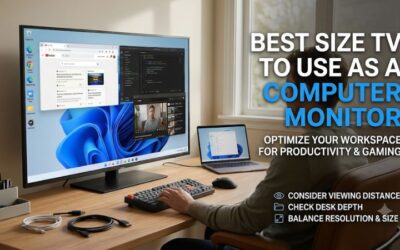
A television can provide a lot of usable screen space, but more inches do not automatically mean a better desktop experience. At a short viewing distance, an oversized panel can force you to move your head constantly to follow windows and interface elements.
A 42-inch television is a sensible starting point for users who want a large desktop display. It provides considerably more physical screen space than a typical 27- or 32-inch monitor without reaching the dimensions of most living-room televisions.
A 43-inch television is also manageable for some workstations, although desk depth remains important. At 48 inches and above, you should pay closer attention to seating distance, viewing angles, and physical clearance.
Pixel density matters as well. A 4K resolution contains the same number of pixels regardless of screen size, but those pixels are spread over a larger area as diagonal size increases.
| Screen size | Approximate pixel density at 4K |
|---|---|
| 42 inches | 105 PPI |
| 43 inches | 102 PPI |
| 48 inches | 92 PPI |
| 55 inches | 80 PPI |
| 65 inches | 68 PPI |
These calculations use a 3840 × 2160 resolution and the stated diagonal screen size. A larger television can still look excellent from an appropriate distance, but smaller text and interface elements may appear less fine than on a compact high-density monitor.
Prioritize chroma 4:4:4 for readable text
Chroma subsampling describes how color information is represented in a video signal. Television content can often look perfectly acceptable with reduced chroma information because typical movie scenes do not contain large quantities of fine colored text.
Computer interfaces are different. They contain thin lines, small fonts, colored icons, and detailed edges that benefit from full chroma 4:4:4.
A television that supports 4:4:4 can preserve more color detail around those edges. This helps reduce the colored smearing that sometimes appears around small letters when a display uses chroma subsampling.
However, 4:4:4 is only one part of the picture. Subpixel arrangement also affects perceived sharpness. The TCL QM7L has an advantage here because its RGB structure is more suitable for desktop text than the BGR layout found on the Hisense alternatives.
Before purchasing, inspect independent testing for the exact model and size. Do not assume every television marketed as 4K automatically renders computer text correctly.
Check HDMI bandwidth and the actual refresh rate
A television’s advertised refresh rate is not necessarily available at every resolution or through every input. A model might support 144Hz at 4K on two ports but not on all of them.
For a modern gaming PC, HDMI 2.1 is particularly useful because it provides the bandwidth required by many high-resolution, high-refresh configurations. However, the graphics card, cable, television input, and selected output format must all support the intended signal.
Check these details before purchasing:
-
Native 4K resolution at the refresh rate you actually need.
-
HDMI 2.1 support on the specific input you plan to use.
-
VRR compatibility with your graphics card.
-
Chroma 4:4:4 at the intended desktop resolution.
-
Support for the desired color depth and HDR format.
A certified Ultra High Speed HDMI cable is a sensible starting point for high-bandwidth connections. Avoid assuming that an older cable will reliably handle every 4K high-refresh configuration.
Also distinguish native refresh rate from motion interpolation or an advertised boosted gaming mode. Artificial motion processing does not provide the same experience as receiving and displaying genuine high-frame-rate PC output.
Understand input lag and pixel response
Input lag and pixel response are related to the gaming experience, but they measure different things.
Input lag describes the delay between a graphics card sending an image and the display presenting it. High input lag makes controls feel less responsive, which can be especially frustrating in competitive games.
Pixel response describes how quickly individual pixels change from one color level to another. Slow transitions can create visible smearing or motion trails even when the television accepts a high-refresh signal.
This distinction explains why the TCL QM7L’s 144Hz capability does not automatically make it a better competitive gaming display than the LG C6. The latter’s OLED pixels transition much faster, producing cleaner motion.
Always evaluate these characteristics separately. A large television can be perfectly enjoyable for adventure games, racing titles, and casual play without being the ideal choice for high-level esports.
Choose between OLED and Mini-LED
OLED and Mini-LED have different strengths, so the right choice depends on how you use your computer.
OLED is particularly attractive for games and movies because individual pixels can switch off completely. This provides excellent black levels, strong contrast, and very fast pixel transitions. Models such as the LG C6 and Samsung S90H demonstrate these advantages.
The main concern is long-term exposure to static content. Desktop taskbars, browser toolbars, application menus, and fixed interface elements can remain in the same position for hours. OLED televisions include protective features, but buyers should still use screen savers, automatic display sleep, and other sensible precautions.
Mini-LED uses an LCD panel with a more advanced backlight system. It does not have the same organic pixel burn-in concern, making it attractive for people who use one screen as a permanent workstation.
Its limitation is local-dimming behavior. Because groups of LCD pixels share backlight zones, bright objects against dark backgrounds can produce visible halos. The severity varies by model and viewing conditions.
For users with long workdays, Mini-LED can be a sensible choice. For users who primarily prioritize gaming and movie quality, OLED remains highly compelling.
How to set up a TV as a computer monitor
Start by connecting your PC to a suitable HDMI input. Use the port that supports the desired refresh rate, particularly on televisions where only some inputs provide full HDMI 2.1 bandwidth.
Next, select the native 3840 × 2160 resolution in Windows or your operating system’s display settings. Choose the highest refresh rate supported by the television and graphics card at that resolution. Do not assume the operating system automatically selects the best available mode.
Open the television’s input settings and enable PC mode when available. This can reduce unnecessary image processing and help the TV treat the signal more like a conventional computer display. Enable Game Mode when gaming, and confirm that VRR is functioning with your graphics card.
Check the color output settings in your GPU control panel. Where supported, use RGB output with full dynamic range and an appropriate chroma configuration. Confirm that the television displays small text correctly rather than relying exclusively on its picture-quality menu.
Windows scaling is another important consideration. A 42-inch 4K television may make interface elements too small at 100% scaling for some viewing distances. Experiment with 125% or 150% scaling to find a comfortable balance between workspace and readability.
Finally, disable overscan. Overscan can crop portions of the desktop around the screen edges, which is undesirable for ordinary computing. Look for a setting such as Just Scan, Screen Fit, or an equivalent manufacturer-specific option.
A comfortable setup also needs appropriate ergonomics. Position the screen so you can view the entire desktop without repeatedly turning your head. Use a suitable TV stand or compatible wall mount, and check the television’s VESA mounting requirements, weight, and physical dimensions before purchasing a separate support.
Frequently asked questions
Can any TV double as a computer monitor?
Most modern televisions can receive a computer video signal through HDMI, but not all are equally suitable for daily desktop use. Prioritize 4K resolution, chroma 4:4:4, low input lag, and a size that works at your viewing distance. A basic television may be sufficient for occasional browsing but disappointing for full-time work.
Is OLED or Mini-LED better for computer use?
OLED is generally better for contrast, black levels, and pixel response, while Mini-LED can be more comfortable for long sessions involving static desktop content. OLED requires sensible burn-in precautions. Mini-LED avoids the same organic pixel wear concern but can show blooming around bright objects in dark scenes.
Is a 42-inch TV too big for a computer monitor?
Not necessarily. A 42-inch 4K television can work well on a sufficiently deep desk when positioned at a comfortable viewing distance. However, it occupies significantly more physical space than a typical monitor. Measure your desk and check your seating position before choosing it.
Do I need HDMI 2.1 to use a television with a gaming PC?
No. HDMI 2.0 can handle 4K at 60Hz in many configurations, which is sufficient for regular computing and casual gaming. HDMI 2.1 becomes more important when you want higher refresh rates at 4K. Check the exact input bandwidth and supported formats rather than relying only on the HDMI label.
Will a TV damage my eyes when used as a monitor?
A television is not inherently unsuitable for desktop use. Comfort depends more on viewing distance, brightness, reflections, text scaling, and how long you work without breaks. Avoid excessively bright settings in dark rooms, use comfortable scaling, and position the display appropriately.
Final verdict
The LG C6 OLED is our leading choice for buyers who want one television to handle both PC productivity and gaming. Its 42-inch size, 4K resolution, 165Hz support, HDMI 2.1 connectivity, and excellent motion performance create a well-balanced package.
The Samsung S90H is a better alternative when reflection handling is a priority. The TCL QM7L is worth considering for its RGB text rendering and Mini-LED backlight, while the Vizio Mini LED Quantum 4K offers a more basic option for everyday desktop use.
Hisense’s U7SG and UR9SG provide additional choices for larger environments, although their BGR subpixel arrangements deserve consideration before using them for text-heavy work.
Ultimately, the right television should fit your desk, viewing distance, daily workload, and gaming requirements. A high refresh rate and attractive HDR image are valuable, but clear text, appropriate connectivity, and comfortable everyday use determine whether a television genuinely works as a computer monitor.