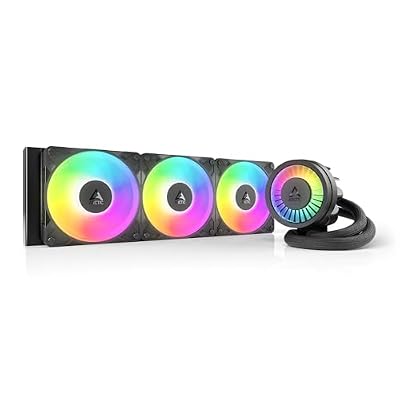
- Top Pick: ARCTIC Liquid Freezer III Pro 360 A-RGB – AIO CPU Cooler, Water Cooling
- Best Value: CORSAIR Nautilus 360 RS ARGB Liquid CPU Cooler – 360mm AIO – Low-Noise – Direct Motherboard Connection – Daisy-Chain – Intel LGA 1851/1700, AMD AM5/AM4 – 3X RS120 ARGB Fans Included – Black
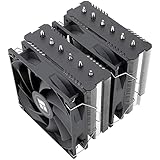
- Premium Choice: Thermalright Aqua Elite 240 V3 Water Cooling CPU Cooler, Double PWM ARGB Fans with S-FDB Bearings,Efficient PWM Controlled Pump,for AMD/AM4/AM5, Intel LGA1150/1151/1200/1700/1851, (AE240 V3)
Picking the best AIO cooler 2025 has to offer means balancing raw thermal performance, noise, pump reliability and price against the CPU you plan to tame. All-in-one liquid coolers have matured to the point where a good 360mm unit will keep a high-core-count Ryzen 9 or Core i9 in check under sustained load without the acoustic drama of the past. In this guide we cut through marketing numbers and focus on the coolers that genuinely deliver, whether you are building a compact 240mm rig or a flagship workstation that needs every watt of headroom.
As an Amazon Associate I earn from qualifying purchases.
As an Amazon Associate we earn from qualifying purchases at no extra cost to you.




Before you commit, jump to the comparison table, then read the how to choose notes so the radiator actually fits your case. If you already know your socket, skip ahead to the radiator size and pump and noise sections, or head straight to the display models breakdown. New builders should start with the installation basics below.
🛒 Best Price Today on Amazon
Prime members get fast, free shipping on everything above, plus member-only deals. New members get a 30-day free trial — cancel anytime.
The best AIO cooler 2026 picks compared
| Product | Key Spec | Best For | Rating |
|---|---|---|---|
| Arctic Liquid Freezer III 360 | 360mm, VRM fan | Best overall value | |
| Corsair iCUE H150i Elite LCD XT | 360mm, LCD screen | RGB and display builds | |
| NZXT Kraken Elite 360 RGB | 360mm, 2.36″ LCD | Clean aesthetics | |
| Lian Li Galahad II Trinity 360 | 360mm, ARGB | Colour-matched systems | |
| be quiet! Silent Loop 3 360 | 360mm, Silent Wings | Quietest operation | |
| DeepCool LT720 360 | 360mm, infinity pump | Budget high-end | |
| Arctic Liquid Freezer III 240 | 240mm, VRM fan | Compact mid-range | |
| Corsair iCUE H100i Elite Capellix | 240mm, RGB | Small form factor |
Why the Arctic Liquid Freezer III leads the best AIO cooler 2026 field
Arctic’s Liquid Freezer III range keeps winning because it does the boring things right. The thick radiator, high static-pressure P-fans and a small VRM fan mounted on the pump block combine to deliver flagship-level cooling for a mid-range price. On a Ryzen 9 7950X or Core i9-14900K it consistently runs several degrees cooler than pricier rivals, and the offset mounting design covers the hotspot on modern AMD chips more effectively. There is no screen and only basic ARGB on the higher trims, but if you care about temperatures over theatrics, this is the one to buy.
Display models worth the premium
If you want a talking point, the Corsair iCUE H150i Elite LCD XT and NZXT Kraken Elite 360 both put a bright, customisable screen on the pump. You can show CPU temperature, a GIF, or system stats. These coolers perform well, though the LCD versions carry a real price premium over plain models. Choose them when the build is on display through tempered glass and the extra cost buys genuine enjoyment rather than just spec-sheet bragging rights.
Radiator size and what it means
Radiator surface area is the single biggest driver of cooling capacity. A 360mm unit dissipates far more heat than a 240mm, which matters for chips that pull 250W or more under all-core load. A 240mm cooler is plenty for a Ryzen 7 or Core i5 and fits cases that cannot mount three fans. A 420mm radiator squeezes out a little extra headroom but demands a large chassis, so confirm clearance before you order.
Pump and noise considerations
A quality AIO should be near-silent at idle and only audible under heavy load. be quiet!’s Silent Loop 3 pairs a decoupled pump with Silent Wings fans for the lowest noise floor here, while the Arctic units let you tune the pump through a PWM header. Watch out for pump whine on cheaper coolers; reading recent owner reviews for a specific batch is the best insurance against a noisy sample.
Installation basics for a first liquid build
Mounting an AIO is not hard, but a few rules matter. Always position the radiator so the pump sits below the top of the coolant loop to avoid air pooling in the pump and causing gurgling. Top-mounting with tubes at the rear is the safest layout in most cases. Apply a pea-sized dot of thermal paste, tighten the bracket in a diagonal pattern, and route the fans through a PWM hub for clean cable management.
How to choose the best AIO cooler 2026 for your build
Start with your CPU’s power draw, then match radiator size to it: 240mm for mainstream chips, 360mm for high-core-count processors. Confirm your case supports the radiator in the top or front, and check RAM and GPU clearance if you mount up front. Decide whether an LCD or ARGB is worth the premium, verify the mounting kit includes your socket (AM5, LGA1700 and the newer LGA1851 are the common ones), and prioritise pump warranty length, since the pump is the part most likely to fail over five years.
Socket compatibility and future-proofing
Most 2025 coolers ship with brackets for AM5 and Intel’s LGA1700/1851. If you plan to upgrade platforms later, buy from a brand that reliably issues free upgrade kits, such as Arctic, Corsair or NZXT. That single detail can save you from replacing a perfectly good cooler when you swap the motherboard.
Frequently Asked Questions
Is a 360mm the best AIO cooler 2026 size for most builds?
A 360mm radiator is the sweet spot for anyone running a high-end six-core or higher processor that boosts aggressively. It provides ample thermal headroom, keeps fan speeds low for quieter operation, and future-proofs the cooler for your next CPU upgrade. If your case only supports 240mm, that size still handles mainstream chips comfortably without any real drawback.
Are AIO coolers better than large air coolers?
A good 360mm AIO usually edges out even the biggest dual-tower air coolers on peak thermals and clears tall RAM more easily. However, premium air coolers like the Noctua NH-D15 G2 come remarkably close, never leak, and have no pump to fail. The decision comes down to aesthetics, case clearance and whether you value the lower long-term failure risk of air.
How long do AIO coolers last before failing?
Most quality all-in-one liquid coolers are rated for roughly five to seven years of continuous use, and many last longer. The pump is the wear component, so a longer warranty of five or six years is a strong signal of manufacturer confidence. Coolant does slowly permeate the tubing over time, gradually reducing performance, but this is very slow in reputable sealed units.
Do I need to refill or maintain an AIO cooler?
The all-in-one coolers in this guide are sealed and require no refilling or maintenance beyond occasional dust removal from the radiator fins. Unlike custom loops, you never open the system. Simply clean the radiator with compressed air every few months and keep your case airflow healthy, and the cooler will run reliably for its full service life.
Will an AIO cooler leak and damage my components?
Leaks in modern sealed AIOs are extremely rare because manufacturers pressure-test units before shipping. Choosing an established brand with a solid warranty further reduces the already small risk. Mounting the radiator so the pump is not the highest point in the loop also protects the pump from air bubbles, which is the most common cause of premature noise and eventual failure.