Best cpu cooler for beginners should make a first PC build easier, not add another puzzle. Common traps are a cooler that misses the socket or case, followed by confusing mounting hardware. These four air coolers keep choices simpler while covering everyday CPUs and hotter gaming chips for straightforward assembly.
Quick answer: For most people in 2026, the best cpu cooler for beginners is the Thermalright Assassin X 120 Refined SE — our #1 rated choice. See the full ranked comparison, alternatives and buying advice below.
How to Choose a CPU Cooler
This guide treats the best cpu cooler for beginners as a fit-and-install decision first and a thermal contest second. The four picks use familiar tower layouts, broad AMD and Intel socket support, and standard PWM fans, but each targets a different first-time buyer. That makes the shortlist easier for first-time builders.
Case Height and Clearance
A first-time builder needs a cooler that fits the case, clears nearby memory, uses correct mounting hardware, and avoids elaborate fan or pump setup. Cooler height and socket support deserve attention before capacity, because a physically incompatible cooler cannot be fixed by better thermal hardware after installation starts.
A 120-mm single-tower is usually easier to position around the CPU socket than a large dual-tower. Height still matters because the case side panel must clear the heatsink. Measure the case limit first, then compare it with cooler height; for the simplest physical fit, start with Assassin X 120 Refined SE or SE-214-XT.
Cooling Hardware
Heatpipes move heat from the CPU into the fin stack, so their number and diameter indicate thermal-dissipation hardware. Six 6-mm pipes with a dual-tower stack give the Peerless Assassin more headroom than four-heatpipe models. For moderate CPUs, the Assassin X and SE-214-XT keep cooling hardware simpler for mainstream builds.
Heatpipes move heat from the CPU into the fin stack, so their number and diameter indicate thermal-dissipation hardware. More heatpipes never guarantee lower temperatures, but six 6-mm pipes and a dual-tower stack give the Peerless Assassin more thermal headroom than four-heatpipe models. Choose it for sustained CPU-heavy loads.
Fan Noise and Control
Fan noise depends on speed, airflow, and CPU load, not just a maximum rating. A cooler can stay quiet at light desktop workloads yet become louder during sustained work. Pure Rock 2 Black is designed around low-noise operation, while Peerless Assassin offers more thermal margin. Choose the former for quiet-first systems.
Fan control is easier when the cooler uses a standard 4-pin PWM connection, because the motherboard can vary speed with CPU temperature. All four picks use PWM fans, so a beginner can start with the automatic motherboard fan-control curve and change it later if noise becomes distracting. Assassin X is an easy starting point.
Socket and Mounting Support
Socket support should be checked from the exact cooler model, not a generic cooler-family name. Assassin X, Peerless Assassin, and Pure Rock 2 Black cover AM4 and AM5, while their listed Intel support varies by model. Check the specific socket before purchase; Assassin X and Peerless Assassin offer broad current coverage.
Mounting hardware should match the socket, because the wrong bracket can stop installation even when dimensions are fine. Assassin X and Peerless Assassin support current AMD and Intel platforms, while Pure Rock 2 Black uses a top-side mounting design. Check the supplied kit before assembly, with these models as straightforward examples.
Top Picks
The shortlist uses the best cpu cooler for beginners across four needs: balanced cooling, lower cost, quieter operation, and extra thermal headroom. Each model has a distinct trade-off, so match the tower to the CPU, specific case, workload, and experience level instead of chasing a large heatsink for beginners directly.
| Product | Best For | Key Spec | Watch Out For |
|---|---|---|---|
| Thermalright Assassin X 120 Refined SE | Best Overall | 148 mm; 4 × 6 mm heatpipes; 120 mm PWM fan; 66.17 CFM | Less cooling hardware than a dual-tower |
| ID-COOLING SE-214-XT | Best Value | 150 mm; 4 × 6 mm direct-touch heatpipes; 64.8 CFM | Less thermal headroom for high-power CPUs |
| Thermalright Peerless Assassin 120 SE | Best For Hotter CPUs | 155 mm; 6 × 6 mm heatpipes; dual 120 mm PWM fans | Large footprint and 730 g weight |
| be quiet! Pure Rock 2 Black | Best For Quiet Builds | 155 mm; 4 × 6 mm heatpipes; 26.8 dB(A) max | Less thermal capacity than a dual-tower |
Thermalright Assassin X 120 Refined SE – Best Overall
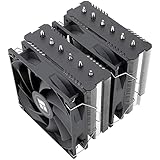
The best cpu cooler for beginners is the Thermalright Assassin X 120 Refined SE for a simple, highly-capable single-tower with broad, current multi-platform socket support. It measures 120 × 46 × 148 mm, uses four 6-mm heatpipes, and includes a 120-mm PWM fan rated for 66.17 CFM maximum speed for routine processor cooling.
This cooler suits a first gaming or everyday PC where easy fit matters more than maximum heat capacity. Its fan reaches 1,550 RPM maximum and is rated at 25.6 dBA, but the four-pipe tower has less thermal hardware than a dual-tower. Hotter CPUs under sustained heavy loads may justify a larger option for added headroom.
ID-COOLING SE-214-XT – Best Value
The best cpu cooler for beginners on a budget-conscious, value-focused build is the ID-COOLING SE-214-XT. It measures 124 × 72 × 150 mm, uses four 6-mm direct-touch heatpipes, and supports AM5, AM4, LGA1851, LGA1700, plus older Intel desktop sockets today. Its 4-pin PWM fan is rated for 64.8 CFM and 26.6 dB(A) maximum output.
Choose it for a straightforward tower with modern socket coverage and a fan range from roughly 500 to 1,500 RPM. The drawback is thermal headroom rather than setup complexity: four heatpipes and a single tower are less suited to sustained high-power CPUs than Peerless Assassin. It fits moderate systems particularly well.
Thermalright Peerless Assassin 120 SE – Best For Hotter CPUs
The best cpu cooler for beginners building around a hotter CPU is the Thermalright Peerless Assassin 120 SE. Its dual-tower heatsink measures 125 × 110 × 155 mm, weighs 730 g, and uses six 6-mm heatpipes with a nickel-plated copper base. Two 120-mm PWM fans provide considerably more cooling hardware for sustained workloads.
It is a strong match for extended gaming sessions, compiling, rendering, or a future CPU upgrade. Both fans are rated at 1,550 RPM maximum, 66.17 CFM, and 25.6 dBA. The compromise is physical size: the 155-mm height and substantial 730-g assembly demand careful chassis-clearance checking before installation and cable routing.
be quiet! Pure Rock 2 Black – Best For Quiet Builds
The best cpu cooler for beginners who prioritize quiet system operation is the be quiet! Pure Rock 2 Black. It stands 155 mm tall, weighs 0.58 kg, and uses four 6-mm heatpipes with direct-contact design. Its asymmetrical layout avoids blocking memory slots, which can simplify a beginner build around standard DIMM-slot placement.
Its Pure Wings 2 120-mm PWM fan is specified at 19.1, 22.1, and 26.8 dB(A) at 50, 75, and 100 percent speed. That published curve helps compare low-noise operation, but the four-pipe tower has less overall cooling capacity than Peerless Assassin, so sustained heavy CPU loads remain its primary practical limitation under extended use.
Frequently Asked Questions
The questions below cover common first-build concerns: whether air cooling is enough, how to manage the fan, what to check for fit, and how much to trust TDP ratings. These answers keep the best cpu cooler for beginners tied to practical initial setup choices, realistic expectations, and straightforward purchase checks.
Is an Air Cooler Enough for a Budget PC?
Yes. For most mainstream desktop processors, a properly matched tower air cooler is enough for gaming, office work, browsing, and general desktop use. The main beginner mistake is choosing by appearance instead of checking the CPU socket, cooler height, and workload. A larger cooler becomes useful when the processor sustains high power.
The practical exception is a high-heat CPU in a restricted-airflow case. Peerless Assassin 120 SE provides more fin area and six heatpipes, while the single-tower models remain easier to fit. Confirm that your case supports the cooler height before ordering, because clearance is a hard physical limit that software settings cannot change.
Do I Need CPU Cooler Software?
You do not need an extra app to run a basic desktop CPU tower cooler. The four picks use standard 4-pin PWM fan connectors, allowing the motherboard to manage fan speed. For a beginner, connect the cooler fan to the CPU_FAN header and leave the default control profile enabled first. That keeps the initial setup simple.
Manual tuning becomes useful only after the system works normally. If the fan becomes too audible, adjust the motherboard curve gradually instead of forcing a low fixed speed. Pure Rock 2 Black is designed around low-noise operation, while Peerless Assassin provides more thermal margin when CPU loads rise. Start with automatic control.
How Do I Check CPU Cooler Fit?
Start with the socket specified for your specific cooler and processor, then check the case’s maximum CPU-cooler height. Assassin X and SE-214-XT are 148 and 150 mm tall, while Pure Rock 2 Black and Peerless Assassin are 155 mm. Matching both numbers prevents a common compatibility error in a first build and case check.
Memory clearance matters, too! A single-tower cooler is typically less intrusive around standard DIMMs, while a dual-tower may take more space near tall modules depending on fan position. Pure Rock 2 Black uses an asymmetrical layout to avoid blocking memory slots, helping beginners follow a cleaner motherboard layout.
Does TDP Tell Me Actual CPU Temperatures?
No, not by itself. Manufacturer TDP figures are useful reference points, but real CPU temperatures also depend on power limits, fan speed, ambient temperature, case airflow, and workload. A cooler’s rated wattage should be treated as one comparison value rather than a promise that two systems will reach the same temperature.
For a beginner, compare the actual hardware design too. Peerless Assassin’s six heatpipes and two towers provide more cooling capacity than four-pipe single-tower models, while Assassin X and SE-214-XT reduce size and complexity. The right choice therefore depends on the CPU and case, not one headline specification when planning a build.
Final Thoughts
Choosing the best cpu cooler for beginners is about removing avoidable compatibility problems. Assassin X 120 Refined SE is an all-round choice, SE-214-XT emphasizes value, Pure Rock 2 Black suits quieter systems, and Peerless Assassin 120 SE gives hotter CPUs greater headroom. Check socket and verify case clearance before buying.
Ready to decide? Our #1 pick for 2026 is the Thermalright Assassin X 120 Refined SE.
Live price & availability on Amazon.