What to look for in a cpu cooler becomes clearer when an oversized heatsink blocks your memory or aggressive fans interrupt gameplay. Prioritize socket compatibility, physical clearance, sustained cooling, and acoustic performance. This guide compares four specific models against those requirements, helping prevent expensive mismatches.
Quick answer: For most people in 2026, the best what to look for in a cpu cooler is the Noctua NH-D15 G2 — our #1 rated choice. See the full ranked comparison, alternatives and buying advice below.
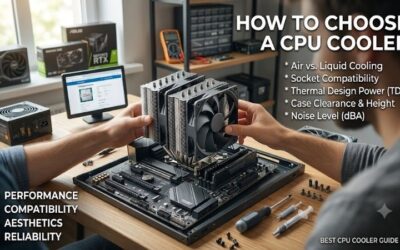
How to Choose a CPU Cooler
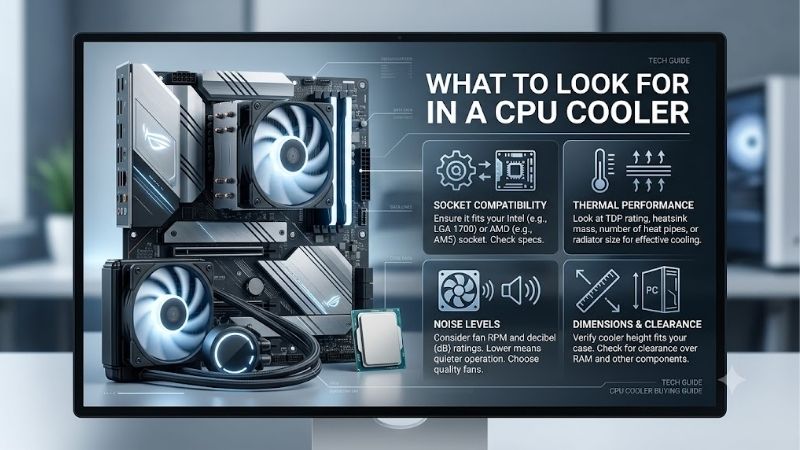
This guide explains what to look for in a cpu cooler through mounting compatibility, case fit, CPU heat loads, and ownership costs. Each criterion connects directly to the recommendations below. Identify your processor, motherboard, memory, and chassis first; incompatible hardware should disappear from consideration immediately.
Socket Support and Mounting Hardware
Socket compatibility determines whether the supplied mounting hardware fits your motherboard. An Intel or AMD label does not prove fit because mounting requirements differ between platforms. Confirm the exact socket and brackets in the box before ordering. Noctua NH-D15 G2 and Thermalright Phantom Spirit 120 SE support AM4 and AM5.
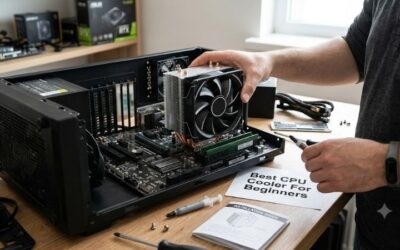
Installation complexity matters when upgrading a built PC, especially where mounting requires more socket work. Disconnect electrical power before installation and follow the manufacturer’s instructions without improvising brackets. For mainstream AMD desktop upgrades, Thermalright Phantom Spirit 120 SE provides a standard air tower.
Case Height, RAM Space, and Radiator Fit
Physical clearance includes heatsink height, memory interference, and access around motherboard components. Raising an overhanging front fan increases installed height beyond the standard specification. Compare adjusted dimensions against your chassis allowance before purchasing. Noctua NH-D15 G2 requires clearance for its initial 168 mm height.
In compact systems, what to look for in a cpu cooler depends heavily on the parts you use. Liquid cooling needs space for a radiator rather than a tower, including nearby motherboard heatsinks and graphics hardware. Noctua NH-L12S offers a 70 mm low-profile configuration, making it suitable where verified motherboard and memory clearance permit.
Heat Load and the Work You Actually Do
Cooling requirements depend on CPU power under load rather than branding alone. Rendering workloads can demand far more cooling than most games, especially with unrestricted motherboard power settings. Compare temperature measurements under equivalent workloads and acoustic conditions. Choose capacity for the work you do.
Advertised cooling wattages lack a shared test standard, making direct comparisons unreliable. Independent measurements with known CPU power provide stronger evidence than oversized marketing figures. For long CPU jobs, consider ARCTIC Liquid Freezer III 360 after confirming sufficient clearance for its radiator assembly.
Noise, Service Life, and Total Cost
Acoustic performance determines whether acceptable temperatures require loud fans. Compare noise-normalized measurements instead of full-speed rankings, since aggressive settings can often disguise everyday disadvantages. Understanding what to look for in a cpu cooler includes knowing when extra cost buys quieter operation.
Ownership costs include spare parts, warranty coverage, and maintenance complexity. Air cooling eliminates pump hardware, while liquid cooling relocates heat through more moving parts. For spacious desktops where simple upkeep matters, Noctua NH-D15 G2 combines readily replaceable fans with a six-year manufacturer’s warranty.
Top Picks
These recommendations illustrate what to look for in a cpu cooler across different build needs. Best Overall prioritizes large air towers; Best Value emphasizes budget allocation. The specialist selections address sustained workloads and slim cases. These picks are based on fit and specifications; I have not tested them.
| Product | Best For | Key Spec | Watch Out For |
|---|---|---|---|
| Noctua NH-D15 G2 | Best Overall | 168 mm height; two 140 mm fans. Noctua | Tall RAM may require more height |
| Thermalright Phantom Spirit 120 SE | Best Value | 154 mm heatsink; seven heatpipes. Thermalright | Front fan can overhang RAM |
| ARCTIC Liquid Freezer III 360 | Best For Sustained CPU Loads | 360 mm class; 38 mm radiator. arctic.de | Thick radiator and fan stack |
| Noctua NH-L12S | Best For Slim Cases | 70 mm low mode; slim 120 mm fan. Noctua | 35 mm RAM limit in low mode |
Noctua NH-D15 G2: Best Overall
Noctua NH-D15 G2 suits spacious desktops that need a large air cooler without pump maintenance. Its eight heatpipes and two 140 mm PWM fans provide a large cooling assembly, supported by a six-year warranty. The overall recommendation applies to ordinary standard desktop builds rather than claiming it wins at every CPU load.
Its main drawback is size: the standard 168 mm height already excludes many narrower chassis. Front-fan interference with tall memory can increase height further. If what to look for in a cpu cooler includes parts you can replace, this large tower deserves consideration after the manufacturer’s documented board fit checks.
Thermalright Phantom Spirit 120 SE: Best Value
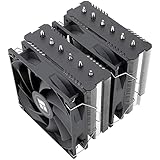
Thermalright Phantom Spirit 120 SE targets conventional desktops where cooling expenditure competes with graphics and storage upgrades. Seven 6 mm heatpipes connect its dual-tower heatsink, paired with 120 mm PWM fans. Its substantial air-cooling construction avoids the additional radiator mounting and pump hardware required by liquid alternatives.
The 154 mm heatsink fits some cases that cannot house taller towers, although memory interference remains possible. Raising the front fan requires additional side-panel clearance. Best Value describes its intended purchasing role rather than guaranteeing a particular price; compare the full cost at checkout before committing.
ARCTIC Liquid Freezer III 360: Best for Sustained CPU Loads
ARCTIC Liquid Freezer III 360 serves sustained, demanding CPU jobs in chassis with room for a large AIO. Its radiator measures 398 by 120 by 38 mm; the 360 designation describes its size class rather than actual length. Relocating the cooling assembly reduces tower-style interference around memory, benefiting builds that fit it.
The drawback combines bulk with added pump hardware. Including 25 mm fans produces approximately 63 mm of radiator-stack thickness before space for nearby parts. If what to look for in a cpu cooler involves long render jobs, consider this model after checking real clearance rather than trusting nominal radiator support.
Noctua NH-L12S: Best for Slim Cases
Noctua NH-L12S addresses compact desktops that cannot accommodate conventional towers. Positioning its slim 120 mm fan beneath the fins produces a 70 mm overall height. The top-flow arrangement also directs airflow around the socket area. Its meaningful advantage is packaging flexibility where chassis dimensions exclude larger cooling assemblies.
Low mode fits RAM up to 35 mm tall; putting the fan above allows 48 mm modules while increasing installed height. Limited heatsink volume reduces thermal headroom compared with full-size towers. Select this model for small builds that fit it after reviewing published CPU support, especially with sustained high-power workloads.
Frequently Asked Questions
These questions clarify what to look for in a cpu cooler when specifications leave questions. Socket terminology, liquid-cooling claims, and temperature readings require context rather than assumptions. Check fit against your exact parts, then compare sustained behavior under equivalent conditions before you spend on an upgrade.
Is Air or Liquid Cooling Better for Gaming?
Air cooling generally offers simpler ownership for gaming, while liquid cooling provides more mounting options and capacity for sustained workloads. CPU power draw varies from game to game, so radiator size alone cannot establish necessity. Choose according to known heat loads, acceptable acoustics, and compatible mounting space.
Liquid cooling remains useful when a radiator fits the case or a tower blocks your RAM. Conversely, certain small cases may need low-profile air cooling despite reduced headroom. Consider graphics temperatures alongside processor measurements, because radiator placement can influence how warm the air entering the case is.
How Do I Know Whether a CPU Cooler Will Fit?
Confirm socket support, full dimensions, and space around nearby parts before purchasing. Tower height must include the fans and any lift needed over RAM. Liquid-cooling checks include full radiator dimensions, mounting thickness, and tubing clearance. Nominal chassis support cannot establish compatibility with every build.
Exact motherboard models matter because socket placement and nearby heatsinks affect how the cooler fits. A shared form factor cannot guarantee identical clearance. Consult the maker’s fit lists where available, then compare drawings against your parts. This check is especially useful for small builds with little spare space.
Can a Better CPU Cooler Increase FPS?
Improved cooling can increase frame rates when thermal throttling limits CPU speed, but cannot fix a GPU limit. Monitor temperatures, clock speeds, and throttling indicators during the games you play. If intended clock speeds remain stable, a larger cooler may primarily improve acoustics rather than gaming performance.
Investigate dust buildup, stalled fans, or mounting problems before replacing a cooler that should cope. Perform physical inspections only with power off and unplugged. Poor case airflow can also undermine a new cooler, so evaluate intake conditions first. Correcting an airflow obstruction may provide better value than parts you do not need.
What CPU Temperature Should I Aim For?
Target operation within the limits set for your CPU while maintaining stable performance and acceptable acoustics. No universal temperature target suits every chip. Modern processors may exploit available thermal headroom for additional boost performance, making elevated readings a poor reason to replace a cooler without checking the workload.
Evaluate changes under the same room temperature, CPU power settings, and workload. Sustained measurements reveal more than isolated idle readings or background-task spikes. After installation, a rise in temperature means you should check contact and fan control before another purchase; a larger heatsink cannot fix poor contact.
Final Thoughts
Understanding what to look for in a cpu cooler means checking fit before extra capacity. Choose NH-D15 G2 for large air builds, Phantom Spirit 120 SE for value, Liquid Freezer III 360 for sustained workloads, or NH-L12S for slim cases. Confirm complete mounting hardware and physical clearances before comparing the full cost.
Ready to decide? Our #1 pick for 2026 is the Noctua NH-D15 G2.
Live price & availability on Amazon.