
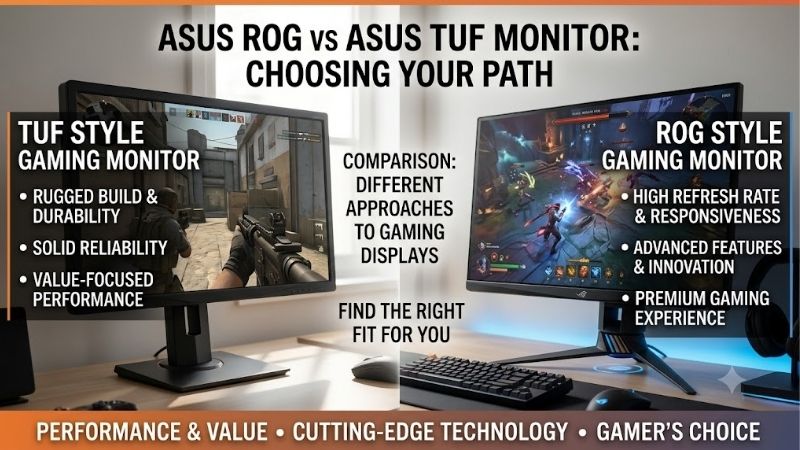
When comparing asus rog vs asus tuf monitor options, the main difference is product positioning, not a guarantee that one lineup always performs better. ASUS Republic of Gamers (ROG) typically targets enthusiasts who want premium display technology, specialized gaming features, and higher-performance options. TUF Gaming focuses more heavily on practical gaming performance across accessible price tiers. However, TUF models can offer high refresh rates and useful competitive features, while some ROG monitors carry premiums for extras that may not improve your experience. The smarter purchase comes down to the exact panel, refresh rate, response-time behavior, connectivity, and price of the two monitors you are considering.
- Quick verdict: ROG for premium features, TUF for practical gaming
- How the ROG and TUF monitor lineups differ
- Comparing representative ASUS ROG and TUF monitors
- Refresh rate and response time: does ROG win?
- Image quality: IPS, VA, and OLED matter more than the logo
- Gaming features and connectivity: which extras are worth paying for?
- Build quality, ergonomics, and daily comfort
- Price and value: when is ROG worth the premium?
- Which ASUS monitor should you choose for your setup?
- Frequently asked questions
- Final verdict
Quick answer: Our top pick in 2026 is the Buying consideration — our #1 rated choice. See the full ranked comparison, alternatives and buying advice below.
Quick verdict: ROG for premium features, TUF for practical gaming
Choose ROG if you want access to enthusiast-oriented options such as high-refresh OLED panels, advanced gaming controls, extensive connectivity, or specialized motion-handling features. For example, the ROG Swift OLED PG27AQDP combines a 2560 × 1440 WOLED panel with a native 480Hz refresh rate. That is a very different class of display from a mainstream 144Hz or 165Hz IPS monitor.
Choose TUF if you want strong gaming fundamentals without automatically moving into the premium end of ASUS’s monitor catalog. Models such as the TUF Gaming VG27AQE5A offer 1440p resolution, a Fast IPS panel, a 165Hz overclocked refresh rate, adaptive sync, and ELMB motion-blur reduction. Those features are sufficient for many gaming PCs.
The important exception is that a higher-priced ROG monitor is not automatically the better purchase for every player. A well-chosen TUF monitor can be more sensible for a midrange PC, a mixed gaming-and-work setup, or someone who would rather invest additional money in a graphics card. Compare the specifications and independent test results of the exact models before paying extra for the ROG branding.
How the ROG and TUF monitor lineups differ
ROG stands for Republic of Gamers. ASUS positions the brand around enthusiast gaming, with products spanning conventional LCD monitors, premium OLED displays, and specialized competitive-gaming hardware. Its lineup includes models designed around extremely high refresh rates, advanced connectivity, and additional gaming controls. Not every ROG monitor includes every premium feature, so the series name should be treated as a starting point rather than a specification.
TUF Gaming is also a gaming-focused product family, but its range includes more straightforward displays for mainstream PC gaming. Depending on the model, you may find Fast IPS, VA, curved screens, high refresh rates, and software-based gaming adjustments. The current TUF portfolio is not limited to basic 1080p displays: newer models include unusual combinations of QHD refresh rates and lower-resolution dual modes.
This distinction matters when shopping. ROG often gives buyers access to more ambitious technology, but the entry point into gaming at 1440p or high refresh does not necessarily require it. TUF may cover the features you actually need without making you pay for OLED, premium connectivity, or a specialized competitive feature set.
| Buying consideration | ASUS TUF Gaming | ASUS ROG |
|---|---|---|
| General positioning | Practical gaming across multiple price tiers | Enthusiast and premium gaming options |
| Typical strengths | High refresh rates, adaptive sync, useful gaming features | Advanced panels, premium models, specialized features |
| Panel choices | Varies by model; includes IPS and VA examples | Varies by model; includes IPS and OLED examples |
| Competitive gaming | Plenty of capable options | More choices at very high refresh rates |
| Image quality | Depends on the individual panel and backlight | Can include high-end OLED and advanced LCD options |
| Connectivity | Depends on model and generation | Premium models may offer more extensive connectivity |
| Best buying approach | Prioritize core specifications and price | Pay for premium features that matter to your use case |
These are general lineup tendencies, not rules that apply to every product. A high-specification TUF monitor can outperform an older or entry-level ROG model in a particular category. Likewise, a premium ROG OLED can deliver a substantially different experience from a budget TUF LCD.
Comparing representative ASUS ROG and TUF monitors
The following models illustrate how the two lineups span different performance levels. They are not a controlled, same-price comparison: the ROG examples include an enthusiast OLED model, while the TUF examples illustrate more conventional LCD designs.
| Exact model | Display specifications | Notable features | Main trade-off |
|---|---|---|---|
| ASUS TUF Gaming VG27AQE5A | 27-inch, 1440p Fast IPS, 165Hz overclocked | FreeSync Premium, G-SYNC Compatible, ELMB | Conventional LCD contrast and a lower refresh ceiling than flagship models |
| ASUS TUF Gaming VG27AQAY1A | 27-inch, 1440p VA, 170Hz overclocked | 300 cd/m² typical brightness, 3000:1 typical contrast, Adaptive-Sync | Basic stand adjustment and older connection standards |
| ASUS ROG Strix XG27ACS | 27-inch, 1440p Fast IPS, 180Hz | USB-C DisplayPort Alt Mode, adjustable stand, ELMB Sync | Limited native contrast and basic HDR performance |
| ASUS ROG Swift OLED PG27AQDP | 26.5-inch, 1440p WOLED, 480Hz | 0.03ms GTG specification, HDMI 2.1, USB hub, three-year burn-in-inclusive warranty | Enthusiast-level specifications that many PCs cannot fully exploit |
The specifications come from the respective ASUS product pages; the XG27ACS has also been independently reviewed by RTINGS. Its results highlight the distinction between a monitor’s refresh rate and its actual motion performance, as well as the limits of its contrast and HDR presentation.
Do not interpret the table as proof that every ROG model beats every TUF model. The PG27AQDP is an OLED competitive display, so comparing it with the TUF VG27AQE5A is primarily a comparison of display technology and product class, not simply brand quality.
For a fairer purchase decision, compare two similarly sized monitors with the same native resolution and comparable refresh rates. Then check measured response times, input lag, contrast, brightness, and connectivity. Those details reveal whether the price difference buys a meaningful improvement.
Refresh rate and response time: does ROG win?
ROG has compelling options for gamers who prioritize extremely high refresh rates, but that does not mean TUF is too slow for competitive gaming.
The difference between 60Hz and 165Hz is substantial for many players. Higher refresh rates reduce the time between display updates, helping motion appear smoother when the graphics card produces enough frames. Moving from 165Hz to 180Hz is a much smaller step. Moving from 180Hz to 360Hz or 480Hz can be useful for highly competitive play, but the benefit depends on the game, the player’s sensitivity to motion, and the frame rate the PC can sustain.
The ROG Swift OLED PG27AQDP demonstrates the upper end of this market. ASUS specifies 480Hz at 2560 × 1440 and a 0.03ms gray-to-gray response-time figure. By comparison, the TUF VG27AQE5A operates at up to 165Hz through its overclocked setting and advertises a minimum 0.3ms GTG response time. Those are manufacturer claims obtained under their stated measurement conditions, not directly comparable independent measurements.
A monitor’s advertised response time does not establish that all pixel transitions complete within that period. Actual behavior depends on the panel, refresh rate, overdrive settings, and the transitions being measured. Aggressive overdrive can also produce inverse ghosting, in which moving objects develop bright or dark trails.
Independent reviews are particularly useful here. RTINGS found that the ROG Strix XG27ACS has low input lag and generally sharp motion, but it also identified some inverse ghosting at lower refresh rates. Its 180Hz maximum alone therefore does not tell the whole story.
The sensible decision is to buy the highest refresh rate that fits your actual workload and budget. If you play strategy games, RPGs, and occasional shooters, a good 144Hz to 180Hz monitor may be sufficient. If you regularly play competitive shooters at very high frame rates, a premium ROG display may offer a more noticeable advantage.
Remember that a 480Hz monitor does not make a game run at 480 FPS. Your CPU, graphics card, game engine, and settings determine frame production. A TUF monitor running smoothly at 165Hz can be a better match for a midrange system than an expensive ROG model that spends most of its time displaying far fewer frames than its maximum refresh rate.
Image quality: IPS, VA, and OLED matter more than the logo
The panel technology determines many aspects of picture quality. Neither ROG nor TUF automatically wins here because both product families cover different types of displays.
IPS for balanced gaming and everyday use
Fast IPS is a practical choice for gaming and desktop work. It generally offers wide viewing angles and good motion performance, making it suitable for fast action as well as browsing, documents, and general productivity. Both the TUF VG27AQE5A and ROG Strix XG27ACS use Fast IPS panels.
The difference between those monitors is not simply that one is TUF and the other is ROG. Their refresh rates, connectivity, brightness specifications, firmware, and exact panel tuning matter more. The ROG XG27ACS, for instance, offers USB-C with DisplayPort Alt Mode, whereas the TUF VG27AQE5A is positioned around its core gaming features. Whether that makes ROG worth choosing depends on how useful the extra connection is to you.
IPS’s main limitation is contrast. A conventional IPS screen often makes black areas look gray in a dark room. That can weaken the effect of dark scenes in horror games or cinematic titles, although screen brightness and ambient lighting also affect the perceived result.
VA for higher native contrast
VA panels typically provide higher native contrast than conventional IPS panels. The TUF VG27AQAY1A is an example: ASUS lists a typical contrast ratio of 3000:1 and 300 cd/m² typical brightness. This makes it an option for buyers who prefer stronger dark-scene contrast without moving to OLED.
The trade-off is that VA response behavior varies considerably by model and pixel transition. Some VA panels exhibit noticeable dark smearing, particularly when dark objects move across a dark background. A high refresh-rate specification does not eliminate that possibility.
Check independent motion tests rather than choosing VA solely because its advertised contrast ratio is larger. If you play fast-paced shooters, the specific monitor’s response performance may matter more than the contrast advantage. For slower games or mixed entertainment use, VA can be a reasonable compromise.
OLED for contrast and near-instant pixel response
OLED is where a premium ROG monitor can offer a clear technological difference from a conventional TUF LCD. OLED pixels produce their own light, allowing individual pixels to turn off for black. This creates exceptional dark-room contrast and fast pixel transitions.
The ROG Swift OLED PG27AQDP combines OLED contrast with a 480Hz refresh rate, making it a specialist choice for gamers who want both exceptionally fast motion and deep blacks. Its three-year warranty includes panel burn-in coverage according to ASUS’s specification page. Warranty terms should still be checked for the exact model and purchasing region.
OLED also introduces ownership considerations. Static desktop interfaces and game HUDs can contribute to uneven pixel wear over time. Screen protection routines help reduce the risk, but do not make it disappear entirely. A premium OLED monitor may be worthwhile for someone who primarily games and watches content, while an LCD may be easier to justify for long workdays filled with static windows.
The practical lesson is to compare panel technology first, then evaluate the ROG or TUF model within that class. A basic ROG IPS monitor does not automatically deliver the contrast of an OLED display, and a TUF LCD should not be expected to reproduce OLED blacks.
Gaming features and connectivity: which extras are worth paying for?
ASUS equips both lineups with gaming features, but the supported set depends on the exact model.
The TUF VG27AQE5A supports AMD FreeSync Premium, NVIDIA G-SYNC compatibility, ELMB, and DisplayWidget Center. These cover several practical needs: reducing tearing, controlling motion-blur reduction, and adjusting monitor settings through software. It also advertises gaming AI features such as Dynamic Crosshair and AI Visual.
The ROG Strix XG27ACS includes Adaptive-Sync, ELMB Sync, Shadow Boost, DisplayWidget Center, and USB-C DisplayPort Alt Mode. Its USB-C power delivery is limited to 7.5W, however, so it should not be treated as a full-powered docking solution for a laptop. ASUS also specifies DisplayPort 1.4 and HDMI 2.0 for this model.
These features are not universally exclusive to ROG. TUF monitors can also offer gaming overlays, shadow enhancement, and adaptive sync. The difference is the combination available on each monitor, not the logo printed on its housing.
Connectivity deserves special attention when buying a monitor for several devices. If you use a desktop PC, gaming laptop, and console, the port count and bandwidth may be more important than a branded software feature. Check the resolution and refresh rate supported by each input: an HDMI port may not support the same high-refresh mode as DisplayPort.
The PG27AQDP is an example of the premium end, with two HDMI 2.1 ports and DisplayPort 1.4 with Display Stream Compression (DSC). That is a different connectivity package from the TUF VG27AQAY1A, which uses DisplayPort 1.2 and HDMI 2.0. The appropriate choice depends on the video output of your graphics card and the display mode you want to run.
One caution: extra software controls are not necessarily competitive advantages. Shadow enhancement can lift dark areas but also reduce natural contrast, and backlight strobing can introduce visual artifacts or limit supported operating conditions. Treat these options as tools to adjust after purchase, not as guaranteed performance improvements.
Build quality, ergonomics, and daily comfort
ROG products often use more elaborate gaming-oriented styling and may offer additional controls or connectivity on higher-end models. That does not mean every ROG monitor has a better stand or superior durability than every TUF monitor.
Check the physical specifications individually. The ROG Strix XG27ACS has a height-adjustable stand with tilt, swivel, and pivot movement. Those adjustments make it easier to position the display for a comfortable desk setup. ASUS specifies 120mm of height adjustment.
The TUF VG27AQAY1A is more limited: ASUS lists tilt adjustment but no height adjustment. That may be acceptable if you already use a monitor arm, but it can be inconvenient if you want to place the display at eye level without buying an accessory.
A better stand can be worth paying for if you spend eight hours a day at your desk. Proper positioning helps you maintain a comfortable working setup, and swivel or pivot adjustments can be useful when sharing the screen or using a vertical layout.
Also consider the desk footprint, VESA mounting support, power supply placement, and whether you need USB ports on the monitor. Premium models can offer a more complete setup, but you should not pay for decorative lighting or a complex stand if your current monitor arm solves those needs already.
For daily comfort, prioritize the panel’s text clarity, brightness, reflection handling, and adjustment range. These factors have a more direct impact on long-term satisfaction than the difference between the ROG and TUF logos.
Price and value: when is ROG worth the premium?
ROG can be worth a larger investment when the specific upgrade has a clear purpose. Moving from a conventional 165Hz IPS panel to a 480Hz OLED panel changes refresh capability, response behavior, contrast, and potentially HDR performance. That is a substantial technology change, although it still may not be useful if your PC cannot produce the frame rates needed to exploit the refresh ceiling.
By contrast, paying more for a small refresh-rate increase or a few extra gaming presets may deliver only a modest improvement. A TUF monitor with good motion handling and a suitable native resolution may cover your needs at a lower total system cost.
Avoid assuming TUF is automatically cheaper or ROG is automatically overpriced. Current prices depend on specific models, sales, stock, and retailer conditions. Because the examples above are not a matched set and comparable current US transaction prices have not been verified for every model, they should not be interpreted as a direct dollar-for-dollar value ranking.
Use these principles to decide whether an ROG premium is justified:
-
Pay more for a better panel, measured motion performance, useful connectivity, or a warranty that materially improves ownership.
-
Be cautious about paying substantially more for features you will not use, such as an extreme refresh rate when your PC usually operates far below it.
-
Compare models at the same resolution and screen size before treating their prices as comparable.
-
Include accessories such as a monitor arm, suitable cable, or USB hub when estimating the total cost of a setup.
-
Recheck current specifications and prices before buying older models, since a discounted previous-generation ROG monitor may compete with a newer TUF product.
For many gamers, the best value is a balanced 1440p monitor with adequate refresh rate and good measured response. For enthusiasts chasing competitive performance or OLED image quality, ROG may provide features that justify the additional spending.
Which ASUS monitor should you choose for your setup?
For a midrange gaming PC, start with a TUF 1440p IPS model that offers adaptive sync and at least 144Hz. The TUF VG27AQE5A is one example of this approach. Its 165Hz overclocked ceiling and Fast IPS panel fit a wide range of gaming workloads without requiring the specialized hardware that makes a flagship monitor attractive.
For competitive shooters where you regularly sustain high frame rates, compare premium high-refresh models. A top-end ROG OLED may be worthwhile if you value both extreme refresh rates and OLED’s contrast, but the system must be fast enough to make use of that capability. Check measured response and input lag at the refresh rates you will actually use.
For cinematic single-player games and dark-room viewing, decide whether contrast or budget is the priority. A VA panel can improve native contrast over conventional IPS, while OLED delivers the deepest blacks. A premium ROG OLED is a more direct upgrade in image technology than simply moving from a TUF IPS monitor to a ROG IPS model with a slightly higher refresh rate.
For work and gaming on one desk, choose a model with appropriate ergonomics, clear text, and the ports you need. The XG27ACS’s USB-C video input may be convenient for a laptop, but its 7.5W power delivery is too limited to serve as a full laptop charger for many machines. If you need one-cable docking, verify power delivery and USB hub specifications before purchasing.
For a tight budget, do not stretch into ROG merely for the brand name. Spending the difference on a GPU upgrade, better desk lighting, or a more suitable monitor size could improve the overall experience more than an incremental display upgrade.
Frequently asked questions
Is ASUS ROG better than ASUS TUF for gaming monitors?
Not universally. ROG offers more enthusiast-oriented options, including very high-refresh OLED displays, but TUF has capable gaming monitors with adaptive sync and high refresh rates. The exact model and its independent test results matter more than the series name.
Are ASUS TUF monitors good for competitive gaming?
Yes. A suitable TUF monitor with a high refresh rate, responsive panel, and adaptive sync can work well for competitive gaming. Check measured response times and input lag, since refresh rate alone does not guarantee clean motion.
Is an ASUS ROG OLED monitor worth buying?
It can be if you value deep blacks, fast pixel response, and the specific refresh rate the model provides. You should also be comfortable with OLED care routines and review the warranty’s burn-in terms for the exact model.
Do ROG monitors have better colors than TUF monitors?
Not by default. Color gamut, factory accuracy, brightness, panel type, and calibration determine color performance. A well-tuned TUF panel may have better color accuracy than a particular ROG model, so compare independent color measurements rather than relying on branding.
Which is better for a 1440p gaming PC, ROG or TUF?
For many midrange systems, a TUF 1440p IPS display with a refresh rate between 144Hz and 180Hz is a sensible starting point. ROG is worth considering when you want a specifically measurable upgrade, such as OLED contrast, premium connectivity, or a much higher refresh rate.
Final verdict
ASUS ROG is the stronger place to start when you want premium gaming display technology, specialized competitive features, or an enthusiast OLED monitor. ASUS TUF is the practical starting point for buyers who want capable gaming performance without automatically moving into the high end of the market.
Neither brand is a substitute for examining the exact monitor. Compare native resolution, refresh rate, real response behavior, panel technology, adaptive sync, connection bandwidth, ergonomics, and warranty coverage. For most buyers, a good TUF model will be sufficient; for players who can take advantage of a premium panel or extreme refresh rate, ROG can be worth the extra investment.
Ready to decide? Our #1 pick for 2026 is the Buying consideration.
Live price & availability on Amazon.









