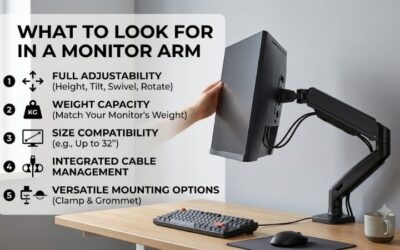
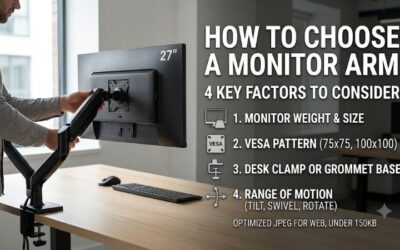
A monitor arm holds your screen at eye level and frees the desk underneath, but the laptop still sits flat on the desk while the monitor floats. A VESA laptop tray closes that gap: it bolts onto the same VESA plate your monitor arm already uses and holds the laptop in the air beside the screen. Every tray in this guide is a tray-only accessory. It bolts to a VESA plate you already own, and the arm is sold separately. That is the category’s defining fact, and the most common buying mistake is assuming an arm comes in the box. The five trays below differ in VESA pattern, laptop size range, stated weight limit, and airflow.
- How to choose a VESA laptop tray
- 1. VIVO STAND-LAP2 — Wide steel tray for 100×100 arms
- 2. Mount-It! MI-2352T — Dual-pattern tray with side clamps
- 3. HUANUO HNKT1 — Compact all-steel tray
- 4. ergounion NBM23 Silver — Highest stated capacity
- 5. HumanCentric 101-2074 — Dual-pattern clamp tray
- Which tray fits your setup
- Frequently asked questions
- The bottom line


As an Amazon Associate, we earn from qualifying purchases.
How to choose a VESA laptop tray
Start with the VESA pattern. Measure the hole spacing on your arm’s mounting plate: 75 mm square or 100 mm square. Three trays in this guide fit 100×100 only, and two fit both patterns. A 100-only tray will not bolt to a 75-only plate without an adapter, so check the plate before anything else.
Next, add up the weight the arm will carry. The arm holds the tray and the laptop together, so add the tray’s weight, which runs from 2.18 lb to 3.08 lb here, to your laptop’s weight and compare the total with the arm’s rating. A gas-spring arm rated for a light monitor can sag under a tray plus a heavy laptop.
Then check laptop size against tray size, not just the diagonal screen measurement. A 17-inch laptop can be wider than a tray rated for 17-inch screens, so compare the laptop’s width with the tray’s stated range or dimensions. Two trays here state no laptop size at all, which leaves the tray dimensions as the only guide.
Airflow comes in two forms here. Four trays use perforated vent holes in the base, and one uses a hollow U-shaped middle that leaves the center open. Both leave air space under the laptop, which matters most for machines with bottom-mounted intake vents.
Finally, look at how the tray holds the laptop. Two trays use adjustable side clamps that grip its edges, and three use a protruding bottom lip that stops it sliding forward. Clamps hold tighter when you tilt or swing the arm; a lip leaves the sides clear for ports and cables.
1. VIVO STAND-LAP2 — Wide steel tray for 100×100 arms
The VIVO STAND-LAP2 is the broadest tray in this guide at 14 inches wide, and it suits a large laptop that needs real surface area. The steel tray has ventilation holes across the base and a bottom lip that protrudes to keep the laptop from sliding forward, and the mounting hardware is included. The arm is sold separately, as with every tray here.
One figure needs care. The listing’s bullets state the tray fits laptops up to 15.6 inches, twice, while VIVO’s own product page rates the same tray for laptops up to 17 inches, and a major retailer agrees with the 17-inch figure. This guide states the listing’s 15.6-inch claim and notes the maker’s higher rating.
The listing states no weight limit for this tray. Every 22 lb figure on the listing page belongs to other products shown alongside it, not to this tray. That puts the full burden on your arm’s rating: add the tray’s 3.05 lb to your laptop’s weight and check the total against what your arm is rated to hold.
Specs
- VESA pattern: 100×100 mm only
- Tray size: 14 × 11.5 in
- Laptop size: up to 15.6 in per the listing (VIVO’s own page rates it to 17 in)
- Weight limit: not stated on the listing
- Material: steel, black matte finish
- Ventilation: vent holes
- Retention: protruding bottom lip
- Tray weight: 3.05 lb
- In the box: tray, mounting hardware (arm sold separately)
2. Mount-It! MI-2352T — Dual-pattern tray with side clamps
The Mount-It! MI-2352T is one of two trays here that fits both VESA patterns, 75×75 and 100×100, which makes it the safe pick when you are not sure which plate your arm has, or when you plan to move the tray between arms. Adjustable side clips grip laptops from 9.5 to 16.5 inches wide, bottom lips catch the front edge, and traction pads keep the machine from shifting when the arm moves. The base is vented, the body is alloy steel, and the listing backs it with a 10-year warranty.
The stated weight limit is 9.9 lb, taken from the listing’s own module table. That figure is easy to get wrong: the listing page also shows 22 lb figures, but every one belongs to a different product shown in cross-sell, not to this tray. At 9.9 lb the tray covers most ultrabooks and 15-inch laptops, but a heavy desktop-replacement laptop needs a higher-rated tray, and the arm still has to carry the tray’s own 3.04 lb as well.
Specs
- VESA pattern: 75×75 and 100×100 mm
- Laptop width: 9.5–16.5 in clamp range
- Weight limit: 9.9 lb
- Material: alloy steel
- Ventilation: vented base
- Retention: adjustable side clips, bottom lips, traction pads
- Tray weight: 3.04 lb
- Warranty: 10 years
- In the box: tray, mounting hardware (arm sold separately)
3. HUANUO HNKT1 — Compact all-steel tray
The HUANUO HNKT1 is the smallest and lightest tray in this guide, with a 12.6 by 9 inch platform and a tray weight of 2.18 lb, the easiest load for a light-duty arm. The body is solid steel with a black matte finish, the base has extra ventilation holes, and a protruding bottom lip holds the laptop in place. Mounting hardware, including M4 screws, is included, and the arm is sold separately.
The weight limit needs a careful read. The listing’s bullets state the tray holds up to 17.6 lb, while the listing’s title states 22 lb. This guide uses the bullets’ 17.6 lb figure, since the bullets are the more specific statement, and flags the title discrepancy so you are not surprised by it. The listing states no maximum laptop size anywhere, in the title, the bullets, or the specification table, so this guide claims none: judge fit by the tray dimensions against your laptop’s footprint.
Specs
- VESA pattern: 100×100 mm only
- Tray size: 12.6 × 9 in
- Laptop size: not stated on the listing
- Weight limit: 17.6 lb per the bullets (the title states 22 lb)
- Material: solid steel, black matte finish
- Ventilation: vent holes
- Retention: protruding bottom lip
- Tray weight: 2.18 lb
- In the box: tray, M4 screws, mounting hardware (arm sold separately)
4. ergounion NBM23 Silver — Highest stated capacity
The ergounion NBM23 in Silver carries the highest stated weight limit in this guide at 28.6 lb, for laptops from 6 to 17.6 inches, which makes it the pick for a heavy 17-inch laptop that would exceed the other trays’ stated limits. An L-shaped blocker lip stops the laptop sliding forward, non-slip pads keep it from shifting, and the body is iron.
Airflow works differently here than on the perforated trays. Instead of vent holes, the tray has a hollow U-shaped middle, an open section in the center of the platform that leaves air space under the laptop. This guide describes it as a hollow U-shaped middle rather than calling it vented, because the design is genuinely different from a perforated base.
One cross-listing conflict is worth knowing. The same model NBM23 in black lists laptops up to 17.3 inches, while this Silver listing states 17.6 inches in both its title and its bullets. This guide uses the Silver listing’s own figure for this pick and does not carry the black listing’s figure across.
Specs
- VESA pattern: 100×100 mm only
- Laptop size: 6–17.6 in
- Weight limit: 28.6 lb
- Material: iron
- Ventilation: hollow U-shaped middle (not perforated holes)
- Retention: L-shaped blocker lip, non-slip pads
- Tray weight: 2.64 lb
- Color: Silver
- In the box: tray, mounting hardware (arm sold separately)
5. HumanCentric 101-2074 — Dual-pattern clamp tray

The HumanCentric 101-2074 is the second tray here that fits both VESA patterns, 75×75 and 100×100. It secures the laptop with adjustable side clamps that open from 9.5 to 16.5 inches wide, plus silicone pads and ventilation holes in the steel base. The listing states laptops from 10 to 15.6 inches, and the box holds the tray, mounting brackets, and installation screws. The arm is sold separately.
An honest note on this pick: it shares its clamp platform with the Mount-It! tray above, with the same 9.5 to 16.5 inch clamp range and near-identical dimensions, so this guide does not invent differences between them. What differs is what each listing states. Mount-It! publishes a 9.9 lb weight limit; HumanCentric publishes no maximum laptop weight at all, on its product page, in its manual, or on the listing. HumanCentric does state a 10 to 15.6 inch laptop range, which the Mount-It! listing frames as a width range instead.
One availability note: the newest full archived listing page for this tray dates to August 2024, when the buy box was live, so check the listing for a current offer before ordering.
Specs
- VESA pattern: 75×75 and 100×100 mm
- Laptop size: 10–15.6 in
- Clamp range: 9.5–16.5 in wide
- Weight limit: not published
- Material: steel, black
- Ventilation: ventilation holes
- Retention: adjustable side clamps, silicone pads
- Tray size: 11.54 × 12.64 × 1 in
- Tray weight: 3.08 lb
- In the box: tray, mounting brackets, installation screws (arm sold separately)
Which tray fits your setup
Match the tray to your arm first. If your arm’s plate is 100×100 only, all five trays fit. If it is 75×75, only the Mount-It! and HumanCentric trays fit, since the other three are 100-only. Then match the tray to the laptop. The ergounion tray has the highest stated limit at 28.6 lb, the HUANUO tray states 17.6 lb, and the Mount-It! tray states 9.9 lb, while the VIVO and HumanCentric listings state no weight limit at all, which means your arm’s rating is the only limit that counts for those two. For the largest laptops, the VIVO tray’s 14-inch width and the ergounion tray’s 17.6-inch size range are the roomiest options. For the tightest hold when you swing the arm, the two clamp trays grip the laptop’s sides; the three lip trays rely on a bottom lip and gravity.
Frequently asked questions
Does a VESA laptop tray come with a monitor arm?
No. Every tray in this guide is a tray-only accessory that bolts to a VESA plate you already own. The arm, stand, or wall mount is a separate purchase, and the box holds only the tray and its mounting hardware. If you do not own an arm yet, buy the arm first, check its VESA pattern and weight rating, then pick a tray that matches both.
How do I know if a tray fits my monitor arm?
Check two things on the arm: the VESA hole pattern on its mounting plate and its weight rating. The pattern is either 75×75 mm or 100×100 mm, measured between the centers of the mounting holes. Three trays here fit 100×100 only, and two fit both, so a 75-only arm narrows the choice to the Mount-It! and HumanCentric trays. The weight rating must cover the tray plus the laptop together, not the laptop alone.
How much weight can a VESA laptop tray hold?
It depends on the tray. The ergounion tray states 28.6 lb, the HUANUO tray states 17.6 lb in its bullets, and the Mount-It! tray states 9.9 lb, while the VIVO and HumanCentric listings state no weight limit at all. In every case the arm’s rating is the real ceiling, because the arm carries the tray and the laptop together. Add the tray’s weight to your laptop’s weight before comparing with the arm’s rating.
Do I need a vented tray for a hot laptop?
It helps, but the tray’s airflow design is only part of the picture. Four trays here use perforated vent holes and one uses a hollow U-shaped middle, and both leave air space under the laptop that a solid desk surface does not. That matters most for laptops with bottom-mounted intake vents. A tray will not fix a laptop that overheats on its own, but an open base suits sustained heavy loads better than a solid one.
The bottom line
A VESA laptop tray is a small accessory that changes how a laptop fits into a monitor-arm setup, but only if the pattern matches and the arm can carry the combined load. Check the VESA pattern first, add the tray weight to the laptop weight second, and pick the tray whose stated size and weight figures match your machine. The arm is sold separately for every pick here.