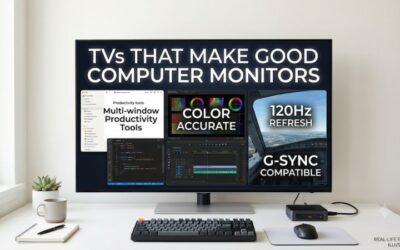
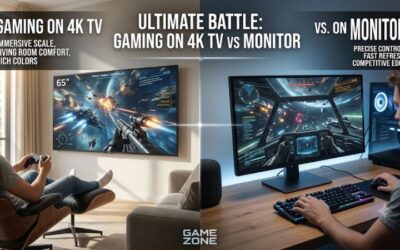
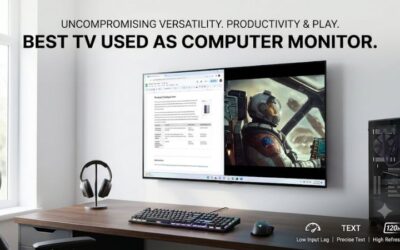
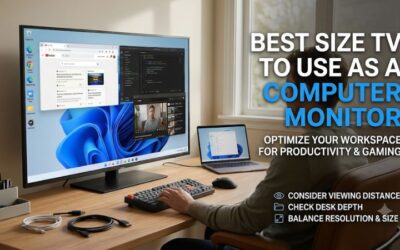
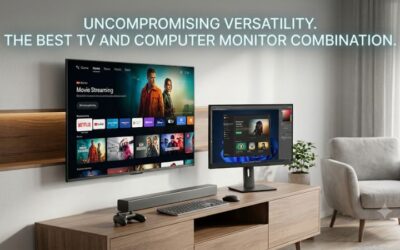
A cheap tv to use as monitor should display small text clearly and fit your desk. The 43-inch Samsung U8000H is the strongest starting point for daily 4K work, while the TCL 43S571G is worth comparing if it costs less locally. For a spare desk with limited room, the 32-inch Insignia F20 trades desktop space for a smaller footprint.
Which cheap TV to use as monitor is worth buying?
Choose the 43-inch Samsung U8000H if you expect to read and type on the TV every day. Independent series testing confirms 4K at 60Hz with full chroma, a useful starting point for clear text. Choose the 32-inch Insignia F20 for occasional use when a 43-inch TV would take up too much of your desk.
| Model | Resolution and size | Best fit | Main trade-off |
|---|---|---|---|
| Samsung U8000H, UN43U8000HFXZA | 43-inch 4K | A daily workstation with evidence for full chroma at 4K 60Hz | A wide screen that needs enough viewing distance |
| TCL S Class, 43S571G | 43-inch 4K | A lower-cost Google TV for documents and streaming | Verify full chroma with your own PC |
| Roku Select Series, 43R4A5R | 43-inch 4K | A shared screen with a PC input and Roku streaming | Confirm the exact SKU and price before ordering |
| Insignia F30, NS-43F301NA25 | 43-inch 4K | A Fire TV that doubles as a 60Hz desktop | Test fine text before committing to daily use |
| Insignia F20, NS-32F202NA23 | 32-inch 1080p | A compact secondary screen for large text or video | Less desktop space and visibly lower pixel density |
| Vizio Quantum Full HD, VFQ43M-10 | 43-inch 1080p | An inexpensive shared display for large text from farther back | Coarse text at close range |
How to judge a cheap TV to use as monitor
Compare the total setup cost and the job the screen has to do. A 1080p TV can work for a spare computer showing a schedule or a video call. For daily writing, coding, or spreadsheets, a 43-inch 4K screen is usually worth a modest price difference because fine text and window layouts benefit from the extra pixels.
Price comparisons here use US listings where a usable price was visible. Samsung showed the exact 43-inch U8000H at $229.99 on its own US page, while Walmart showed the TCL 43S571G at $198 and the Vizio VFQ43M-10 at $148. Treat those as observed listing prices in USD before tax and any shipping charges. Compare the final amount at checkout, including any cable, adapter, or mount you need. No fixed budget ceiling was supplied, and the remaining picks are conditional on the quote you find for the exact model.
A 43-inch 4K TV packs about 102 pixels per inch. A 32-inch 1080p screen comes in around 69, and a 43-inch 1080p screen around 51. These numbers help explain why a cheaper, larger TV can be a worse purchase for close reading even when it looks good with a movie. At the same time, a 4K screen only delivers its practical advantage if your computer can send the right signal and your desk lets you sit comfortably.
The best affordable 4K TVs for daily PC use
A 43-inch 4K TV makes the most sense when you have room to move it back and want several windows open at once. Start with models that accept a 4K 60Hz signal. Then check how they handle colored text and whether the HDMI input keeps its settings after you use a streaming app.
Samsung U8000H 43-inch for documents and spreadsheets
The Samsung UN43U8000HFXZA is the first model to compare if the TV will serve as your primary computer display. Independent testing of the U8000H series found proper chroma 4:4:4 at 4K 60Hz. That gives this model a clearer case for desktop use than a listing that confirms resolution alone.
Full chroma matters for spreadsheets with colored cell labels, code editors with syntax highlighting, and browser interfaces that use thin colored text. It preserves color detail that a video-oriented signal can discard. Start at native 4K and inspect a document with a mix of dark and colored text. Check the same document near the center and toward the side. That helps distinguish a signal problem from the effect of viewing the edge of a large TV at an angle.
The series can accept a higher refresh rate in a lower-resolution mode under certain settings. For a work setup, use 4K 60Hz as the target. Lowering the desktop to 1080p throws away much of the reason to buy a 43-inch 4K screen, and independent testing found that the series did not preserve full chroma in its 1080p 120Hz mode. If high-refresh gaming is your main reason to replace a monitor, compare a dedicated gaming display before paying extra for this TV.
Buy if you want a 4K workstation and the total price is close to the other 43-inch options. Skip if you need a compact screen, adjustable monitor stand, or high refresh at 4K. The TCL 43S571G is worth comparing if its delivered price is lower.
TCL S Class 43-inch for 4K on a tighter budget
The TCL 43S571G is a 43-inch 4K Google TV that makes sense for a budget desktop shared with streaming. Its documentation lists 2160p input at 60Hz. The US listing observed for this roundup was below Samsung’s direct listing, leaving some room in the budget for a cable or adapter.
Buy by model number. TCL sells several 43-inch sets with similar names, including Full HD models and variants with different smart platforms. Confirm that the listing says 43S571G and 3840 × 2160. If a store groups several sizes or variants on one page, recheck the model number in the cart. A good-looking product photo will not tell you whether you selected the 4K version.
For a laptop, establish a direct HDMI connection first if possible. Set the computer to 3840 × 2160 at 60Hz, then open your usual browser and a spreadsheet with small text. Check whether you can get RGB or YCbCr 4:4:4 from the graphics output. If you normally connect through a dock, repeat the same check through that dock. A laptop that can drive a 4K TV directly may still end up at 30Hz through an older adapter.
Buy if you want a 4K Google TV and its checkout total leaves a meaningful saving. Skip if you cannot test fine text during the return period and will depend on this TV for close reading every day. The Samsung has stronger published evidence for the full-chroma desktop mode.
The best inexpensive TVs for occasional computer use
For a shared TV, the most useful features may be a remote everyone knows and a clear path back to the computer input. Roku and Fire TV both offer 43-inch 4K choices. Compare the exact models and treat the computer connection as part of the purchase, especially if several people will use the screen.
Roku Select Series 43-inch for a shared room
The Roku Select Series 43R4A5R is a 43-inch 4K option for a room where the TV usually runs streaming apps and occasionally shows a laptop desktop. Retail listings can group the 43R4A5R and 43R4AX together. Check the full model number and the actual price of the unit you will receive.
Use it for a laptop you plug in to plan a trip, work through a shared spreadsheet, or show something to another person. Start at native 4K and see whether your text is readable from the position where you actually use the keyboard. A room arranged for TV viewing often puts the display farther away than a desk monitor. Increasing operating system scaling can make a shared desktop easier to read while keeping the output at its native resolution.
Check the trip from a streaming app back to the laptop. Verify how many remote steps it takes to reach the input, then let the laptop sleep and wake it again. If more than one person will connect a computer, use the same test with the second laptop or adapter. A reliable direct connection has more value in a shared room than a more complicated setup with slightly better specifications on paper.
Buy if Roku is already familiar in your household and the exact 4K model is competitive at checkout. Skip if a vague listing leaves you unsure which model ships, or if the Samsung costs about the same and the main job is daily text-heavy work.
Insignia F30 43-inch for a Fire TV and PC setup
The Insignia F30 NS-43F301NA25 combines a 43-inch 4K panel and Fire TV. Insignia support identifies a native 60Hz panel and 4K 60Hz HDMI support for this model. That makes it a reasonable option for ordinary desktop work or occasional gaming if the price is favorable.
Set aside time to test both roles. On HDMI, open a page with colored text and a dark toolbar, then make sure you can see the outer edges of the desktop. In Fire TV, open the service you actually use and switch back to the PC. A screen that looks fine in a bright store can still have settings that need attention before it works well for a computer. Test the workflow before deciding whether to keep it.
The Fire TV platform is the reason to choose this model over an equally affordable 43-inch set with similar basic specifications. If you already use Fire TV and recognize its remote and menus, it can fit a shared room without much setup. If you rarely stream from the TV, put more weight on how small text looks and how easily the TV fits your desk.
Buy if you prefer Fire TV, can confirm the exact SKU, and find it at an attractive price. Skip if the cost approaches the Samsung and the display will mostly show dense office documents. The difference in available PC-mode evidence matters more in that setup.
When a 1080p TV is still worth buying
A 1080p TV can save money if the computer mainly displays large text, slides, or video. The savings matter more when the alternative requires a bigger desk or a mount. For work that involves several windows, small fonts, or detailed spreadsheets, the loss of resolution is usually noticeable.
Insignia F20 32-inch for a compact spare station
The Insignia F20 NS-32F202NA23 is a 32-inch Full HD Fire TV with a 60Hz panel. It is the smallest option here and the one to consider for a narrow desk or an occasional computer station. Verify the 1080p SKU, since a similar 32-inch TV can have a lower native resolution.
A 32-inch screen is easier to fit than a 43-inch TV, but 1920 × 1080 gives you fewer pixels for side-by-side windows. Use it for a single large browser window, a reference document, or video. If you already have a higher-resolution main monitor, it can also serve as a secondary screen that shows a call, presentation preview, or large status panel.
Before buying, compare the cost with a conventional 24- or 27-inch monitor. If your desk is shallow and the screen will mostly display text, the smaller monitor can deliver a denser image at the same resolution and be easier to position. The F20 earns its place when you also need built-in TV apps, speakers, or a remote, or when the screen is used far enough away that a 24-inch display would feel small.
Buy if you need a compact TV first and an occasional computer screen second. Skip if the goal is to replace two office monitors or keep several detailed windows open at once. A 4K TV or a smaller higher-resolution monitor is a better use of the budget for that workload.
Vizio Quantum Full HD 43-inch for large text across a room
The Vizio VFQ43M-10 is a 43-inch Full HD TV for slides, a household calendar, or a dashboard viewed from farther back. Walmart’s observed price was $50 below its listing for the 43-inch TCL 4K model. Take the savings only if the screen’s main job suits the lower resolution.
At 43 inches, the pixels are large enough for the difference from 4K to be visible at desk distance. A slide with a bold heading can look acceptable, while a dense spreadsheet with thin lines and small labels can look coarse. Use a full-size preview of your own material from the farthest seat. If someone has to walk up to read a label, increase the text size or move to 4K if the extra detail is necessary.
This model makes the most sense as a shared display you rarely use with a mouse at close range. A larger picture can make a presentation easier to see from a couch. For a primary monitor, that same picture spreads the desktop over a wide area without giving you more room for windows. The QLED label does not change the 1920 × 1080 pixel count.
Buy if you need a large, inexpensive display for simple PC content viewed across a room. Skip if you expect to write, code, or review detailed documents at the keyboard. At the observed prices, the TCL 43S571G is the more suitable purchase for those tasks.
What to check before spending money on a cheap TV
Most problems show up in three places. The screen may be too large at the desk, the computer may send the wrong HDMI mode, or the cost of making the setup work may erase the savings. Check those points with your own computer and furniture dimensions before comparing picture features.
Confirm the resolution and refresh rate end to end
For a 4K model, begin with 3840 × 2160 at 60Hz. Verify the active mode in the operating system after you connect the TV. If you only see 30Hz, connect directly and check the HDMI port, dock, or adapter before assuming the TV is the limit. A slow-feeling pointer is one clue that the connection needs attention.
For the 1080p models, use their native 1920 × 1080 resolution and check whether the full desktop fits inside the picture. Look for an original-size or screen-fit setting if the taskbar or outer edges are cropped. Change operating system scaling or app zoom when you need larger text. Lowering the output resolution can make already coarse text harder to read.
Check the desk before buying a mount or cable
A 43-inch 16:9 picture is about 37.5 inches wide before the bezel. Mark that width and the proposed top edge with tape, then sit at the keyboard. Check how much you have to turn to see the corners. Also measure the actual stand footprint and leave room for the cables to exit without pressing against the wall.
If the TV needs a wall mount, long cable, or new dock, include those in the total. Compare that amount with a dedicated monitor that fits the space without extra hardware. A monitor can be the cheaper option once you account for what it takes to put the TV at a comfortable height and distance. If you already own a suitable 4K TV, try it with your computer first. That gives you a direct way to decide whether the format works before spending anything.
Conclusion
Choose the Samsung U8000H for daily 4K desktop work or the TCL 43S571G if its lower price holds and your text looks clear over HDMI. The 32-inch Insignia F20 fits a smaller spare station. For daily reading, buy the screen that fits your desk and shows fine text clearly at its native resolution.