The best gaming monitor depends on your graphics card, favorite games, budget and preferred image quality. A premium 4K OLED display can deliver outstanding contrast and detail, while a high-refresh 1440p monitor may be a better choice for competitive shooters. If you are asking whats the best monitor for gaming, the MSI MPG 322UR QD-OLED X24 is an excellent premium all-rounder, while the KTC H27T22C-3 and KTC M27T6S offer practical alternatives for different budgets and gaming priorities.
- Whats the best monitor for gaming overall?
- Quick comparison of the best gaming monitors
- How we selected the best gaming monitors
- Best premium gaming monitors
- Best gaming monitors for competitive performance
- Best gaming monitors for different budgets
- Best dual-mode gaming monitor
- How to decide what’s the best monitor for gaming for your setup
- FAQs about gaming monitors
- Final verdict: Which gaming monitor should you buy?
Whats the best monitor for gaming overall?
The MSI MPG 322UR QD-OLED X24 is the strongest overall recommendation for gamers who want a combination of 4K resolution, OLED contrast and high refresh rates. Its 31.5-inch fourth-generation QD-OLED panel runs at 240Hz, making it suitable for both demanding single-player games and competitive multiplayer titles.
However, it is not the right purchase for every setup. Players who want a very high refresh rate for esports may prefer the Sony INZONE M10S II, while buyers interested in ultrawide immersion should consider the GIGABYTE MO34WQC2.
For more affordable configurations, the KTC H27T22C-3 provides 1440p IPS gaming at 210Hz, and the KTC M27T6S adds Mini LED backlighting for stronger HDR performance. The Alienware AW2726DM is another interesting option for gamers who want to experience OLED without immediately moving into expensive 4K territory.
Here are the seven recommendations and their primary advantages.
Quick comparison of the best gaming monitors
| Monitor | Best for | Resolution | Maximum refresh rate | Main drawback |
|---|---|---|---|---|
| MSI MPG 322UR QD-OLED X24 | Best overall | 4K | 240Hz | Premium cost |
| Koorui G2741L | Dual-mode gaming | 4K | 160Hz at 4K | Lower-resolution mode is a compromise |
| Alienware AW2726DM | More accessible OLED | 1440p | 240Hz | Limited connectivity |
| KTC M27T6S | Mini LED HDR gaming | 1440p | 200Hz, 210Hz OC | Local-dimming blooming |
| KTC H27T22C-3 | Mainstream value | 1440p | 210Hz | Basic stand and connectivity |
| GIGABYTE MO34WQC2 | Ultrawide gaming | 3440 × 1440 | 240Hz | Requires more desk space |
| Sony INZONE M10S II | Competitive esports | 1440p | 540Hz | Very expensive |
These recommendations represent different gaming categories rather than a controlled head-to-head ranking. The products were selected using current manufacturer specifications and independent reviews, particularly from PC Gamer, Tom’s Hardware, RTINGS and Notebookcheck.
How we selected the best gaming monitors
The most important consideration was whether each display provides a meaningful advantage for a particular gaming setup. A monitor with a 540Hz refresh rate is impressive, but it should not automatically outrank a more balanced 240Hz OLED display.
We considered five main factors.
First, resolution and screen size determine image detail and how demanding the monitor is on the GPU. A 27-inch 1440p display offers a useful balance, while 32-inch 4K monitors suit more powerful desktops.
Second, panel technology influences contrast, brightness, color reproduction and motion clarity. OLED is excellent for contrast, IPS is versatile, VA offers stronger native LCD contrast, and Mini LED improves LCD backlighting.
Third, refresh rate and response behavior matter for competitive gaming. Manufacturer-rated response times were not treated as equivalent to independently measured pixel transitions.
Fourth, connectivity matters when switching between gaming PCs, laptops and consoles. HDMI 2.1, DisplayPort, USB-C and VRR support were considered where relevant.
Finally, we examined limitations such as OLED burn-in, dark smearing, HDR blooming, restricted connectivity and hardware requirements.
PC Gamer’s November 2026 gaming-monitor roundup, RTINGS’ current gaming recommendations and independent product reviews provide the principal comparison evidence. No new detailed research is claimed in this article.
Best premium gaming monitors
MSI MPG 322UR QD-OLED X24 – Best overall gaming monitor
31.5-inch | 3840 × 2160 | Fourth-generation QD-OLED | 240Hz
The MSI MPG 322UR QD-OLED X24 is a compelling choice for players who want excellent image quality without giving up high-refresh gaming. Its 31.5-inch 4K panel offers plenty of screen space for visually demanding games, while its 240Hz refresh rate provides considerable motion headroom for competitive titles.
The display uses MSI’s fourth-generation QD-OLED technology with a five-layer tandem OLED structure. This panel combines individually illuminated pixels with quantum dot color reproduction, producing deep blacks, vivid colors and fast pixel transitions.
HDR is another important strength. MSI specifies VESA DisplayHDR True Black 500 certification and peak brightness of up to 1,000 nits under a 3% average picture level. That brightness figure should not be confused with full-screen sustained brightness, which is considerably more demanding for OLED technology.
Connectivity is particularly impressive. The monitor includes two HDMI 2.1 ports, DisplayPort 2.1a UHBR20 and USB-C with up to 98W power delivery. It also supports KVM, picture-in-picture and picture-by-picture functionality.
One advantage is its three-year manufacturer warranty, which includes OLED burn-in coverage according to MSI’s published specification sheet. Its OLED Care 3.0 system also offers protection features designed to reduce image-retention risk.
PC Gamer identifies this model as its overall gaming-monitor pick, highlighting its HDR presentation, responsiveness and updated QD-OLED technology. [1]
The main disadvantage is the cost. Its 4K resolution and premium panel are unnecessary for gamers who primarily play lightweight competitive titles at 1080p or 1440p. A powerful graphics card is also important if you want to approach 240 FPS in demanding games.
Buy if you want premium 4K OLED quality, modern connectivity and a high refresh rate. Skip if you have a limited GPU budget or spend most of your gaming time on less demanding competitive titles.
GIGABYTE MO34WQC2 – Best ultrawide gaming monitor
The GIGABYTE MO34WQC2 is an excellent alternative for players who want an immersive gaming environment rather than a conventional 16:9 display. Its 34-inch curved ultrawide screen provides additional horizontal space, making it particularly attractive for racing simulations, flight games and open-world adventures.
Its QD-OLED panel produces deep blacks and vivid colors, while the 240Hz refresh rate makes it suitable for fast-paced PC gaming. The 3440 × 1440 resolution provides a useful compromise between immersive screen space and GPU demands.
The monitor also supports VESA DisplayHDR True Black 400 and has a manufacturer-rated 0.03ms gray-to-gray response time. Its 1800R curvature creates a gentle wraparound effect without making the screen excessively aggressive.
Connectivity includes two HDMI 2.1 inputs, DisplayPort 1.4 and USB-C with DisplayPort Alt Mode. The USB-C port provides up to 18W power delivery according to GIGABYTE’s current US specification, which is useful for basic accessory charging but insufficient for most full-powered laptops.
A built-in KVM switch is another advantage. It allows users to share a keyboard and mouse between connected systems, which can be helpful when combining a gaming desktop with a work computer.
PC Gamer’s review highlights its QD-OLED image quality, 240Hz performance and useful connectivity. The limitations include its relatively ordinary industrial design, weak built-in speakers and limited USB-C charging power. [2]
The main compatibility concern is game support. Some titles do not handle ultrawide aspect ratios properly, and others may introduce black bars or cropped images.
Buy if you want an immersive ultrawide OLED for gaming and multitasking. Skip if your desk is narrow, your preferred games do not support 21:9 or you want maximum sharpness at a smaller screen size.
Best gaming monitors for competitive performance
Sony INZONE M10S II – Best for extreme esports performance
27-inch | 2560 × 1440 | WOLED | 540Hz native
The Sony INZONE M10S II is designed for players who prioritize motion clarity, responsiveness and competitive gaming performance. Its 27-inch OLED display reaches 540Hz at native QHD resolution, placing it among the most specialized gaming monitors available.
OLED pixel transitions are extremely fast, helping reduce visible trails during rapid movement. Combined with the 540Hz refresh rate, this makes the display particularly appealing for competitive shooters such as Counter-Strike 2.
Sony also supports a 720Hz mode through its Dynamic Frequency and Resolution feature when operating at 720p. This is a significant distinction: The monitor does not provide 720Hz at native QHD resolution.
Another useful feature is the smaller 24.5-inch competitive display mode. Players who prefer the traditional tournament-style screen area can reduce the active viewing region instead of moving to a physically smaller monitor.
Sony also includes an anti-glare screen coating, VRR support and NVIDIA G-SYNC compatibility. Tom’s Hardware highlights its motion performance, premium build quality and ability to handle different competitive refresh modes. [3]
The main disadvantage is the price relative to the 1440p resolution. Its 540Hz refresh rate is also difficult to utilize in demanding modern games unless the PC can generate exceptionally high frame rates.
This monitor is a specialist choice, not an all-purpose recommendation. A conventional 240Hz OLED can be more practical for players who divide their time between esports and cinematic games.
Buy if competitive performance is your main priority and your PC can generate very high frame rates. Skip if you want a larger 4K image, stronger desktop versatility or better value for general gaming.
Best gaming monitors for different budgets
Alienware AW2726DM – Best accessible OLED gaming option
26.5-inch | 2560 × 1440 | QD-OLED | 240Hz
The Alienware AW2726DM provides an appealing entry point into QD-OLED gaming. Its 26.5-inch QHD panel combines a 240Hz refresh rate with the contrast and fast pixel transitions associated with OLED technology.
For gamers who have never owned an OLED monitor, this configuration provides many of the benefits of premium displays without requiring a move to 4K. The resolution also places less demand on the graphics card than a comparable 4K OLED.
Dell lists a 0.03ms gray-to-gray response time, AMD FreeSync Premium, VESA Adaptive-Sync support and a QHD 240Hz operating mode. Its DisplayPort 1.4 input supports 240Hz at 1440p with DSC, while its HDMI connections are specified for up to 120Hz at QHD with HDR and VRR.
That HDMI limitation matters for users connecting high-refresh gaming PCs or consoles. The DisplayPort connection is the appropriate choice when targeting 240Hz.
PC Gamer selects the AW2726DM as its more accessible OLED recommendation, highlighting its HDR presentation and responsive gameplay. It also notes that the calibration, brightness and connectivity are not as impressive as more expensive OLED models. [4]
The display still carries OLED’s usual ownership considerations. Pixel protection features should remain enabled, and users who keep static desktop interfaces visible for extended periods should understand the risk of permanent image retention.
Buy if you want QHD OLED gaming and do not need 4K resolution. Skip if you require extensive connectivity or prefer a display for predominantly static productivity work.
KTC M27T6S – Best Mini LED HDR gaming monitor
27-inch | 2560 × 1440 | Fast IPS Mini LED | 200Hz, 210Hz OC
The KTC M27T6S offers an interesting combination of IPS flexibility, high refresh rate and Mini LED backlighting. It is particularly suitable for gamers who want bright HDR highlights but prefer an LCD monitor over OLED.
Its 27-inch QHD Fast IPS panel has a native 200Hz refresh rate, with an optional overclocked mode reaching 210Hz. The Mini LED backlight uses 1,152 local-dimming zones, allowing it to control brightness more precisely than conventional LCD backlighting.
KTC specifies 450 nits of typical SDR brightness and up to 1,000 nits for HDR. These characteristics make the monitor attractive for games with bright lighting effects, explosions and dramatic changes between dark and bright environments.
Its IPS panel also provides wide viewing angles and practical desktop performance. Unlike OLED, it does not rely on organic pixels, so the same burn-in considerations do not apply.
PC Gamer highlights the monitor’s HDR performance and brightness, while its review notes that local dimming cannot match OLED’s individual-pixel light control. [5]
There are also connection limitations. The DisplayPort 1.4 input supports the full 200Hz QHD refresh rate, while HDMI 2.0 is limited to 144Hz at that resolution. Buyers should check which input they need before connecting a high-refresh PC.
The monitor does not include a sophisticated USB hub or KVM solution. Its strengths are concentrated on display performance instead.
Buy if you want bright Mini LED HDR, QHD resolution and high refresh rates without OLED-specific image-retention concerns. Skip if perfect blacks and precise pixel-level contrast are your priorities.
KTC H27T22C-3 – Best mainstream 1440p gaming monitor
27-inch | 2560 × 1440 | IPS | 210Hz
The KTC H27T22C-3 is a practical alternative for gamers who want high-refresh QHD gaming without paying for OLED or premium Mini LED features. Its 27-inch IPS panel offers a native resolution of 2560 × 1440 and a maximum refresh rate of 210Hz.
This combination is suitable for mainstream gaming desktops. QHD provides sharper images than 1080p at the same screen size, while the 210Hz refresh rate offers smooth motion in competitive and action games.
PC Gamer identifies this model as a budget-oriented 1440p gaming recommendation. Its independent review highlights its responsive performance, attractive image presentation and competitive positioning against more established brands. [6]
The trade-offs are primarily related to additional features. The monitor has a relatively basic tilt-only stand, no USB hub and limited HDR performance. Players who want more ergonomic flexibility may need a compatible monitor arm.
It is also worth checking the exact H27T22C-3 suffix. KTC uses similar model names across its monitor range, and refresh rates, panel specifications and connectivity should not be transferred between different revisions.
Buy if you want a straightforward high-refresh 1440p IPS monitor. Skip if you need advanced HDR, USB-C charging, a premium stand or a high-resolution OLED experience.
Best dual-mode gaming monitor
Koorui G2741L – Best for switching between 4K and high refresh rates
27-inch | IPS | 3840 × 2160 at 160Hz / 1920 × 1080 at 320Hz
The Koorui G2741L is an interesting option for gamers who want two distinct ways to use one monitor. Its dual-mode design allows the display to operate at 4K resolution and 160Hz or switch to 1080p for a maximum 320Hz refresh rate.
The 4K mode is particularly useful for visually demanding games, single-player adventures and everyday desktop work. Its high pixel count gives images and interface elements additional detail on a 27-inch screen.
The 1080p mode reduces the graphics workload and supports a higher refresh ceiling for competitive games. This makes the monitor more versatile than a conventional fixed-mode 4K 160Hz display.
PC Gamer lists the G2741L as its budget-oriented 4K gaming recommendation, noting its combination of resolution, refresh flexibility and IPS image quality. However, its review also identifies limitations in the lower-resolution mode, particularly its softer appearance compared with a native 1080p monitor. [7]
The main buying consideration is whether you will actually use both modes. If you primarily play competitive games, a dedicated 1440p or 1080p high-refresh screen may offer better value. If you mostly play cinematic titles, a conventional 4K display may be simpler.
Buy if you regularly switch between high-detail single-player gaming and competitive titles. Skip if you prefer a consistent native resolution or require OLED-level contrast.
How to decide what’s the best monitor for gaming for your setup
Choosing a gaming monitor involves more than comparing models in a table. Resolution, refresh rate, GPU performance and panel technology need to work together.
Choose the right resolution
Resolution affects image sharpness and graphics-card workload. The most suitable option depends on your screen size, viewing distance and GPU.
| Resolution | Recommended screen size | Typical use |
|---|---|---|
| 1920 × 1080 | 24–25 inches | Competitive and budget gaming |
| 2560 × 1440 | 27–32 inches | Balanced PC gaming |
| 3440 × 1440 | 34 inches | Ultrawide immersion |
| 3840 × 2160 | 27–32 inches | Detailed premium gaming |
For most mainstream gaming desktops, 1440p remains a strong balance. It provides more detail than Full HD without demanding the same graphics processing capacity as 4K.
A 4K display is attractive when you own a powerful GPU and prioritize image detail. However, its additional pixel count can reduce frame rates significantly in demanding games.
Understand refresh rate and response time
Refresh rate measures how frequently a display updates its image. Response time measures how quickly individual pixels transition between colors.
These specifications are related but do not mean the same thing.
For mainstream gaming, 144Hz to 180Hz is already a strong starting point. A 240Hz monitor makes more sense for players who regularly achieve high frame rates, while 360Hz and above are specialized options for competitive gaming.
Do not assume that a manufacturer-rated 1ms response time guarantees clean motion. Independent reviews measure multiple pixel transitions and can reveal ghosting, overshoot and slow transitions that a single marketing figure hides.
Decide between OLED and LCD
OLED is generally better for contrast and pixel response. It is particularly attractive for cinematic games, HDR content and dark-room environments.
LCD remains versatile. IPS is suitable for mixed-use desktops, VA provides stronger native contrast, and Mini LED can improve HDR through local dimming.
Consider OLED protection features and warranty coverage before buying. Check whether the exact US model includes burn-in protection, rather than assuming all manufacturers offer the same coverage.
Check your graphics card and connection
Your GPU determines whether you can use a monitor’s maximum resolution and refresh rate effectively.
A 240Hz 4K monitor requires considerably more rendering performance than a 1440p 144Hz display. Upscaling can help, but frame generation does not make generated frames equivalent to traditionally rendered frames for input responsiveness.
Also check DisplayPort and HDMI bandwidth. DisplayPort 1.4 with DSC is sufficient for many high-refresh 1440p and 4K monitors, while DisplayPort 2.1 offers additional bandwidth. HDMI 2.1 is useful for modern consoles and compatible PCs.
VRR support through NVIDIA G-SYNC compatibility or AMD FreeSync can reduce tearing when frame rates fluctuate. Verify the supported range and connection-specific limitations.
Consider physical size and desk space
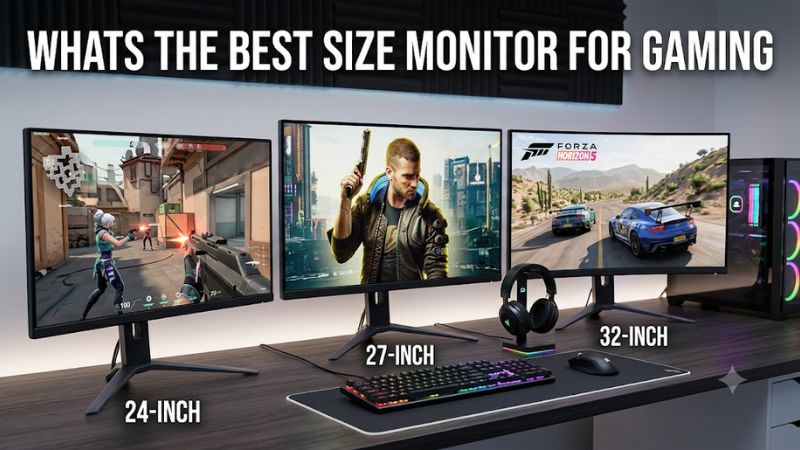
A 27-inch display is a practical choice for many gaming desks. It provides sufficient screen area without requiring excessive viewing distance.
A 32-inch monitor is more immersive, particularly at 4K, but needs enough desk depth to remain comfortable.
Ultrawide displays need additional horizontal space and can require a monitor arm with sufficient weight capacity. Check the monitor’s stand footprint, VESA mounting specification and adjustment range before purchasing.
FAQs about gaming monitors
Is OLED the best monitor type for gaming?
OLED is generally the best choice for contrast, black levels and pixel response. However, IPS and Mini LED can be more practical for bright rooms, extended desktop use or buyers who want to avoid OLED burn-in concerns.
Is 1440p better than 4K for gaming?
1440p offers a better balance between sharpness and GPU performance for many gaming PCs. 4K provides more detail but requires substantially more rendering power, particularly at high refresh rates.
Is 240Hz worth it for gaming?
Yes, especially for competitive players who can generate enough frames to use the refresh rate. For casual gaming, a good 144Hz or 180Hz monitor may provide better overall value.
Is a curved monitor better for gaming?
Curved displays can improve immersion, particularly with 34-inch or larger ultrawide screens. However, curvature does not automatically improve image quality, response time or refresh rate.
Do I need HDMI 2.1 for gaming?
Not always. HDMI 2.1 is useful for compatible consoles and gaming PCs, but DisplayPort is commonly used for high-refresh PC gaming. Check the exact supported resolution and refresh rate for each input.
Can I use a gaming monitor for work?
Absolutely. IPS monitors are particularly versatile for everyday productivity. OLED can also work well, but people who display static interfaces for long periods should consider burn-in protection and manufacturer warranty terms.
Final verdict: Which gaming monitor should you buy?
The MSI MPG 322UR QD-OLED X24 is the strongest overall choice for gamers who want premium 4K image quality, OLED contrast, 240Hz performance and modern connectivity.
For esports, the Sony INZONE M10S II offers an exceptional refresh rate, while the GIGABYTE MO34WQC2 is the more immersive choice for ultrawide gaming. The Alienware AW2726DM provides another route into QD-OLED, and the KTC H27T22C-3 is suitable for mainstream 1440p gaming.
If HDR brightness is important, consider the KTC M27T6S. Meanwhile, the Koorui G2741L offers flexibility between detailed 4K gaming and a higher-refresh 1080p mode.
Ultimately, the best monitor is not necessarily the most expensive or the one with the highest refresh rate. Choose a display that matches your GPU, preferred games, desk space and actual usage habits.