
The best monitor for racing games should match your platform, seating position, and graphics hardware. The Alienware AW3425DW is a practical starting point for PC ultrawide racing, while the MSI MPG 321URX suits a shared PC and console setup. Wider cockpit displays make sense only when your games and mounting space support them.
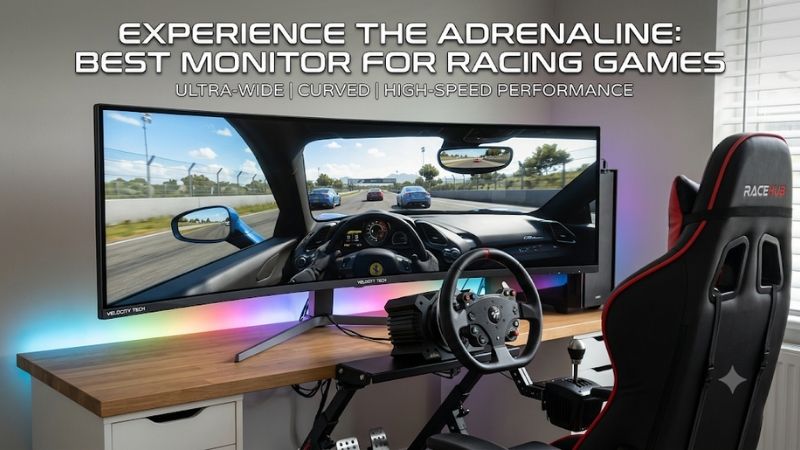
Which is the best monitor for racing games?
Start with a 34-inch ultrawide for a conventional PC desk, then consider a wider display if your cockpit and game library justify it. The Alienware AW3425DW combines a manageable 3440 × 1440 resolution with 240Hz QD-OLED, making it this guide’s starting recommendation for mixed PC racing.
Choose the Samsung Odyssey OLED G9 G95SC when horizontal coverage matters more than vertical space. The 57-inch Odyssey Neo G9 G95NC adds considerably more resolution and a Mini LED LCD panel, but requires much more graphics capability and a suitably substantial installation.
The LG 45GX950A-B offers a different kind of immersion: a tall, sharply curved ultrawide image. The Alienware AW3425DWM provides an LCD alternative at 34 inches, and the MSI MPG 321URX keeps a conventional 16:9 shape for players sharing their display with a console.
These recommendations reflect different setups, not a claim that one monitor wins every race. No price-based budget or value award is assigned because comparable current US offers were not established for all six models. Confirm the exact SKU and seller before purchasing, especially for older G9 variants.
Quick comparison of the six picks
Use screen shape to narrow the list before comparing refresh rates. An ultrawide can expose more of the cockpit in a supported PC game, while a conventional 4K display avoids making wide-aspect support part of your console buying decision. Each approach has a practical cost.
| Monitor | Best fit | Resolution | Maximum advertised refresh | Shape and panel | Main trade-off |
|---|---|---|---|---|---|
| Alienware AW3425DW | Mixed PC racing on a desk | 3440 × 1440 | 240Hz | 34-inch class, 1800R QD-OLED | Less peripheral coverage than 32:9 |
| Alienware AW3425DWM | LCD ultrawide racing | 3440 × 1440 | 180Hz | 34-inch, 1500R VA | LCD motion needs more scrutiny |
| Samsung Odyssey OLED G9 G95SC | Wide single-screen PC cockpit | 5120 × 1440 | 240Hz | 49-inch, 1800R OLED | Wide-game support and OLED care |
| Samsung Odyssey Neo G9 G95NC | High-resolution dedicated rig | 7680 × 2160 | 240Hz | 57-inch, 1000R Mini LED VA | Heavy GPU and mounting demands |
| LG 45GX950A-B | Large ultrawide cockpit view | 5120 × 2160 | 165Hz native; 330Hz at reduced resolution | 44.5-inch, 800R OLED | Strong curve and demanding native resolution |
| MSI MPG 321URX QD-OLED | PC and console sharing | 3840 × 2160 | 240Hz | 31.5-inch, flat QD-OLED | Narrower view than an ultrawide |
How these monitors were selected
Selection prioritizes screen geometry, useful refresh rates, resolution, and the practical demands of a racing installation. This is a research-based guide using manufacturer specifications and setup documentation. It does not claim original response-time testing, measured input lag, or hands-on cockpit evaluation.
The shortlist separates ordinary desk use from dedicated simulation rigs and console sharing. A monitor’s suitability depends partly on the game’s rendering options, so no model receives a universal compatibility promise. Manufacturer response-time figures are not treated as independently measured end-to-end latency.
The products also represent different ownership choices. LCD avoids OLED’s cumulative uneven-wear concern, whereas OLED provides pixel-level light control. Large screens demand more space, but more pixels demand more graphics work. Those are separate considerations, even when both increase with a larger model.
The six monitors explained
Choose the section that matches where and how you drive. A desk racer needs different compromises from a driver building a permanent cockpit, and someone using a console should not pay for width that their system cannot use as a native panoramic game image.
Alienware AW3425DW: Best monitor for racing games on a PC desk
The AW3425DW is the most approachable starting point here for a PC racer who wants OLED without designing the room around a super-ultrawide. Its 34-inch-class format fits mixed gaming use more naturally than a 49-inch or 57-inch cockpit-focused alternative.
Dell specifies 3440 × 1440, a 240Hz refresh rate, and an 1800R curve on its QD-OLED panel. The practical attraction is high-refresh capability with fewer pixels than 4K. That does not guarantee high frame rates, but it reduces pixel workload relative to the higher-resolution options here.
A 21:9 view can give a supported racing game more horizontal room than 16:9. However, the amount of additional scene content depends on rendering and field-of-view settings. Do not assume that every title expands the view correctly, or that it will show both mirrors at your chosen seating distance.
Buy if you want one PC monitor for racing and other games on a normal desk. Skip if peripheral coverage is the central goal of a dedicated rig. The OLED G9 goes wider, while the AW3425DWM is the relevant LCD alternative for long sessions with persistent desktop or telemetry elements.
Alienware AW3425DWM: For an LCD ultrawide setup
The AW3425DWM suits drivers who want a curved ultrawide but prefer an LCD for a display that also spends hours showing ordinary desktop content. Its similar name does not make it an OLED variant of the AW3425DW; the panel technology is fundamentally different.
Dell’s specification sheet identifies a 34-inch VA panel, 3440 × 1440 resolution, up to 180Hz, and FreeSync Premium. The US listing specifies a 1500R curve. These features establish its eligibility for high-refresh ultrawide racing, without establishing identical motion behavior to a 240Hz OLED.
Pay attention to dark transitions and overdrive when evaluating an LCD for night races. Panel type alone cannot quantify smearing, and the fastest advertised response mode may introduce visible overshoot. Check the settings you actually intend to use rather than treating a minimum response specification as typical behavior.
Buy if you want a 34-inch LCD for racing, work, and static applications. Skip if fast pixel transitions are the main reason for upgrading. The AW3425DW is the OLED comparison; the Neo G9 is relevant only if you also want a much larger, much higher-resolution LCD installation.
Samsung Odyssey OLED G9 G95SC: For horizontal cockpit coverage
The G95SC is a specialized option for a PC cockpit where a wider forward view matters more than adding vertical image space. Its 32:9 layout puts a panoramic scene on one continuous panel, avoiding the physical joins of a three-monitor installation.
Samsung specifies a 49-inch OLED display, 5120 × 1440 resolution, 240Hz refresh, and 1800R curvature. Its pixel grid is equivalent to two 2560 × 1440 displays side by side. That is a description of resolution, not a promise of the same view or projection as two separate screens.
Check game support before committing. A title may render the driving scene widely while presenting menus, replays, or cutscenes differently. HUD placement also matters: speed, flags, and timing information should remain readable without repeatedly drawing your eyes far from the road.
Buy if you have confirmed 32:9 support in your main PC titles and can mount the screen appropriately. Skip if console racing dominates or you need more vertical image height. This is an older exact variant, so verify seller availability and warranty terms instead of assuming all OLED G9 models are interchangeable.
Samsung Odyssey Neo G9 G95NC: For a high-resolution racing rig
The 57-inch G95NC belongs on the shortlist for a permanent cockpit with room for a substantial display and the hardware to drive it. Its attraction is combining very wide coverage with a 2160-pixel vertical resolution, rather than simply stretching the 49-inch OLED concept.
Samsung lists 7680 × 2160, up to 240Hz, a 1000R curve, and a Mini LED VA panel. At roughly 16.59 million pixels per frame, it has twice the pixel count of 4K. That arithmetic explains the workload scale without predicting performance in a particular simulator.
Verify the exact output modes supported by your graphics card, cable, and monitor firmware. A DisplayPort version label alone is not enough to establish maximum-resolution 240Hz compatibility. The advertised ceiling should be treated as a connection requirement to investigate, not a guaranteed result from any powerful GPU.
Buy if a high-resolution panoramic LCD is a deliberate part of a planned rig. Skip if your existing computer already struggles at 4K or your mount cannot handle the display’s size and leverage. The 49-inch OLED G9 reduces pixel workload, while the LG offers a taller ultrawide alternative.
LG 45GX950A-B: For a tall, sharply curved ultrawide view
The LG 45GX950A-B suits drivers who want a large cockpit image with more vertical presence than a narrow panoramic strip. Its 44.5-inch OLED panel and 800R curvature create a distinctive installation, so seating position deserves as much attention as the resolution specification.
LG specifies 5120 × 2160 at up to 165Hz, with a separate reduced-resolution mode reaching 330Hz. The higher refresh does not operate at the native 5K2K resolution. Choose the native mode for fine detail, or evaluate the lower-resolution mode when responsiveness takes priority over sharpness.
Its native image contains about 11.06 million pixels per frame, placing it above 4K but below the 57-inch Neo G9 in pixel count. Actual simulator performance also depends on mirrors, traffic, weather, and CPU workload. A smaller field of cars may behave differently from a crowded race start.
Buy if you want a large 21:9 OLED and can position yourself comfortably within its strong curve. Skip if the screen must also accommodate several people viewing from different positions. The AW3425DW is easier to place on a normal desk; the G9 models emphasize horizontal reach instead.
MSI MPG 321URX QD-OLED: For PC and console sharing
The MPG 321URX is the conventional-format choice for a player switching between a racing PC and a console. Its flat 31.5-inch 16:9 image makes sense when compatibility and sharp 4K presentation matter more than surrounding the driver with a panoramic desktop.
MSI specifies 3840 × 2160, a 240Hz QD-OLED panel, and HDMI 2.1 inputs. The 240Hz capability is relevant to a compatible PC signal; it does not turn a console racing game into a 240fps experience. Resolution and refresh still depend on the console and the game’s selected mode.
A flat 32-inch-class screen can work well close to a wheel, provided the mounting arrangement leaves suitable clearance. Nevertheless, positioning cannot turn 16:9 into a super-ultrawide. If peripheral awareness is your main reason to upgrade, compare a properly configured wide-screen setup before choosing solely on pixel sharpness.
Buy if you want 4K OLED for both PC and console racing. Skip if a wide PC cockpit view is the overriding requirement. The AW3425DW is the more relevant desk ultrawide, while the OLED G9 addresses horizontal coverage for a dedicated PC setup.
How to choose the best monitor for racing games
Decide on platform and geometry before paying for additional refresh or resolution. Racing monitors interact closely with the rest of the setup: moving a screen, changing the camera, or choosing a different mounting position can change the experience without replacing the panel itself.
Match the aspect ratio to your games and platform
On PC, check the specific racing games you use for ultrawide resolution, HUD placement, and camera behavior. Native support is more useful than assuming a large display will automatically show more track. Menus and replay cameras may behave differently from the driving view.
For console-first use, a 16:9 display is the straightforward recommendation. Do not buy a 21:9 or 32:9 screen expecting native panoramic console rendering. Preserving the correct image shape can leave unused side areas; stretching the picture fills space at the cost of distorted cars and scenery.
Set field of view from the actual seating position
Screen width and eye distance determine the physical angle a display occupies in front of you. A larger screen placed farther away may not deliver the expected increase in useful view. Settle into the position you actually drive from before measuring or adjusting the simulator.
Use the game’s field-of-view tools when available, and check whether the setting expects horizontal or vertical degrees. Camera position is a separate adjustment. Avoid solving an awkward dashboard view by blindly widening FOV, which can make distances and apparent corner shapes harder to judge consistently.
Prioritize stable delivery over an unused refresh ceiling
A 240Hz monitor creates the opportunity to show updates more frequently than a 144Hz display, but the game must supply those frames. CPU limits, a large starting grid, and demanding mirror settings can reduce delivery even when the graphics card has spare capacity.
Variable refresh rate helps synchronize presentation within the supported operating range. It cannot eliminate every stutter or compensate for a stalled simulation. Tune settings around difficult race conditions, not only an empty practice session, and distinguish pixel-response specifications from the complete input-to-display path.
Plan mounting and OLED ownership together
A cockpit display needs clearance for the wheelbase, cables, and steering movement, as well as a mount rated for the exact screen. VESA hole spacing is only one compatibility check. A heavy curved panel can place its center of mass farther from the mounting plate.
For OLED, persistent dashboards and telemetry overlays deserve consideration because repeated static content can contribute to uneven wear. Use the manufacturer’s care features and verify the purchase’s applicable warranty. For LCD, assess dark-motion behavior and local-dimming artifacts rather than assuming every compromise disappears with a different panel type.
Frequently asked questions
The remaining questions concern how a display fits into a broader racing setup. A monitor should improve the way you see and control the car, but neither screen width nor refresh rate can substitute for correct positioning, consistent performance, and game-specific configuration.
Is one ultrawide better than three monitors?
One ultrawide simplifies the physical installation and removes bezel joins from the main image. Three monitors can provide greater surrounding coverage when correctly positioned and supported by the simulator. The stronger option depends on room, mounting, graphics outputs, and the game’s projection capabilities.
A triple setup also needs alignment and an appropriate rendering configuration; it is more than three screens showing a stretched desktop. Choose it because your simulator and rig can use the surrounding view. A single ultrawide is often the easier route for someone sharing the same desk with other activities.
Will a curved monitor make you faster?
A curve can make a wide screen easier to accommodate around a seated driver, but it does not guarantee quicker lap times. Consistent visual scale, a comfortable position, and stable frame delivery are more actionable goals than treating curvature as a performance upgrade by itself.
The radius describes the curve’s geometry, not a mandatory viewing distance. An 800R screen should not automatically be placed exactly 800 millimeters from your eyes. Test comfort, visibility, and wheel clearance together, then configure the game around the final position.
Should you upgrade the monitor or graphics card first?
Check your current limitation before purchasing either component. If the existing screen already provides useful refresh but race starts stutter, a new panel may leave the main problem untouched. If the computer delivers stable performance and the view feels cramped, a different screen shape may help more.
Moving from 3440 × 1440 to 7680 × 2160 substantially increases pixel workload. Leave room in the plan for reduced settings or a hardware upgrade rather than assuming the same frame rate will carry over. A balanced screen and system pairing usually serves racing better than an impressive specification you cannot use.
Conclusion
Start with the AW3425DW for mixed PC ultrawide racing, or choose the AW3425DWM when an LCD better suits your usage. The OLED G9 G95SC targets horizontal coverage, the Neo G9 G95NC serves a demanding high-resolution rig, and the LG 45GX950A-B emphasizes a large curved 21:9 view. Choose the MSI MPG 321URX for straightforward PC and console sharing. Confirm game support, seating geometry, mounting, and supported signal modes before committing to the widest or fastest screen.









