- Best 4K TV as a monitor: quick verdict
- Quick comparison of the best 4K TVs for PC monitors
- How we selected the best 4K TV as a monitor
- Best OLED TVs for computer monitors
- Best Mini LED TVs for PC monitors
- How to choose the best 4K TV as a monitor
- FAQs about 4K TVs as computer monitors
- Final verdict: Which 4K TV should you buy as a monitor?
A 4K television can provide a much larger viewing area than a conventional computer monitor while delivering detailed images for gaming, streaming and multitasking. However, not every 4K TV works equally well on a desktop. Text clarity, subpixel arrangement, refresh rate, HDMI bandwidth and viewing distance all influence the experience. The best 4k tv as a monitor for most PC gamers is the 42-inch LG OLED evo C6, thanks to its 4K resolution, 165Hz refresh rate and excellent OLED response. The Samsung S90H, LG B5 and TCL QM7L are also worth considering for different rooms, screen sizes and budgets.
Best 4K TV as a monitor: quick verdict
The LG OLED evo C6 is the strongest overall recommendation for a combination of PC gaming and everyday desktop use. Its 42-inch version provides a manageable screen size for a deep desk, while its OLED panel delivers deep blacks, vibrant colors and exceptionally fast pixel transitions.
Its 4K resolution and native 165Hz refresh rate make it suitable for powerful gaming desktops. It also supports HDMI 2.1, chroma 4:4:4 and variable refresh rate technologies, which are important when using a television as a computer display.
Nevertheless, there are alternatives worth considering. The Samsung S90H has a matte OLED finish that handles reflections better, while the LG B5 provides a larger 48-inch OLED option with 120Hz gaming. If you prefer LCD technology, the TCL QM7L offers Mini LED backlighting, and the Vizio Mini LED Quantum 4K provides a simpler 43-inch alternative for casual use.
For large entertainment-oriented setups, the Hisense UR9SG offers additional connectivity and an exceptionally large screen, although its subpixel arrangement makes it less attractive for close-up text-heavy work.
Quick comparison of the best 4K TVs for PC monitors
| TV model | Best for | Screen size | Native refresh rate | Main drawback |
|---|---|---|---|---|
| LG OLED evo C6 | Best overall | 42 inches | 165Hz | RWBG text clarity |
| Samsung S90H OLED | Bright-room gaming | 42 inches | 165Hz | No Dolby Vision |
| LG B5 OLED | Larger OLED alternative | 48 inches | 120Hz | Limited SDR brightness |
| TCL QM7L | Large-screen LCD gaming | 55 inches | 144Hz | Motion blur |
| Hisense UR9SG | Extra-large gaming setup | 65 inches | 180Hz | BGR text clarity |
| Vizio Mini LED Quantum 4K | Casual desktop use | 43 inches | 60Hz at 4K | Slow motion response |
The recommendations are based on manufacturer specifications and independent display testing. They represent different applications rather than a directly measured head-to-head comparison. In particular, a television that performs well from a couch is not necessarily the best choice for someone sitting two feet away.
How we selected the best 4K TV as a monitor
A suitable PC monitor TV needs more than a 3840 × 2160 resolution. The display must also handle computer signals correctly, preserve text clarity and provide responsive gaming performance.
The first consideration was chroma 4:4:4 support. Computers frequently display small text, colored interface elements and detailed graphics. Full chroma helps preserve their color information and prevents the blur that can occur when a television uses reduced chroma sampling.
The second consideration was subpixel arrangement. Some OLED and LCD televisions use nonstandard pixel layouts, such as RWBG or BGR. Even with proper 4:4:4 input support, these layouts can make Windows text appear less crisp than it does on a conventional RGB monitor.
We also considered native refresh rate, HDMI 2.1 bandwidth, VRR support, input lag, response time and screen reflection handling. OLED burn-in and Mini LED blooming were included as ownership considerations.
RTINGS’ September 23, 2026 PC-monitor TV buying guide was a particularly important source. Its reviewers buy televisions and conduct extensive laboratory testing using colorimeters and spectroradiometers. The publication currently recommends the LG C6 OLED, TCL QM7L and Vizio Mini LED Quantum 4K in different categories.
Additional reviews and manufacturer documentation were used to assess alternatives that suit particular desktop environments.
Best OLED TVs for computer monitors
LG OLED evo C6 – Best overall 4K TV monitor
Specifications: 42-inch OLED42C6PUA, 3840 × 2160, WOLED, 165Hz native refresh rate.
The LG OLED evo C6 is the strongest overall choice for most users who want a 4K television that can function as a large computer monitor. Its 42-inch version offers a useful balance between viewing area and physical size, making it more practical for desktop use than 55-inch or 65-inch televisions.
Its OLED panel is the main attraction. Unlike conventional LCD screens, OLED pixels produce their own light and can switch off individually. This creates genuinely deep blacks without the halos associated with LCD backlighting. Games with dark environments, nighttime scenes and dramatic HDR effects particularly benefit from this technology.
The C6 also supports a native 165Hz refresh rate at 4K. This is an important advantage over older televisions that are limited to 60Hz or 120Hz. Compatible gaming PCs can use the additional refresh-rate headroom for smoother motion.
LG includes four HDMI 2.1 ports, each supporting the full 48Gbps bandwidth. The television also supports HDMI Forum VRR, AMD FreeSync and NVIDIA G-SYNC compatibility. Chroma 4:4:4 works correctly, allowing the screen to display computer signals with full color information.
RTINGS identifies its excellent motion handling, deep blacks, bright-room image consistency and low input lag as major strengths. However, the review also identifies direct reflections and imperfect Windows text clarity as limitations. Its RWBG subpixel arrangement is not as suitable for text-critical productivity as a conventional RGB monitor. <Cite refs={[“turn638039search3″,”turn767821view0”]}/>
Another consideration is its glossy surface. Overhead lights are generally manageable, but a window or lamp directly reflecting toward the screen can become distracting.
OLED also introduces long-term image-retention considerations. LG includes OLED Care protection features, but users should still enable screen-saving functions and avoid leaving static desktop interfaces visible unnecessarily.
For most desktop setups, the 42-inch version is preferable to the 48-inch version. It still requires a sufficiently deep desk, but it is easier to accommodate without overwhelming the entire viewing area.
Buy if you want excellent 4K PC gaming, 165Hz performance and OLED contrast. Skip if your primary workload involves spreadsheets, static interfaces or long hours of text editing.
Samsung S90H OLED – Best matte OLED for bright rooms
Specifications: 42-inch QN42S90HAEXZA, 3840 × 2160, WOLED, 165Hz native refresh rate.
The Samsung S90H is a strong alternative to the LG C6, particularly for users who cannot completely control ambient lighting. Its matte screen coating reduces visible reflections, making it more practical when a computer desk is positioned near windows or bright lamps.
The television combines a 4K OLED panel with a 165Hz refresh rate, giving it the essential characteristics needed for modern PC gaming. Its OLED technology produces deep blacks, strong contrast and nearly instantaneous pixel transitions.
Connectivity is another advantage. Samsung includes four HDMI 2.1 inputs that support 4K at 165Hz. It also supports HDMI Forum VRR, AMD FreeSync and NVIDIA G-SYNC compatibility.
RTINGS identifies the matte finish as the S90H’s biggest advantage over the LG C6 in bright environments. It also reports low input lag, excellent motion clarity and strong gaming responsiveness.
However, there is an important model-size qualification. RTINGS tested the 65-inch version, not the 42-inch model. The S90H lineup also has panel differences between certain sizes, so performance measurements from the tested television should not be treated as guaranteed measurements for every variant. The 42-inch version is the relevant model for a desktop installation. <Cite refs={[“turn638039search0″,”turn638039search4”]}/>
One notable disadvantage is the absence of Dolby Vision support. Samsung instead supports HDR10 and HDR10+ formats. This is less important for PC games that use HDR10, but it may matter to people who watch a lot of Dolby Vision streaming content.
Samsung’s matte finish also creates a different appearance from glossy OLED displays. Some viewers prefer the sharper look of a glossy surface, especially in controlled lighting.
Buy if reflections are a major problem in your room and you want a high-refresh OLED. Skip if Dolby Vision is important or you prefer the glossy presentation of LG’s C6.
LG B5 OLED – Best larger 48-inch OLED option
Specifications: 48-inch OLED48B5PUA, 3840 × 2160, WOLED, 120Hz.
The LG B5 OLED is worth considering when you want a larger television without moving into the premium refresh-rate category. Its 48-inch panel provides more viewing space than the 42-inch C6 and is suitable for users who sit farther away or combine gaming with entertainment.
The 4K resolution gives the display plenty of detail, while its OLED pixels provide the contrast advantages associated with self-emissive technology. Dark scenes look impressive, and fast pixel transitions help keep movement sharp during action games.
LG specifies a 120Hz refresh rate, NVIDIA G-SYNC compatibility and AMD FreeSync support. All four HDMI ports support HDMI 2.1 gaming features. The television also accepts 4K 120Hz signals with chroma 4:4:4 when the appropriate PC settings are enabled.
RTINGS found excellent motion clarity and low input lag. Its testing also identifies limitations in brightness, particularly when direct reflections or strong ambient light are present. The RWBG subpixel arrangement can also cause minor text-rendering issues on Windows. <Cite refs={[“turn350511search3″,”turn452666search0″,”turn638039search5”]}/>
The B5 is therefore a more sensible choice for moderately lit rooms than offices with direct sunlight hitting the screen. Its lower refresh ceiling is another trade-off compared with the C6.
The 48-inch size also requires careful planning. A large television placed too close can make it difficult to follow the entire interface without excessive eye movement. Measure your available desk depth and consider using a wall mount where appropriate.
Buy if you want a spacious 48-inch OLED for 4K 120Hz gaming and entertainment. Skip if you need higher refresh rates or work with static desktop content throughout the day.
Best Mini LED TVs for PC monitors
TCL QM7L – Best large-screen Mini LED alternative
Specifications: 55-inch 55QM7L, 3840 × 2160, HVA 2.0 Pro LCD, SQD Mini LED, 144Hz.
The TCL QM7L is an interesting option for buyers who prefer LCD technology over OLED. Its 55-inch panel is substantially larger than a traditional computer monitor, making it more appropriate for a deep workstation or couch-based PC gaming setup.
The display uses SQD Mini LED backlighting and an HVA 2.0 Pro LCD panel. Its local-dimming system helps improve contrast by controlling groups of backlight zones independently.
The native refresh rate is 144Hz at 4K, while the Game Accelerator feature supports up to 288Hz with a 1080p input. The higher refresh mode requires a resolution reduction and should not be confused with native 4K performance.
One benefit for PC users is proper chroma 4:4:4 support across its supported formats. RTINGS also notes its clear RGB subpixel arrangement, which helps it produce sharper desktop text than several competing televisions.
The TV includes two HDMI 2.1 ports capable of 4K 144Hz, as well as VRR and Auto Low Latency Mode. It also supports HDR10+ and Dolby Vision.
However, the independent review identifies a significant weakness: slow pixel transitions create noticeable motion blur, particularly during fast-paced gaming. Its viewing angles are also relatively limited compared with OLED displays. <Cite refs={[“turn219506search3″,”turn638039search1″,”turn452666search4”]}/>
This is an important reminder that low input lag and fast response time are different measurements. The QM7L can feel responsive to player input while still producing visible blur during rapid screen movement.
Its 55-inch size is the other major consideration. The display is too large for many conventional gaming desks, and small desktop interface elements may require scaling adjustments.
Buy if you want a large LCD TV, effective HDR brightness and clear computer text. Skip if motion clarity or a compact desktop setup is your main priority.
Hisense UR9SG – Best extra-large 4K gaming TV
Specifications: 65-inch 65UR9SG, 3840 × 2160, RGB Mini LED, 180Hz native refresh rate.
The Hisense UR9SG targets users who want an exceptionally large television with modern PC connectivity. Its 65-inch version is more suitable for couch-based gaming, large workstations and entertainment rooms than a conventional computer desk.
Its RGB Mini LED technology is a key feature. Instead of relying on conventional white or blue backlighting with color filters, RGB Mini LED uses separate red, green and blue light sources. This allows the TV to produce a very wide color gamut and strong HDR presentation.
The television supports 4K at 180Hz and can reach 330Hz at lower resolutions. It also includes three HDMI 2.1 ports and a USB-C input supporting DisplayPort Alt Mode.
That USB-C connection is particularly useful for compatible laptops and desktops that support DisplayPort output over USB-C. It offers another way to connect a PC without relying exclusively on HDMI.
RTINGS reports excellent gaming features, strong HDR brightness and low input lag. However, the review identifies a major desktop limitation: its BGR subpixel arrangement makes small text noticeably less clear than on a conventional RGB display. <Cite refs={[“turn219506search2″,”turn370798view1”]}/>
The tested 65-inch television is also physically large. It requires considerable viewing distance, and using it as a close-up workstation display can become uncomfortable.
Its high refresh rate is useful for PC gaming, but the BGR text-rendering issue makes it less attractive for spreadsheets, programming and prolonged document work.
Buy if you want an extremely large 4K gaming display with USB-C connectivity and bright HDR. Skip if desktop text clarity is more important than screen size.
Vizio Mini LED Quantum 4K – Best casual-use 43-inch option
Specifications: 43-inch VQM43C-1001, 3840 × 2160, IPS LCD, Mini LED, 60Hz at 4K.
The Vizio Mini LED Quantum 4K is a simpler alternative for users who want a relatively large display for casual gaming, streaming and general computer use. Its 43-inch size is more manageable than a 55-inch or 65-inch television, although it still requires enough desk depth for comfortable viewing.
The 4K IPS panel provides wide viewing angles and supports chroma 4:4:4, helping preserve text clarity when connected to a computer.
Mini LED backlighting improves local contrast compared with basic edge-lit LCD televisions, while its HDR format support includes Dolby Vision and HDR10+.
However, its refresh-rate limitations are important. The VQM43C-1001 supports 4K at 60Hz and 1080p at 120Hz. It does not offer high-refresh 4K gaming, and RTINGS reports significant motion blur due to slow pixel transitions.
There is also no HDMI 2.1 bandwidth, so this television should not be compared with 4K 120Hz or 144Hz gaming TVs.
RTINGS tested the 65-inch version and lists the 43-inch variant separately in its size comparison. The review indicates that most results transfer across several sizes, but panel type and dimming-zone counts vary by version. The 43-inch model uses IPS, while certain larger and smaller variants use VA. <Cite refs={[“turn350511search0″,”turn767821view3″,”turn350511search4”]}/>
This TV is best used as a secondary computer screen or a large display for casual games. Its limitations make it difficult to recommend for competitive gaming.
Buy if you want a large 4K display for browsing, streaming and occasional gaming. Skip if you need 4K 120Hz, smooth fast motion or premium HDR performance.
How to choose the best 4K TV as a monitor
Choose the right screen size and viewing distance
A 4K resolution does not automatically make every TV size suitable for a desktop.
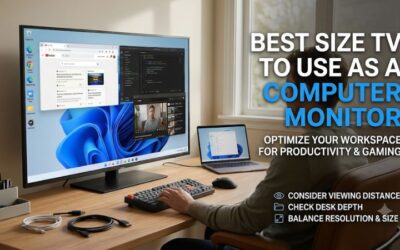
A 42-inch screen is a practical starting point for many users who want a large computer display. A 48-inch model requires more viewing distance, while 55-inch and 65-inch televisions are generally better suited to deep desks or couch gaming.
The pixel density also decreases as screen size increases at the same resolution.
| Screen size | Approximate pixel density | Typical suitability |
|---|---|---|
| 42 inches | 105 PPI | Large desktop use |
| 48 inches | 92 PPI | Deep desk |
| 55 inches | 80 PPI | Large workstation |
| 65 inches | 68 PPI | Couch or distant viewing |
These figures assume a standard 16:9 display with a 3840 × 2160 resolution. Windows scaling and viewing distance also influence how comfortable the image looks.
Check chroma 4:4:4 and subpixel layout
Chroma 4:4:4 is one of the most important features when using a television as a computer monitor.
Videos can often look acceptable with reduced chroma information, but text and desktop interfaces are more sensitive to color-sampling limitations. Proper 4:4:4 preserves the color detail needed for crisp computer graphics.
However, full chroma support does not guarantee perfect text rendering. Some TVs use unusual pixel arrangements, such as RWBG or BGR, which can make small text look softer.
Check the exact model’s PC-mode behavior and independent desktop testing before purchasing.
Understand refresh rate and input lag
For modern PC gaming, 120Hz is a sensible minimum target. Moving to 144Hz, 165Hz or higher can make motion smoother when the GPU generates enough frames.
Input lag measures how quickly the TV displays the computer’s signal. Response time measures how quickly its pixels change between colors.
A television can have low input lag but slow pixel transitions. This is why independent motion tests are useful when comparing different models.
Also check whether the desired refresh rate requires a specific HDMI port, color format or resolution mode.
Compare OLED and Mini LED ownership
OLED offers the best pixel-level contrast, but it introduces the possibility of permanent image retention. Protection functions and normal desktop maintenance can reduce the risk, but they do not eliminate it.
Mini LED avoids OLED-specific burn-in concerns and can produce brighter HDR highlights. Its main weakness is blooming around small bright objects because multiple pixels share a backlight zone.
For mixed work and gaming, Mini LED may be more practical. For primarily gaming and entertainment, OLED is often more attractive.
Verify PC connections and Windows settings
After connecting the TV, use its PC or Game Mode where available. Select the native 3840 × 2160 resolution in Windows and choose the correct refresh rate through Advanced Display Settings.
Use a certified HDMI cable appropriate for the bandwidth required by the TV. Enable chroma 4:4:4 and RGB output where supported, and disable overscan so the desktop fits the entire screen.
VRR support through HDMI Forum VRR, AMD FreeSync or NVIDIA G-SYNC compatibility can reduce tearing. However, check the supported input and refresh-rate range before buying.
FAQs about 4K TVs as computer monitors
Is a 4K TV better than a computer monitor?
A 4K TV can provide a much larger screen and excellent entertainment features. A dedicated computer monitor is generally more convenient for close-up work because it often offers better text clarity, ergonomic adjustment and more appropriate screen sizes.
Is 42 inches too large for a computer monitor?
Not necessarily. A 42-inch screen can work well on a deep desk when positioned at a comfortable viewing distance. However, it requires more room than a traditional 27-inch display.
Can I use a 4K TV at 120Hz with a PC?
Yes, when the television supports HDMI 2.1 bandwidth and the graphics card, cable and selected input support the required signal. Some TVs require specific ports or settings to enable the full refresh rate.
Does OLED burn in when used as a monitor?
OLED can develop permanent image retention after prolonged exposure to static content. Modern pixel-protection features help reduce the risk, but users should still avoid leaving static desktop interfaces visible unnecessarily.
Why does text look blurry on my 4K TV?
Possible causes include chroma subsampling, incorrect PC mode, overscan, nonstandard subpixel layout or unsuitable Windows scaling. Proper 4:4:4 chroma and PC input settings help, but some televisions still cannot reproduce desktop text as clearly as traditional RGB monitors.
Should I choose 42-inch or 55-inch 4K TV for gaming?
A 42-inch model is generally more practical for a desktop setup. A 55-inch TV is better for players who sit farther away or use a large workstation designed around a television-sized display.
Final verdict: Which 4K TV should you buy as a monitor?
The LG OLED evo C6 is the strongest overall recommendation for most PC gamers. Its 42-inch 4K OLED panel, native 165Hz refresh rate, four HDMI 2.1 ports and excellent response behavior make it an impressive combination of computer display and television.
The Samsung S90H is a good alternative if reflection handling matters more than Dolby Vision. The LG B5 provides a larger 48-inch OLED option, while the TCL QM7L offers a larger Mini LED alternative with good PC text clarity.
For extra-large setups, the Hisense UR9SG provides high-refresh gaming and USB-C connectivity, although its BGR layout is not ideal for close desktop work. Finally, the Vizio Mini LED Quantum 4K is best reserved for casual gaming and general computer use because of its 4K 60Hz limitation.
Ultimately, choose the screen size, refresh rate and panel characteristics that match your desk and PC. A well-positioned 42-inch 4K television can make an excellent large gaming display, but a bigger screen is not automatically a better desktop monitor.