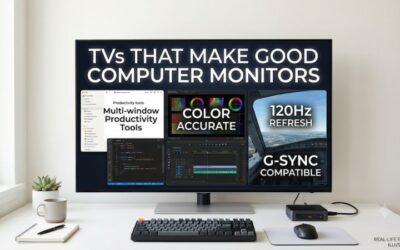
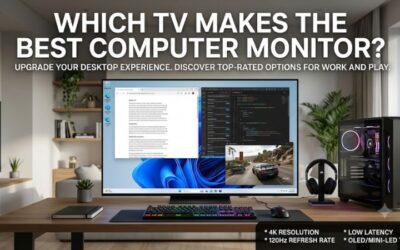
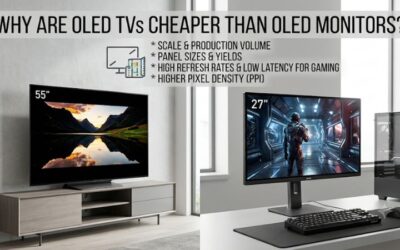
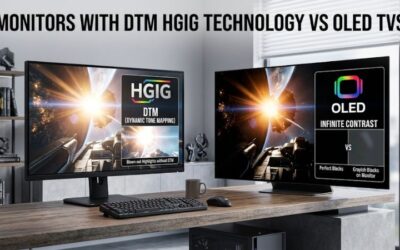
Choosing the best flat screen tv to use as a computer monitor means looking beyond screen size and 4K resolution. A good TV needs clear desktop text, low input lag, suitable HDMI connectivity, and a refresh rate that matches your PC. The LG C6 OLED is the strongest overall choice, but more affordable Mini LED alternatives can make sense for larger desks and everyday productivity.
Best flat screen TV to use as a computer monitor: Quick verdict
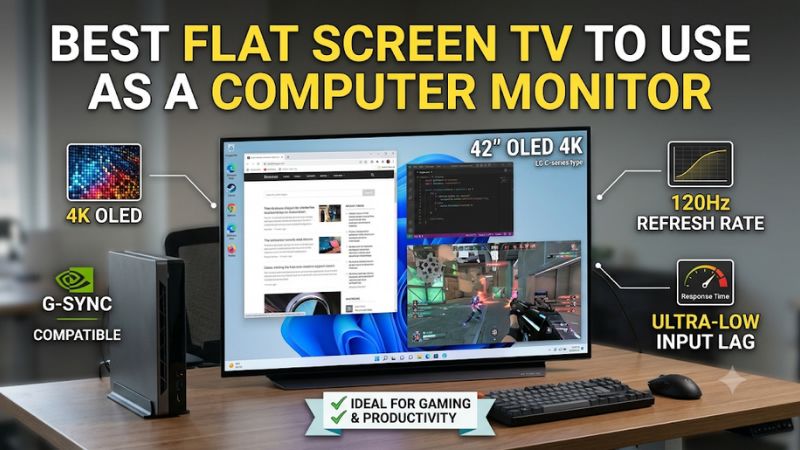
The LG C6 OLED 2026 is the strongest overall option for most users who want to replace a traditional monitor with a television. Its 42-inch screen is more manageable at a desk than larger living-room TVs, while its 4K resolution, 165Hz refresh rate, and four HDMI 2.1 inputs provide excellent PC connectivity.
However, an OLED television is not automatically the right purchase for every desktop. If you work with static windows throughout the day, an LCD or Mini LED model can avoid the permanent OLED burn-in concern. If your room receives considerable daylight, a matte screen can also be more practical than a glossy OLED panel.
Here are six models worth considering, each serving a different desktop requirement.
| TV model | Best use | Resolution and refresh rate | Main drawback |
|---|---|---|---|
| LG C6 OLED, 42-inch | Best overall | 4K, 165Hz | OLED burn-in consideration |
| Samsung S90H OLED, 42-inch | Bright rooms | 4K, 165Hz | Not as versatile as LG C6 |
| LG B6 OLED, 48-inch | Larger OLED desktop | 4K, 120Hz | Lower refresh rate |
| Hisense U6SF, 50-inch | Large-screen gaming | 4K, 144Hz | BGR text rendering |
| TCL QM7L, 55-inch | Large-screen productivity and gaming | 4K, 144Hz | Large physical footprint |
| Vizio Mini LED Quantum 4K, 43-inch | Low-cost everyday use | 4K, 60Hz; 1080p, 120Hz | Limited 4K gaming performance |
Prices are not treated as guaranteed checkout quotes. Retailer listings and promotions change frequently, and the final cost depends on the seller, delivery, and applicable sales tax.
How we selected the best TVs for desktop use
A television designed for movies and streaming does not necessarily work well as a computer display. PC use introduces different requirements, particularly when you spend hours reading text, navigating spreadsheets, using creative applications, or playing games with a keyboard and mouse.
The first consideration was native resolution. Every featured television offers 4K resolution, providing sufficient detail for large-screen desktop use. We then considered the maximum refresh rate, HDMI connectivity, variable refresh rate support, and ability to display chroma 4:4:4.
Chroma 4:4:4 matters because it preserves full color information for individual pixels. This helps small text and colored interface elements look clearer when a computer is connected to a television. A TV can advertise 4K resolution but still produce disappointing desktop text if its signal processing or panel arrangement is unsuitable.
We also considered screen coatings, panel technology, and physical sizes. An OLED television offers excellent black levels and response times, whereas Mini LED provides strong brightness and local dimming without the same permanent OLED burn-in concern.
Recommendations draw on manufacturer documentation, US retailer listings, and independent testing from RTINGS. These are research-based recommendations rather than claims of direct Build-PC-Guide laboratory testing.
The best flat screen TVs for computer monitors
LG C6 OLED 2026: Best overall for PC gaming and everyday use
The LG C6 OLED 2026 is the most balanced option in this roundup, particularly in its 42-inch configuration. Its exact model number is OLED42C6PUA. That size makes it easier to position on a desktop than a 55-inch or larger television, while its 4K resolution provides plenty of detail for gaming and productivity.
The WOLED panel delivers individually controlled pixels, which means it can produce deep blacks without relying on a conventional backlight. This is particularly useful for dark games, movies, and applications with predominantly dark interfaces. The screen also offers vibrant colors and strong contrast, creating an immersive experience when sitting close to the display.
Its native 165Hz refresh rate is another major advantage. Unlike ordinary 60Hz televisions, the C6 can accommodate considerably higher PC frame rates when paired with a compatible graphics card. It supports HDMI Forum VRR, NVIDIA G-SYNC compatibility, and AMD FreeSync, giving users flexibility across different graphics platforms.
Connectivity is especially convenient. LG provides four HDMI 2.1 inputs with full bandwidth, allowing a PC and other high-bandwidth devices to remain connected simultaneously. The television also supports 4K at 165Hz and chroma 4:4:4, which helps preserve desktop text detail.
RTINGS independently researched the C6 and found excellent gaming responsiveness and nearly instantaneous pixel response. Its testing also identifies a limitation worth understanding: the redesigned WOLED subpixel arrangement improves text clarity, but the display still does not produce quite the same text appearance as a conventional RGB computer monitor.
Another consideration is the glossy screen. It handles indirect light reasonably well, but direct reflections can remain distracting when a window or lamp faces the display.
OLED burn-in is also relevant for desktop use. Static taskbars, application toolbars, and persistent windows can create greater long-term risk than varied video content.
Buy If: You want a premium 42-inch 4K television with excellent contrast, high refresh rate, and flexible PC connectivity.
Skip If: You spend almost all day displaying static desktop applications or work in a room with unavoidable direct reflections.
Overall, the C6 is the strongest choice for people who want one screen for PC gaming, streaming, and general desktop activities. Its combination of compact TV dimensions and high-end gaming specifications makes it the most convincing monitor replacement in this selection.
Samsung S90H OLED: Best for bright desktop environments
The Samsung S90H OLED is a strong alternative to the LG C6, especially when screen reflections are a major concern. The exact 42-inch US model is QN42S90HAEXZA, and it offers a 4K OLED display with a maximum refresh rate of 165Hz.
Its biggest advantage is Samsung’s Glare Free screen coating. Unlike the glossy surface of the LG C6, the matte-style finish is designed to reduce distracting reflections. This makes it particularly attractive for desks positioned near overhead lighting or windows.
The television also delivers OLED advantages, including deep blacks, vibrant colors, and fast pixel transitions. Samsung’s gaming features include high-refresh-rate PC connectivity and variable refresh rate support. Its 165Hz capability makes it suitable for competitive games when the graphics card can generate enough frames.
Samsung’s S90H uses a WOLED panel in its North American configurations. Independent RTINGS testing identifies a revised subpixel arrangement that improves text clarity compared with older television panel layouts, although it is not a conventional RGB computer monitor.
The other consideration is image processing. RTINGS identifies the LG C6 as the more versatile overall television, with higher brightness and stronger processing. Samsung also does not support Dolby Vision, which may matter to users who prioritize that HDR format for compatible entertainment content.
The S90H is therefore not automatically a better purchase than the LG. Its main advantage is the matte coating, which can be more useful than a small increase in specifications when working in a bright room.
Buy If: You want a 42-inch OLED TV with high refresh rates and better reflection control.
Skip If: You prioritize the strongest all-around picture processing or work in a room where reflections are not a problem.
For a desktop positioned near windows or overhead lights, the S90H deserves serious consideration. Its anti-reflection advantage is especially relevant because television screens are generally larger than ordinary monitors and can capture more environmental reflections.
LG B6 OLED 2026: Best larger OLED for mixed desktop use
The LG B6 OLED 2026 is worth considering when you want a larger OLED screen without moving to the more expensive C6 series. The exact 48-inch configuration is OLED48B6GUA, with a 3840 x 2160 resolution and a native 120Hz refresh rate.
The larger screen is useful for users who prefer working with multiple application windows. It provides more physical display area than a typical 27-inch gaming monitor, making it convenient for browsing, watching videos, editing documents, and playing games from a slightly greater distance.
The B6 uses OLED technology to deliver individually illuminated pixels and deep black levels. Its gaming performance is also strong, with fast pixel response, HDMI 2.1 connectivity, and support for variable refresh rate technologies.
LG specifies NVIDIA G-SYNC compatibility, AMD FreeSync Premium, and a 0.1ms advertised response time. Independent RTINGS testing confirms that the television supports common PC resolutions up to 4K at 120Hz, including chroma 4:4:4.
One interesting detail is its redesigned RGBW subpixel arrangement. RTINGS reports that this improves desktop text clarity because the red, green, and blue subpixels are arranged more favorably for computer-generated content. It is still not identical to a conventional RGB monitor, but the change makes the B6 more interesting for mixed desktop use.
The main compromise is its refresh rate. While 120Hz is already smooth for most PC games, it cannot match the 165Hz ceiling of the LG C6 or Samsung S90H. It also has lower brightness than the higher-end C6, making it less suitable for very bright rooms.
The 48-inch panel is another physical consideration. It can feel overwhelming on a shallow desk, particularly if you sit close to the screen.
Buy If: You want a 48-inch OLED for games, streaming, and general productivity, and 120Hz is sufficient.
Skip If: You need 165Hz gaming, a compact 42-inch screen, or a display designed primarily for static office work.
The B6 is a practical alternative for people who want a large OLED television without paying exclusively for flagship refresh-rate features. Its improved subpixel structure also makes it worth examining for desktop applications.
Hisense U6SF Mini LED: Best for large-screen high-refresh gaming
The Hisense U6SF is an interesting choice for gamers who want high-refresh-rate performance without paying OLED prices. The exact 50-inch model is 50U6SF, part of Hisense’s 2026 Mini LED television lineup.
Its 4K panel supports a native refresh rate of 144Hz, with a boosted mode reaching 240Hz at 1080p. This gives competitive players additional flexibility when they prefer lower resolution and higher frame rates.
The Mini LED backlight provides local dimming, allowing different areas of the screen to adjust their brightness independently. This improves contrast compared with a conventional LED television without local dimming. It also avoids the permanent OLED burn-in concern associated with static desktop interfaces.
Hisense includes HDMI 2.1 connectivity on two inputs, variable refresh rate support, and a glare-reducing screen coating. These features make the U6SF attractive for PC users who play games during the day or use their computer in a room with considerable ambient light.
However, there is an important drawback. RTINGS found that this model uses a VA panel with a BGR subpixel arrangement. That can make small desktop text appear less clear than on a traditional RGB monitor, even though the television correctly displays 4:4:4 chroma signals.
Its pixel transitions are another limitation. Despite the 144Hz refresh rate, independent testing reports motion blur during fast gameplay. A high refresh rate alone does not guarantee the same motion performance as a dedicated gaming monitor.
The 50-inch screen is also larger than what many users need. It works better with a deep desk or a more distant seating position than with a conventional compact workstation.
Best Buy listed the 50U6SF at $399.99 during the research period, before applicable tax. That is a much lower entry point than the premium OLED choices.
Buy If: You want a large Mini LED TV with 144Hz gaming, local dimming, and glare-reduction features.
Skip If: You need particularly sharp small text or excellent motion handling for competitive shooters.
The U6SF is best viewed as a large-screen gaming and entertainment display rather than a direct replacement for a high-quality productivity monitor.
TCL QM7L: Best for a large desktop and bright-room viewing
The TCL QM7L is designed for buyers who want a large television with substantial gaming and picture-quality features. The 2026 series begins at 55 inches, making it a better fit for spacious workstations, wall-mounted setups, or users who sit farther away from the screen.
It uses an SQD Mini LED panel with a native 4K resolution and a 144Hz refresh rate. TCL also advertises a 288Hz Game Accelerator mode at a lower resolution. That gives users more refresh-rate flexibility when playing fast-paced games.
The Mini LED backlight offers local dimming, which helps improve contrast and HDR presentation. It is also capable of high brightness, making it attractive for rooms where a conventional OLED display may struggle with strong environmental lighting.
One major PC-specific advantage is its RGB subpixel layout. RTINGS identifies this arrangement as beneficial for desktop text clarity, making the QM7L more interesting for people who regularly work with spreadsheets, documents, and application interfaces.
The television supports chroma 4:4:4 and VRR, and it has two HDMI 2.1 inputs that support 4K at 144Hz. The other connections are useful for additional devices, but they do not provide the same full high-refresh bandwidth.
The important compromise is motion handling. RTINGS’ independent testing identifies slow pixel transitions that create noticeable motion blur, even when the television is operating at high refresh rates. This means its 144Hz rating should not be interpreted as proof of OLED-like motion clarity.
The physical size is another issue. A 55-inch screen is much larger than a traditional desk monitor and can become uncomfortable if positioned too close. TCL’s US lineup also offers larger sizes, but those are even less practical for ordinary desktop arrangements.
A Best Buy listing showed the 55QM7L at $799.99 during research. That is a substantial purchase, so buyers should make sure the larger screen genuinely suits their room and workflow.
Buy If: You want a large Mini LED television with strong brightness, 4K at 144Hz, and improved desktop text rendering.
Skip If: You have a shallow desk, prioritize fast pixel transitions, or prefer a compact workstation.
The QM7L is an interesting compromise for users who want television-sized desktop space and strong brightness. However, a conventional 42-inch display may be more comfortable for most everyday PC setups.
Vizio Mini LED Quantum 4K: Best low-cost option for everyday computing
The Vizio Mini LED Quantum 4K offers a different approach to using a television as a computer monitor. Rather than prioritizing premium OLED performance or high-resolution competitive gaming, it focuses on affordability and basic desktop usability.
The 43-inch model is VQM43C-1001. It has a 3840 x 2160 resolution, an IPS panel, Mini LED backlighting, and a native refresh rate of 60Hz.
Its smaller size makes it more manageable than 50-inch and 55-inch televisions. It can be useful for web browsing, watching videos, managing documents, and casual gaming, particularly when a user wants a relatively inexpensive large display.
The RGB subpixel arrangement is an advantage for PC use because it helps preserve text clarity. The television also supports chroma 4:4:4, allowing a compatible computer signal to display sharp desktop elements.
There is also a useful gaming feature: the display can support 120Hz at 1080p. However, it is limited to 60Hz at native 4K resolution, and it does not provide full HDMI 2.1 bandwidth.
That limitation matters. A gaming PC cannot send a 4K 120Hz signal to this television, so it is not a suitable choice for someone specifically seeking high-refresh 4K gaming.
RTINGS independently researched the Mini LED Quantum 4K family and found low input lag, but also reported slow pixel transitions and noticeable motion blur. Its variable refresh rate implementation has limitations as well, particularly around certain lower frame-rate ranges.
Walmart listed the VQM43C-1001 at approximately $198 during the research period. That makes it the most affordable option in this roundup with a particularly useful 43-inch 4K format.
Buy If: You need an inexpensive 43-inch 4K television for general desktop use, streaming, and occasional casual gaming.
Skip If: You want 4K at 120Hz or higher, competitive gaming performance, or excellent motion clarity.
The Vizio is a reasonable low-cost choice, but its limitations should be understood before purchasing. It makes more sense as an everyday display than as a premium gaming monitor replacement.
How to choose the best flat screen TV to use as a computer monitor
Choose a screen size that fits your desk
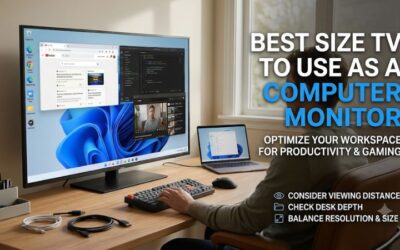
Screen size is one of the biggest differences between a television and a conventional computer monitor. A 42-inch TV already occupies significantly more space than a 27-inch or 32-inch display.
For most desk setups, 42 inches is a reasonable starting point when you want a large television. It provides a substantial viewing area without reaching the dimensions of 55-inch living-room displays.
A 48-inch or 50-inch screen can work when the desk is deeper and you have more room to sit back. A 55-inch TV usually requires a dedicated workstation, wall mounting, or a seating arrangement farther away from the panel.
Resolution also affects how comfortable the display looks. A 4K television provides approximately 8.3 million pixels regardless of its diagonal size. However, spreading those pixels across a larger screen reduces pixel density.
That is why a 42-inch 4K display generally looks sharper at a desk than a 55-inch 4K television viewed from the same distance. If you regularly work with small fonts and detailed interfaces, screen size should be treated as carefully as resolution.
Check native resolution and refresh rate
A television advertising 4K resolution does not necessarily support 4K at 120Hz or higher. Some low-cost models accept a maximum of 60Hz at native resolution and only support faster refresh rates after dropping to Full HD.
This distinction is particularly important for gaming.
A 4K 120Hz TV can display up to 120 refreshes per second at native resolution when the connected computer supplies a compatible signal. A 4K 165Hz or 144Hz model provides additional headroom for powerful gaming systems.
However, your GPU must also be capable of rendering enough frames to benefit from the higher refresh rate. Buying a 165Hz television will not make a graphics card produce 165 FPS automatically.
For productivity, browsing, and media, 60Hz can still be perfectly usable. For competitive gaming, 120Hz is a much better starting point, while 144Hz and 165Hz provide additional flexibility.
Prioritize chroma 4:4:4 for sharp text
This is one of the most overlooked specifications when buying a TV for computer use.
Chroma subsampling reduces color information to save bandwidth. While this is generally acceptable for video content, it can make small colored text and fine interface elements appear less distinct.
A PC monitor replacement should correctly display chroma 4:4:4 at the resolution and refresh rate you intend to use.
You should also examine the panel’s subpixel arrangement. Most conventional monitors use RGB layouts, while televisions can use other arrangements such as BGR or modified WOLED structures.
A BGR display can still work with a computer, but text rendering may appear less natural depending on operating-system font rendering. Do not assume every 4K television will produce identical desktop clarity.
Check HDMI 2.1 and graphics card compatibility
A modern gaming television should have enough HDMI bandwidth to support its advertised resolution and refresh rate.
HDMI 2.1 is important when you want 4K gaming at 120Hz or higher. However, some televisions have only selected HDMI inputs capable of the maximum bandwidth.
Before buying, check the manufacturer’s resolution table and confirm which HDMI port supports your desired mode.
You should also check whether your GPU supports HDMI 2.1. Many modern NVIDIA and AMD graphics cards provide suitable outputs, but older cards and certain adapters may limit the available signal.
Variable refresh rate support matters too. HDMI Forum VRR, AMD FreeSync, and NVIDIA G-SYNC compatibility can help reduce tearing when frame rates fluctuate.
Use the appropriate high-speed cable and check your graphics driver settings after installation. A television that supports 4K 120Hz may initially operate at 4K 60Hz until the correct input mode and refresh-rate configuration are enabled.
Compare OLED, Mini LED, and ordinary LED panels
OLED is attractive for gaming because every pixel controls its own light. This creates deep blacks, strong contrast, and extremely fast pixel response.
The downside is the possibility of permanent burn-in after prolonged exposure to static content. Desktop interfaces frequently include persistent elements such as taskbars, browser controls, and application toolbars.
Mini LED uses a backlight with numerous small lighting zones. It cannot control each pixel independently, but it can provide strong brightness and better local contrast than many conventional LED televisions.
It also avoids the same permanent OLED burn-in mechanism. However, local dimming can produce blooming around bright objects against dark backgrounds.
Conventional LED televisions can offer attractive prices, but their contrast and gaming performance vary considerably. Look beyond advertising terminology and prioritize independent measurements for the exact model.
Consider reflections and room lighting
A glossy screen can produce a vibrant image, particularly in darker rooms. However, reflections can become distracting when windows or lamps face the display.
A matte or anti-reflection coating can improve usability in brighter environments. The Samsung S90H and Hisense U6SF are worth considering when reflection control is a major priority.
Brightness is another important factor. A television that looks excellent in a dark room may struggle when sunlight enters the workspace.
If you work near windows, check independent measurements of SDR brightness and reflection handling rather than relying exclusively on HDR peak-brightness advertising.
Understand OLED burn-in and daily desktop use
OLED burn-in should not be ignored simply because a television is marketed for gaming.
Static desktop elements can remain in the same position for many hours, creating a different usage pattern from watching movies. This does not mean every OLED will develop burn-in quickly, but the risk deserves consideration.
You can reduce unnecessary static exposure by hiding the taskbar, using a screen saver, setting automatic display sleep, and allowing the television’s built-in OLED protection features to operate.
Avoid leaving the same desktop window displayed at maximum brightness throughout the entire workday.
If your computer remains on a static spreadsheet or application dashboard for many hours, a Mini LED television may be a more sensible long-term option.
Frequently asked questions
Can I use any flat screen TV as a computer monitor?
Technically, many modern televisions can accept a computer video signal through HDMI. However, not every model provides the necessary 4:4:4 chroma, low input lag, or suitable refresh-rate support. Check the exact specifications before buying.
Is a 42-inch TV too big for a computer monitor?
Not necessarily. A 42-inch display can work well when you have sufficient desk depth and sit far enough away. However, it is substantially larger than a traditional desktop monitor, so measure your desk and viewing distance before purchasing.
Is OLED or Mini LED better for computer use?
OLED offers better pixel-level contrast, deep blacks, and faster response times. Mini LED is often more practical for bright rooms and extended static desktop use because it avoids permanent OLED burn-in. The right choice depends on your daily workload.
Do I need HDMI 2.1 to connect a TV to my PC?
No. HDMI 2.1 is not necessary for basic desktop tasks or 4K 60Hz operation. It becomes important when you want compatible 4K high-refresh gaming, especially at 120Hz, 144Hz, or 165Hz.
Why does my TV look blurry when displaying computer text?
Possible causes include chroma subsampling, an unsuitable panel subpixel arrangement, incorrect scaling, or image processing. Enable PC mode, use 4:4:4 chroma, select the native resolution, and check Windows scaling settings.
Final verdict
The LG C6 OLED 42-inch is the strongest overall choice for people who want a television that genuinely works as a desktop gaming display. It combines 4K resolution, 165Hz refresh rate, VRR, four HDMI 2.1 inputs, and excellent contrast in a relatively manageable screen size.
The Samsung S90H is a strong alternative for bright rooms, while the LG B6 offers a larger OLED experience with 120Hz gaming. For buyers who prefer LCD technology, the Hisense U6SF and TCL QM7L provide high-refresh Mini LED alternatives, although their larger dimensions and text-rendering characteristics deserve attention.
Finally, the Vizio Mini LED Quantum 4K makes more sense for basic computing and casual entertainment than serious 4K gaming. The best purchase is ultimately the screen that fits your room, your computer’s output capabilities, and the amount of time you spend reading static desktop content.