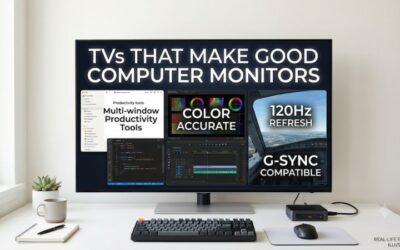
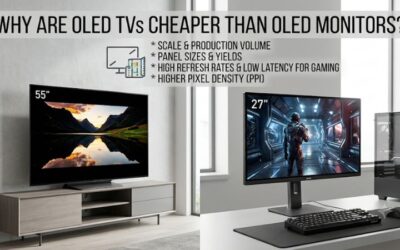
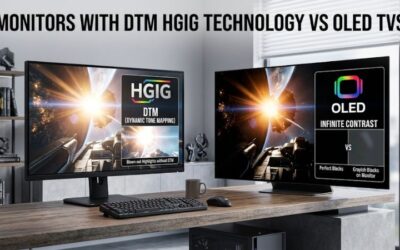
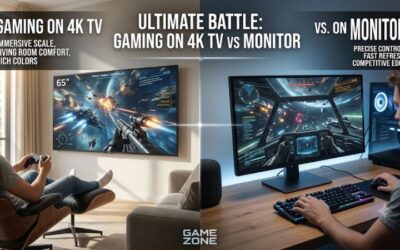
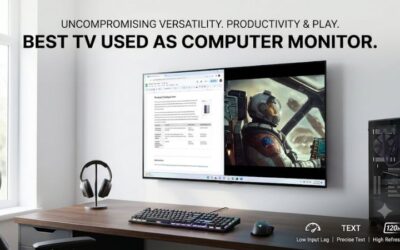
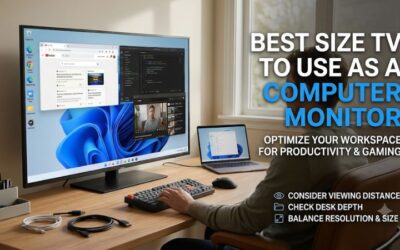
A 4K television can double as an impressive computer display, giving you a much larger workspace, immersive gaming, and excellent picture quality. However, the best 4k tv for a computer monitor needs more than a 3840 × 2160 resolution. It should support chroma 4:4:4 for readable desktop text, offer low input lag, provide suitable HDMI bandwidth, and have a screen size that works at your viewing distance. This roundup covers six current U.S. models, from compact 42-inch OLED televisions to larger Mini-LED options for living-room PC setups.
- Best 4K TV for a computer monitor: quick verdict
- How we selected the best 4K TV for a computer monitor
- LG C6 OLED: best overall 4K TV for computer monitor use
- Samsung S90H OLED: best 4K TV for bright-room computer use
- TCL QM7L: best larger LCD TV for desktop text clarity
- Hisense U7SG: best bright-room Mini-LED option
- Hisense UR9SG: best flagship TV for couch-distance PC gaming
- Vizio Mini LED Quantum 4K: best inexpensive secondary display
- How to choose a 4K TV for computer use
- Frequently asked questions
- Conclusion
Best 4K TV for a computer monitor: quick verdict
The LG C6 OLED (42-inch) is the strongest overall choice for combining desktop computing and high-performance gaming. It supports 4K at up to 165Hz, has four full-bandwidth HDMI 2.1 ports, and handles chroma 4:4:4 signals correctly.
The Samsung S90H OLED is a compelling alternative for brighter rooms because its matte screen coating handles reflections particularly well. For buyers who prioritize desktop text clarity, the TCL QM7L offers an RGB subpixel layout, although its smallest available size is 55 inches.
The Vizio Mini LED Quantum 4K is the inexpensive option for casual gaming and secondary-display use, while the Hisense U7SG and UR9SG target larger setups where brightness, high refresh rates, and living-room entertainment matter more than conventional desk ergonomics.
| TV model | Observed U.S. price | Size | Maximum 4K refresh rate | Best use |
|---|---|---|---|---|
| LG C6 OLED | $899.99 | 42 inches | 165Hz | Best overall |
| Samsung S90H OLED | $897.99 | 42 inches | 165Hz | Best for bright rooms |
| TCL QM7L | $799.99 | 55 inches | 144Hz | Best larger LCD option |
| Hisense U7SG | $649.99 | 55 inches | 165Hz | Bright-room PC gaming |
| Hisense UR9SG | $1,699.99 | 65 inches | 180Hz | Large-screen PC gaming |
| Vizio Mini LED Quantum 4K | $198.00 | 43 inches | 60Hz | Budget secondary display |
Price observations checked November 11, 2026, in the United States. Prices exclude sales tax and shipping and may change. These are not guaranteed checkout prices.
The refresh-rate figures describe supported television modes rather than guaranteed PC performance. The graphics card, cable, HDMI input, and selected resolution must all support the requested signal.
How we selected the best 4K TV for a computer monitor
Using a television as a computer monitor introduces requirements that are not always important for ordinary television viewing. A TV can produce excellent movies and console gaming while still being frustrating for everyday desktop work.
The selection process therefore prioritizes five characteristics.
Chroma 4:4:4 and desktop text clarity
Chroma 4:4:4 preserves full color information for each pixel. This matters for computer use because small fonts, colored text, and thin interface elements can look blurry when the signal uses chroma subsampling.
A television should support 4:4:4 at its intended PC resolution and refresh rate. Look for an appropriate PC input mode and verify the supported signal through the manufacturer’s documentation or independent testing.
High refresh rates and PC gaming
A 120Hz or higher refresh rate is a useful target for modern gaming. It allows the TV to display more frequent updates when the graphics card produces enough frames.
Models supporting 144Hz, 165Hz, and 180Hz offer additional headroom for gaming PCs with powerful GPUs.
Input lag and pixel response
Input lag and pixel response are different measurements. Input lag describes the delay before an image begins appearing on the screen, while response time measures how quickly individual pixels change between colors.
OLED televisions generally have particularly fast pixel transitions, while LCD models vary considerably depending on panel technology and implementation.
HDMI bandwidth and VRR
HDMI 2.1 is valuable for high-refresh-rate 4K gaming. However, not every HDMI input on every TV necessarily supports the same bandwidth.
Variable refresh rate (VRR), including HDMI Forum VRR, AMD FreeSync, and compatible NVIDIA G-SYNC functionality, is also important for minimizing screen tearing when frame rates fluctuate.
Physical suitability for desktop use
A 42-inch television is already substantially larger than a conventional desktop monitor. Models measuring 55 inches or more are better suited to deeper desks, wall-mounted arrangements, or gaming from a couch.
Independent testing from RTINGS is especially useful here because its television reviews include input lag, response behavior, PC resolutions, chroma support, and subpixel layout. Its current PC-monitor recommendations were updated on September 23, 2026.
LG C6 OLED: best overall 4K TV for computer monitor use
The 42-inch LG C6 OLED is the strongest all-around choice for buyers who want a television to replace a large desktop gaming monitor. Its exact U.S. model number is OLED42C6PUA.
It combines 3840 × 2160 resolution with a native 165Hz refresh rate, OLED technology, and four HDMI 2.1 connections. LG also advertises NVIDIA G-SYNC compatibility, AMD FreeSync Premium, and a 0.1ms response-time specification. These characteristics make it suitable for demanding PC gaming setups.
Why it works well with a PC
The combination of 42-inch size and 4K resolution provides a generous workspace without becoming as physically large as most living-room televisions.
RTINGS confirms that the C6 supports chroma 4:4:4 at resolutions up to 4K 165Hz. It also supports HDMI Forum VRR, FreeSync, and G-SYNC compatibility, providing broad graphics-card support.
Its OLED panel produces deep blacks because individual pixels generate their own light. This is particularly attractive for games with dark environments, nighttime scenes, and detailed lighting effects.
RTINGS also measured input lag of 4.9ms at 165Hz using Filmmaker Mode with Game Optimizer enabled and the input labeled PC. This is a specific test configuration, not a universal latency figure for every setting.
The four full-bandwidth HDMI 2.1 ports are another advantage. You can connect a PC, console, and other entertainment devices without relying on an HDMI switch for every additional source.
Limitations to consider
The biggest drawback for text-intensive work is its nonstandard RGWB subpixel arrangement. Although it supports proper 4:4:4 chroma, Windows ClearType is not perfectly optimized for this layout, so small text may show some fringing.
Its glossy screen also struggles with direct reflections from lamps or windows facing the display. Indirect glare is handled better, but the position of your desk still matters.
OLED burn-in is another ownership consideration. Static taskbars and desktop applications can contribute to uneven pixel wear over time, although LG includes OLED Care features intended to help protect the panel.
Buy it if you want premium gaming, high contrast, and a compact television-sized desktop display. Skip it if your primary workload involves extensive coding, spreadsheets, or other text-critical work and you are particularly sensitive to subpixel fringing.
Samsung S90H OLED: best 4K TV for bright-room computer use
The Samsung S90H OLED is a strong alternative to the LG C6, especially for buyers whose desks are positioned in brighter rooms.
The exact 42-inch U.S. model is QN42S90HAEXZA. It features a 4K OLED panel, 165Hz refresh rate, and Samsung’s Glare Free screen coating. The combination of OLED contrast and a matte-oriented reflection treatment makes it particularly interesting for mixed gaming and everyday desktop use.
What makes it attractive for desktop gaming
Samsung’s Glare Free coating is its biggest differentiator. RTINGS found that the S90H handles direct and indirect reflections exceptionally well, making it more suitable for rooms where controlling every light source is difficult.
The television also supports 4K at up to 165Hz with chroma 4:4:4. All four HDMI ports support the full 48Gbps bandwidth of HDMI 2.1.
Its OLED panel provides deep blacks, vibrant colors, and nearly instantaneous pixel transitions. Samsung also includes NVIDIA G-SYNC and AMD FreeSync Premium support, making it suitable for both major desktop GPU ecosystems.
For gaming, the high-refresh-rate mode is useful when paired with a sufficiently powerful graphics card. However, a 165Hz screen does not guarantee that demanding games will run at 165 FPS.
RTINGS considers this model an excellent television for bright rooms and reports low input lag and clear motion in its gaming tests.
What you should know before purchasing
The S90H shares an important limitation with the LG C6: it uses a nonstandard RGWB OLED subpixel layout. Proper 4:4:4 support improves desktop rendering, but text is not perfectly clear because of the way the pixels are arranged.
It also lacks Dolby Vision support, which may matter to buyers who use the TV extensively for compatible movies and entertainment.
Its premium price is another consideration. The observed Best Buy listing was $897.99, although marketplace offers and checkout prices may vary.
Buy it if your gaming desk receives considerable ambient light and you want a 42-inch OLED with modern connectivity. Skip it if perfectly sharp desktop text or Dolby Vision support is essential to your setup.
TCL QM7L: best larger LCD TV for desktop text clarity
The TCL QM7L is designed for buyers who prefer a larger screen and want a high-refresh-rate LCD television instead of OLED.
Its exact 55-inch U.S. model is 55QM7L. It uses a VA LCD panel with 4K resolution and a native 144Hz refresh rate. The model also supports Dolby Vision and has a boosted refresh-rate mode reaching 288Hz at 1080p.
Why it stands out for computer use
One important advantage is its RGB subpixel layout. RTINGS found that the TCL’s arrangement produces clearer desktop text than the nonstandard layouts used by some OLED televisions.
For buyers who spend several hours browsing, reading, or working with documents, this can be an important advantage.
The native 144Hz refresh rate is also useful for PC gaming. The display supports 4K 144Hz and proper 4:4:4 chroma on two HDMI inputs. Its remaining ports should not be assumed to provide the same high-bandwidth gaming capability.
The VA panel provides a higher-contrast LCD alternative, while the television’s larger size makes it suitable for a deep desk or a setup where the player sits farther away.
Important trade-offs
The biggest limitation is physical size. TCL does not offer the QM7L below 55 inches, which can make it uncomfortable for conventional near-field desktop use.
RTINGS also found that the QM7L has blurrier motion and more noticeable ghosting than the LG C6 OLED. Its picture quality is not quite as strong overall, despite offering useful gaming features.
Only two HDMI inputs support the full HDMI 2.1 bandwidth. This may require more frequent input switching when several high-bandwidth devices are connected.
Buy it if you want clearer desktop text from an RGB LCD layout and can sit far enough from a 55-inch screen. Skip it if your desk is compact or you prioritize OLED-level motion clarity.
Hisense U7SG: best bright-room Mini-LED option
The Hisense U7SG is a strong option for buyers who prioritize brightness and high-refresh-rate gaming in a larger room.
The 55-inch model, 55U7SG, combines a VA LCD panel with Mini-LED local dimming, 4K resolution, and a refresh rate reaching 165Hz. It also supports up to 330Hz at 1080p, although that lower-resolution mode should not be confused with native 4K performance.
Why it suits PC gaming
All four HDMI inputs support the full bandwidth of HDMI 2.1. The TV also supports chroma 4:4:4 across its supported PC resolutions, making it compatible with desktop use at high refresh rates.
Its matte anti-reflective coating and strong SDR brightness are particularly useful in brightly illuminated environments.
Mini-LED local dimming improves contrast control compared with a conventional edge-lit LCD television. It can also make HDR highlights more noticeable when compatible games are displayed.
For a PC connected several feet away, the large screen creates an immersive gaming experience without the OLED burn-in consideration.
Why it is not ideal for everyone
The U7SG uses a BGR subpixel layout. Although this does not create a problem for normal video and gaming content, RTINGS warns that it can affect text clarity when the TV is used as a computer monitor.
Its VA panel also has narrow viewing angles, and RTINGS identified distracting dirty-screen effects and relatively slow response behavior during our research.
These issues are particularly important when the display is used for spreadsheets, coding, and applications with large areas of uniform colors.
Buy it if you prioritize brightness, 4K high-refresh gaming, and a large-screen setup. Skip it if your computer use involves hours of reading small text at close range.
Hisense UR9SG: best flagship TV for couch-distance PC gaming
The Hisense UR9SG is a premium RGB Mini-LED television for buyers who want a large PC gaming display rather than a conventional monitor-sized screen.
The 65-inch version, 65UR9SG, uses RGB Mini-LED technology and supports a native 4K refresh rate of up to 180Hz. It can also reach 330Hz with 1080p signals. The tested range starts at 65 inches and extends to 100 inches, making it primarily a living-room or large-room solution.
Connectivity and gaming advantages
The television has three HDMI 2.1 inputs, all supporting the full available high-bandwidth modes. It also includes USB-C with DisplayPort Alt Mode, an especially useful feature for connecting compatible laptops.
RTINGS confirms support for 4K 180Hz through all three HDMI inputs and proper chroma 4:4:4. Its USB-C input also supports VRR, making it a versatile option for compatible computer systems.
The RGB Mini-LED backlight offers strong brightness and vivid colors without using OLED pixels. This avoids the same permanent burn-in mechanism associated with OLED displays.
RTINGS also reports low input lag, making the TV responsive for gaming despite its size.
Who should avoid it?
The UR9SG’s 65-inch minimum size is simply too large for many desktop setups.
Its BGR subpixel layout can make text less comfortable to read, despite its ability to process full 4:4:4 chroma signals.
RTINGS also reports inconsistent reflection handling, limited viewing angles, software issues in tested units, and some motion blur during fast action. These are meaningful compromises for such an expensive display.
The observed Best Buy price was $1,699.99 for the 65-inch version.
Buy it if you want a flagship PC gaming television for couch-distance use, with USB-C video support and high brightness. Skip it if your main priority is close-range productivity or a conventional desktop setup.
Vizio Mini LED Quantum 4K: best inexpensive secondary display
The Vizio Mini LED Quantum 4K is a budget-oriented option for buyers who want a 43-inch television that can double as an inexpensive PC display.
The exact model family includes VQM43C, with the 43-inch U.S. retail model identified as VQM43C-10. It combines 4K resolution, an IPS-type LCD panel, local dimming, and a 60Hz native refresh rate. Walmart listed the 43-inch model at $198.00 during research.
What makes it useful
The television supports chroma 4:4:4, which helps preserve desktop text clarity when the correct PC input signal is used.
It also supports variable refresh rate and 120Hz gaming at 1080p. This gives casual gamers some flexibility when their system cannot deliver 4K at higher frame rates.
The RGB subpixel layout is another useful characteristic for desktop text. Unlike certain OLED or BGR-based television layouts, it can provide clearer text rendering at the appropriate viewing distance.
For browsing, streaming, office applications, and occasional gaming, this TV offers an inexpensive large-screen alternative.
Why it is not a serious 4K gaming choice
The biggest limitation is its native 60Hz refresh rate at 4K. It does not include HDMI 2.1, so buyers should not expect 4K 120Hz or 4K high-refresh gaming.
RTINGS also found slow pixel transitions, noticeable motion blur, and limitations in local-dimming performance. Its input lag is low, but the slower motion response makes it less suitable for fast competitive games.
The 1080p 120Hz mode also requires attention: RTINGS notes that it may need to be forced manually because the PC does not expose it as a normal supported resolution.
RTINGS.com+2
Buy it if you want an inexpensive 43-inch secondary display for desktop tasks and casual gaming. Skip it if you need high-refresh-rate 4K gaming, reliable motion clarity, or strong HDR performance.
How to choose a 4K TV for computer use
Buying a television for a PC requires a few additional checks compared with purchasing one for a living room.
The most important specifications are not always the ones highlighted in television advertisements.
Check pixel density and viewing distance
All the models in this roundup have a 3840 × 2160 resolution, but they do not have the same pixel density.
A 42-inch 4K television has approximately 105 pixels per inch (PPI), while a 55-inch model has approximately 80 PPI. A 65-inch display falls to approximately 68 PPI.
This means a 42-inch television generally looks sharper at the same viewing distance than a 65-inch television with the same resolution.
For conventional desktop use, a 42- or 43-inch display is a more practical starting point. A 55-inch TV needs a deeper desk or a more distant seating position, while a 65-inch model is better suited to couch gaming.
Why chroma 4:4:4 matters
Chroma subsampling reduces color information to save video bandwidth.
This is usually acceptable for movies because human vision is less sensitive to small color differences in moving images. However, desktop text contains sharp colored edges that can reveal the loss of color information.
For PC use, choose a TV that supports full RGB or 4:4:4 chroma at the resolution and refresh rate you intend to use.
Also remember that subpixel layout matters. An RGB layout can provide more predictable text rendering than a nonstandard OLED or BGR arrangement, even when the TV supports 4:4:4 correctly.
Choose the correct HDMI connection
HDMI 2.1 is valuable for 4K 120Hz or higher gaming.
However, the connection must support the required bandwidth. Some televisions offer only two full-bandwidth HDMI 2.1 ports, while others support all their HDMI inputs at the maximum rate.
Check the manufacturer’s specification table rather than relying exclusively on an HDMI 2.1 badge.
Use a suitable Ultra High Speed HDMI cable for high-bandwidth connections, and enable the TV’s enhanced input or PC mode when necessary.
Consider OLED versus Mini-LED
OLED is attractive for gaming because each pixel produces its own light. It offers deep blacks and fast transitions, but permanent image retention is a consideration when displaying static desktop elements.
Mini-LED uses an LCD panel with a more sophisticated backlight. It can offer higher brightness and avoids OLED burn-in, although local dimming can create halos around bright objects.
For a mixed gaming and productivity setup, the decision depends on your room lighting, static-content exposure, and preference for contrast.
Remember GPU performance
A 4K television still requires the GPU to render 3840 × 2160 pixels.
A high-refresh-rate television is only useful when your graphics card can deliver enough frames to take advantage of it.
For demanding games, you may need to adjust graphics settings or use DLSS, FSR, or other supported upscaling technologies. These features can improve performance, but their results depend on the GPU and game.
Frequently asked questions
Can I use a 4K TV as a computer monitor?
Yes. Modern televisions support HDMI connections and PC input modes, making them suitable for desktop use. Look for chroma 4:4:4 support, low input lag, appropriate refresh rates, and a screen size that fits your desk.
Is a 42-inch 4K TV too big for a desk?
It depends on your desk depth and viewing distance. A 42-inch display is considerably larger than a conventional monitor, but it can work well when positioned far enough away. Measure the desk and consider the physical width before purchasing.
Is OLED or Mini-LED better for PC use?
OLED is better for deep blacks, pixel response, and contrast. Mini-LED is attractive for brighter rooms, high sustained brightness, and avoiding OLED burn-in concerns. Text clarity still depends on the specific model’s subpixel layout.
Does a 4K TV need HDMI 2.1 for PC gaming?
Not always. HDMI 2.1 is important for demanding 4K high-refresh-rate combinations, but an HDMI 2.0 television can still provide useful 4K 60Hz gaming. Choose the connection based on your desired resolution and refresh rate.
How do I make TV text sharper on Windows?
Select the TV’s PC input mode, enable full chroma 4:4:4, use the native 3840 × 2160 resolution, and disable overscan. Check Windows scaling and ClearType settings. Remember that a nonstandard subpixel layout can still affect text appearance.
Can a 4K TV replace a 4K gaming monitor?
Yes, particularly for immersive gaming and large-screen entertainment. However, a dedicated monitor may offer more convenient ergonomics, higher pixel density, more predictable text rendering, and additional desktop-specific features.
Conclusion
The LG C6 OLED is the strongest overall recommendation for buyers who want a 4K television to replace a large desktop gaming monitor. Its 42-inch size, 165Hz refresh rate, four HDMI 2.1 inputs, VRR support, and OLED contrast create a compelling combination.
The Samsung S90H is better suited to bright rooms, while the TCL QM7L offers clearer desktop text through its RGB subpixel arrangement. Hisense’s U7SG and UR9SG provide larger Mini-LED alternatives, and the Vizio Mini LED Quantum 4K is suitable for budget-oriented secondary use.
Before purchasing, prioritize screen size, full chroma support, HDMI bandwidth, refresh rate, input lag, and text clarity. A television should be evaluated as a computer display, not simply as a home-theater product with a high-resolution screen.