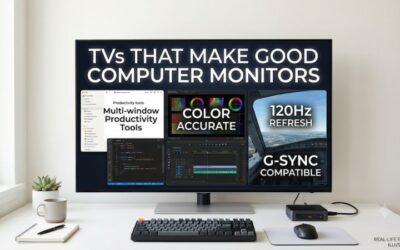
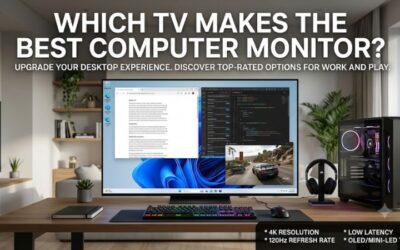
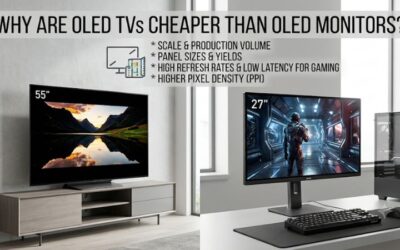
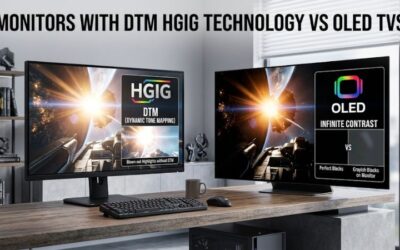
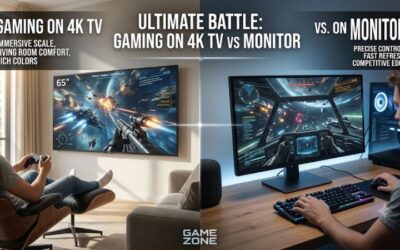
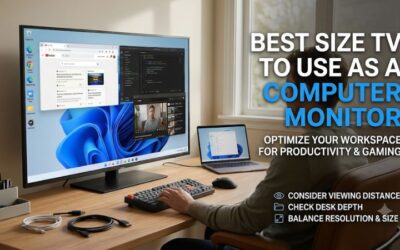
A television can be an affordable alternative to a traditional computer monitor when you want a larger screen for work, gaming, and entertainment. However, choosing the best budget tv for pc monitor use requires more than checking its 4K resolution or advertised gaming features. Text clarity, chroma 4:4:4 support, input lag, refresh rate, and panel layout all affect the desktop experience. This roundup focuses on four U.S. televisions priced or positioned below $500, with options for everyday computing, casual gaming, and larger-screen PC gaming.
- The best budget TV for PC monitor: Quick verdict
- How we selected these budget TVs for PC monitors
- The four best budget TVs for computer monitor use
- What makes a budget TV suitable for a PC monitor?
- How to choose the best budget TV for PC monitor use
- How to set up a television as a PC monitor
- Frequently asked questions
- Conclusion
The best budget TV for PC monitor: Quick verdict
The Vizio Mini LED Quantum 4K is the strongest overall choice for a budget PC display because its 43-inch configuration combines 4K resolution, proper chroma 4:4:4 support, and an RGB subpixel layout that helps preserve text clarity.
However, it is important to understand its refresh-rate limitations. The Vizio supports 4K at 60Hz and 1080p at 120Hz, not native 4K at 120Hz.
For players who want more gaming performance, the TCL QM6K provides a considerably faster native 4K refresh rate of 144Hz, while the Hisense U6SF adds a matte anti-reflective screen and Mini-LED backlighting.
The Hisense QD6QF is the cheapest option in this selection, but it makes more sense for basic desktop use and casual gaming than fast competitive gameplay.
This roundup uses $500 before sales tax as the working budget ceiling. Prices are U.S. retail snapshots checked on November 11, 2026, and can change by retailer, promotion, and screen size.
| Television | Best for | Native resolution and refresh | Observed U.S. price | Main limitation |
|---|---|---|---|---|
| Vizio Mini LED Quantum 4K, 43-inch | Best overall PC use | 4K, 60Hz | $218 | No 4K/120Hz |
| Hisense QD6QF, 43-inch | Lowest purchase cost | 4K, 60Hz | $199.99 | BGR text and slow motion |
| Hisense U6SF, 50-inch | Bright-room use | 4K, 144Hz | $399.99 | Noticeable motion blur |
| TCL QM6K, 55-inch | High-refresh PC gaming | 4K, 144Hz | $479.99 | Large size and BGR text |
The prices exclude sales tax. Retailer shipping, regional availability, and promotions may differ.
How we selected these budget TVs for PC monitors
A good television for PC use needs to satisfy requirements that ordinary television buyers may not consider important.
The first requirement is native 4K resolution. A 3840 × 2160 panel provides sufficient desktop space for multiple windows, large spreadsheets, and detailed gaming environments.
The second requirement is chroma 4:4:4. This preserves full color information at the pixel level and helps prevent small text and colored interface elements from appearing blurry.
The third requirement is suitable gaming performance. Refresh rate, response time, input lag, and variable refresh rate support should all be considered separately.
We also evaluated panel technology and screen size. A 43-inch television is already considerably larger than a conventional desktop monitor, while a 55-inch model generally requires a deeper workspace or a couch-distance setup.
Independent testing from RTINGS provides evidence about text clarity, response behavior, input lag, and supported display modes. Manufacturer documentation confirms model numbers and advertised specifications.
Four products are included because these are the options that offer sufficiently useful distinctions within the selected budget. Adding more televisions without reliable PC-specific testing would make the recommendations less useful.
The four best budget TVs for computer monitor use
Vizio Mini LED Quantum 4K VQM43C-1001: Best overall budget TV for PC use
The Vizio Mini LED Quantum 4K VQM43C-1001 is the most practical overall recommendation for buyers who prioritize everyday computer use alongside occasional gaming.
Its 43-inch LCD panel features native 3840 × 2160 resolution, a Mini-LED backlight, and quantum dot color technology. The television also supports HDR10, HDR10+, Dolby Vision, and HDMI VRR.
One of its most important advantages is its RGB subpixel arrangement.
Many televisions use BGR rather than conventional RGB pixel layouts. This can affect how Windows renders small text, especially when using applications with thin fonts or colored interface elements.
RTINGS tested the Vizio’s RGB layout and found that it helps produce clear text when connected to a PC. The television also displays chroma 4:4:4 correctly across its supported signal formats, making it a particularly attractive choice for desktop applications.
Its refresh-rate limitations deserve attention. The native panel refresh rate is 60Hz at 4K resolution, while 1080p at 120Hz is available. RTINGS found that the PC may need to force the 1080p/120Hz mode manually because the television does not always expose it as a standard supported PC resolution.
The display also supports HDMI VRR, and RTINGS found good input responsiveness. However, the slower pixel transitions create noticeable motion blur compared with more expensive gaming displays.
The specific 43-inch model is an IPS configuration. RTINGS tested the 65-inch version and reports that most findings also apply to the 43-inch model. The 50-inch version uses a VA panel instead, so buyers should not automatically assume identical viewing-angle and contrast characteristics across the range.
The observed Walmart price for the 43-inch VQM43C-1001 was $218 before sales tax.
Buy it if you want a relatively affordable 4K television with good PC text clarity for work, browsing, and casual gaming.
Skip it if you specifically require native 4K/120Hz gaming or minimal motion blur in competitive shooters.
For a budget television that also functions as a desktop display, the RGB subpixel arrangement is a more meaningful advantage than many entertainment-oriented marketing features.
Hisense QD6QF 43QD6QF: Best low-cost 4K TV for basic PC use
The Hisense 43QD6QF is an inexpensive option for buyers who mainly need a large 4K screen for everyday computing, streaming, and casual gaming.
This 43-inch television uses a VA LCD panel with native 3840 × 2160 resolution. It supports HDR10, HDR10+, and Dolby Vision, while the Fire TV interface provides access to popular streaming applications.
Best Buy listed the exact 43QD6QF configuration at $199.99 during the research period, making it one of the least expensive 4K televisions in this roundup.
Its strongest use case is basic productivity. You can connect a desktop computer through HDMI and use the television for web browsing, documents, online learning, and general entertainment.
However, the PC-specific limitations are substantial.
The panel uses a BGR subpixel arrangement instead of conventional RGB. Although the television accepts chroma 4:4:4 signals, the physical pixel layout can still affect text clarity in some applications.
This is an important distinction: 4:4:4 support does not automatically guarantee perfect Windows text rendering.
Gaming performance is also limited. The native refresh rate is 60Hz, and the television does not provide HDMI 2.1 bandwidth. RTINGS found that 1440p at 120Hz is supported, but the more widely used 1080p/120Hz mode does not work properly in its testing.
Another disadvantage is pixel response time. Despite having low input lag, the QD6QF exhibits noticeable motion blur, particularly in dark scenes where transitions are slow.
It also lacks local dimming, which limits its ability to display deep blacks and convincing HDR highlights.
RTINGS tested the 65-inch version rather than the exact 43-inch configuration, so its measured performance should be treated as evidence about the model family rather than a guarantee of identical results for every size.
Buy it if your budget is very tight and you mainly need a large 4K screen for static desktop tasks, browsing, and streaming.
Skip it if you spend long hours reading fine text or play fast-moving games regularly.
The QD6QF is a low-cost television that can connect to a PC, but its compromises make the Vizio a more convincing desktop-oriented choice when the price difference is manageable.
RTINGS.com+4
Hisense U6SF 50U6SF: Best budget TV for bright-room PC use
The Hisense U6SF offers more advanced display features than the entry-level QD6QF, particularly for people who use their computers in moderately bright rooms.
The exact 50U6SF configuration is a 50-inch Mini-LED television with native 3840 × 2160 resolution. Hisense specifies a 144Hz native refresh rate, variable refresh rate support, AMD FreeSync Premium, and Dolby Vision.
One of its biggest advantages is the matte anti-reflective finish. Unlike glossy televisions that can show distracting reflections from windows and lamps, the U6SF reduces the intensity of direct reflections.
This makes it more practical for daytime computer use when controlling room lighting is difficult.
Its gaming connectivity is also impressive for this price category. RTINGS confirms HDMI 2.1 bandwidth on two of its four inputs, 4K/144Hz operation, and a boosted 1080p/240Hz mode.
The television also displays chroma 4:4:4 correctly across supported signal formats, helping preserve the underlying color information needed for PC text.
However, its panel uses a BGR subpixel layout, which can reduce text clarity compared with the Vizio’s RGB configuration.
Motion performance is the more serious limitation.
RTINGS found extremely low input lag in Game Mode, but slow pixel transitions cause substantial motion blur. This means that mouse and controller inputs can feel responsive while moving objects still appear blurry.
The local dimming system improves contrast, but its limited zone precision can create halos around small bright highlights and subtitles. RTINGS also observed uneven screen uniformity.
Best Buy listed the 50U6SF at $399.99 during the research period, excluding applicable sales tax.
Buy it if glare reduction, Mini-LED contrast, 4K resolution, and high-refresh input modes matter more than perfect motion clarity.
Skip it if you primarily play competitive shooters or need exceptionally sharp small text throughout the working day.
The U6SF is an interesting feature-rich television, but its slow response behavior means buyers should not mistake the 144Hz specification for the motion performance of a good dedicated gaming monitor.
TCL QM6K 55QM6K: Best high-refresh budget TV for PC gaming
The TCL QM6K is the most interesting option for buyers who want a television that can handle more demanding PC gaming.
Its 55-inch QD-Mini LED panel features native 3840 × 2160 resolution and a 144Hz refresh rate.
Unlike the Vizio and Hisense QD6QF, the QM6K can support native 4K at 144Hz through its high-bandwidth HDMI 2.1 connections.
The television also supports a boosted 1080p/288Hz mode through TCL’s Game Accelerator functionality. This is a separate lower-resolution mode, not native 4K/288Hz output.
Other gaming features include AMD FreeSync Premium Pro, variable refresh rate, Auto Low Latency Mode, Dolby Vision, and HDR10+.
TCL’s QD-Mini LED backlight uses local dimming to improve contrast and HDR presentation. The 55-inch version is currently listed at $479.99 on TCL’s U.S. storefront, before sales tax.
For couch-distance gaming, this is a substantial specification advantage over conventional 60Hz budget televisions.
However, the QM6K is less attractive as a close-up productivity monitor.
RTINGS found that its VA panel uses a BGR subpixel layout, which can affect text clarity. Its response time is also only moderate, with noticeable motion blur during some darker transitions.
The physical size is another consideration. At 55 inches, this television is much larger than the typical desktop monitor. It may work on a deep workstation, but it is often more comfortable when mounted on a wall or used from a couch.
Its viewing angles are also limited compared with IPS displays, making it less suitable when several people need to view the screen from different positions.
Buy it if you want a large 4K gaming display with 144Hz native refresh and HDMI 2.1 bandwidth without moving into premium OLED pricing.
Skip it if your priority is reading small text at close range, using a compact desk, or getting the clearest possible motion in competitive games.
For a living-room gaming PC or a workstation positioned farther from the screen, the QM6K offers considerably more refresh-rate flexibility than the cheaper 4K/60Hz alternatives.
What makes a budget TV suitable for a PC monitor?
Not every inexpensive 4K television is a good PC display. Several characteristics should be checked before purchasing, especially when the television will be used for more than watching movies.
Chroma 4:4:4 support is important for text clarity
Chroma subsampling reduces the amount of color information transmitted in a video signal.
Televisions sometimes use 4:2:2 or 4:2:0 formats to reduce bandwidth requirements. These formats are generally suitable for video content but can make computer text appear less sharp.
For desktop use, chroma 4:4:4 is preferable because it preserves full chroma information for each pixel.
However, the physical subpixel arrangement matters too. A television can accept 4:4:4 correctly while still displaying less-than-perfect text because it uses BGR, WRGB, or another nonstandard arrangement.
This explains why the Vizio is particularly attractive for PC use: its tested RGB layout complements its 4:4:4 signal support.
Native refresh rate matters more than marketing terminology
Television manufacturers often advertise motion-related numbers that are not equivalent to the panel’s native refresh rate.
For example, Motion Rate, Clear Action, and Game Accelerator refer to different features or processing methods.
A television advertised with a Motion Rate of 240 is not necessarily a native 240Hz display.
Always check the manufacturer’s actual panel refresh rate and the maximum supported resolution at that rate.
For example:
| TV | Native 4K refresh | Additional gaming mode |
|---|---|---|
| Vizio VQM43C-1001 | 60Hz | 1080p/120Hz |
| Hisense 43QD6QF | 60Hz | 1440p/120Hz |
| Hisense 50U6SF | 144Hz | 1080p/240Hz |
| TCL 55QM6K | 144Hz | 1080p/288Hz |
These operating modes are not interchangeable. A reduced-resolution high-refresh mode may be less attractive for desktop work than native 4K at 60Hz.
Understand input lag and pixel response time
Input lag describes the delay between a computer sending a frame and the display showing the result.
Pixel response time measures how quickly individual pixels transition between colors.
These are separate measurements.
A television can have low input lag but still exhibit noticeable ghosting because its pixels take too long to complete certain transitions.
This is particularly important for budget VA displays, where dark-to-dark and dark-to-bright transitions can be relatively slow.
Independent reviews are therefore more useful than a manufacturer’s advertised 1ms or 2ms response-time claim.
Consider panel technology
Budget televisions commonly use IPS or VA LCD panels, although Mini-LED backlighting is increasingly available in inexpensive models.
IPS generally provides wider viewing angles and can be attractive for desktop setups where the screen is viewed from different positions.
VA panels typically offer better native contrast, which helps with darker images in dim rooms. Their main disadvantage is that some models exhibit dark-scene smearing.
Mini-LED uses many small backlight zones to improve contrast and HDR brightness. However, blooming around bright details can still be visible.
OLED offers much better pixel-level black control, but inexpensive models are less common, and burn-in remains an ownership consideration for static desktop content.
Choose a screen size that fits the desk
A 43-inch television may seem convenient compared with a smaller gaming monitor, but it still requires substantial desk space.
A 43-inch 16:9 screen is approximately 37.5 inches wide. A 50-inch screen is approximately 43.6 inches wide, while a 55-inch television is approximately 47.9 inches wide.
These measurements exclude the stand and surrounding frame.
Consider the distance between your eyes and the screen. A television that feels immersive from a couch may be uncomfortable when sitting two feet away at a desk.
For a conventional desktop arrangement, 43 inches is already a relatively large display. The 50-inch and 55-inch options are usually more suitable for deeper desks or room-based setups.
How to choose the best budget TV for PC monitor use
Start by deciding whether your main use is productivity, casual gaming, or high-refresh PC gaming.
If you primarily work with documents, spreadsheets, and browsers, prioritize text clarity and RGB subpixel layout. The Vizio is the strongest recommendation in this selection because its 43-inch panel offers clear PC text and native 4K resolution.
If gaming is more important, check the supported resolution and refresh-rate combinations. The TCL QM6K offers native 4K/144Hz, while the Vizio is limited to 4K/60Hz.
If your workspace is bright, consider a matte screen. The Hisense U6SF reduces reflections effectively, although its motion performance is a meaningful compromise.
It is also important to check the available ports.
HDMI 2.1 bandwidth is useful for higher refresh rates, but not every HDMI connection labeled 2.1 supports the maximum bandwidth needed for 4K high-refresh gaming.
Check whether the TV supports:
-
4K at 120Hz or higher.
-
Chroma 4:4:4 at the desired desktop resolution.
-
HDMI VRR or FreeSync.
-
Auto Low Latency Mode.
-
The refresh rate you intend to use on each input.
A suitable cable is also required. Use a certified cable with sufficient bandwidth for the resolution and refresh rate you want.
How to set up a television as a PC monitor
After connecting the television to your PC, configure the display rather than relying on default television settings.
Enable PC mode and Game Mode
Open the television’s input settings and identify the HDMI port connected to your graphics card.
If the television offers PC input labeling, enable it. This may help preserve proper chroma and reduce unnecessary image processing.
For gaming, activate Game Mode or the equivalent low-latency option.
Disable overscan, excessive sharpening, and motion interpolation when using the television for computer output. These features can make text appear unnatural or introduce additional processing delay.
Set the native resolution and refresh rate in Windows
Open Windows Settings, select System, and then open Display.
Choose the connected television and set its resolution to 3840 × 2160 when using a 4K model.
Next, open Advanced Display and select the highest refresh rate supported at the chosen resolution.
Do not assume that a television advertising 120Hz or 144Hz will automatically use that setting after connecting your PC.
Configure the color output
Open the NVIDIA, AMD, or Intel graphics control panel.
Where supported, select RGB output, full dynamic range, and the appropriate chroma configuration.
Check that the television receives a 4:4:4 signal at the selected resolution.
Then inspect small text in a browser or document. Colored edges around letters, fuzzy borders, and unusual sharpness can indicate an incorrect signal format or a subpixel-layout limitation.
Test actual gaming behavior
Open a game and check for screen tearing, flickering, excessive motion blur, and unexpected signal loss.
Enable VRR when supported by both the GPU and television.
A television with low input lag but slow pixel transitions may still produce distracting blur during fast gameplay. Do not assume that selecting a higher refresh rate automatically solves this problem.
Frequently asked questions
Can a cheap 4K TV replace a computer monitor?
Yes. A suitable 4K television can replace a monitor for many desktop tasks, streaming, and casual gaming.
However, prioritize chroma 4:4:4, RGB subpixel layout, suitable screen size, and low input lag to avoid common desktop-display problems.
Is a 43-inch TV too big for a computer desk?
It depends on the desk depth and your viewing distance. A 43-inch television can work well with a deeper desk, but it may feel overwhelming when positioned close to your eyes.
For smaller desks, a conventional 27-inch monitor is usually easier to accommodate.
Is 4K at 60Hz good enough for PC use?
Yes. Native 4K/60Hz is sufficient for browsing, office work, video editing, streaming, and many casual games.
However, competitive gaming benefits from higher refresh rates, so 4K/120Hz or higher is preferable when your GPU and budget support it.
Does a TV need HDMI 2.1 to work as a PC monitor?
No. HDMI 2.0 supports 4K/60Hz, which is adequate for many desktop tasks.
HDMI 2.1 becomes more important when you want 4K high-refresh gaming and additional bandwidth for VRR and compatible display modes.
Is a Mini-LED TV good for computer use?
Mini-LED can be a good choice because it improves backlight control and HDR performance compared with conventional LCD televisions.
However, its local dimming zones can create blooming around bright objects, and its panel type and subpixel layout still determine text clarity.
Should I buy a TV or a dedicated gaming monitor?
Choose a television when you want a larger screen, built-in streaming applications, and a shared entertainment display.
Choose a dedicated monitor when you prioritize close-range text clarity, adjustable positioning, fast pixel transitions, and a more compact desk setup.
Conclusion
The Vizio Mini LED Quantum 4K VQM43C-1001 is the strongest overall recommendation for buyers who want an affordable 4K television that works well as a PC display. Its RGB subpixel arrangement, proper 4:4:4 support, and relatively compact 43-inch size make it particularly practical for everyday desktop use.
The Hisense QD6QF is the cheaper option for basic computing and entertainment, while the Hisense U6SF provides better glare handling and more advanced gaming specifications at the cost of slower motion performance.
For buyers who want native 4K high-refresh gaming, the TCL QM6K offers the strongest feature set in this selection, although its 55-inch size and BGR text layout make it less suitable for close-up productivity.
The important point is to evaluate a television as a computer display rather than buying it solely for its entertainment specifications. Text clarity, supported refresh modes, input lag, and viewing distance determine whether an inexpensive television becomes a useful desktop display or an uncomfortable compromise.