
Choosing what are some good gaming monitors becomes easier when you match the display to your graphics card, favorite games, desk space, and budget. Some players need a responsive 1080p screen for competitive shooters, while others want 4K OLED image quality, high refresh rates, or an ultrawide display for immersive adventures. These seven recommendations cover different gaming priorities, using manufacturer specifications and independent testing to explain where each monitor makes sense and what compromises to expect.
- What are some good gaming monitors for different gaming setups?
- How we selected these gaming monitors
- Individual gaming monitor recommendations
- How to choose after asking what are some good gaming monitors
- Compatibility checks before buying
- Common mistakes when choosing a gaming monitor
- Frequently asked questions
- Conclusion
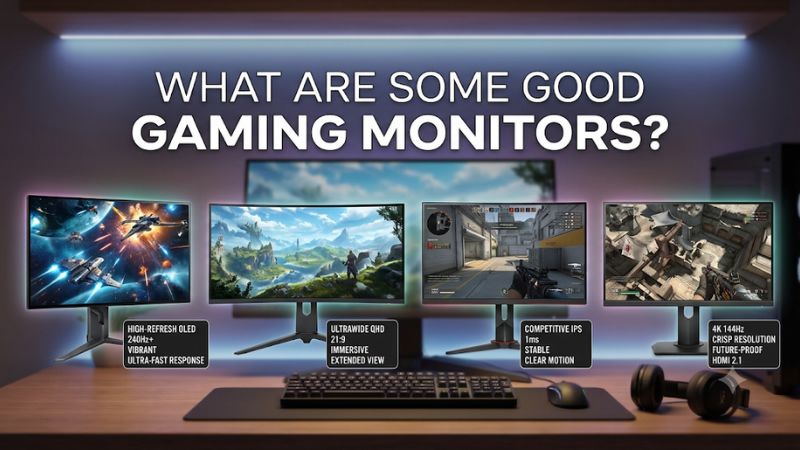
What are some good gaming monitors for different gaming setups?
There is no single monitor that works best for every PC gamer. A 32-inch 4K OLED screen can produce spectacular visuals, but it is expensive and requires a powerful graphics card to take full advantage of its resolution and refresh rate. A 24-inch 1080p IPS display may be a much more sensible purchase for someone playing competitive games on an entry-level graphics card.
The following models offer distinct combinations of image quality, responsiveness, resolution, and price positioning.
| Monitor | Best for | Resolution | Maximum refresh rate | Panel |
|---|---|---|---|---|
| ASUS ROG Swift OLED PG32UCDM Gen3 | Best overall | 4K | 240Hz | Tandem QD-OLED |
| LG UltraGear 32GS95UE-B | Best dual-mode gaming | 4K / 1080p | 240Hz / 480Hz | WOLED |
| ASUS ROG Swift OLED PG34WCDN | Best ultrawide | 3440 × 1440 | 360Hz | Tandem QD-OLED |
| MSI MAG 274QPF X30MV | Best high-refresh Mini-LED | 1440p | 300Hz | Rapid VA |
| AOC Q27G3XMN | Best accessible HDR gaming | 1440p | 180Hz | VA Mini-LED |
| ASUS ROG Strix XG27ACS | Best everyday 1440p | 1440p | 180Hz | Fast IPS |
| Dell SE2426HGS | Best entry-level esports | 1080p | 240Hz | IPS |
These recommendations are based on different purchasing priorities rather than a simple ranking by maximum refresh rate. The ASUS PG32UCDM Gen3 is the strongest all-around premium option, while the Dell SE2426HGS is a more practical choice for buyers who want high-refresh gaming without investing in an expensive graphics card.
How we selected these gaming monitors
The selection process considers manufacturer specifications, independent performance testing, practical features, and the intended gaming audience.
The first requirement is a clearly identified retail model. Similar product names can hide substantial differences in resolution, panel technology, refresh rates, and connectivity. For example, the original ASUS PG32UCDM is not the same monitor as the 2026 PG32UCDM Gen3, even though they belong to the same product family.
The second requirement is useful gaming performance. Refresh rate, response time, input lag, variable refresh rate support, and display technology all affect the experience. Where independent measurements are available, they take priority over advertised response-time figures.
We also consider the graphics hardware required to use each monitor effectively. A 4K 240Hz display is not automatically a sensible upgrade for a computer that struggles to maintain 60 FPS at 1440p.
The testing information comes primarily from RTINGS, with manufacturer documentation used to confirm exact specifications and features. RTINGS reports using specialized equipment to measure display performance rather than relying exclusively on subjective impressions.
No first-hand testing is claimed for this roundup. Actual prices and retailer availability can change, so the recommendations focus on product characteristics instead of temporary promotions.
Individual gaming monitor recommendations
ASUS ROG Swift OLED PG32UCDM Gen3: Best overall gaming monitor
The ASUS ROG Swift OLED PG32UCDM Gen3 is an excellent choice for gamers who want high-end image quality without sacrificing refresh rate. Its 31.5-inch Tandem QD-OLED panel combines 3840 × 2160 resolution with a 240Hz refresh rate.
This combination is particularly attractive for players who enjoy visually demanding single-player games but also play competitive multiplayer titles. The 4K resolution provides detailed environments, while OLED technology produces individually controlled pixels instead of relying on a conventional backlight.
The panel’s near-instantaneous pixel response also helps maintain clear motion during fast gameplay. RTINGS’ testing found sharp motion throughout its refresh-rate range, low input lag for the most part, and strong HDR performance.
Connectivity is another reason to consider this model. ASUS includes DisplayPort 2.1a with full 80Gbps UHBR20 bandwidth, HDMI 2.1, and USB-C with up to 90W Power Delivery. It also includes Dolby Vision support, a KVM switch, and OLED Care Pro features.
The BlackShield coating is an additional improvement over older QD-OLED generations. ASUS designed it to improve scratch resistance and maintain better perceived black levels in brighter environments.
However, this is a premium monitor that deserves a powerful graphics card. Running modern games at native 4K and consistently reaching 240 FPS is demanding, even for high-end GPUs.
There are also OLED-specific limitations. RTINGS identifies elevated black levels in bright rooms, possible text fringing, and the long-term risk of burn-in with repeated exposure to static interface elements.
Buy it if you want an all-around premium display for 4K gaming, HDR, and high-refresh PC use.
Skip it if your computer cannot take advantage of 4K or you primarily need an inexpensive competitive gaming screen.
ASUS listed the Gen3 model at $1,299 on its U.S. product page when researched on November 11, 2026.
LG UltraGear 32GS95UE-B: Best dual-mode gaming monitor
The LG UltraGear 32GS95UE-B is particularly interesting because it solves a problem faced by players who enjoy both cinematic games and competitive esports.
Its 32-inch OLED panel supports two operating modes: 3840 × 2160 at 240Hz and 1920 × 1080 at 480Hz. This dual-mode functionality allows players to prioritize visual detail in demanding single-player titles or switch to a higher refresh rate when playing fast competitive games.
The monitor uses LG’s WOLED technology with Micro Lens Array+ technology. Its individually illuminated pixels provide deep blacks, high native contrast, and vibrant image quality without the conventional backlight limitations of LCD displays.
LG also specifies a 0.03ms gray-to-gray response time, DisplayHDR True Black 400 support, and compatibility with both NVIDIA G-SYNC and AMD FreeSync Premium Pro.
HDMI 2.1 connectivity makes it useful for current gaming consoles as well as desktop PCs. The adjustable stand supports height, tilt, and pivot adjustments, providing more flexibility than basic monitor stands.
The biggest advantage is the ability to change the display’s priorities without purchasing two separate monitors. At 4K 240Hz, players can enjoy detailed visuals. At 1080p 480Hz, competitive players can prioritize frame delivery and motion.
However, the resolution reduction is substantial. The 1080p mode uses fewer pixels, so the image will not have the same fine detail as native 4K. It also cannot guarantee that a PC will produce 480 FPS in demanding games.
RTINGS found excellent motion handling and low input lag, but also observed noticeable VRR flicker in dark scenes when frame rates fluctuate. This is worth considering if your gaming performance changes frequently during gameplay.
Buy it if you regularly switch between competitive shooters and visually demanding games.
Skip it if you want a conventional 1440p display or do not need the additional 480Hz mode.
The LG 32GS95UE-B remains a distinctive option because few large-format OLED gaming monitors combine native 4K 240Hz and Full HD 480Hz operation in the same product.
ASUS ROG Swift OLED PG34WCDN: Best ultrawide gaming monitor
The ASUS ROG Swift OLED PG34WCDN is designed for gamers who want a wider field of view and a more immersive desktop experience.
It features a 34-inch curved display with a 1800R curvature and a resolution of 3440 × 1440. Its 21:9 aspect ratio provides considerably more horizontal workspace than a traditional 16:9 monitor.
The panel uses fifth-generation Tandem RGB QD-OLED technology and supports a 360Hz refresh rate. This makes it more than an ultrawide display for cinematic gaming; it also offers substantial refresh-rate headroom for competitive PC titles.
One interesting improvement is its RGB Stripe subpixel arrangement. Earlier generations of QD-OLED displays used triangular subpixel layouts, which could produce visible text-fringing issues. The newer arrangement is designed to improve text clarity.
ASUS also includes its BlackShield film, OLED Care Pro, and a Neo Proximity Sensor. The proximity sensor can switch the screen off when the user moves away, helping reduce exposure to static elements and the associated burn-in risk.
Connectivity is particularly comprehensive. You get DisplayPort 2.1a with 80Gbps bandwidth, HDMI 2.1, and USB-C with 90W Power Delivery. The monitor also supports KVM functionality, making it useful for users who switch between a gaming desktop and another computer.
RTINGS’ testing found excellent motion handling, low input lag, and strong HDR image quality. The RGB Stripe panel also makes it more attractive for users who combine gaming with everyday desktop work.
There are practical limitations. First, ultrawide games need sufficient graphics performance because 3440 × 1440 contains more pixels than standard 2560 × 1440. Second, not every game handles 21:9 displays correctly. Some titles use black bars, restrict the interface, or do not support ultrawide resolutions.
Its $1,299 ASUS Store price also places it firmly in the premium category as of the research date.
Buy it if you enjoy racing games, role-playing games, simulation titles, and immersive PC gaming.
Skip it if you primarily play console games or prefer a standard 16:9 screen.
MSI MAG 274QPF X30MV: Best high-refresh Mini-LED gaming monitor
The MSI MAG 274QPF X30MV is a distinctive option for players who want both high refresh rates and strong HDR performance without moving directly into an expensive OLED category.
It uses a 27-inch Rapid VA panel with a native resolution of 2560 × 1440 and a 300Hz refresh rate. The display combines quantum dot technology with Mini-LED backlighting and 1,152 local dimming zones.
This combination offers advantages that ordinary IPS displays do not necessarily provide. Mini-LED backlighting can control different areas of the screen independently, making it possible to produce brighter highlights and deeper dark regions in HDR content.
MSI lists VESA DisplayHDR 1000 certification, a 4500:1 typical contrast ratio, and up to 1,000 nits of HDR peak brightness. Its connectivity includes two HDMI 2.1 ports and one DisplayPort 1.4a connection.
The 300Hz refresh rate is an important attraction for competitive players who prefer 1440p over 1080p. It also provides a useful balance for users who switch between fast multiplayer games and visually demanding titles.
RTINGS found low input lag and fast response behavior, making the monitor suitable for gaming at its maximum refresh rate. Its HDR image quality also benefits from Mini-LED local dimming.
The main compromise is the Rapid VA panel. RTINGS observed black smearing in dark scenes, particularly when fast-moving objects appear against dark backgrounds. Some haloing around bright objects is also visible because local dimming operates through zones rather than individual pixels.
VRR flicker can also become distracting when frame rates fluctuate in dark scenes.
Buy it if you want a high-refresh 1440p monitor with meaningful HDR capability.
Skip it if you prioritize perfectly clean dark-scene motion or require the pixel-level lighting control of OLED.
It is an interesting alternative for gamers who want more HDR capability than a conventional IPS panel while retaining a high refresh rate.
AOC Q27G3XMN: Best accessible HDR gaming monitor
The AOC Q27G3XMN is a sensible recommendation for gamers who want to experience Mini-LED HDR without immediately paying flagship OLED prices.
It features a 27-inch VA panel with 2560 × 1440 resolution and a maximum refresh rate of 180Hz. Its Mini-LED backlight uses 336 local dimming zones, allowing it to control screen brightness more precisely than a traditional edge-lit LCD.
AOC specifies VESA DisplayHDR 1000 certification, a 4000:1 static contrast ratio, and Adaptive-Sync support. The manufacturer also lists a 1ms gray-to-gray response time, although this is a specification rather than an independently verified result for every refresh-rate setting.
The monitor’s contrast performance is particularly useful for darker games. Its VA panel provides relatively deep native blacks, while local dimming helps highlights stand out in compatible HDR content.
RTINGS’ independent testing found low input lag, fast overall response behavior, and effective Mini-LED local dimming. It also found some dark-scene smearing and VRR flicker when frame rates change.
Connectivity is the most important limitation for console buyers. The display includes DisplayPort 1.4 and HDMI 2.0 rather than HDMI 2.1. It therefore cannot take full advantage of the current PS5 and Xbox Series X|S 4K/120Hz feature set.
For a desktop gaming PC using DisplayPort, this is less restrictive. However, buyers should still verify the refresh rate supported by the exact input they plan to use.
The Q27G3XMN also has an ergonomic stand with height adjustment, swivel, and pivot functionality, which makes it more practical for a mixed gaming and productivity setup.
Buy it if you want an accessible 1440p Mini-LED display for PC gaming and HDR.
Skip it if console HDMI 2.1 support or consistently clean VA motion handling is essential.
The important advantage is its combination of resolution, refresh rate, and local dimming at a more accessible product tier than flagship OLED displays.
ASUS ROG Strix XG27ACS: Best everyday 1440p IPS monitor
The ASUS ROG Strix XG27ACS is a more straightforward recommendation for someone who wants a versatile 1440p gaming monitor without moving to OLED or Mini-LED technology.
Its 27-inch Fast IPS panel has a native resolution of 2560 × 1440 and a refresh rate of 180Hz. This is a useful combination for modern gaming systems because it offers more detail than Full HD without imposing the same rendering demands as 4K.
ASUS specifies a 1ms gray-to-gray response time and includes Extreme Low Motion Blur Sync, which can combine backlight strobing with variable refresh rate functionality.
The monitor also supports G-SYNC compatibility and includes USB-C with DisplayPort Alt Mode. This makes it more convenient for users who want to connect different devices through the same display.
RTINGS’ independent review found sharp motion across the supported refresh-rate range, low input lag, and support for common VRR formats.
Its biggest disadvantage is image contrast. The IPS panel does not have a local dimming system, so blacks can appear gray in dark rooms. Its HDR performance is also limited compared with OLED and Mini-LED options.
ASUS listed the XG27ACS at $229 on its U.S. product page when researched on November 11, 2026. This places it in a more accessible category than the premium OLED recommendations.
Buy it if you want a balanced 1440p IPS display for gaming, productivity, and general desktop use.
Skip it if deep blacks, impressive HDR highlights, or 240Hz-plus competitive gaming are your main priorities.
For many users upgrading from a basic 60Hz monitor, its combination of QHD resolution, 180Hz refresh rate, and useful connectivity is a practical improvement.
Dell SE2426HGS: Best entry-level esports monitor
The Dell SE2426HGS is the most practical recommendation for someone who prioritizes refresh rate and responsiveness over high resolution or advanced HDR.
It uses a 23.8-inch IPS panel with 1920 × 1080 resolution and a native refresh rate of 240Hz. The relatively small screen size is appropriate for competitive gaming because players can see the entire display without moving their eyes as far as they might on a much larger monitor.
Dell lists AMD FreeSync Premium support, a 300-nit typical brightness, and 99% sRGB coverage. The display also includes HDMI connectivity and an adjustable stand with height, swivel, and tilt functionality.
RTINGS found that the monitor delivers good overall motion handling, low input lag, and support for common variable-refresh-rate formats. Its response behavior makes it a reasonable choice for competitive titles when the graphics card can produce high frame rates.
However, the display is not designed to deliver especially impressive HDR or cinematic picture quality. Its native contrast is limited, blacks can look gray, and bright highlights lack the impact of Mini-LED or OLED displays.
It is also a smaller-resolution option than the 1440p alternatives in this roundup. A 24-inch 1080p display is practical for fast multiplayer gaming but less appealing for someone who wants detailed open-world environments or additional desktop space.
Dell’s U.S. store listed the SE2426HGS at $99.99 on November 11, 2026, making it an especially interesting choice for buyers working with a restrictive budget.
Buy it if your main games are Valorant, Counter-Strike 2, Fortnite, or other competitive titles.
Skip it if you prefer large displays, 1440p image detail, or strong HDR performance.
For an inexpensive transition away from a conventional 60Hz office monitor, the Dell offers a clear gaming-focused specification advantage.
How to choose after asking what are some good gaming monitors
The best monitor depends on the relationship between resolution, refresh rate, panel technology, and your computer’s capabilities. Spending more on a display does not necessarily improve your gaming experience if your graphics card cannot deliver the frames needed to use it.
Choose the correct resolution for your graphics card
Resolution determines how many pixels the GPU must render for each frame.
Full HD, or 1920 × 1080, is the easiest starting point for an inexpensive gaming system. It is especially practical for esports titles where high frame rates matter more than fine visual detail.
Quad HD, or 2560 × 1440, is a popular middle ground. It delivers sharper images than Full HD without demanding as much rendering performance as 4K.
Ultra HD, or 3840 × 2160, is the preferred choice for players who have powerful GPUs and prioritize detailed environments, high-quality textures, and cinematic presentation.
A simple guide looks like this:
| Resolution | Suitable display size | Recommended gaming audience |
|---|---|---|
| 1080p | 24–25 inches | Entry-level and competitive gaming |
| 1440p | 27 inches | Mainstream and enthusiast PC gaming |
| 4K | 27–32 inches | High-end gaming and detailed visuals |
| 3440 × 1440 | 34 inches | Immersive ultrawide gaming |
These are practical recommendations, not strict compatibility limits. You can run 1080p on a larger monitor, for example, but image sharpness may be less attractive when sitting close to the screen.
Understand why refresh rate matters
Refresh rate measures how frequently a monitor can update its image each second.
A 60Hz display updates up to 60 times per second, while a 144Hz display can update up to 144 times per second. A 240Hz or 360Hz monitor provides even more display refresh opportunities.
Higher refresh rates are particularly useful in fast games because they can make mouse movement, camera movement, and moving objects appear smoother.
However, your GPU must produce enough frames to use the additional refresh-rate capacity. A 240Hz monitor does not automatically make a game run at 240 FPS.
For most mainstream players, 144Hz to 180Hz is already a substantial improvement over 60Hz. Higher rates make more sense when you play competitive games and have a computer capable of producing consistently high frame rates.
Understand IPS, VA, and OLED technologies
The panel technology influences image quality, contrast, and motion behavior.
IPS panels are versatile and generally provide consistent viewing angles. They are good choices for gaming, work, and everyday computing. Their main limitation is relatively modest native contrast compared with VA and OLED panels.
VA displays typically offer higher native contrast. They are particularly attractive for darker gaming environments, although some models exhibit noticeable dark-transition smearing.
OLED displays control each pixel independently. This provides extremely deep blacks, excellent contrast, and fast pixel transitions. However, OLED displays have a long-term burn-in risk, particularly when static desktop elements remain visible for extended periods.
Mini-LED is a backlighting technology used in LCD monitors. It divides the backlight into many dimming zones, improving HDR brightness and contrast. However, individual zones cannot control light as precisely as individual OLED pixels, so bright objects against dark backgrounds can produce halos.
There is no universally superior panel technology. Choose according to the types of games you play and the conditions in which you use your computer.
Check response time and input lag separately
Response time and input lag describe different parts of the gaming experience.
Response time measures how quickly pixels change between colors. Slow transitions can create ghosting, especially in dark scenes and fast-moving games.
Input lag describes the delay between sending an input and seeing the corresponding result on the screen.
A monitor can have fast pixel transitions but still introduce more processing delay than expected. Likewise, a low-input-lag display may still suffer from noticeable ghosting.
Independent testing is more useful than relying exclusively on an advertised 1ms or 0.03ms specification. Marketing measurements may use specific overdrive modes or ideal conditions that do not represent the monitor’s performance across its entire refresh-rate range.
Compatibility checks before buying
A good display is only useful when your PC or console can drive it properly.
Before ordering, check the following:
-
Graphics card outputs: Confirm that your GPU has the HDMI or DisplayPort connection needed by the monitor.
-
Bandwidth: Verify that the selected cable and connection support the desired resolution, refresh rate, color depth, and HDR mode.
-
VRR support: Check compatibility with NVIDIA G-SYNC, AMD FreeSync, or the monitor’s documented Adaptive-Sync implementation.
-
Desk dimensions: Make sure the screen and stand fit the available space. A 34-inch ultrawide occupies considerably more horizontal desk space than a standard 27-inch display.
-
GPU performance: Compare your hardware’s expected gaming performance with the resolution and refresh rate you intend to use.
-
Ergonomics: Consider height adjustment, tilt, swivel, pivot, and VESA mounting compatibility.
HDMI 2.1 and DisplayPort 2.1 are not universal requirements for every gaming monitor. A 1080p 240Hz display may work perfectly well with a suitable older interface.
The important question is whether the complete connection supports the monitor’s desired operating mode, not whether its port has the newest version number.
For example, the AOC Q27G3XMN is suitable for PC gaming over DisplayPort, but its HDMI 2.0 connections limit its usefulness for modern console features compared with an HDMI 2.1 display.
Similarly, a 4K 240Hz OLED monitor can benefit from high-bandwidth DisplayPort connections, especially when paired with a current-generation graphics card.
Common mistakes when choosing a gaming monitor
One common mistake is buying a display based entirely on its maximum refresh rate.
A 360Hz monitor is not automatically better for every player than a well-balanced 1440p 180Hz display. The actual gaming experience also depends on pixel response, input lag, contrast, and the graphics card’s ability to generate frames.
Another mistake is choosing 4K without considering GPU performance. A detailed 4K display can look excellent, but if your computer struggles to maintain acceptable frame rates, you may spend more money for an experience that feels less responsive.
It is also easy to underestimate the importance of screen size and desk distance. A 32-inch monitor can be excellent for immersive gaming, but someone sitting very close to a smaller desk may prefer a 27-inch model.
Finally, do not treat HDR certification as proof of excellent HDR performance. Real-world HDR quality depends on brightness, contrast, black levels, local dimming, and color reproduction.
The AOC and MSI Mini-LED monitors offer different strengths and limitations from OLED models. Their local dimming systems improve highlights but can produce blooming around bright objects. OLED avoids that particular limitation but introduces different ownership considerations.
The best purchase is the monitor that performs well in the games you actually play rather than the one with the most impressive specification sheet.
Frequently asked questions
What is the best gaming monitor for most PC gamers?
The ASUS ROG Swift OLED PG32UCDM Gen3 is an excellent premium all-around choice because it combines 4K resolution, 240Hz refresh, QD-OLED picture quality, and modern connectivity.
For buyers who do not need premium OLED technology, the ASUS ROG Strix XG27ACS is a more accessible 1440p alternative.
Is a 144Hz monitor still good for gaming?
Yes. A 144Hz display remains a useful gaming monitor, especially for someone upgrading from a 60Hz screen.
Many mainstream gaming PCs can take advantage of 144Hz or 180Hz without requiring the extreme frame rates associated with 300Hz or 360Hz displays.
Is 4K better than 1440p for gaming?
4K provides more image detail, but 1440p requires less rendering performance.
If you have a powerful graphics card and prioritize image quality, 4K is attractive. If you prefer higher frame rates and a more accessible system requirement, 1440p is often the better balance.
Are OLED gaming monitors worth the extra money?
OLED monitors are worth considering when you value excellent contrast, deep blacks, vibrant colors, and very fast pixel transitions.
However, they cost more than many conventional IPS and VA displays and require awareness of burn-in prevention features.
Should I buy a curved or flat gaming monitor?
Flat monitors are versatile and work well for most screen sizes and gaming genres.
Curved displays are particularly appealing for ultrawide gaming because they help keep the wider screen within a more comfortable viewing angle.
The choice is mostly a matter of screen size, viewing distance, and personal preference.
Conclusion
The best gaming monitor depends on your hardware, games, and preferred visual experience.
The ASUS ROG Swift OLED PG32UCDM Gen3 is the strongest premium all-around recommendation, while the LG UltraGear 32GS95UE-B offers an unusual advantage with its dual 4K 240Hz and 1080p 480Hz modes.
For ultrawide gaming, the ASUS PG34WCDN combines immersive proportions with a 360Hz QD-OLED panel. The MSI MAG 274QPF X30MV and AOC Q27G3XMN provide Mini-LED HDR alternatives, while the ASUS ROG Strix XG27ACS offers a balanced 1440p IPS experience.
Finally, the Dell SE2426HGS is a practical choice for players who want an affordable 1080p 240Hz display.
You do not need the most expensive monitor to enjoy PC gaming. Choose the resolution and refresh rate your graphics card can support, prioritize the features that matter in your games, and avoid paying extra for specifications you will rarely use.









