Choosing the right gaming monitor size can influence how comfortably you track enemies, follow movement, and react to targets in competitive shooters. The answer to What Size Monitor Is Best for FPS Gaming usually comes down to two options: 24–25 inches for traditional esports setups or 27 inches for players who prefer a larger image and higher resolution. Both sizes can work exceptionally well, but your viewing distance, desk space, graphics card, and preferred games should determine the final choice. This roundup compares seven gaming monitors across both categories.
- What size monitor is best for FPS gaming? Quick verdict
- How we selected these FPS gaming monitors
- Best 24-inch gaming monitors for FPS players
- Best 27-inch gaming monitors for FPS players
- Why 24–25 inches is popular for FPS gaming
- Is a 27-inch monitor also a good size for FPS gaming?
- What specifications matter besides monitor size?
- Common mistakes when choosing an FPS gaming monitor
- Frequently asked questions
- Final verdict: 24–25 inches or 27 inches for FPS gaming?
What size monitor is best for FPS gaming? Quick verdict
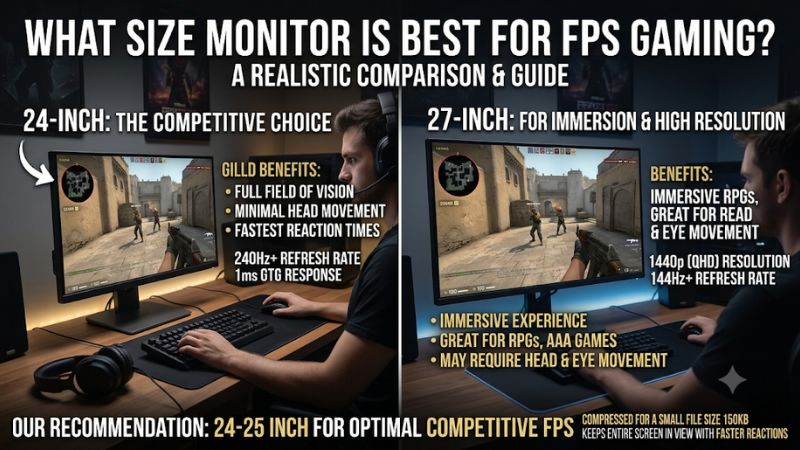
For traditional competitive FPS gaming, a 24–25-inch monitor remains an excellent choice. Its compact screen is easy to position, works particularly well with 1080p resolution, and leaves room for a keyboard and mouse on smaller desks.
However, 27 inches is equally worth considering, especially if you play at 1440p and want a larger viewing area. It provides more screen space without becoming as physically demanding as a 32-inch display.
A 2025 research paper involving NVIDIA and North Carolina State University researchers examined the relationship between display size and FPS aiming. Its experiments found that aiming performance generally improved as display size increased, with improvements beginning to decline as the display approached 30 inches. In a specific comparison involving very small targets, 27 inches produced a small but statistically significant improvement over 24.5 inches. This does not establish that every gamer will aim better with a larger monitor, but it challenges the assumption that smaller is always better for competitive shooters.
Here is the practical recommendation:
| Monitor size | Recommended resolution | Best for | Main advantage |
|---|---|---|---|
| 23.8–24 inches | 1080p | Budget FPS gaming | Compact and affordable |
| 24.1–24.5 inches | 1080p | Competitive esports | Easy screen positioning |
| 26.5–27 inches | 1440p | Competitive and general gaming | Larger image with sharper detail |
| 27 inches | 1440p OLED | High-end FPS gaming | Fast response and excellent contrast |
| 32 inches | 4K | Mixed gaming and immersion | Large, detailed image |
For most people who play several genres, a 27-inch 1440p monitor is the better all-around purchase. For players who primarily compete in Counter-Strike 2, Valorant, or other fast shooters, a high-refresh 24-inch display remains a very sensible alternative.
How we selected these FPS gaming monitors
This roundup focuses on displays that offer specifications relevant to competitive PC gaming rather than simply choosing the biggest screens or highest advertised refresh rates.
The main criteria include native resolution, refresh rate, pixel response, input lag, variable refresh rate support, panel technology, and desk usability.
We considered manufacturer documentation for exact models and independent reviews from RTINGS and Tom’s Hardware for real-world motion handling and input-lag performance.
The seven recommendations cover three main purchasing situations: affordable 24-inch gaming, enthusiast esports displays, and larger 27-inch monitors with higher resolutions.
A high refresh rate does not automatically guarantee excellent gaming performance. A monitor can advertise 400Hz or 600Hz but still have picture-quality limitations, poor overdrive tuning, or insufficient image detail.
Likewise, a 27-inch OLED display may offer better contrast and extremely fast pixel transitions, but its higher purchase price and potential burn-in risk make it unsuitable for every buyer.
No monitors were personally tested together for this guide. Independent reviewers’ findings are attributed to their original sources.
Best 24-inch gaming monitors for FPS players
Dell SE2426HGS: best budget 24-inch FPS monitor
The Dell SE2426HGS is a practical starting point for gamers who want a compact display without spending hundreds of dollars on enthusiast esports hardware.
Its 23.8-inch IPS panel uses Full HD resolution and supports a maximum refresh rate of 240Hz. This combination is particularly suitable for competitive FPS titles because 1080p is relatively manageable for a wide range of gaming graphics cards.
Dell includes FreeSync Premium Pro support and a height-adjustable stand with tilt adjustment. These features make it more flexible than basic office monitors, while the IPS panel provides consistent viewing angles.
The 240Hz refresh rate is its main gaming advantage. Compared with a 60Hz display, it can provide much smoother motion when your PC generates enough frames.
Independent testing by RTINGS found low input lag, consistently fast response behavior, and support for common VRR formats. However, its review also identifies inverse ghosting at lower refresh rates, limited native contrast, and weak HDR presentation.
The display’s main compromise is image detail. Full HD is a sensible resolution at approximately 24 inches, but it does not offer the extra desktop space of 1440p.
The included feature set is also relatively basic. There is no USB hub or swivel adjustment, and players who want integrated speakers should check the audio arrangement separately.
For someone building an affordable competitive gaming setup, however, these limitations are manageable.
Buy if: You want a relatively affordable 240Hz display for competitive shooters and have limited desk space.
Skip if: You want QHD resolution, stronger contrast, or a larger immersive image.
BenQ ZOWIE XL2566X+: best 24-inch monitor for serious esports
The BenQ ZOWIE XL2566X+ is designed specifically for competitive players who prioritize motion clarity and responsiveness over high resolution or cinematic image quality.
It uses a 24.1-inch Full HD TN panel with a native 400Hz refresh rate. Unlike some displays that require an overclocked mode to reach their advertised maximum, the XL2566X+ supports 400Hz without overclocking.
Its defining feature is DyAc 2, BenQ’s backlight-based motion-blur reduction technology. This feature is designed to improve perceived motion clarity by reducing the visibility of persistence blur during fast movement.
The monitor also includes Adaptive-Sync, Black eQualizer, Color Vibrance, and BenQ’s S Switch controller for accessing display settings.
Connectivity includes one DisplayPort 1.4 input and three HDMI 2.0 inputs. The stand supports height adjustment, tilt, and swivel, making it suitable for different desk arrangements.
Tom’s Hardware independently reviewed this exact model in December 2024. Its reviewer reported excellent motion processing, imperceptible input lag during our research, and very clear moving images while running games at 400 FPS. The review also noted that DyAc 2 performed particularly well.
Tom’s Hardware+2
There are compromises. The TN panel does not deliver the contrast or image richness of modern OLED displays. It also lacks built-in speakers, USB connectivity, and HDR support.
Another consideration is that BenQ specifies VRR operation with DyAc 2 disabled. Buyers should therefore decide whether adaptive sync or backlight strobing is more important for their setup.
The XL2566X+ is not a general-purpose entertainment monitor. Its value comes from its esports-focused performance.
Buy if: You play competitive shooters regularly, want 400Hz operation, and value motion clarity above image quality.
Skip if: You mainly play story-driven games, want HDR, or prefer QHD resolution.
ASUS ROG Strix XG248QSG Ace: best extreme-refresh 24-inch monitor
Its 24.1-inch Super TN panel operates at 1920 x 1080 resolution and supports a native refresh rate of 600Hz, with an overclocked mode reaching 610Hz.
ASUS advertises a minimum 0.1ms response time and approximately 0.8ms input lag. These are manufacturer claims rather than guarantees of identical results under every gaming condition.
The display also includes Extreme Low Motion Blur 2, Adaptive-Sync, FreeSync Premium, and G-SYNC compatibility.
ELMB 2 is especially interesting for competitive gaming because it uses backlight strobing to reduce perceived motion persistence. This can make moving targets easier to track, although backlight-strobing technologies have their own operating limitations.
Connectivity includes DisplayPort 1.4 and two HDMI 2.1 inputs. The stand supports height adjustment and tilt, and ASUS provides a smaller-footprint design intended to leave more room for competitive keyboard and mouse positioning.
Tom’s Hardware reviewed the monitor in October 2025. Its testing identified excellent video processing, low input lag, effective blur reduction, and extremely high refresh-rate performance. The reviewer also highlighted its high purchase price as a major disadvantage.
ASUS listed the monitor at $799 on its US store on November 11, 2026. That makes it a specialist purchase rather than a sensible upgrade for an ordinary gaming setup.
The FHD resolution is another important compromise. You are paying for extremely high refresh rates rather than high image detail.
Buy if: You play competitive esports at exceptionally high frame rates and want maximum refresh-rate capability in a compact display.
Skip if: You play mostly casual games or prefer QHD resolution and stronger picture quality.
Best 27-inch gaming monitors for FPS players
AOC Q27G3XMN: best 27-inch QHD option for balanced gaming
The AOC Q27G3XMN is a sensible choice for players who want a larger FPS display without immediately spending OLED-level money.
It uses a 27-inch VA panel with 2560 x 1440 resolution and a refresh rate of up to 180Hz. This combination gives you more image detail than a standard 24-inch Full HD monitor while maintaining a refresh rate suitable for competitive and general PC gaming.
Its strongest feature is Mini LED backlighting with 336 local dimming zones. AOC also specifies DisplayHDR 1000 certification and a 4,000:1 typical native contrast ratio.
This improves the monitor’s appeal beyond competitive shooters. You can use it for darker single-player environments, HDR games, and general desktop entertainment.
Connectivity includes HDMI 2.0 and DisplayPort 1.4. For PC gaming, DisplayPort is the more suitable connection when targeting the highest supported refresh rate.
The monitor also supports adaptive sync to help reduce tearing when frame rates fluctuate.
However, VA technology has some disadvantages for fast shooters. RTINGS identified some dark smearing during fast motion and noticeable VRR flicker when the frame rate changes. These limitations make it less suitable than a well-performing Fast IPS or OLED display for players who are particularly sensitive to motion artifacts.
Its larger 27-inch format remains a compelling option for people who want one monitor for both esports and other genres.
Buy if: You want a larger QHD display, stronger contrast, and useful HDR capability.
Skip if: Your primary concern is the cleanest possible motion in highly competitive FPS games.
Dell Alienware AW2726DM: best 27-inch QHD OLED for mixed FPS gaming
The Dell Alienware AW2726DM is a strong option if you want the larger 27-inch format but do not want to sacrifice motion performance.
Its 26.5-inch QD-OLED panel supports QHD resolution at 240Hz. Dell advertises a 0.03ms GtG response time, which is substantially faster than typical LCD response-time specifications.
OLED technology is particularly useful for FPS gaming because fast pixel transitions help minimize visible trailing behind moving objects. The display also provides deep blacks, strong contrast, and rich colors for visually demanding games.
Dell includes AMD FreeSync Premium, VESA AdaptiveSync, height adjustment, tilt, swivel, and pivot. Its stand is more versatile than many inexpensive competitive gaming displays.
One important connection limitation is worth checking. The monitor supports 240Hz QHD through DisplayPort 1.4, while its HDMI inputs have a lower maximum refresh rate at native resolution. Use DisplayPort when targeting 240Hz from a gaming PC.
RTINGS independently reviewed the exact AW2726DM and found near-instantaneous response behavior and low input lag. However, its testing also identified limited brightness and raised-looking blacks in bright environments.
Dell listed the monitor at $319.99 on November 11, 2026, making it a considerably more accessible OLED option than several premium esports displays. Prices remain subject to change.
Potential OLED burn-in is another factor. Dell advertises a three-year burn-in warranty for this model, subject to the applicable US warranty terms.
Buy if: You want QHD resolution, 240Hz, excellent motion clarity, and a larger viewing area.
Skip if: You play in an extremely bright room or regularly display static desktop applications for prolonged periods.
ASUS ROG Swift OLED PG27AQDP: best 27-inch monitor for competitive OLED gaming
The ASUS ROG Swift OLED PG27AQDP demonstrates that 27-inch monitors are no longer limited to mainstream 144Hz or 240Hz gaming.
Its 26.5-inch WOLED panel combines QHD resolution with a native 480Hz refresh rate. ASUS also specifies a 0.03ms GtG response time, FreeSync Premium, G-SYNC compatibility, and VESA DisplayHDR True Black 400 certification.
This combination provides a larger image than traditional 24-inch esports monitors while retaining extremely high refresh-rate capacity.
The QHD resolution is also an important advantage. It makes the display more suitable for mixed use, detailed game environments, and desktop productivity than a 24-inch Full HD competitive monitor.
ASUS includes two HDMI 2.1 inputs, DisplayPort 1.4 with Display Stream Compression, a custom heatsink, and OLED Care+ features.
RTINGS independently reviewed the model and found excellent motion clarity, low input lag at most tested refresh rates, and deep black levels. However, its review identified noticeable VRR flicker and unusually high input lag with 60Hz signals. Software bugs were also reported during our research.
These limitations are important for players who frequently connect several consoles and gaming devices. PC gamers primarily operating at high refresh rates may be less affected by the 60Hz behavior.
ASUS listed the monitor at $799 on its US store on November 11, 2026.
Buy if: You want 27-inch QHD OLED gaming with an extremely high native refresh rate.
Skip if: Your gaming PC cannot generate high frame rates or you prioritize affordability over premium motion performance.
LG UltraGear 27GX790B-B: best 27-inch monitor for extreme FPS performance
The LG UltraGear 27GX790B-B is a compelling option for players who want the larger 27-inch-class display without giving up the extreme refresh rates traditionally associated with smaller esports monitors.
It uses an RGB Tandem OLED panel with native 2560 x 1440 resolution and a 540Hz refresh rate. LG advertises a 0.02ms GtG response time and provides a dual-mode feature that increases refresh rate to 720Hz when the resolution drops to 1280 x 720.
The higher-resolution mode makes more sense for players who enjoy both competitive shooters and visually detailed games. The lower-resolution mode is available when prioritizing extreme frame rates over image sharpness.
LG also includes DisplayHDR True Black 500, VESA ClearMR 21000, DisplayPort 2.1, HDMI 2.1, and adaptive-sync support.
RTINGS independently reviewed the exact model and found near-instantaneous pixel response, sharp motion, and low input lag in gaming modes. However, the review also identifies VRR flicker under changing frame rates and some HDR accuracy limitations.
Its large-screen format is attractive for players who want more visual detail than 24-inch FHD displays offer. The additional size can also be useful for people who find very small targets difficult to follow.
There are still limitations. A 540Hz display requires substantial graphics performance to make full use of its refresh rate, and the 720Hz mode involves a major resolution reduction.
OLED burn-in precautions are also necessary when the monitor doubles as a work display.
Buy if: You want a 27-inch-class OLED monitor with extremely high refresh rates and QHD resolution.
Skip if: You prefer smaller esports displays, have a limited GPU budget, or do not need more than 240Hz.
Why 24–25 inches is popular for FPS gaming
The popularity of 24–25-inch monitors in esports is not accidental. These displays offer several practical advantages that make them particularly suitable for competitive environments.
First, the entire screen is relatively easy to view without moving your head. This can help players maintain awareness of enemies, crosshairs, minimaps, and interface elements.
Second, 1080p resolution is relatively manageable for graphics cards. Producing 300–400 FPS at Full HD is generally easier than achieving similar performance at 1440p or 4K, although actual results depend on the game and hardware.
Third, smaller screens fit comfortably on competitive gaming desks. Players who use low mouse sensitivity often need considerable space for sweeping mouse movements.
A 24-inch monitor can leave more room for a full-size keyboard, a large mousepad, and a comfortable mouse position.
However, familiarity also plays a role. Some competitive players have spent years practicing on 24-inch displays, so switching to a larger monitor may initially feel unfamiliar.
That does not mean a larger monitor is inherently less accurate. Personal preference, viewing position, and practice can all influence how comfortable the display feels.
Is a 27-inch monitor also a good size for FPS gaming?
Yes. A 27-inch monitor can be an excellent competitive gaming display, particularly when it uses 1440p resolution and a fast panel.
The additional screen area makes small targets easier to see for some players, while the higher resolution provides more detail than Full HD.
The NVIDIA and North Carolina State University research is particularly relevant here. Its experiment involving 24.5-inch and 27-inch monitors found a small statistically significant aiming improvement with the larger display when participants targeted very small objects. However, the finding does not mean that every FPS title, player, or competitive situation benefits equally from increasing screen size.
There are also practical disadvantages.
A 27-inch screen occupies more space, and its larger image may require a greater viewing distance. If you sit too close, you might need to move your eyes or head more frequently to monitor the corners.
For most desk setups, a viewing distance of approximately 24–36 inches is a useful starting point. Adjust it according to your vision, desk depth, and personal comfort.
Ultimately, 27 inches is a very good option for players who want competitive performance alongside better image quality and general gaming versatility.
What specifications matter besides monitor size?
Screen size is only one part of a gaming monitor purchase. Several other specifications can influence your experience much more directly.
Refresh rate and FPS
Refresh rate measures how many times the display updates its image each second.
A 144Hz monitor refreshes every approximately 6.94 milliseconds, while a 240Hz monitor refreshes every 4.17 milliseconds.
Higher refresh rates can produce smoother motion, but your graphics card must generate enough frames to take advantage of the display.
For serious competitive gaming, 240Hz is a sensible enthusiast target. A 360Hz or 400Hz monitor may be worthwhile for players with powerful hardware and high competitive priorities.
You should not automatically choose 600Hz because the number looks impressive. A balanced 240Hz or 360Hz display may provide a much better purchase for your particular computer.
Resolution and pixel density
Resolution determines the amount of image detail a display can show.
The most common options are:
-
1920 x 1080: Full HD.
-
2560 x 1440: QHD.
-
3840 x 2160: 4K UHD.
For competitive FPS gaming, 1080p remains practical because it reduces GPU workload. QHD is an attractive upgrade when you prefer a sharper image and have sufficient graphics performance.
At 24 inches, 1080p is generally acceptable for competitive gaming. At 27 inches, 1440p provides a more balanced pixel density.
Response time and motion clarity
Response time describes how quickly pixels transition between colors. Slower transitions can produce ghosting behind moving objects.
Fast IPS displays commonly offer good motion performance at a lower cost than OLED monitors.
OLED panels have much faster pixel transitions, which helps reduce visible trailing. However, advertised response-time figures are not directly comparable between technologies unless their testing methods are matched.
Look for independent measurements of response time, overshoot, and input lag rather than relying exclusively on a manufacturer’s 1ms or 0.02ms specification.
Variable refresh rate
FreeSync and G-SYNC-compatible features help synchronize a monitor’s refresh rate with the frame output of your graphics card.
This reduces screen tearing when the frame rate fluctuates.
For competitive gaming, VRR is particularly useful when your PC cannot maintain a fixed high frame rate.
Check the supported VRR range and whether it functions through your preferred connection. Some displays also show VRR flicker in certain conditions, especially with OLED and VA technology.
Panel technology
IPS is a good general-purpose choice because of its balanced image quality and viewing angles.
TN remains relevant in specialized esports products, where manufacturers prioritize speed and high refresh rates over viewing angles and contrast.
VA offers stronger native contrast, although some displays exhibit dark smearing.
OLED is particularly attractive for pixel response, deep blacks, and contrast, but costs more and requires attention to burn-in risk.
There is no reason to purchase OLED simply because you play FPS games. A well-tuned IPS or TN display can still be an excellent competitive choice.
Common mistakes when choosing an FPS gaming monitor
One common mistake is believing that a smaller display automatically improves aim. Monitor size affects how you see the game, but mouse sensitivity, field of view, target visibility, viewing distance, and player experience also matter.
Another mistake is choosing the highest refresh rate without checking GPU performance. A 600Hz display will not deliver its intended advantage if your system cannot generate sufficiently high FPS.
Some buyers also overlook stand adjustment. A monitor without height adjustment may force you into an uncomfortable viewing position, even when its panel performance is excellent.
Finally, avoid ignoring connectivity. A monitor might advertise a high refresh rate that is only available through DisplayPort rather than HDMI.
Before buying, check:
-
Native resolution and refresh rate.
-
Exact refresh-rate limits for HDMI and DisplayPort.
-
Independent motion-handling tests.
-
Adaptive-sync compatibility.
-
Stand adjustment and VESA mounting.
-
Desk depth and normal viewing distance.
-
Warranty coverage, particularly for OLED burn-in.
These details are more useful than choosing a monitor based on its screen size alone.
Frequently asked questions
Is a 24-inch or 27-inch monitor better for FPS gaming?
Both sizes are good choices. A 24-inch monitor is practical for traditional esports setups and high-refresh 1080p gaming. A 27-inch monitor offers a larger image and is particularly appealing at 1440p. Choose based on viewing distance, desk space, and personal preference.
Do professional FPS gamers use 24-inch monitors?
Many competitive esports setups use 24–25-inch displays because they are compact and support high refresh rates. However, monitor preferences vary, and a 27-inch monitor can also be suitable for serious competitive play.
Is 27 inches too big for Counter-Strike 2?
No. A 27-inch monitor can work very well for Counter-Strike 2, particularly with QHD resolution and a high refresh rate. Make sure you can comfortably view the entire screen without excessive head movement.
Is 1440p worth it for competitive FPS games?
Yes, provided your PC has enough graphics performance. QHD offers sharper images and more detail than Full HD, but it requires more GPU resources. Competitive players who prioritize maximum FPS may still prefer 1080p.
Is 240Hz enough for FPS gaming?
Yes. A 240Hz display is more than sufficient for most serious FPS players. Higher refresh rates can provide additional smoothness, but their benefits depend on frame rate, response behavior, and your ability to notice the difference.
Should FPS gamers buy OLED monitors?
OLED is an excellent choice for players who want very fast pixel transitions, deep blacks, and strong contrast. However, a good Fast IPS or TN monitor can be more affordable and perfectly suitable for competitive gaming. Consider burn-in precautions and total ownership cost before choosing OLED.
Final verdict: 24–25 inches or 27 inches for FPS gaming?
For traditional competitive FPS gaming, a 24–25-inch monitor remains a sensible recommendation, especially when paired with 1080p resolution and a refresh rate of 240Hz or higher.
The Dell SE2426HGS provides an accessible entry point, the BenQ ZOWIE XL2566X+ offers specialized 400Hz esports performance, and the ASUS ROG Strix XG248QSG Ace targets players who want extreme 610Hz operation.
However, 27 inches should not be overlooked. The AOC Q27G3XMN is a versatile QHD LCD option, while the Alienware AW2726DM, ASUS PG27AQDP, and LG 27GX790B-B offer increasingly advanced OLED performance.
For most players who enjoy several FPS games alongside other genres, 27-inch QHD is the best overall compromise. For dedicated esports enthusiasts, 24–25 inches remains an excellent choice.
Measure your desk, consider your viewing distance, and match the monitor’s resolution and refresh rate to your GPU. Those decisions will have a greater influence on your gaming experience than choosing a particular diagonal measurement simply because professional players use it.