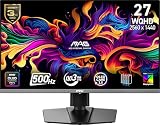
A 4K monitor packs four times the pixels of a 1080p screen, and in 2026 the extra sharpness is no longer a luxury reserved for professionals. Text is razor-crisp, photos and video reveal fine detail, and 120Hz 4K panels have arrived at prices that make them viable for both work and gaming on a mainstream desk.
Whether you are editing 4K footage, juggling a dozen browser tabs, or gaming on a capable GPU, the right 4K monitor transforms the experience. This roundup gathers the models that balance resolution, refresh rate, color accuracy, and price, so you can find the panel that fits your workflow and budget.
As an Amazon Associate we earn from qualifying purchases at no extra cost to you. Product prices and availability are accurate as of the date shown and are subject to change.




⚡ Save on Your Next PC — Amazon Prime
Prime members get fast free shipping on the systems above, plus early access to Prime Day & Black Friday PC deals. New members get a 30-day free trial.
Watch: Best 4K Monitor 2026 — Video Review
How to Choose a 4K Monitor
- Size and pixel density: A 27-inch 4K panel is razor sharp and needs display scaling; 32 inches gives you more usable desktop space at a comfortable pixel density.
- Refresh rate: 60Hz suits pure productivity, but a 120Hz 4K panel feels dramatically smoother for gaming and everyday scrolling.
- Panel technology: IPS delivers wide viewing angles and consistent color; VA offers deeper contrast if you watch a lot of movies in a dark room.
- Color coverage: For photo and video work, look for at least 99% sRGB coverage and, ideally, factory calibration.
- Connectivity: Confirm the monitor has DisplayPort or HDMI 2.1 to hit 4K at 120Hz, plus USB-C if you want single-cable laptop docking.
The Best 4K Monitors Reviewed
Dell S2725QS
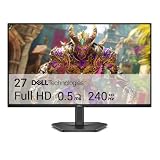
Dell’s 27-inch 4K IPS panel runs at 120Hz with FreeSync Premium, hitting the value sweet spot for a do-everything screen. Sharp text, accurate color, and Dell’s reliable build make it the easy first recommendation for most buyers.
Dell S3225QS 32″
If you want more screen real estate, this 32-inch 4K VA panel adds deeper contrast and eye-comfort features at 120Hz. It is a great pick for a home office where movies and gaming share the desk with spreadsheets.
Samsung ViewFinity S7
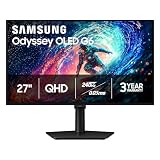
Samsung’s ViewFinity leans toward creators, pairing crisp 4K resolution with strong color consistency and a clean, minimal design. It is a tidy choice for photo editing and detailed office work.
LG 27UP650K-W
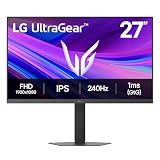
LG’s 27-inch UltraFine delivers DisplayHDR 400, wide color coverage, and a height-adjustable stand. Reader Mode and Flicker Safe make it comfortable for long work sessions, and the color accuracy pleases hobbyist editors.
Sceptre Prime U27
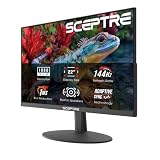
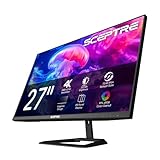
The Sceptre Prime is the budget champion. A 27-inch 4K IPS panel with 100% sRGB, up to 70Hz, and built-in speakers, it brings sharp resolution to a tight budget for buyers who prioritize clarity over high refresh.
Frequently Asked Questions
Do I need a powerful GPU to game at 4K?
Yes. Driving 4K at high frame rates demands a strong graphics card. For productivity and 60Hz gaming the requirements are lighter, but modern 4K titles at 120Hz need a high-end GPU.
Is 27 or 32 inches better for 4K?
A 27-inch 4K panel is extremely sharp but usually needs display scaling to read text comfortably. A 32-inch panel gives you more room and a natural pixel density without as much scaling.
Will 4K make my text look too small?
Only at 100% scaling. Windows and macOS both offer display scaling, typically around 150%, that keeps text readable while preserving the extra sharpness 4K provides.
Can I connect my laptop with one USB-C cable?
On models with a full-function USB-C port, yes, and many also deliver power to charge the laptop. Check the spec sheet, as not every 4K monitor includes USB-C.
Final Thoughts
4K has become the practical choice for a sharp, future-proof desk, and there is a model here for every need. The Dell S2725QS is the balanced all-rounder, the 32-inch S3225QS suits media-heavy home offices, and the Sceptre Prime brings 4K within reach on a budget. Pair the right panel with a capable GPU and you will wonder how you managed with fewer pixels.