
The best monitor to play Cyberpunk 2077 depends on your hardware and how you want Night City to look. Start with the MSI MPG 321URX for 4K OLED, choose the MPG 341CQR QD-OLED X36 for a wider PC view, or consider the AOC Q27G3XMN for local-dimming HDR without OLED ownership.
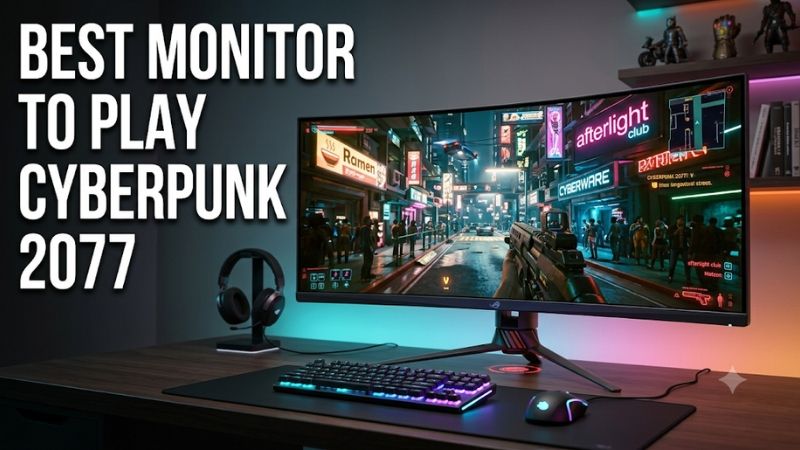
Quick verdict: Best monitor to play Cyberpunk 2077
For a gaming-focused setup with enough graphics performance, the MSI MPG 321URX QD-OLED is the starting recommendation. Its 31.5-inch 4K panel suits detailed city exploration, while its conventional 16:9 shape also makes sense when a console shares the screen. Choose resolution around your system before paying for refresh headroom.
The MSI MPG 341CQR QD-OLED X36 is the wider PC alternative. The Alienware AW2725DF offers OLED at ordinary QHD resolution for a smaller desk and fewer output pixels. Neither requires Cyberpunk to reach its 360Hz ceiling to remain useful, but that ceiling alone should not drive the purchase.
For LCD buyers, the AOC Q27G3XMN offers a local-dimming backlight at 1440p, while the LG 32GR93U-B prioritizes 4K desktop versatility. The LG 32GS95UE-B serves a different mixed library: detailed 4K OLED gaming plus a separate lower-resolution high-refresh mode for other titles.
No universal budget was supplied, and comparable delivered US prices were not established for every model. These recommendations identify different uses rather than a cheapest-to-most-expensive ranking. Check exact variants, current stock, seller condition, warranty eligibility, and the final total before ordering.
Quick comparison of the six monitors
Cyberpunk rewards contrast, controlled highlights, readable dark scenes, and consistent motion. A monitor’s refresh ceiling remains separate from the frame rate your hardware can generate. The table distinguishes panel and resolution choices so that a spectacular specification does not conceal the practical trade-off behind it.
| Monitor | Screen and native resolution | Panel and refresh ceiling | Best suited to | Main compromise |
|---|---|---|---|---|
| MSI MPG 321URX QD-OLED | 31.5 inches; 3840 × 2160 | QD-OLED; 240Hz | 4K gaming with PC and console sharing | 4K rendering demands and OLED care |
| MSI MPG 341CQR QD-OLED X36 | 34 inches; 3440 × 1440 | Curved QD-OLED; 360Hz | Wide PC presentation and a broader high-refresh library | Desk width, OLED care, and ultrawide layout checks |
| Alienware AW2725DF | 26.7 inches; 2560 × 1440 | QD-OLED; 360Hz over DisplayPort | Compact OLED gaming at standard QHD | HDMI tops out at QHD 144Hz |
| AOC Q27G3XMN | 27 inches; 2560 × 1440 | VA Mini LED; up to 180Hz | Local-dimming HDR without OLED | Zone-based backlight compromises |
| LG 32GS95UE-B | 32-inch class; 3840 × 2160 | WOLED; 4K 240Hz or FHD 480Hz | Cyberpunk plus fast competitive games | Dual-mode premium may add little for Cyberpunk alone |
| LG 32GR93U-B | 32-inch class; 3840 × 2160 | IPS; 144Hz | Work-heavy desk with 4K gaming | Modest HDR hardware compared with the other options |
How these monitors were selected
Selection focused on display hardware that addresses different Cyberpunk priorities: 4K detail, ultrawide presentation, manageable QHD output, local-dimming HDR, and shared desktop use. Manufacturer documentation establishes the specifications. This is a researched shortlist, without original detailed research or invented Cyberpunk benchmarks for the featured monitors.
CD PROJEKT RED’s documentation also matters. Resolution changes rendering demands, and game updates can alter display behavior. Its Update 2.3 notes added console VRR support. That makes blanket advice that Cyberpunk lacks VRR on PS5 or Xbox Series X|S outdated, while still leaving monitor-specific compatibility to verify.
No manufacturer’s fastest response-time number is treated as measured end-to-end latency. Likewise, a peak-brightness claim does not describe full-screen brightness, every HDR preset, or the game’s tone mapping. The recommendations distinguish documented capabilities from the practical judgments drawn from them.
MSI MPG 321URX: Best monitor to play Cyberpunk 2077 in a 4K setup
The MPG 321URX QD-OLED combines a flat 31.5-inch 4K panel with a 240Hz ceiling. It is a strong starting point for someone prioritizing detailed exploration and OLED contrast while keeping a conventional screen shape. Its role is high-quality presentation rather than a promise of maximum-settings frame rates.
The 4K panel gives small signs, distant geometry, and desktop text more output pixels than a QHD display. Whether that extra detail survives your chosen upscaling settings depends on the rendering configuration. A sharp native panel does not remove the need to balance image reconstruction, ray tracing, and responsiveness.
MSI documents HDMI 2.1 console support, VRR, ALLM, and USB-C DisplayPort Alt Mode with up to 90W power delivery. Those connections make the screen practical beyond one desktop. Console input capability still does not mean Cyberpunk itself runs at the monitor’s maximum refresh rate.
The OLED trade-off is persistent static content. Leave panel-care features enabled and evaluate how much time your screen spends displaying fixed work applications. Buy if: You want 4K OLED for gaming and occasional console use. Skip if: QHD better fits your GPU or long static work sessions dominate; compare the AOC or LG IPS option.
MSI MPG 341CQR QD-OLED X36: A wider PC view of Night City
The MPG 341CQR QD-OLED X36 pairs a 34-inch 3440 × 1440 panel with an 1800R curve and a 360Hz ceiling. It suits PC players who want a wider image around their normal viewpoint, with enough display headroom for faster games elsewhere in their library.
MSI specifies QD-OLED, DisplayHDR True Black 500, DisplayPort 2.1a, HDMI 2.1, and USB-C video with up to 98W power delivery. These are capabilities, not proof that a particular laptop or graphics card can drive every timing. Confirm the source connection and supported configuration before planning the setup.
For Cyberpunk, prioritize the wider format and HDR implementation over achieving 360 frames per second. Inspect gameplay, dialogue, menus, and the HUD at the intended resolution. A wider panel does not establish that every interface or cutscene fills it perfectly, particularly with modified game files or different software versions.
Its enclosure is about 32 inches wide, so measure the available desk space. Buy if: A wide PC view is a priority and the rest of your library justifies the extra refresh capability. Skip if: You mainly play on a console or need a narrower work surface. The 321URX is the simpler 16:9 alternative.
Alienware AW2725DF: OLED without committing to 4K output
The AW2725DF uses a 26.7-inch 2560 × 1440 QD-OLED panel, with up to 360Hz over DisplayPort. It is the compact OLED option for players who want strong dark-scene presentation while choosing a lower output pixel count than either 4K or ultrawide QHD.
That balance can be more relevant than the biggest screen. Choosing standard QHD leaves a different graphics workload to manage, giving you room to consider richer settings or a steadier frame-rate target. It does not guarantee a specific performance increase; your CPU, GPU, game version, and rendering options still decide the result.
Dell lists QHD up to 144Hz over HDMI, despite the display’s higher DisplayPort ceiling. That matters when the PC connects through a laptop dock or another HDMI-only path. The USB-C downstream connection is for peripherals and charging, rather than a substitute USB-C video input.
Dell lists three-year service that includes OLED burn-in coverage, subject to purchase and regional terms. Buy if: A small OLED gaming screen and QHD output fit your system. Skip if: You primarily want 4K detail or a wide cockpit-like view. Compare the MSI options after deciding which format actually improves your desk.
AOC Q27G3XMN: Local-dimming HDR without OLED
The Q27G3XMN is a flat 27-inch QHD VA display with a 336-zone Mini LED backlight, DisplayHDR 1000 certification, and a maximum 180Hz refresh rate. It is the relevant alternative when HDR matters but OLED-specific ownership requirements do not fit your routine.
Its backlight can illuminate different regions independently, which is useful when small bright objects share the scene with darkness. In Cyberpunk, that is a more meaningful hardware distinction than simply accepting an HDR signal. The same distinction explains why it serves a different role from a basic HDR-capable IPS monitor.
Local dimming works in zones rather than per pixel. Subtitles, HUD elements, and bright signs can challenge the division between light and dark areas. Do not read the certification as a guarantee of invisible blooming or perfect shadow detail, and do not assume one backlight setting looks best in every scene.
The adjustable stand helps with positioning on a smaller desk. Buy if: You want a QHD LCD with dedicated local-dimming hardware. Skip if: Per-pixel light control is essential or you need a larger 4K image. The Alienware offers the former direction; the 321URX addresses both format and panel changes.
LG 32GS95UE-B: 4K OLED for a varied game library
The 32GS95UE-B is a 32-inch-class WOLED monitor offering 4K at up to 240Hz or Full HD at up to 480Hz. Its distinguishing feature makes sense for someone who alternates between detailed single-player games and competitive titles, rather than buying exclusively for Cyberpunk.
For Night City, start with the 4K mode and tune rendering quality around your PC. Switching to the 480Hz mode reduces the output resolution to 1920 × 1080. That is a separate presentation choice, not a way to obtain 4K detail and 480Hz simultaneously.
LG also includes Pixel Sound audio, which can simplify a desk without separate speakers. Evaluate whether you need that convenience or already use a preferred headset. A built-in feature has little purchasing value if your existing equipment covers the same job better for your habits.
This remains an OLED purchase with panel-care considerations. Buy if: Both high-detail games and fast competitive games are substantial parts of your library. Skip if: Cyberpunk is the only reason for upgrading and the dual-mode feature adds little. Compare the 321URX’s connections and current total cost before deciding.
LG 32GR93U-B: A work-friendly 4K alternative
The 32GR93U-B combines a 32-inch-class 4K IPS panel, a 144Hz ceiling, HDMI 2.1, and an adjustable stand. It belongs here for people whose screen spends much of the day displaying documents, browsers, or other static applications before an evening in Night City.
Its appeal is the conventional LCD ownership model and detailed 4K desktop. It avoids OLED-specific burn-in considerations, though that does not make every aspect of image quality equivalent. If you need one monitor for client work and games, your daytime workload deserves as much attention as nighttime scenery.
DisplayHDR 400 support does not establish the same dark-scene control as the OLED options or AOC’s dedicated dimming hardware. Treat the LG as a versatile 4K gaming display rather than the shortlist’s HDR showcase. Good SDR presentation remains a valid way to enjoy the game.
Buy if: Desktop work and 4K gaming share the same screen, and you prefer IPS ownership. Skip if: A major HDR upgrade is your overriding goal. The AOC offers a different LCD approach at QHD; the 321URX shifts both the contrast proposition and the ownership requirements toward OLED.
Choosing the best monitor to play Cyberpunk 2077
Choose around the experience you want and the hardware you already have. Display technology cannot compensate for an overloaded graphics configuration, and a powerful PC does not automatically make the largest screen comfortable. The right purchase connects picture quality, physical fit, rendering settings, and everyday use.
Match resolution to the settings you want to keep
Standard QHD contains about 3.69 million output pixels, ultrawide QHD about 4.95 million, and 4K about 8.29 million. Ultrawide QHD therefore has roughly 34% more pixels than standard QHD; 4K has 125% more. Those are workload indicators, not predictions of exact frame-rate losses.
Before buying, test your preferred rendering settings on your current setup where possible. Decide which matters most: finer detail, wider presentation, ray-traced effects, or consistent responsiveness. Lowering some graphics settings on a suitable monitor may produce a better experience than pursuing maximum settings on an unsuitable resolution.
Judge HDR hardware and calibration together
OLED offers per-pixel light control, while Mini LED varies groups of backlight LEDs. Basic HDR-capable LCDs can accept the signal without matching either approach’s dark-scene control. For a game built around contrasting light and shadow, the backlight or emissive-panel design is a consequential purchasing difference.
After enabling HDR, check both bright signs and dark interior detail. An impressive highlight is less useful if nearby detail disappears. Adjust within the game’s calibration interface and the selected monitor mode; do not copy another display’s brightness values or assume a small-window peak specification describes every scene.
Use variable refresh without expecting it to fix performance
VRR helps coordinate display updates with supported source output, but it does not generate missing frames or repair CPU stalls. Judge how the game behaves during traversal and combat rather than only looking at an average counter. A consistent configuration can be more comfortable than a higher but unstable peak.
Console owners should verify both the game’s current software and the monitor’s actual HDMI capabilities. Cyberpunk added console VRR support in Update 2.3. That fact does not establish universal compatibility across displays or turn every console graphics mode into a high-frame-rate mode.
Check format and ownership before paying for extras
Use a conventional 16:9 screen as the starting point for a shared PC-and-console desk. An ultrawide is most compelling when the PC presentation is the priority. A console’s accepted input signal does not mean the game becomes a native ultrawide experience or uses the panel’s full width correctly.
For OLED, retain automatic care routines and allow maintenance when requested. Consider persistent game interfaces as well as work applications. For any monitor, check stand depth, screen height, reflections, and your audio arrangement. These everyday details can matter more than unused charging power or extreme refresh headroom.
Setup checks before judging your new monitor
Test the display with your actual PC or console during the return window. Begin with a direct connection and a sensible picture preset so docks, switches, and exaggerated processing do not obscure the result. Verify the active resolution and refresh rate before evaluating the game’s graphics.
On Windows, select the correct display, enable HDR when appropriate, and then enable Cyberpunk’s HDR mode. Check the chosen output configuration again after changing cables or display modes. Keep software current before assuming an old setup guide describes your version’s calibration controls or display behavior.
Use the same saved location to compare settings, then add a daytime scene, a dark interior, and normal driving. Change one relevant setting at a time. This separates monitor presentation from rendering effects, while making clipping, uncomfortable brightness, distracting dimming behavior, or interface problems easier to identify.
Frequently asked questions
Several specifications sound more decisive than they are for this particular game. The useful question is whether the feature improves your normal play and fits the rest of your setup. These answers separate panel capability from rendering quality, game compatibility, and the practical value of an upgrade.
Do I need 240Hz or 360Hz for Cyberpunk 2077?
No. Those ceilings can benefit a broader gaming library, but they are not requirements for enjoying Cyberpunk. Prioritize a sustainable frame rate, suitable resolution, and the picture quality you want. Buying refresh capacity alone will not make a demanding graphics configuration run faster.
Does an OLED monitor enable path tracing?
No. Path tracing is part of the rendering workload and depends on supported hardware and software. OLED describes how the finished image is displayed. An OLED can present scenes with per-pixel light control regardless of whether you choose rasterized lighting, ray tracing, or path tracing.
Should I upgrade my monitor or graphics card first?
Upgrade the component responsible for your main problem. If the game already runs smoothly but your screen limits contrast or detail, a display can help. If performance is unacceptable at your preferred settings, investigate the rendering bottleneck first. A satisfactory existing monitor may be worth keeping.
Conclusion
Start with the MSI MPG 321URX for a conventional 4K OLED setup, or the MPG 341CQR QD-OLED X36 for a wider PC view. Choose the AW2725DF for compact QHD OLED, the AOC Q27G3XMN for local-dimming LCD, the LG 32GS95UE-B for a varied game library, or the 32GR93U-B for work-heavy 4K use. Match the format to your hardware, then tune HDR and rendering quality around real gameplay.









