
A display that handles television and gaming should do more than accept an HDMI cable. The best monitor for tv and gaming gives you built-in streaming apps or a simple TV interface, enough screen quality for movies and shows, and gaming features that match your PC or console. The strongest choices are Samsung’s Smart Monitor M9 and Odyssey OLED G8 models, while less expensive 60Hz smart monitors make sense for casual games and everyday streaming. The key is knowing whether you need a true high-refresh gaming screen or simply one display that can stream shows without turning on a computer.
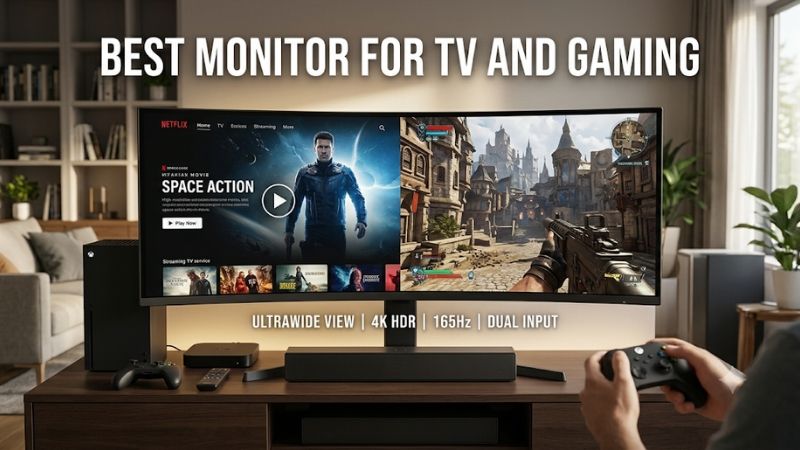
Best monitor for TV and gaming: quick verdict
The Samsung Smart Monitor M9 M90SF is the best overall fit: 32-inch 4K QD-OLED, 165Hz, Tizen streaming apps, Gaming Hub, speakers, and a remote. Choose the Odyssey OLED G8 G80SD for 4K 240Hz gaming, or the 34-inch G85SD for ultrawide PC play. Samsung’s M8 and M7, plus LG’s MyView 32SR70U-W, are streaming-first 60Hz displays for casual games.
| Model | Best fit | Panel, resolution, refresh | TV features | Main compromise |
|---|---|---|---|---|
| Samsung Smart Monitor M9 M90SF | Best overall hybrid | 32-inch QD-OLED, 4K, 165Hz | Tizen, Samsung TV Plus, Gaming Hub | Premium price and OLED care |
| Samsung Odyssey OLED G8 G80SD | Best for high-refresh gaming | 32-inch QD-OLED, 4K, 240Hz | Tizen apps, remote, Gaming Hub | Older connection set and OLED care |
| Samsung Odyssey OLED G8 G85SD | Best ultrawide hybrid | 34-inch OLED, 3440 × 1440, 175Hz | Tizen, TV Plus, Gaming Hub | 21:9 video presentation |
| Samsung Smart Monitor M8 M80F | Best for desk and streaming | 32-inch VA, 4K, 60Hz | Tizen apps, TV Plus, Gaming Hub | Not suited to high-frame-rate gaming |
| Samsung Smart Monitor M7 M70F 43-inch | Best large-screen smart monitor | 43-inch VA, 4K, 60Hz | Tizen apps, TV Plus, Gaming Hub | Too large for many desks; no 4K/120Hz |
| LG MyView 32SR70U-W | Best webOS and AirPlay option | 32-inch IPS, 4K, 60Hz | webOS, streaming apps, AirPlay 2 | No high-refresh or adaptive-sync support |
These categories reflect different priorities, not a single performance ladder. The three OLED models are the serious gaming choices. The 60Hz smart monitors are convenience-first displays for casual console games, cloud gaming, and streaming.
How we selected these smart TV and gaming monitors
The first filter was standalone streaming: the display needed built-in apps, Wi-Fi, and a remote, not just an HDMI port for a laptop or streaming stick. Samsung’s Tizen models provide Smart Hub, TV Plus, and Gaming Hub; LG’s MyView models use webOS.
We then checked native resolution, refresh rate, inputs, VRR support where documented, speakers, USB-C power delivery, and panel type. Manufacturer pages established exact model specifications. Independent reviews from Tom’s Hardware, RTINGS, and PCWorld informed image-quality and gaming trade-offs. Smart apps do not make a monitor a broadcast television: none of these picks has a built-in antenna tuner.
The best monitors for TV and gaming
Samsung Smart Monitor M9 M90SF: best overall
The Samsung Smart Monitor M9 M90SF is the most convincing all-in-one option in this group because it does not ask you to give up modern gaming performance for built-in entertainment. Its 32-inch flat QD-OLED panel has a native 3840 × 2160 resolution and a maximum refresh rate of 165Hz. Samsung lists a 0.03ms gray-to-gray response time, FreeSync Premium Pro, and G-Sync compatibility. The same display runs Tizen, includes Samsung TV Plus and Gaming Hub, and ships with a remote. Its 12MP camera, microphone, and 10W speaker output add convenience for video calls and everyday viewing.
QD-OLED gives movies deep blacks and saturated color, while 165Hz is substantially smoother than the 60Hz ceiling of most smart monitors. Tom’s Hardware praised the M90SF’s contrast, color modes, gaming performance, and streaming interface. It lists 4K/165Hz, DisplayPort 1.4, HDMI 2.1, and two 5W speakers.
Connectivity includes one HDMI 2.1, one DisplayPort 1.4, USB-C with up to 90W charging, and two downstream USB-A ports. That is enough for a PC, console, and laptop, but multiple HDMI-only devices may need a switch. Antenna or cable TV also requires an external tuner or set-top box.
Buy it if you want a 32-inch screen that can stream independently and still run PC games above 60Hz. Skip it if you need a large living-room screen, multiple HDMI 2.1 inputs, or a display that can show static desktop elements all day without OLED maintenance considerations.
Samsung Odyssey OLED G8 G80SD: best for 4K high-refresh gaming
The Samsung Odyssey OLED G8 G80SD (LS32DG802SNXZA) is the stronger gaming-first alternative. It keeps the 32-inch 4K QD-OLED format but increases the native refresh rate to 240Hz. It also includes Tizen smart-TV functionality, integrated apps such as Netflix, a remote, and Samsung Gaming Hub. This makes it unusual: many 4K 240Hz gaming monitors require an external streaming stick or a PC to play video apps, while the G80SD can handle entertainment on its own.
RTINGS describes the G80SD as excellent for PC and console gaming, citing near-instantaneous response, low input lag at maximum refresh, HDMI 2.1 bandwidth, and support for PS5 and Xbox Series X|S features. The reviewer also notes that the display is sharp for desktop text and has strong glare handling for a QD-OLED screen. The trade-offs include OLED burn-in risk and increased input lag if its VRR flicker-reduction setting is enabled.
The 4K 240Hz mode is mainly a benefit for powerful gaming PCs; current consoles generally target up to 4K 120Hz. Two HDMI 2.1 inputs simplify console connections, but there is no USB-C laptop charging or Dolby Vision support.
Buy it if gaming performance ranks above USB-C productivity features and you want a monitor that can open streaming apps by itself. Skip it if you need one-cable laptop docking, Dolby Vision, or the newest DisplayPort bandwidth. RTINGS notes that the newer G80SH has higher DisplayPort bandwidth, but that model should not be assumed to offer the G80SD’s same smart-TV platform.
Samsung Odyssey OLED G8 G85SD: best ultrawide for streaming and gaming
The Samsung Odyssey OLED G8 G85SD is aimed at buyers who prefer an ultrawide desk setup. Its 34-inch curved OLED panel has a 3440 × 1440 resolution, a 21:9 aspect ratio, and a 175Hz maximum refresh rate. Samsung specifies a 0.03ms response time, 99% DCI-P3 coverage, FreeSync Premium Pro, and G-Sync compatibility. The Tizen platform adds streaming services, Samsung TV Plus, Gaming Hub, and a remote-style smart experience.
The extra width suits racing, open-world, and strategy games, while OLED contrast adds depth to cinematic content. Connections include two HDMI 2.1 inputs, DisplayPort 1.4, a USB hub, Wi-Fi, Bluetooth, and 10W speaker output; USB-C is absent.
Most TV shows, sports, and streaming videos use 16:9, so they will show side bars or be cropped if stretched. Some films fill more of the ultrawide panel, but the G85SD remains a PC-first choice rather than a conventional TV replacement.
Buy it if you mainly play PC games and also want built-in streaming for a desk or bedroom. Skip it if you primarily watch broadcast TV, sports, or console content in 16:9, or if you want HDMI ARC or USB-C connectivity.
Samsung Smart Monitor M8 M80F: best for a work desk that also streams
The Samsung Smart Monitor M8 M80F (LS32FM803UNXZA) is a more productivity-oriented all-in-one display. It uses a 32-inch 4K VA panel with a 60Hz refresh rate, 4ms manufacturer-rated response time, 400-nit typical brightness, and HDR10/HDR10+ support. Samsung’s Tizen interface provides smart-TV apps, TV Plus, and Gaming Hub, so streaming does not depend on a connected computer. B&H lists a 1080p webcam, a pair of 10W speakers, USB-C with up to 65W power delivery, Wi-Fi, Bluetooth, and HDMI 2.0.
Its camera and USB-C connection make it a more convenient work display than the gaming-focused OLEDs. A compatible laptop can connect over USB-C for video, data, and charging, then the monitor can switch to Tizen for streaming. The VA panel’s higher native contrast than typical IPS screens can help movies in a dim room.
The 60Hz ceiling and lack of VRR limit it to slower games and casual console play. It will not feel like a 144Hz or 240Hz gaming monitor, and HDR10 support alone does not guarantee impactful HDR.
Buy it if video meetings, streaming apps, laptop connectivity, and occasional gaming share one desk. Skip it if you play fast shooters or want to use a PS5 or Xbox Series X at 4K 120Hz.
Samsung Smart Monitor M7 M70F 43-inch: best large-screen smart monitor
The 43-inch Samsung Smart Monitor M7 M70F (LS43FM702UNXZA) makes more sense when you want the screen to function like a compact bedroom TV or a large console display. It has a 3840 × 2160 VA panel, 60Hz maximum refresh rate, 4ms GtG response specification, 300-nit typical brightness, and 5,000:1 static contrast ratio. Samsung lists Tizen smart services, TV Plus, Gaming Hub, and USB-C connectivity. The US product page identifies the 43-inch model separately from its 32-inch sibling, so confirm the full model number when ordering.
At 43 inches, shows and sports feel more like a small-TV experience than a desktop monitor. It can work on a deep desk or across a room, and its VA panel’s stated 5,000:1 contrast ratio is useful for darker viewing. Gaming Hub adds access to supported cloud services, although you still need a controller and network connection.
The 60Hz ceiling is fixed: this model cannot accept 4K 120Hz gaming like a suitable HDMI 2.1 TV or monitor. Measure the stand footprint and viewing distance before buying, because 43 inches can overwhelm a shallow desk.
Buy it if screen size and standalone entertainment matter more than high-frame-rate gaming. Skip it if you want competitive play, 4K 120Hz console support, or a compact workstation.
LG MyView 32SR70U-W: best webOS and AirPlay alternative
The LG MyView Smart Monitor 32SR70U-W is the main non-Samsung alternative in this shortlist. LG specifies a 32-inch 4K UHD IPS display, webOS 23, built-in speakers, Wi-Fi, Bluetooth, AirPlay 2, Screen Share, two HDMI ports, and USB-C with 45W power delivery. Its smart platform lets you open supported streaming apps without first starting a computer, while AirPlay 2 makes it convenient for mirroring compatible Apple devices.
IPS is the reason to consider this LG over the VA-based M8 and M7: it generally holds its image more consistently when viewed off-center. The 32SR70U-W also adds AirPlay 2 and USB-C, making it useful for Apple-device owners and laptop desks.
It remains a casual-gaming display. LG’s MyView 32SR70U-W is a 60Hz model with 45W USB-C power delivery, not a 120Hz gaming screen. PCWorld’s negative measurements for the older 32SR85U show why webOS convenience should not be confused with excellent contrast or HDR, but those measurements cannot be transferred to the 32SR70U-W.
Buy it if you prefer webOS and AirPlay. Skip it if fast gaming or strong HDR is important.
How to choose the best monitor for TV and gaming
Decide whether built-in streaming apps are essential
A smart monitor can run streaming apps through its own operating system without relying on a computer. Samsung models use Tizen, while LG MyView models use webOS. This is convenient when you want the display to act independently as a bedroom TV, but app availability, login requirements, and subscription costs still apply. Some apps also differ by country or may change as platform support evolves.
If you already stream through an Apple TV, Roku, Fire TV, or console, a conventional gaming monitor with spare HDMI inputs may be better value. Spend on the panel instead of duplicating apps. Also, streaming channels are not the same as antenna reception: most smart monitors lack an ATSC tuner and coaxial input.
Match refresh rate to your games and console
For fast PC gaming, 144Hz is a useful baseline; 165Hz, 175Hz, and 240Hz provide more headroom. The M9 suits many players, while the G80SD’s 240Hz ceiling benefits powerful PCs and competitive titles.
For consoles, check the input standard as well as the advertised refresh rate. A 4K 60Hz monitor cannot become a 4K 120Hz display simply because a console supports 120Hz. The M9 and G80SD have HDMI 2.1; the M7, M8, and LG are 60Hz casual-gaming models. FreeSync, G-Sync Compatible, or HDMI Forum VRR can reduce tearing, but confirm support for your chosen input and source.
Choose a screen size that fits the room
A 32-inch 16:9 screen balances desk use, movies, and console gaming. A 34-inch ultrawide adds space for PC games but is less natural for standard TV content. A 43-inch screen feels more like a small TV and needs a deep desk or greater viewing distance. Measure the stand and viewing area before buying; a large panel can be uncomfortable when viewed too close.
Understand OLED, VA, and IPS trade-offs
OLED delivers the deepest blacks and fastest pixel response, but static interface elements create burn-in risk. Use panel-care features and avoid leaving bright, fixed images onscreen for long periods.
VA panels such as the M8 and M7 generally have stronger native contrast than IPS, while IPS models like the LG hold their image more consistently off-axis. VA can show slower dark transitions; IPS often has weaker blacks. Neither HDR10 support nor a panel label guarantees convincing HDR. Check measured brightness, local dimming, tone mapping, and contrast.
Remember audio, remotes, and input switching
Built-in speakers make a smart monitor convenient, but they rarely replace a good TV sound system. A soundbar can improve movies, although you should check for HDMI ARC or a usable audio output first. A remote is also valuable for app navigation and input switching from a bed or couch. HDMI-CEC can coordinate compatible devices, but behavior varies by model.
Frequently asked questions
Can a gaming monitor work as a TV without a PC?
Yes, if it has built-in smart apps or you add a streaming device. The Samsung M9, both Odyssey OLED G8 models, M8, M7, and LG MyView have smart platforms. A conventional gaming monitor needs a streaming stick, set-top box, console, or computer.
Is 60Hz enough for watching TV and gaming?
Yes for movies, shows, sports, and casual games. Much video is delivered at 24, 30, or 60 frames per second. Fast games feel more responsive at 120Hz or higher, and 60Hz prevents a console from using 4K 120Hz output.
Do smart monitors have TV tuners for antenna channels?
Usually not. Streaming apps and Samsung TV Plus use internet connections. For antenna channels or coaxial cable, you need an ATSC tuner or an external tuner/cable box connected over HDMI.
Is a TV better than a smart monitor for gaming and streaming?
Sometimes. If you want a screen larger than 42 inches and sit several feet away, a modern TV may offer better value, more HDMI 2.1 ports, stronger built-in speakers, and better HDR processing. RTINGS’ 2026 PC-monitor TV guide recommends the 42-inch LG C6 OLED as its leading TV for PC monitor use, citing 4K at up to 165Hz, four HDMI 2.1 ports, and VRR support. It also notes that the TV’s RWBG subpixel layout is not ideal for text-critical desktop work.
Can I connect both a PC and a console to one smart monitor?
Yes, if there are enough suitable inputs. The M9 has HDMI 2.1, DisplayPort, and USB-C; the G80SD and G85SD have two HDMI 2.1 inputs plus DisplayPort. Check which ports support your target resolution and refresh rate, not just the total port count.
Final verdict
The Samsung Smart Monitor M9 M90SF is the best overall fit for someone who wants one 32-inch display for standalone streaming, PC gaming, and console play. The Samsung Odyssey OLED G8 G80SD is the better gaming choice if 4K 240Hz matters more than USB-C and the newer M9 feature mix. Choose the G85SD for ultrawide PC gaming, not for a conventional TV-shaped viewing experience.
For casual games and streaming, the Samsung M8 M80F, 43-inch M7 M70F, and LG MyView 32SR70U-W are more affordable ways to add smart apps to a desk. Their 60Hz ceilings are the key limitation, so do not buy one expecting 4K 120Hz console gaming. And if your real goal is a 42-inch-or-larger screen for both couch viewing and PC gaming, compare a dedicated TV such as the LG C6 before paying a premium for a smart monitor.









