
Finding the best monitors for ps5 under 300 means balancing resolution, refresh rate, response time, and console compatibility without paying for features your PlayStation 5 cannot use. You do not need an expensive 240Hz OLED display to enjoy smooth console gaming. A good 1440p monitor with 120Hz support and VRR can deliver an excellent experience, while a budget 4K display offers sharper images for players who prefer visual detail. The six recommendations below cover different priorities, including HDR quality, competitive gaming, larger screens, and 4K/120Hz compatibility. All price targets are below $300 before sales tax and shipping.
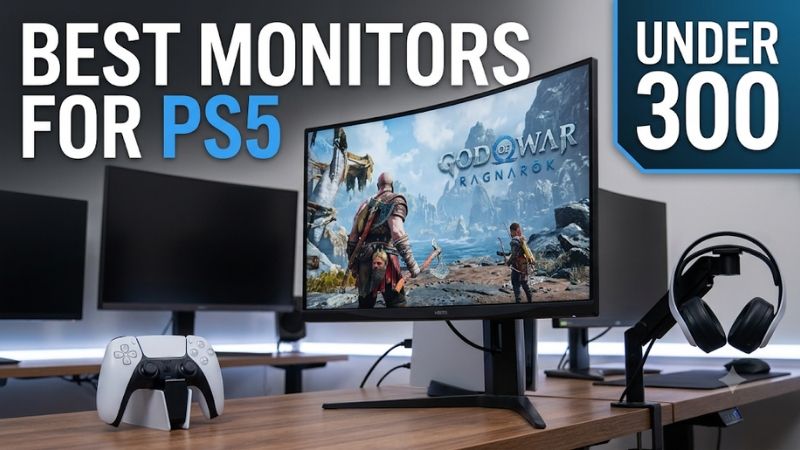
Quick verdict: which PS5 monitor should you buy?
The Dell S2725QS is the strongest option if you want native 4K resolution and 120Hz console support. The ASUS ROG Strix XG27ACS is a better choice for standard PS5 owners who want an affordable 1440p gaming experience, while the AOC Q27G3XMN offers impressive Mini LED HDR performance at a relatively affordable price.
The right choice depends on whether you own a standard PS5 or PS5 Pro, how important HDR is to you, and whether you prioritize fast competitive gameplay or detailed graphics.
| Monitor | Best for | Resolution | Maximum refresh rate | Price observed |
|---|---|---|---|---|
| Dell S2725QS | Best overall 4K | 4K | 120Hz | $279.99 |
| ASUS ROG Strix XG27ACS | Best budget 1440p | 1440p | 180Hz | $229 |
| Dell Alienware AW2725DM | Best value IPS gaming | 1440p | 180Hz | $199.99 |
| LG UltraGear 27GR83Q-B | Best high-refresh gaming | 1440p | 240Hz | $254.99 |
| AOC Q27G3XMN | Best Mini LED HDR | 1440p | 180Hz | $284.71 |
| Dell Alienware AW3225DM | Best large curved display | 1440p | 180Hz | $249.99 |
Prices are US-market observations before tax and shipping, not guaranteed checkout totals. The LG price is based on an Amazon US price observation from October 31, 2026; the other figures are recent manufacturer or retailer listing observations. Prices and stock can change.
One important distinction is that a monitor’s maximum refresh rate is not the same as the frame rate a PS5 can produce. A 240Hz monitor can still be useful for PC gaming, but the PS5’s maximum supported video output is 120Hz.
How we selected the best monitors for PS5 under $300
This roundup focuses on monitors that provide meaningful gaming benefits within a $300 US budget. We prioritized displays with at least 1440p resolution or a clearly defined reason to choose 1080p, suitable refresh-rate support, and responsive gaming performance.
The evaluation considered six main factors:
-
Resolution and pixel density for image clarity.
-
HDMI bandwidth and compatibility with PS5 video signals.
-
Refresh rate and support for 120Hz gameplay.
-
VRR compatibility for reducing screen tearing.
-
Response time and input lag for responsive controls.
-
HDR performance, contrast, brightness, and panel limitations.
Manufacturer documentation was used to establish the exact model specifications and connectivity. Independent testing from RTINGS and Tom’s Hardware helped distinguish advertised specifications from actual gaming behavior.
The shortlist also recognizes a limitation of this price category: most sub-$300 monitors do not provide both outstanding HDR and unrestricted 4K/120Hz connectivity. Some prioritize 1440p motion handling, while others offer stronger backlighting but lack PS5 VRR compatibility.
No first-hand testing or original benchmark measurements are claimed.
Six recommended PS5 monitors under $300
Dell S2725QS: Best overall for 4K/120Hz gaming
The Dell S2725QS is an excellent option for PS5 owners who want to prioritize resolution without crossing the $300 budget. It features a 27-inch IPS panel with a native 3840 × 2160 resolution and a 120Hz refresh rate.
Unlike many inexpensive 4K office displays, it includes HDMI 2.1 bandwidth, allowing compatible consoles to send 4K/120Hz signals. Dell also includes two HDMI inputs and one DisplayPort 1.4 connection, making it possible to connect a PS5 alongside a PC or another HDMI device.
The display supports AMD FreeSync Premium, and RTINGS confirms compatibility with most PS5 signals, including 4K/120Hz and VRR. Its low input lag helps maintain responsive controls, which matters in racing games, action titles, and shooters.
Its biggest advantage is image detail. At 27 inches, 4K resolution produces approximately 163 pixels per inch. This makes small interface elements, environmental details, and distant objects look sharp at typical desk distance.
However, buyers should not expect premium HDR performance. The IPS panel lacks effective local dimming, resulting in gray-looking blacks in darker environments. RTINGS also found relatively slow pixel response, which creates noticeable motion blur during fast gameplay. Its HDR highlights do not stand out particularly well.
This is more of a versatile 4K productivity and console monitor than a specialized competitive gaming display. It is particularly appealing to players who also use their screen for browsing, studying, and everyday PC work.
Buy if you want 4K/120Hz support, sharp image quality, and a conventional IPS panel. Skip if you prioritize fast motion handling, strong HDR contrast, or a higher refresh rate than 120Hz.
The Dell S2725QS is listed by Dell at $279.99 in the US, placing it within the budget before taxes and shipping.
ASUS ROG Strix XG27ACS: Best budget 1440p option
The ASUS ROG Strix XG27ACS is a practical recommendation for standard PS5 owners who want smooth gaming without spending close to $300. It combines a 27-inch Fast IPS panel, 2560 × 1440 resolution, and a maximum 180Hz refresh rate.
Its main advantage is the combination of motion performance and image clarity. A 1440p resolution is noticeably sharper than 1080p on a 27-inch display, while the Fast IPS panel offers good viewing angles and responsive pixel transitions.
ASUS specifies a 1ms gray-to-gray response time, Adaptive-Sync, ELMB Sync, and HDR support. Connectivity includes HDMI 2.0, DisplayPort 1.4, and USB-C with DisplayPort Alt Mode. The USB-C connection provides only limited power delivery, so it should not be considered a replacement for a full laptop charging dock.
For PS5 gaming, the important supported modes are 1440p/120Hz and downscaled 4K/60Hz. RTINGS also reports VRR compatibility with most supported console signals, although VRR does not work with 4K/60Hz output on this model.
The main compromise is HDR quality. The IPS panel has limited native contrast and no local dimming, so black areas can look gray in dark rooms. Bright highlights also lack the impact expected from a genuinely capable HDR monitor.
Still, this is a sensible screen for players who mainly enjoy Fortnite, Call of Duty, racing games, and other titles with performance modes. Its 180Hz PC refresh-rate capability also gives it more flexibility if you later connect a gaming desktop.
Buy if you want an affordable 1440p monitor with fast motion handling and useful PS5 compatibility. Skip if native 4K/120Hz output or high-quality HDR is essential.
ASUS lists the XG27ACS at $229 in its US store, making it one of the more attractive options in this roundup.
Dell Alienware AW2725DM: Best value IPS gaming monitor
The Dell Alienware AW2725DM is a 27-inch 1440p gaming monitor that offers an attractive combination of competitive gaming performance and practical ergonomics.
It uses a Fast IPS panel with a native resolution of 2560 × 1440 and a maximum refresh rate of 180Hz. Dell specifies a 1ms gray-to-gray response time in its fastest mode, although this advertised figure should not be treated as a guarantee of consistently blur-free motion.
Its connectivity includes two HDMI inputs, one DisplayPort 1.4 connection, and a USB hub. The monitor also supports AMD FreeSync, NVIDIA G-SYNC, and VESA Adaptive-Sync. Its stand offers height, tilt, swivel, and pivot adjustments, which makes it easier to position comfortably on a gaming desk.
For PS5 users, its biggest advantage is VRR compatibility. RTINGS confirms that the monitor supports most console signals, although it cannot accept 4K/120Hz because it lacks the required HDMI bandwidth.
The 1440p/120Hz mode is the more practical target. It provides a good balance of sharpness and smoothness for standard PS5 gaming without requiring a more expensive 4K display.
Picture quality is more limited. Its native contrast ratio is relatively low, causing blacks to look gray in dark rooms. Its local dimming feature also performs poorly in HDR and cannot be disabled in that mode. RTINGS additionally found more motion blur when VRR was active than when it was disabled.
These limitations make the Alienware a stronger SDR gaming monitor than an HDR-focused entertainment display.
Buy if you want an adjustable 1440p IPS display with VRR and low input lag. Skip if you prefer deep blacks, impactful HDR, or 4K/120Hz output.
Dell’s US store has listed the AW2725DM at $199.99, leaving considerable room in the budget for a headset or external speakers.
LG UltraGear 27GR83Q-B: Best high-refresh gaming option
The LG UltraGear 27GR83Q-B is worth considering when you play competitive games on both a PS5 and a gaming PC. Its 27-inch IPS panel has a 2560 × 1440 native resolution and a maximum refresh rate of 240Hz.
LG designed this monitor around fast gaming rather than 4K image quality. Its 240Hz ceiling is primarily beneficial for a compatible PC, but its HDMI 2.1 bandwidth also gives console owners access to the necessary connectivity for modern gaming signals.
The monitor has two HDMI 2.1 inputs, one DisplayPort 1.4 connection, AMD FreeSync Premium support, and NVIDIA G-SYNC compatibility. The stand also provides height, tilt, and pivot adjustments.
RTINGS describes its console performance positively. It supports 1440p gaming with fast response times, low input lag, and VRR compatibility. This is useful for competitive games where responsive controls and consistent motion matter more than native 4K resolution.
The biggest image-quality weakness is its relatively low native contrast. Black areas can appear gray, particularly in dark gaming environments. It also lacks local dimming, so HDR highlights cannot produce the same visual impact as a Mini LED display.
The 240Hz rating should not be the primary reason to purchase it for PS5. Its main advantage is that it provides a capable 1440p console experience while offering substantial headroom for a future PC setup.
A US Amazon price observation recorded on October 31, 2026, placed the exact 27GR83Q-B model at $254.99. Since this is not a guaranteed November 9 checkout price, verify that the selected listing remains below $300 before ordering.
Buy if you play competitive games and also plan to use a high-refresh gaming PC. Skip if 4K detail, strong HDR, or deep blacks are more important than motion performance.
AOC Q27G3XMN: Best Mini LED HDR option
The AOC Q27G3XMN is an interesting choice for PS5 players who prioritize HDR brightness and contrast. Unlike conventional IPS gaming monitors in this price category, it uses a VA panel with Mini LED backlighting and 336 local dimming zones.
Its 27-inch display has a native 2560 × 1440 resolution and a maximum 180Hz refresh rate. AOC specifies a 1ms gray-to-gray response time, 4,000:1 native contrast ratio, and DisplayHDR 1000 certification. The manufacturer also lists HDR peak brightness of up to 1,000 nits.
The Mini LED backlight gives the monitor a significant advantage in dark games with bright highlights. Compared with a basic edge-lit IPS panel, local dimming can improve the separation between bright and dark areas, creating more convincing HDR scenes.
Independent RTINGS testing found that the display produces deep blacks and strong HDR highlights. Its response performance is also good for an affordable VA monitor, although dark transitions can reveal some black smearing.
There is one critical PS5 limitation: the Q27G3XMN does not support PS5 VRR. Its HDMI 2.0 inputs also prevent it from accepting 4K/120Hz signals. It can still accept 1440p/120Hz console output, but buyers should understand that its PC Adaptive-Sync support does not guarantee PlayStation VRR compatibility.
The monitor is therefore a specialist choice rather than the safest recommendation for every console player.
Buy if you mostly play cinematic single-player games and value HDR contrast and brightness. Skip if PS5 VRR or 4K/120Hz compatibility is essential.
AOC’s US product listing showed a starting price of $284.71 during research, keeping the model within the stated budget.
Dell Alienware AW3225DM: Best large curved monitor
The Dell Alienware AW3225DM is the strongest choice for players who prefer a larger gaming display. Its 31.5-inch curved VA panel offers a native 2560 × 1440 resolution and a maximum refresh rate of 180Hz.
Unlike the 27-inch models in this roundup, the AW3225DM provides a wider physical viewing area. Its 1500R curvature is designed to create a more immersive viewing experience when sitting relatively close to the display.
Dell specifies a 3,000:1 native contrast ratio, 400-nit brightness, and 95% DCI-P3 coverage. It also supports AMD FreeSync and VESA AdaptiveSync. The connections include two HDMI inputs and one DisplayPort 1.4 port.
For PS5 owners, it supports 1440p/120Hz gaming and VRR, but it cannot accept 4K/120Hz signals. RTINGS found that console gaming feels responsive thanks to low input lag and generally good motion handling.
Its VA panel provides deeper blacks than many inexpensive IPS monitors when used in SDR. This is useful for atmospheric games and dark environments.
However, its HDR performance is considerably less impressive. The monitor has a local dimming system that can create distracting halos around bright objects, and the feature cannot be turned off in HDR mode. Some dark-scene motion can also reveal smearing.
Another practical limitation is the lack of an audio output. You should plan to connect your headset or speakers directly to the console or another compatible device instead of relying on the monitor for audio connectivity.
Buy if you want a larger curved screen with stronger native contrast and 1440p/120Hz PS5 gaming. Skip if you need 4K/120Hz or prefer a flat display with better dark-scene motion handling.
Dell has listed the AW3225DM at $249.99 in its US store, making it a relatively affordable way to move up to a 32-inch gaming display.
How to choose the right monitor specifications for PS5
The six recommendations above show that different monitor technologies prioritize different features. Understanding a few essential specifications will help you avoid paying for features that do not improve your actual console experience.
Resolution: 1440p or 4K?
Resolution is one of the first decisions to make.
A 1440p monitor has 2560 × 1440 pixels, while a 4K display has 3840 × 2160 pixels. The additional pixels in 4K produce sharper images, particularly on larger screens.
For standard PS5 owners, 1440p is a sensible budget target. Sony officially supports 1440p output and provides a compatibility test for SDR, HDR, 60Hz, 120Hz, and VRR. This makes a quality QHD monitor a legitimate alternative to a more expensive 4K display.
playstation.com+1
PS5 Pro owners may benefit more from a 4K display because the console has greater graphics-processing capability and additional visual enhancement features. The Dell S2725QS is particularly relevant here because it supports native 4K/120Hz input.
A simple comparison:
| Resolution | Recommended screen size | Best use |
|---|---|---|
| 1080p | 24 inches | Entry-level console gaming |
| 1440p | 27 inches | Best budget balance |
| 4K | 27–32 inches | Detailed graphics and PS5 Pro |
Do not assume that every 4K monitor is better than every 1440p gaming monitor. A 4K/60Hz display with poor motion handling may be less enjoyable for fast games than a responsive 1440p/120Hz alternative.
Refresh rate: 120Hz is the practical target
The PS5 supports video output up to 120Hz in compatible games and display modes. That makes 120Hz the most important refresh-rate target for this console.
A 144Hz or 180Hz monitor is also suitable because it can accept a 120Hz signal when its input supports that mode. You do not have to match the monitor’s maximum refresh rate exactly.
A 240Hz display is more useful when you also own a gaming PC. The LG 27GR83Q-B illustrates this approach by combining 1440p/120Hz console capability with 240Hz PC gaming.
Before purchasing, check the refresh rate supported at the resolution you actually plan to use. A monitor may support 180Hz through DisplayPort but have a lower maximum refresh rate over HDMI.
HDMI 2.1: essential for 4K/120Hz
HDMI connectivity is especially important when purchasing a display for a PS5.
HDMI 2.1 bandwidth enables compatible monitors to accept 4K/120Hz signals. Sony recommends using the console’s supplied HDMI cable or another suitable Ultra High Speed HDMI cable when troubleshooting 4K/120Hz output.
However, the HDMI version printed in an advertisement does not tell the entire story. Check the monitor’s documented supported resolution and refresh rate for each input.
For a 1440p/120Hz monitor, HDMI 2.0 may be sufficient. For native 4K/120Hz output, choose a monitor with the required HDMI 2.1 bandwidth.
VRR: useful for fluctuating frame rates
Variable refresh rate synchronizes the monitor’s refresh timing with the console’s output. This can reduce tearing and make performance fluctuations less distracting.
VRR is particularly beneficial in demanding games where the frame rate changes during combat, exploration, or large open-world scenes.
Sony requires a compatible HDMI VRR display for this feature. It also allows users to apply VRR to unsupported games, although results vary depending on the monitor and game.
This is why the AOC Q27G3XMN needs a special qualification. Its Adaptive-Sync works with compatible PC systems, but RTINGS reports that it does not support VRR with PS5. Do not assume that every monitor advertising FreeSync or Adaptive-Sync automatically works with PlayStation VRR.
HDR: check brightness and contrast together
HDR can improve the appearance of bright highlights, explosions, sunsets, and other high-contrast scenes.
However, HDR10 support alone does not guarantee excellent HDR performance. A basic IPS display may accept an HDR signal but lack the brightness and contrast required for convincing results.
OLED provides excellent blacks through individually controlled pixels, while Mini LED uses local dimming zones to improve LCD contrast. Under $300, Mini LED is a particularly interesting option because it can provide stronger HDR brightness than conventional IPS monitors.
The AOC Q27G3XMN is a good example, although its lack of PS5 VRR is an important compromise.
Response time and input lag
Response time measures how quickly pixels transition between colors. Input lag describes the delay between the console sending an image and that image appearing on the screen.
Both influence responsiveness, but they are not interchangeable.
A monitor can have low input lag and still produce motion blur because its pixels transition relatively slowly. This is why independent testing is more useful than comparing manufacturer response-time claims alone.
For competitive games, prioritize low input lag and consistent response across the monitor’s refresh-rate range. For cinematic games, contrast, HDR, and resolution may provide a more noticeable improvement.
Frequently asked questions
Is a $300 monitor good enough for PS5?
Yes. A $300 budget is sufficient for a capable 1440p/120Hz gaming monitor and can even cover some 4K/120Hz options when priced appropriately.
You will need to compromise on HDR performance, contrast, or motion handling compared with premium displays, but a well-chosen budget monitor can provide an excellent console experience.
Should I buy a 4K or 1440p monitor for PS5?
Choose 4K if image detail is your priority, especially with a PS5 Pro. Choose 1440p if you want to save money while maintaining sharp visuals and access to 120Hz gaming.
A quality 1440p display is often a better gaming purchase than a basic 4K monitor with weak motion handling.
Can a 240Hz monitor run PS5 games at 120Hz?
Yes. A compatible 240Hz monitor can accept a 120Hz signal from the PS5. The console will not produce 240 FPS, but the display remains useful if you later connect a gaming PC.
Do I need VRR for PS5 gaming?
VRR is not mandatory, but it is beneficial. It can reduce screen tearing and make changes in frame rate less noticeable.
If you regularly play games with inconsistent frame rates, a monitor with confirmed PS5 VRR compatibility is worth prioritizing.
Is a 27-inch monitor better than a 32-inch monitor for PS5?
Neither is universally better. A 27-inch screen is more practical for a compact desk, while a 32-inch display creates a larger and more immersive viewing experience.
At the same 1440p resolution, a 27-inch panel also provides sharper pixel density than a 32-inch alternative.
Final verdict
The Dell S2725QS is the best overall option when native 4K/120Hz support matters most, particularly for PS5 Pro owners. The ASUS ROG Strix XG27ACS is a stronger value-oriented choice for standard PS5 players who want responsive 1440p gaming without spending the entire budget.
For additional contrast and HDR brightness, consider the AOC Q27G3XMN, but remember that PS5 VRR is not supported. The Dell Alienware AW2725DM and AW3225DM offer useful alternatives for buyers who prefer IPS or a larger curved display, respectively.
Ultimately, prioritize the features your console can actually use. A well-chosen 1440p/120Hz monitor with good motion handling and VRR is often a better purchase than an inexpensive display advertising impressive refresh-rate numbers without delivering the resolution, HDR, and connectivity you need.









