
Choosing a fighting game monitor starts with the signal your game actually sends, especially when matches run at 60 frames per second. The ViewSonic XG2431 is our first choice for a compact 1080p practice station, while the LG 27GR83Q-B better suits players sharing one 1440p display between PC and console. Other worthwhile options include a flexible ASUS IPS monitor, a larger 4K LG, an Alienware OLED, and a specialized ZOWIE TN model. The right purchase depends on lower-refresh performance, seating position, and the games you play beyond fighters.
- Which fighting game monitor should you choose?
- Quick comparison
- How we selected these monitors
- ViewSonic XG2431: Our compact practice pick
- ASUS ROG Strix XG27ACS: For gaming and everyday desktop use
- LG 27GR83Q-B: For a shared PC and console desk
- LG 32GR93U-B: For a larger 4K picture
- Alienware AW2725DF: For OLED image quality on PC
- ZOWIE XL2546X+: For players who also prioritize shooters
- How to choose a fighting game monitor
- Frequently asked questions
- Final verdict
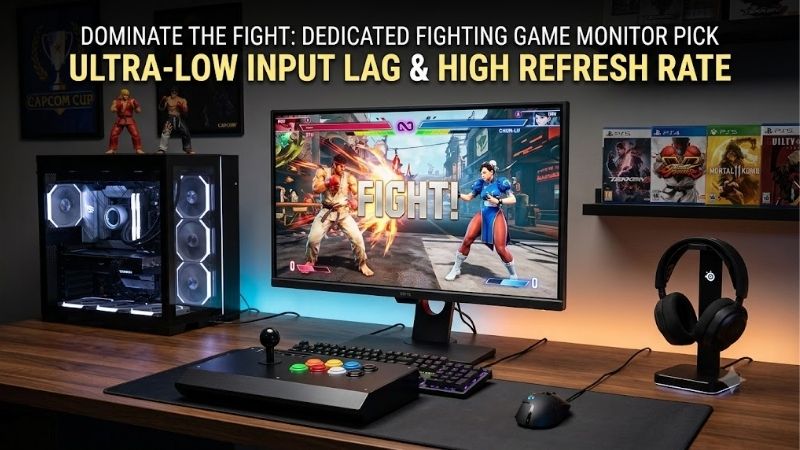
Quick answer: Our top pick in 2026 is the ViewSonic XG2431 — our #1 rated choice. See the full ranked comparison, alternatives and buying advice below.
Which fighting game monitor should you choose?
Start with the ViewSonic XG2431 if you want a 24-inch-class screen for close desk use and an adjustable stand. Its 1080p resolution keeps the setup straightforward, while independent testing supports its responsive operation and consistent pixel response across refresh rates. PureXP blur reduction is an additional tool for players willing to experiment.
Choose the LG 27GR83Q-B for a broader PC-and-console setup. Its 27-inch 1440p IPS panel, 240Hz ceiling, and HDMI 2.1 connectivity make it useful across several genres. Its appeal is flexibility; paying for 240Hz does not turn a fighter with 60-fps gameplay into a 240-fps game.
The ASUS ROG Strix XG27ACS suits players who also use their monitor for everyday desktop work. The LG 32GR93U-B prioritizes a larger 4K picture. Alienware’s AW2725DF offers OLED contrast and rapid pixel transitions for a PC-centered setup. ZOWIE’s XL2546X+ is a narrower recommendation for players who also spend considerable time in competitive shooters.
These are recommendations by use case, not a measured fastest-to-slowest ranking. No current-price comparison is used to award a budget or value winner.
Quick comparison
| Monitor | Best fit | Panel and resolution | Advertised maximum refresh | Main limitation |
|---|---|---|---|---|
| ViewSonic XG2431 | Compact practice station | 24-inch-class IPS, 1920 × 1080 | 240Hz | Limited contrast; strobing needs careful setup |
| ASUS ROG Strix XG27ACS | PC gaming and everyday use | 27-inch Fast IPS, 2560 × 1440 | 180Hz | Modest HDR; USB-C supplies only 7.5W |
| LG 27GR83Q-B | Shared PC and console desk | 27-inch IPS, 2560 × 1440 | 240Hz | No local dimming; stand does not swivel |
| LG 32GR93U-B | Larger 4K setup | 32-inch-class IPS, 3840 × 2160 | 144Hz | Needs more viewing space; limited HDR contrast |
| Alienware AW2725DF | OLED-focused PC setup | 27-inch-class QD-OLED, 2560 × 1440 | 360Hz over DisplayPort | HDMI limited to 144Hz; burn-in risk |
| ZOWIE XL2546X+ | Fighters plus competitive shooters | 24.1-inch Fast TN, 1920 × 1080 | 280Hz over DisplayPort | Narrower viewing angles; exact-model latency unverified here |
Maximum refresh describes the monitor’s supported ceiling, not guaranteed game performance. Console output, the selected input, graphics hardware, and game settings determine which modes you can actually use.
How we selected these monitors
We prioritized standard 16:9 displays with documented gaming features and distinct practical roles. A compact screen helps with close seating, IPS viewing angles support shared play, 4K benefits a larger display, and OLED offers a different picture-quality trade-off.
Manufacturer specifications establish resolution, panel type, ports, refresh ceilings, and adjustments. Independent reviews from RTINGS and TFTCentral inform the performance discussion where available. This roundup is research-based; we did not conduct detailed research.
Low input lag and fast pixel transitions are separate requirements. Input lag concerns when the display shows a received image. Pixel response concerns how quickly pixels change afterward. A manufacturer’s “1ms” label does not measure the entire delay from pressing a button to seeing an attack.
We also avoided assuming that testing of a similarly named model applies to its replacement. The ZOWIE XL2546X+ differs from the older XL2546X in size and refresh specification. Its recommendation below is conditional and based on documented features, without an invented latency ranking.
ViewSonic XG2431: Our compact practice pick
The ViewSonic XG2431 combines a 24-inch-class IPS panel, 1920 × 1080 resolution, and a 240Hz refresh ceiling. Its height, tilt, swivel, and pivot adjustments make it easier to position correctly on a crowded practice desk.
Its strongest case comes from behavior beyond the headline refresh figure. RTINGS reports consistently fast response across its refresh range and low input lag. That matters when a display alternates between a high-refresh PC desktop and lower-refresh game output.
PureXP is the distinctive feature. This backlight-strobing system reduces persistence blur by shortening how long each image remains visible. TFTCentral confirmed a single-strobe 60Hz option, making the XG2431 interesting for experimentation with 60Hz content. However, the same review warns that flicker is very noticeable at that frequency.
Treat strobing as an optional adjustment. Start with it disabled, establish a comfortable brightness, and then compare it during actual movement. A mode that looks sharper but causes discomfort is a poor choice for long sets.
The limitations are straightforward: 1080p offers less desktop workspace than 1440p, and IPS contrast cannot deliver OLED-like blacks. Its HDR labeling should not be the reason to buy it.
Buy it if you want a compact IPS practice display and adjustable positioning, with optional blur reduction. Skip it if you mainly want a sharper work monitor or convincing HDR. The ASUS XG27ACS is the more appropriate alternative for additional desktop space.
ASUS ROG Strix XG27ACS: For gaming and everyday desktop use
The ASUS ROG Strix XG27ACS uses a 27-inch Fast IPS panel at 2560 × 1440, with an advertised 180Hz maximum. Its extra pixels make training notes, frame-data references, and ordinary desktop windows easier to arrange than on a 1080p screen.
RTINGS reports low input lag and sharp motion across its refresh range. Those findings support its role as a general gaming display rather than requiring buyers to infer responsiveness from ASUS’s advertised response-time number.
Connectivity includes DisplayPort, HDMI, and USB-C with DisplayPort Alt Mode. The USB-C input supplies only 7.5W. It can carry video from a compatible device, but it does not replace a typical laptop charger. A USB-C connector on the computer must also support video output.
ASUS includes ELMB Sync blur reduction. Nevertheless, RTINGS observed image duplication with the monitor’s strobing. For fighting games, begin with ordinary operation and evaluate the actual game rather than assuming that enabling every gaming feature improves clarity.
The adjustable stand supports a comfortable desk setup. The picture-quality compromise is familiar for this panel category: limited contrast without local dimming. This is primarily an SDR gaming and work recommendation.
Buy it if you want one screen for fighters, other PC games, and daily tasks. Skip it if you need 4K detail, strong HDR, or substantial USB-C charging. The LG 27GR83Q-B is the alternative to examine for a setup where console connectivity is a larger priority.
LG 27GR83Q-B: For a shared PC and console desk
The LG 27GR83Q-B pairs a 27-inch 2560 × 1440 IPS panel with a 240Hz refresh ceiling. It includes two HDMI 2.1 inputs, DisplayPort, and support for G-SYNC Compatible operation and FreeSync Premium.
Its role is convenience across devices. A PC can use the high-refresh capability in suitable games, while a console connects through HDMI. RTINGS identifies its HDMI bandwidth and console compatibility as strengths, alongside low input lag and fast response across its variable-refresh range.
Keep the panel’s native resolution in mind. Receiving a 4K signal does not turn the display into a native 4K monitor. Its physical pixel grid remains 2560 × 1440. Choose the larger LG below if native 4K detail is central to your purchase.
The stand offers height, tilt, and pivot adjustment but does not swivel. That omission matters for local versus play when players sit at different angles. Arrange the monitor and seats together, or consider a compatible arm if you frequently change the layout.
Its main picture-quality drawback is weak dark-room contrast. RTINGS notes the lack of local dimming and limited HDR performance. Neither the refresh number nor HDR certification fixes that limitation.
Buy it if PC and console share one desk and 1440p is your preferred resolution. Skip it if you need stronger HDR or frequently reposition the screen horizontally. The XG2431 suits a smaller station; the 32GR93U-B better suits a larger 4K arrangement.
LG 32GR93U-B: For a larger 4K picture
The LG 32GR93U-B offers a 32-inch-class IPS screen, native 3840 × 2160 resolution, and a 144Hz refresh ceiling. HDMI 2.1 connectivity makes it a useful candidate for a modern console setup that also serves PC games.
Its purpose is image size and detail. A larger screen can make sense when two players sit farther back or when the monitor also handles other visually demanding games. RTINGS reports fast response across refresh rates and low input lag, supporting its gaming credentials beyond resolution alone.
The trade-off is physical scale. At a shallow desk, a 32-inch screen may require uncomfortable eye movement between characters and interface elements. Before buying, mark out the display area and check where both players will sit. More inches are useful only when the viewing distance suits them.
Rendering at 4K also increases the PC’s workload. If the game struggles to maintain its intended frame rate, reduce settings or output resolution. Display sharpness cannot compensate for inconsistent game performance.
This LG remains an IPS monitor without the contrast control of an OLED or a capable local-dimming display. Do not choose it primarily for dramatic HDR.
Buy it if you want a larger native 4K screen and have room to sit back. Skip it if your priority is a compact practice station. The 27GR83Q-B offers a smaller alternative with a higher refresh ceiling, while the Alienware prioritizes contrast over screen size.
Alienware AW2725DF: For OLED image quality on PC
The Alienware AW2725DF uses a 27-inch-class QD-OLED panel at 2560 × 1440. Its maximum 360Hz mode is available through DisplayPort. Dell specifies a 144Hz ceiling at native resolution over HDMI, despite labeling that connection HDMI 2.1.
That input distinction matters. Buy this model with its actual supported modes in mind rather than treating an HDMI version number as a complete capability list. A PC-focused DisplayPort setup fits its strengths more naturally.
OLED’s rapid pixel transitions and deep blacks make animated characters and contrasting stage elements visually appealing. TFTCentral’s exact-model testing supports low display lag, including its separately tested 60Hz operation. That evidence does not establish the fastest complete fighting-game setup, because the game and system still contribute delay.
OLED also requires a different ownership decision. Repeated static HUD elements and extensive desktop use create burn-in considerations. Dell’s US listing states three-year coverage including OLED burn-in, but buyers should check the applicable purchase terms and follow the panel-maintenance guidance.
Fast pixel response also cannot remove every kind of motion blur. A 60-fps animation still provides a new image only once per game frame. OLED improves the transition between images without inventing intermediate game states.
Buy it if contrast and OLED presentation are priorities alongside broader high-refresh PC gaming. Skip it if you want a low-maintenance display for heavily static use or expect full-refresh HDMI operation. The LG IPS options provide alternatives without OLED burn-in concerns.
ZOWIE XL2546X+: For players who also prioritize shooters
The ZOWIE XL2546X+ is a 24.1-inch 1920 × 1080 Fast TN monitor with a documented 280Hz maximum through DisplayPort 1.2. ZOWIE also lists 1080p at 120Hz support for PS5 and Xbox Series X/S through HDMI 2.0.
It is a specialized option. The compact display, highly adjustable stand, and DyAc 2 blur reduction are appealing when the same station handles fighters and competitive shooters. Its 155mm height adjustment and swivel give users considerable positioning flexibility.
However, those features do not establish a fighting-game latency advantage. We did not verify an independent latency test for this exact plus model. Measurements from the older 24.5-inch, 240Hz XL2546X should not be transferred to it.
ZOWIE documents variable-refresh operation with DyAc 2 disabled. Treat those as separate operating choices, and test the configuration appropriate to your game. Its 280Hz ceiling alone says little about the quality of a 60Hz fighting-game session.
TN viewing angles are another consideration for side-by-side play. A screen optimized for one centrally seated player may be less suitable when two people view it from different positions.
Buy it if you specifically want ZOWIE’s compact shooter-oriented feature set for a mixed-genre station. Skip it if fighters are your only priority or shared viewing is central. The XG2431 is our more straightforward compact IPS recommendation.
How to choose a fighting game monitor
Match the display mode to the game
Many traditional fighters center their gameplay on a 60-fps target. One frame at 60 fps lasts approximately 16.67 milliseconds. Raising the monitor’s refresh rate does not automatically change the game’s animation frames, simulation, or command timing.
A higher-refresh output can still affect presentation latency, depending on how the game, graphics driver, synchronization, and display interact. That is why refresh rate remains relevant without becoming the only buying criterion.
Check the actual operating mode after launching the game. A desktop configured for 240Hz may switch to a different mode in exclusive fullscreen. Consoles likewise follow game-specific output behavior. Avoid assuming that a system-menu setting guarantees every title uses it.
Read latency tests at the relevant refresh rate
A review’s maximum-refresh input-lag result describes that tested mode. It does not automatically describe fixed 60Hz operation. Compare 60Hz results when that is your signal, and examine 120Hz results when the game and system actually use that output.
Keep methods consistent. Some reviewers measure processing delay, while others include scanout and pixel response in a display-lag figure. Numbers from different methods cannot fairly establish a winner by simple subtraction.
The monitor is also only one part of the chain. Controller behavior, game processing, graphics rendering, and synchronization contribute delay. A display upgrade cannot fix an unstable PC or a problematic input connection.
Distinguish pixel response from advertised response time
Slow pixel transitions can leave trails behind characters. Overdrive accelerates transitions, but an aggressive setting can cause overshoot: bright or dark halos that were not present in the original image.
Judge the setting at your actual refresh rate. A preset that works well near maximum refresh may look worse at 60Hz. Begin with the manufacturer’s moderate setting, then inspect movement against both light and dark backgrounds.
Response-time marketing deserves particular care. GtG describes pixel transitions, while MPRT relates to moving-image persistence under specified conditions. Neither label alone tells you the monitor’s input lag.
Use strobing only when it helps your setup
Backlight strobing can sharpen perceived motion, but it introduces trade-offs in brightness and flicker. The game’s frame delivery and the strobe frequency must also work together; repeating one game frame across several flashes can produce duplicated outlines.
The XG2431 deserves attention because independently reviewed 60Hz single-strobe operation gives it a specific use case. Even there, visible flicker makes comfort a deciding factor.
Evaluate strobing during a long enough session to judge comfort. A brief moving-pattern demonstration does not tell you whether the mode suits an evening of practice. Ordinary non-strobed operation remains a valid choice.
Plan seating and connections before spending more
For close desk use, a 24- to 27-inch display is a sensible starting range. Larger screens work better when seating moves back. Two-player sessions also benefit from good viewing angles and enough room for both controllers.
List every source you intend to connect: PC, console, and any capture equipment. Verify supported resolution and refresh for each input. A monitor with one suitable port can become inconvenient when two devices need it.
Connect directly while establishing a reliable baseline. Add switches or capture devices afterward and check supported modes again. Also confirm your audio route; a headphone connector does not imply built-in speakers, and neither feature establishes controller compatibility.
Frequently asked questions
Is 240Hz necessary for fighting games?
No. A responsive monitor with good behavior at your actual output rate is sufficient. A 240Hz model becomes more attractive when you also play games that produce higher frame rates. Do not pay extra solely because the number appears more competitive.
Does a monitor fix online lag?
It can reduce the display’s contribution to delay, but it cannot repair network conditions or change a game’s netcode. Compare offline practice with online play before diagnosing the screen. If only online matches behave poorly, investigate the connection separately.
Should I use 1080p or 1440p?
Choose 1080p for a compact screen and a straightforward performance target. Choose 1440p for a 27-inch display that also handles work and other games. Preserve stable game performance first; the sharper option is less useful if the PC cannot maintain the required frame rate.
Should I buy the monitor used at my local tournament?
Matching the event’s exact monitor and settings can help reproduce its visual presentation, but sponsorship or event use alone does not prove superior performance. Confirm the model suffix, output mode, and configuration. A familiar setup can be valuable without being the right purchase for every home.
Final verdict
The ViewSonic XG2431 is our compact practice recommendation, with consistent response behavior and optional 60Hz single-strobe experimentation. Choose the LG 27GR83Q-B when PC and console share a 1440p desk, or the ASUS XG27ACS for a flexible gaming-and-work screen.
The LG 32GR93U-B suits a larger 4K setup, while the Alienware AW2725DF emphasizes OLED image quality and DisplayPort PC gaming. Reserve the ZOWIE XL2546X+ for a station where its shooter-oriented features have a clear purpose. Buy for the output mode, seating arrangement, and ownership trade-offs you will actually use.
Ready to decide? Our #1 pick for 2026 is the ViewSonic XG2431.
Live price & availability on Amazon.









