
Choosing the monitor for fighting games that suits you best means prioritizing input lag, clear motion, reliable connections, and a screen size that keeps the entire match easy to read. For most players, a 24-inch 1080p display or a 27-inch 1440p monitor is a sensible starting point. The LG UltraGear 27GR83Q-B is a strong all-around choice because independent testing confirms low input lag, fast response times, and HDMI 2.1 connectivity. The AOC 24G4EM is worth considering for a lower-cost PC setup, while the ASUS TUF Gaming VG27AQML1A offers a higher-refresh QHD alternative. Players who want OLED contrast and extremely fast pixel response should consider the LG UltraGear 27GS95QE-B or Gigabyte AORUS FO27Q3. The best option depends on your platform, budget, and how competitively you play.
- Best monitor for fighting games: quick verdict
- How we selected these monitors
- AOC 24G4EM: best budget monitor for fighting games
- LG UltraGear 27GR83Q-B: best overall for PC and console
- ASUS TUF Gaming VG27AQML1A: best adjustable high-refresh QHD option
- Gigabyte M27Q X Rev. 2.0: best for competitive PC gaming
- LG UltraGear 27GS95QE-B: best OLED for fighting games
- Gigabyte AORUS FO27Q3: best premium high-refresh option
- How to choose the right monitor for fighting games
- Common mistakes to avoid
- Frequently asked questions
- Final verdict
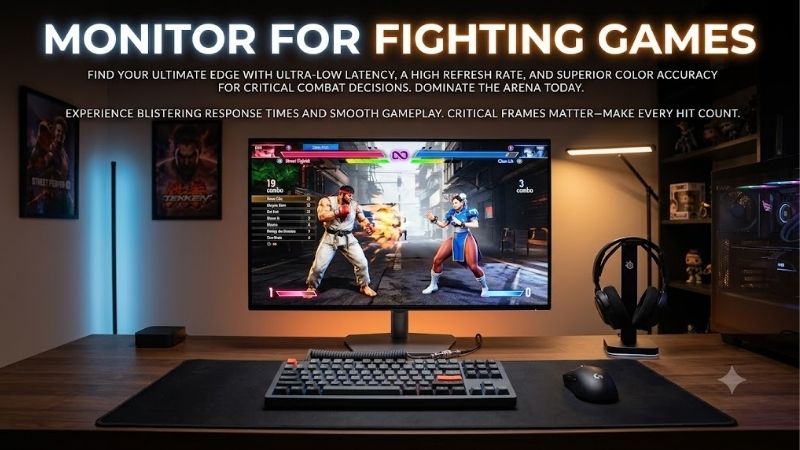
Quick answer: Our top pick in 2026 is the Monitor — our #1 rated choice. See the full ranked comparison, alternatives and buying advice below.
Best monitor for fighting games: quick verdict
Fighting games place a premium on consistent timing. A missed punish, late block, or failed anti-air can decide a round, so low display latency and dependable motion handling matter more than flashy HDR labels or an enormous screen.
Many major fighting games use gameplay designed around 60 frames per second. A 240Hz or 360Hz display cannot make a 60fps match render at that rate. However, a high-quality monitor can still provide low input lag, clean presentation, and flexibility for other competitive games. This makes real-world behavior at 60Hz important alongside the maximum advertised refresh rate.
| Monitor | Best use | Native resolution and refresh rate | Main strength | Main limitation |
|---|---|---|---|---|
| AOC 24G4EM | Budget PC fighting games | 23.8-inch, 1080p, 180Hz | Affordable Fast IPS design and low-input-lag mode | Basic Full HD display |
| LG UltraGear 27GR83Q-B | Best overall for PC and console | 27-inch, 1440p, 240Hz | HDMI 2.1, low input lag, and fast response | Limited native contrast |
| ASUS TUF Gaming VG27AQML1A | Adjustable high-refresh QHD | 27-inch, 1440p, 240Hz native | Flexible stand and ELMB Sync | HDMI 2.0 rather than HDMI 2.1 |
| Gigabyte M27Q X Rev. 2.0 | Competitive PC gaming | 27-inch, 1440p, 240Hz | Fast refresh plus KVM and USB-C | Less complete console bandwidth |
| LG UltraGear 27GS95QE-B | Premium OLED gaming | 27-inch, 1440p, 240Hz | Near-instantaneous pixel response and deep blacks | OLED burn-in considerations |
| Gigabyte AORUS FO27Q3 | High-end competitive setup | 27-inch, 1440p, 360Hz | QD-OLED response, HDMI 2.1, and excellent motion clarity | Expensive and potentially excessive for 60fps fighters |
The recommendations below rely on manufacturer specifications and independent monitor reviews where available. No direct fighting-game latency measurements or hands-on tests were performed for this article. A monitor that performs well in a general gaming review is not automatically the best choice for every fighting game, console, or controller setup.
How we selected these monitors
We prioritized low input lag, quick pixel response, refresh-rate flexibility, and connectivity appropriate for PC or console gaming. We also considered screen size because fighting games often display both characters, health bars, meters, round timers, and other interface elements that benefit from being visible at once.
The recommendations represent different budgets and priorities rather than a strict ranking by refresh rate. The AOC provides an accessible starting point, the LG 27GR83Q-B combines high refresh with broad console compatibility, and the OLED models prioritize picture quality and motion performance. Exact model numbers matter because similar names can hide differences in refresh rates, ports, or panel technology.
Independent reviews from RTINGS are particularly useful here because they separately assess input lag, response behavior, and console compatibility. Manufacturer response-time claims are included as specifications, not treated as equivalent to independently measured performance.
AOC 24G4EM: best budget monitor for fighting games
The AOC 24G4EM is a useful starting point for a budget PC fighting-game setup. AOC lists a 23.8-inch IPS panel with 1920 × 1080 resolution, a maximum refresh rate of 180Hz, Adaptive-Sync, and G-SYNC compatibility. Its compact size keeps the screen manageable on a small desk while preserving reasonable pixel density at typical desktop viewing distances.
The monitor also has a dedicated Low Input Lag mode, according to AOC. This is relevant for fighting games because additional image-processing delay offers little benefit during a competitive match. Keeping the processing pipeline simple is generally preferable when your priority is responding to an opponent’s animation rather than enhancing a cinematic image. AOC also lists HDMI and DisplayPort connectivity, allowing a PC connection that can use the advertised maximum refresh rate when configured correctly. 【turn463392search6】
A 180Hz panel is more than sufficient for many fighting-game players. Even if a particular game runs its gameplay at 60fps, the display still offers flexibility for other PC games, desktop motion, and future upgrades. The main attraction here is affordability and a sensible panel format, not a claim that 180Hz makes every fighting game run faster.
The limitations are straightforward. Full HD is less detailed than QHD, and the monitor is not designed to deliver premium HDR. Its eye-catching response-time marketing should also be interpreted carefully: an advertised 1ms gray-to-gray or 0.5ms MPRT figure does not guarantee that every pixel transition completes in that time under every setting.
Buy it if you play fighting games on a PC and want a compact, high-refresh IPS display without spending heavily. Skip it if you want HDMI 2.1 for more advanced console-video modes or need a larger QHD workspace. The LG 27GR83Q-B is the more versatile step up.
LG UltraGear 27GR83Q-B: best overall for PC and console
The LG UltraGear 27GR83Q-B is the strongest all-round recommendation in this group. It combines a 27-inch 2560 × 1440 IPS panel with a maximum refresh rate of 240Hz, HDMI 2.1 inputs, DisplayPort, and support for AMD FreeSync Premium and NVIDIA G-SYNC compatibility. Its stand supports height, tilt, and pivot adjustment, which makes it easier to position the screen comfortably during long sessions. 【turn560372search1】
RTINGS’ independent review describes the monitor as having low input lag, fast response times across its refresh range, and good PC gaming performance. The review also identifies HDMI 2.1 bandwidth and useful console compatibility, which makes the display suitable for a mixed PC and PlayStation 5 or Xbox Series X|S setup. The principal image-quality weakness is its low native contrast ratio, so dark scenes do not look as deep as they do on OLED displays. 【turn560372search0】
For fighting games, its value comes from the combination rather than any one number. The 27-inch screen provides enough physical space for interface elements, while QHD resolution gives the desktop and game image more detail than Full HD. The high refresh rate also works well for other competitive games, even if your preferred fighting game does not render gameplay at 240fps.
Two HDMI 2.1 ports make console connectivity more flexible than on monitors limited to HDMI 2.0. This matters when you want high-bandwidth console signals and variable-refresh-rate support, although the console and game must also support the chosen output mode. LG specifies that a compatible graphics card is required to reach the monitor’s full 240Hz refresh rate. 【turn560372search1】
Buy it if you want one monitor for fighting games, other PC games, and current consoles. Skip it if you mainly play one 60fps fighting game on a budget PC and would not use QHD or the extra refresh-rate headroom. The AOC 24G4EM is the simpler value option, while the LG OLED model below offers stronger contrast and pixel response at a premium.
ASUS TUF Gaming VG27AQML1A: best adjustable high-refresh QHD option
The ASUS TUF Gaming VG27AQML1A uses a 27-inch Fast IPS panel with native 2560 × 1440 resolution and a 240Hz refresh rate, with an overclocked mode up to 260Hz. ASUS lists Adaptive-Sync, AMD FreeSync Premium, G-SYNC compatibility, and ELMB Sync. ELMB Sync is designed to combine motion-blur reduction with variable refresh rate, although the visual result depends on the chosen settings and game conditions. 【turn463392search2】
Its stand is one of its most useful qualities. ASUS specifies height adjustment up to 130mm, swivel, tilt, and pivot rotation. That gives you more control over the viewing position than the basic tilt stands included with many less expensive gaming monitors. Comfortable positioning matters when you practice for extended sessions, play in a tournament setup, or use the same monitor for work during the day.
The monitor’s connections include DisplayPort 1.4 and two HDMI 2.0 inputs. This is an important distinction: although the model has a high refresh rate and supports modern gaming technologies, ASUS lists HDMI 2.0 rather than HDMI 2.1. A compatible PC can use DisplayPort for the monitor’s high-refresh QHD modes, but console buyers should check supported resolution and refresh combinations rather than assuming every HDMI 2.1 feature is present.
The 260Hz mode is overclocked, not the native refresh rate. That distinction does not make the display unsuitable for fighting games, but it prevents the marketing headline from becoming the only reason to buy it. If your main game is locked to 60fps, positioning and low input lag are more relevant than a small increase from 240Hz to 260Hz.
Buy it if you want a fast QHD monitor with a highly adjustable stand for PC gaming. Skip it if HDMI 2.1 is a firm requirement or if the price is too high for your primary use. The LG 27GR83Q-B is the safer all-round console option.
Gigabyte M27Q X Rev. 2.0: best for competitive PC gaming
The Gigabyte M27Q X Rev. 2.0 is a 27-inch Super Speed IPS display with a native resolution of 2560 × 1440 and a maximum refresh rate of 240Hz. Gigabyte lists a 1ms MPRT response-time specification, VESA DisplayHDR 400 support, flicker-free operation, and a range of connectivity features including HDMI, DisplayPort, and USB-C. Its KVM function is useful for players who switch between a gaming PC and a second computer. 【turn560372search4】
The monitor is best treated as a PC-first option. RTINGS independently researched the M27Q X Rev. 1.0 and found low input lag and fast response at high refresh rates, while noting more blur at lower refresh rates and the absence of HDMI 2.1 bandwidth. That test does not establish every performance characteristic of Rev. 2.0, so it should be used as context rather than a direct measured verdict for the current revision. 【turn463392search1】
For players who also use the PC for shooters, racing games, or other high-refresh titles, the M27Q X has a sensible feature balance. Fighting-game play remains responsive when the display’s input lag is low, and the QHD panel provides additional clarity for game menus, training-mode overlays, and desktop tasks. Its 240Hz ceiling is useful for the wider gaming library rather than a promise that every fighting game will produce 240 frames per second.
The USB-C and KVM features also make the display practical outside gameplay. USB-C power delivery is limited, however, so do not treat it as a full laptop-charging solution. The monitor has height adjustment and 100 × 100mm VESA mounting, which helps with placement.
Buy it if you primarily play on PC and want QHD, high refresh, and useful productivity features. Skip it if HDMI 2.1 bandwidth is essential for your console setup. The LG 27GR83Q-B is the more appropriate choice when console compatibility is a central requirement.
LG UltraGear 27GS95QE-B: best OLED for fighting games
The LG UltraGear 27GS95QE-B is a 27-inch OLED gaming monitor with a 2560 × 1440 resolution, a 240Hz refresh rate, HDMI 2.1, DisplayPort 1.4, and support for AMD FreeSync Premium Pro and NVIDIA G-SYNC compatibility. LG advertises a 0.03ms response time and DisplayHDR True Black 400 support. Its OLED panel can produce deep blacks without the haloing associated with backlight-based local dimming. 【turn463392search0】
RTINGS’ independent review describes near-instantaneous pixel response, low input lag, and excellent motion handling. It also notes HDMI 2.1 bandwidth and good console responsiveness. Those characteristics make this a strong choice for players who want both competitive performance and premium image quality. 【turn570945search1】
OLED’s fast pixel transitions are particularly useful when you want character outlines and fast animations to remain clear. Dark stages also benefit from the panel’s deep blacks, which can make bright effects and HUD elements stand out. The high refresh rate gives flexibility for other PC games, although a 60fps fighting game remains limited by its own gameplay frame rate.
There are trade-offs. RTINGS reports noticeable variable-refresh-rate flicker when frame rates change, and the panel has a potential burn-in risk with prolonged exposure to static content. Fighting games often leave health bars, round timers, and training interfaces in fixed positions, so it is sensible to use the monitor’s OLED-care options and avoid leaving static screens displayed unnecessarily.
Buy it if you want OLED contrast and exceptionally fast response for both fighting games and other titles. Skip it if you want the lowest purchase price or routinely display static desktop content for long periods. The LG 27GR83Q-B is a more economical IPS alternative with HDMI 2.1.
Gigabyte AORUS FO27Q3: best premium high-refresh option
The Gigabyte AORUS FO27Q3 is a 27-inch QD-OLED monitor with QHD resolution, a 360Hz refresh rate, and a manufacturer-rated 0.03ms gray-to-gray response time. It also offers HDMI 2.1, USB-C, KVM functionality, and gaming-oriented features such as Resolution Switch and Night Vision. Gigabyte positions it as a high-end competitive monitor that combines OLED picture quality with a refresh rate aimed at fast gameplay. 【turn560372search5】
RTINGS’ review describes the FO27Q3 as outstanding for PC gaming, with near-instantaneous pixel response, low input lag, excellent motion clarity, and deep blacks. The same review identifies variable-refresh-rate flicker when the frame rate changes and notes that ambient light can make its blacks appear purple. These are meaningful considerations if you play in a bright room or are sensitive to flicker. 【turn463392search5】
For fighting-game players, the strongest arguments for the FO27Q3 are its pixel response, picture quality, and broader gaming versatility. A player who also competes in high-refresh shooters or other PC titles can make more use of the 360Hz specification than someone who plays only 60fps fighters. The HDMI 2.1 ports also make it easier to connect modern consoles, though the display’s maximum refresh rate is not the same as the frame rate of a game.
The price is the major barrier. This is a premium OLED product rather than a budget recommendation, and its additional refresh-rate headroom may have little practical value if your gaming library consists mostly of titles designed around 60fps gameplay. OLED care remains important for long-term use because stationary interface elements can increase burn-in risk.
Buy it if you want one of the strongest combinations of OLED contrast, high refresh, and responsive PC gaming. Skip it if your primary goal is to improve one fighting game on a fixed budget. The LG 27GR83Q-B offers a much more balanced price-to-features proposition for most mixed PC and console players.
How to choose the right monitor for fighting games
Prioritize input lag, not just the advertised refresh rate
Input lag describes the delay between a signal being processed and its appearance on screen. Pixel response time describes how quickly a pixel transitions between colors. These measurements affect different aspects of responsiveness, and neither should be reduced to a single marketing number.
For fighting games, low input lag matters because gameplay depends on responding to animations and timing windows. A 240Hz monitor can still be a poor fit if it handles a 60Hz input less responsively than expected. Look for independent reviews that measure input lag at multiple refresh rates and test response behavior at 60Hz as well as at the monitor’s maximum refresh rate.
Choose a screen size that suits your viewing distance
A 24-inch Full HD monitor is practical for a compact desk and can keep the entire match within a comfortable field of view. It is also a good fit for lower-cost PCs because Full HD is easier to render than QHD. A 27-inch QHD monitor gives you a larger and sharper image, which is useful for other games and everyday desktop tasks.
The larger option is not automatically better for fighting games. If you sit close to the monitor, a 24-inch display may make it easier to see both characters and interface elements without scanning across a wide screen. If you sit farther away or use one monitor for many applications, 27 inches can be more versatile.
Check HDMI support for consoles
Console buyers should check the monitor’s HDMI specification, supported refresh combinations, and variable-refresh-rate support. HDMI 2.1 is useful for high-bandwidth modes and modern console features, but its presence does not guarantee that every refresh rate, resolution, or VRR mode is supported in every combination.
The LG 27GR83Q-B and LG 27GS95QE-B are particularly straightforward console choices because independent testing confirms their HDMI 2.1 bandwidth and responsive gaming behavior. 【turn560372search0】【turn570945search1】 The Gigabyte M27Q X Rev. 2.0 is better suited to PC-first buyers who value high refresh and productivity features.
Treat 60fps gameplay as a separate consideration
A high-refresh monitor can be valuable even when your preferred fighting game is limited to 60fps, but the benefits should not be exaggerated. It does not change the game’s simulation speed or create extra animation frames that the software never renders. Instead, the display’s input lag, response behavior, and consistency at the signal you use become more important.
If you play mainly on a console and primarily run fighting games at 60fps, prioritize responsive 60Hz handling and a compatible connection. If you also play other competitive games on PC, a higher refresh-rate model is easier to justify.
Common mistakes to avoid
Do not buy a monitor based solely on a 1ms response-time claim. Manufacturers may use MPRT or gray-to-gray figures, and those do not directly measure the same behavior. Independent testing is more useful for evaluating input lag and motion clarity.
Do not pay for 360Hz if you do not play games that can take advantage of it. Fighting games designed around 60fps can still benefit from a responsive monitor, but the extra refresh-rate ceiling matters more when you play other high-frame-rate titles.
Finally, do not ignore physical setup. Position the display so you can see the entire playfield comfortably, check the input your PC or console uses, and configure the supported refresh rate correctly. A premium monitor cannot compensate for poor positioning, an unsuitable cable, or an incorrectly configured output.
Frequently asked questions
Is 240Hz worth it for fighting games?
It is worthwhile if you also play high-refresh PC games or want a monitor with strong responsiveness and future flexibility. If you mainly play fighting games designed around 60fps, prioritize low input lag and response consistency over the maximum refresh-rate number.
Is a 24-inch monitor better than 27 inches for fighting games?
A 24-inch screen is convenient for a small desk and can keep both fighters and the HUD within a compact viewing area. A 27-inch screen provides a larger image and more workspace for other applications. Your viewing distance and personal preference matter more than a universal screen-size rule.
Do I need HDMI 2.1 for a fighting-game monitor?
Not necessarily. HDMI 2.1 is useful for advanced console video modes and high-bandwidth signals, but many fighting games do not use the highest refresh rates that modern monitors support. Check your console’s output requirements and the monitor’s compatibility table before paying extra.
Is OLED better than IPS for fighting games?
OLED has near-instantaneous pixel response and deep blacks, making it excellent for motion clarity and image quality. IPS can be more economical and avoids the same OLED burn-in concerns. If price and general versatility matter most, IPS is a sound choice; OLED makes more sense if its visual advantages justify the extra expense.
What matters more: response time or input lag?
Both matter, but they describe different behavior. Input lag is the delay before the monitor displays a signal, while response time describes how quickly pixels change. For fighting games, choose a monitor with low measured input lag and clean transitions at the refresh rate you actually use.
Final verdict
The LG UltraGear 27GR83Q-B is the best overall option in this roundup because it combines low input lag, fast response, QHD resolution, and HDMI 2.1. The AOC 24G4EM is a sensible lower-cost PC pick, while the ASUS TUF Gaming VG27AQML1A and Gigabyte M27Q X Rev. 2.0 offer high-refresh QHD options for competitive PC players. The LG UltraGear 27GS95QE-B is an excellent OLED choice, and the Gigabyte AORUS FO27Q3 is the premium option for players who also use high-refresh PC titles.
The most important principle is to match the monitor to the game and platform you actually use. A responsive 144Hz or 180Hz display can be a better buy for a dedicated fighting-game player than an expensive 360Hz monitor whose extra headroom goes unused. Prioritize measured low input lag, suitable connectivity, a comfortable viewing position, and the features you will genuinely benefit from.
Ready to decide? Our #1 pick for 2026 is the Monitor.
Live price & availability on Amazon.









