
Finding a gaming monitor with 100 adobe rgb requires checking the exact color specification rather than assuming that a colorful gaming screen meets the requirement. Four models have relevant manufacturer claims: the Corsair XENEON 32UHD144, XENEON 32QHD240, XENEON 32QHD165, and INNOCN 32M2V in its 2026 configuration. They serve different priorities, from 4K detail to high-refresh QHD gaming. The important qualification is that 100% coverage is a published claim, not a guarantee of perfect accuracy, panel uniformity, or print matching. Treat the shortlist as a starting point for choosing and validating a mixed gaming-and-creative display.
- Gaming monitor with 100 Adobe RGB: The quick answer
- Quick comparison table
- How the monitors were selected
- Corsair XENEON 32UHD144: For a 4K mixed-use desk
- Corsair XENEON 32QHD240: For higher-refresh QHD gaming
- Corsair XENEON 32QHD165: For a 165Hz QHD requirement
- INNOCN 32M2V 2026: For a Mini-LED option
- What 100% Adobe RGB does and does not guarantee
- Choosing a gaming monitor with 100 Adobe RGB for your setup
- Setup for gaming and color-managed work
- Checks during the return period
- Frequently asked questions
- Final verdict
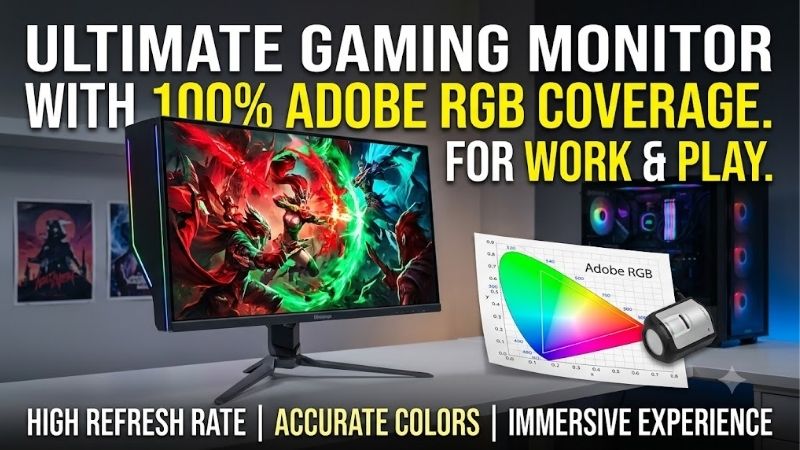
Quick answer: Our top pick in 2026 is the Corsair XENEON 32UHD144, CM-9020003-NA — our #1 rated choice. See the full ranked comparison, alternatives and buying advice below.
Gaming monitor with 100 Adobe RGB: The quick answer
Compare the XENEON 32UHD144 when you want 4K resolution and a 144Hz gaming specification on a large IPS screen. Compare the XENEON 32QHD240 when a higher QHD refresh ceiling matters more than pixel density. corsair.com
The XENEON 32QHD165 is a lower-refresh QHD alternative. Its relevance depends on the actual offer you find; there is no verified basis here for calling it the cheapest or best value. corsair.com
The INNOCN 32M2V 2026 configuration combines a published 4K 160Hz specification with Mini-LED backlighting. Verify that the seller supplies this exact version before transferring its specifications to an older 32M2V listing. 32M – INNOCN
No model wins simply by stating 100% Adobe RGB. You still need appropriate motion behavior for gaming and a color-managed workflow for creative work.
If 100% is an absolute requirement, do not substitute a 99% specification without acknowledging the difference. If your actual need is near-complete coverage, a wider range of models may become relevant, but that changes the brief.
Quick comparison table
| Exact model | Published resolution and refresh | Panel or backlight | Published Adobe RGB claim | Main reason to compare | Main limitation |
|---|---|---|---|---|---|
| Corsair XENEON 32UHD144, CM-9020003-NA | 3840 × 2160, 144Hz | 32-inch quantum-dot IPS | 100% coverage | Detailed 4K gaming and desktop work | More demanding rendering target |
| Corsair XENEON 32QHD240, CM-9020002-NA | 2560 × 1440, 240Hz | 32-inch quantum-dot IPS | 100% | QHD gaming with higher refresh headroom | Lower pixel density at the same size |
| Corsair XENEON 32QHD165, CM-9020001-NA | 2560 × 1440, 165Hz | 32-inch quantum-dot IPS | 100% coverage | Mixed use without a 240Hz requirement | Lower refresh ceiling and older connection feature set |
| INNOCN 32M2V, 2026 black configuration | 3840 × 2160, 160Hz | IPS, Mini-LED | 100% | 4K plus local-dimming capability | Revision must be checked carefully |
These figures come from manufacturer documentation. They are not results from a common colorimeter, picture mode, or independent testing procedure. corsair.com
Only four models are included because the defining requirement is specific. Adding ordinary 99% Adobe RGB screens, 100% sRGB models, or professional 60Hz displays would make the list less accurate.
How the monitors were selected
Eligibility required an exact identified model, a manufacturer statement of 100% Adobe RGB, and documented gaming refresh capabilities above 60Hz.
The shortlist excludes screens selected solely because they offer an Adobe RGB menu preset. It also avoids counting stand bundles or minor listing variants as separate products.
Selection is based on technical fit rather than affiliate availability. No matched detailed research was performed, and there are no invented color-accuracy, input-lag, or response-time measurements.
Current US selling prices and orderability were not consistently established for the Corsair models. They therefore appear as technically qualified models to compare, without claims of immediate stock or superior value.
The INNOCN manufacturer listing supplied a displayed US price, but checkout availability and final delivery cost were not confirmed. Those purchase conditions should be checked before ordering.
This distinction matters: a product can meet the technical requirement without being the best available purchase at a particular moment.
Corsair XENEON 32UHD144: For a 4K mixed-use desk
The exact model considered here is CM-9020003-NA. Corsair specifies a 32-inch Fast IPS display with quantum-dot technology, native 3840 × 2160 resolution, a 144Hz refresh rate, and 100% Adobe RGB coverage. corsair.com
The appeal is spatial detail alongside a gaming-oriented refresh ceiling. It is the relevant Corsair option here when QHD would compromise the desktop sharpness you want.
Documented features include FreeSync Premium, DisplayHDR 600, HDMI 2.1 connections, DisplayPort 1.4, and stand height adjustment. Verify the supported timing for your chosen input rather than relying on connector names alone.
Buy if: You want 4K for detailed games and creative desktop use, and your computer supports the intended output mode.
Skip if: Your priority is the highest refresh ceiling in this shortlist or your system struggles with the games you want to render at 4K.
Do not confuse the original SKU with the separate 32UHD144-A listing. Check the supplied stand and package details before choosing an offer.
Why 4K can be useful beyond gaming
A 3840 × 2160 image contains about 8.29 million pixels. That creates room for fine image detail, but the amount of usable desktop space still depends on scaling.
When editing photographs, compare your preferred zoom level and tool layout. More pixels do not guarantee that every control remains comfortably readable at default settings.
For games, look at your GPU’s performance in the titles and settings you use. Resolution is only one part of the rendering workload.
A 144Hz display provides headroom; it does not make a slow game engine or overloaded GPU generate additional frames.
Corsair XENEON 32QHD240: For higher-refresh QHD gaming
The CM-9020002-NA version uses a 32-inch IPS screen at 2560 × 1440 with a 240Hz refresh specification. Corsair lists 100% Adobe RGB and 98% DCI-P3. corsair.com
Its role is a shared display where gaming refresh headroom takes priority over 4K pixel density. It is more relevant to that use than a photography monitor chosen solely for gamut coverage.
The manufacturer documents FreeSync Premium, G-SYNC Compatible support, DisplayHDR 600, and adjustable height.
Buy if: Your games and hardware can make useful use of a high-refresh QHD display, and you also want the published wide-gamut capability.
Skip if: Your main complaint is soft desktop text at 32 inches or you require a verified hardware-calibration workflow for print production.
Check the exact package. Corsair also has a no-stand listing, which should not be treated as an equivalent complete desk setup. NO STAND
A 240Hz specification is only one motion criterion
At 240Hz, one refresh interval is approximately 4.17 milliseconds. At 165Hz, it is about 6.06 milliseconds.
Those are timing calculations, not measured total latency or proof that every pixel completes its transition within the interval.
Overdrive, overshoot, response consistency, and operation at lower refresh rates influence the image you see. A monitor used with fluctuating frame rates should be evaluated across more than its maximum setting.
If competitive gaming is decisive, prioritize independent motion testing before paying a premium for the number alone.
Corsair XENEON 32QHD165: For a 165Hz QHD requirement
The CM-9020001-NA model provides a 32-inch quantum-dot IPS screen, 2560 × 1440 resolution, and a 165Hz refresh specification. Corsair explicitly states 100% Adobe RGB coverage.
Its documented connections include HDMI 2.0, DisplayPort 1.4, and USB-C DisplayPort Alternate Mode. The manufacturer also lists FreeSync Premium, G-SYNC Compatible support, and DisplayHDR 400. corsair.com
This is a relevant alternative when 165Hz meets your gaming target and the actual purchase conditions are favorable. No current price comparison establishes it as the budget winner.
Buy if: You specifically want this combination of QHD, large screen size, and published full Adobe RGB coverage.
Skip if: You need 4K, a 240Hz ceiling, or an input capability that the exact documentation does not support.
The practical comparison is with the 32QHD240. Choose between them based on verified offer conditions and the refresh capability you will actually use.
Account for the 32-inch QHD format
At a nominal 32-inch diagonal, 2560 × 1440 produces approximately 92 pixels per inch. At the same size, 4K produces about 138 PPI.
These calculated figures explain why the QHD models may look less finely detailed from the same seating distance.
That does not automatically make QHD unsuitable. Larger physical text, viewing distance, and your preferred layout can change the result.
Before buying, inspect a comparable screen size and resolution if possible. Your sensitivity to pixel structure may matter more than a small difference in a marketing specification.
INNOCN 32M2V 2026: For a Mini-LED option
INNOCN’s 2026 black 32M2V listing specifies 3840 × 2160 at 160Hz, 100% Adobe RGB, and a Mini-LED backlight with 2,304 local-dimming zones. 32M – INNOCN
Buy if: You want to investigate a 4K gaming display with local dimming and the exact published gamut claim.
Skip if: The seller cannot confirm the 2026 configuration or you need proven motion and color results that this specification-based analysis does not establish.
The product page uses an HDR1000 label. This article does not independently establish VESA certification for that label.
Local dimming needs separate evaluation
Local dimming controls backlight regions to vary brightness across the image. It is a different capability from broad color gamut.
Zone count alone cannot establish excellent HDR. The algorithm, zone behavior, panel contrast, and handling of small bright objects also matter.
For creative work, compare the display’s behavior with local dimming on and off. Changing content-dependent processing can affect the consistency of measurements and visual judgments.
Verify the revision carefully. The name 32M2V is not sufficient evidence that an older review or listing describes the same backlight, refresh rate, or gamut specification.
What 100% Adobe RGB does and does not guarantee
Coverage is different from gamut volume
Coverage describes how much of a reference color space lies within the display’s reproducible gamut.
A gamut-volume or area figure can exceed 100% because the monitor extends beyond the reference in some directions. It can still miss colors elsewhere.
That is why a large sRGB percentage cannot prove complete Adobe RGB coverage. The two color spaces also have different boundaries.
When assessing a specification, check whether the number describes coverage, overlap, area, or volume. Measurement systems and picture modes also influence comparisons.
For an absolute requirement, request an explicit coverage statement or a credible measurement using a defined method. Avoid converting an ambiguous percentage into a stronger claim.
Coverage is different from color accuracy
A screen can reproduce a broad range of colors while displaying the wrong white balance, gamma, or saturation.
Accuracy concerns how closely output matches intended values under stated conditions. Uniformity concerns how consistently that behavior extends across the panel.
A 100% gamut claim does not prove either characteristic.
For photography, inspect grayscale, neutral tones, and color behavior after profiling. For gaming, also consider whether the game expects an sRGB-like presentation or supports a different managed output.
The widest native mode is not automatically the most faithful mode for every application.
Adobe RGB is not an HDR specification
Adobe RGB coverage does not establish peak brightness, deep blacks, local dimming, or accurate HDR tracking.
DisplayHDR labels describe a different set of requirements. Even matching badges do not mean identical performance.
Do not assume that an IPS monitor covering Adobe RGB will reproduce dark scenes like an OLED display. Conversely, an OLED’s excellent black level does not prove complete Adobe RGB coverage.
Choose HDR behavior based on relevant testing and your games. Choose gamut based on the creative output you need. Combining both requirements may narrow the market substantially.
Choosing a gaming monitor with 100 Adobe RGB for your setup
Start with your actual creative output
If you mostly prepare images for ordinary online delivery, sRGB may be sufficient. Adobe RGB is especially relevant when your workflow benefits from a broader color space, including certain print-oriented tasks.
Adobe distinguishes document profiles from monitor profiles. The image’s working space and the profile describing the display are separate pieces of color management. helpx.adobe.com
Do not assign Adobe RGB as the monitor profile merely because the panel claims full coverage.
For printed work, use the appropriate printer-and-paper profile when soft proofing. Full Adobe RGB coverage does not mean the printer can reproduce every displayed color. helpx.adobe.com
Buy the capability because it serves your output, rather than because you use an Adobe application.
Match refresh and resolution to the computer
Check performance in your actual games, with the intended quality settings and rendering method.
Native 4K, upscaled 4K, and frame-generated output are not interchangeable benchmark conditions. Look at the complete setup before making comparisons.
A GPU may support the monitor’s desktop signal while struggling to render demanding games at that resolution. Output compatibility and game performance are different questions.
Also verify the cable, dock, and input path. An adapter can become the limiting part even when the computer and monitor independently support a mode.
For console use, confirm the exact accepted resolution, refresh, and VRR combinations. A high PC refresh specification does not automatically establish console compatibility.
Evaluate picture modes and calibration requirements
Look for a usable sRGB mode alongside the wide-gamut setting. It can be helpful when you need a controlled presentation for content prepared for a smaller gamut.
Check whether brightness remains adjustable in the mode you intend to use. A preset that locks unsuitable settings may complicate your workflow.
A factory calibration claim is not proof of later internal hardware calibration. None of these products should be assumed to support a specialist recalibration process without exact documentation.
If you own a colorimeter, verify its suitability for the display technology and software workflow. Reserve time for profiling rather than assuming a new screen is immediately ready for critical print decisions.
Setup for gaming and color-managed work
Begin at native resolution with a direct connection. Confirm the intended refresh rate before evaluating motion.
Use appropriate adaptive-sync settings for gaming, then test familiar scenes for tearing, flicker, trails, and distracting overdrive artifacts.
For creative work, choose a stable picture mode and suitable brightness. Disable unnecessary dynamic enhancements when they interfere with consistent output.
Create or install a profile appropriate to that configuration. Adobe emphasizes that connecting a calibrated monitor alone does not guarantee accurate color inside an application. blog.adobe.com
When switching modes, keep the active profile consistent with the display’s behavior. A profile describing one configuration may not correctly describe another.
Maintain a broader-gamut master file if your workflow requires it, then export according to the destination. Adobe documents preparing sRGB versions for web delivery without discarding the wider-gamut master. blog.adobe.com
Checks during the return period
Inspect neutral white and gray images, gradients, and known photographs. Look for distracting color shifts or brightness differences across the screen from a normal seated position.
Check text clarity and comfortable seating distance. Every model here is large enough that physical placement deserves attention.
Test sleep, wake, input selection, and any USB connection you intend to use. Confirm that your chosen picture mode survives normal daily operation.
If possible, measure the gamut and accuracy in the mode used for creative work. Record the instrument, settings, and profile rather than relying on visual memory.
For important print work, compare a small proof print under consistent lighting. A monitor emits light, while paper reflects the light illuminating it. Adobe’s proofing guidance explains the importance of profiles and viewing conditions. helpx.adobe.com
Keep packaging until the display has passed your practical checks and you understand the seller’s return conditions.
Frequently asked questions
Does 100% Adobe RGB improve every game?
No. It describes a color capability, not a universal visual upgrade. Faithful presentation depends on the content, application behavior, and picture mode. Excess saturation can look dramatic while being less accurate.
Can a 99% monitor qualify as 100%?
Not automatically. Published percentages can involve rounding and measurement differences, but the article should preserve the reported value. If you accept near-complete coverage, state that requirement explicitly rather than silently changing it.
Does an Adobe RGB preset prove full coverage?
No. A preset cannot expand the panel’s physical gamut. Check the documented coverage or an appropriate independent measurement.
Is a professional 60Hz Adobe RGB display a gaming substitute?
It may suit occasional slower games, but it does not provide the same refresh capability as these gaming models. It should not be presented as an interchangeable high-refresh recommendation.
Why are there only four models?
The shortlist keeps the exact gamut requirement and gaming capability together. It excludes near-full-coverage alternatives and avoids counting stand variants twice. The limited number is more defensible than a longer list with altered eligibility.
Final verdict
Compare the XENEON 32UHD144 for 4K detail, the 32QHD240 for higher-refresh QHD gaming, and the 32QHD165 when its supported modes meet your needs. Investigate the INNOCN 32M2V 2026 configuration when Mini-LED is a priority.
Treat every 100% figure here as a manufacturer claim requiring validation for critical work. Confirm the exact revision, supported signal modes, purchase conditions, and color-management workflow before deciding.
Editorial Source Log
Access date: October 13, 2026.
| Exact model or topic | Evidence checked | Source |
|---|---|---|
| Corsair XENEON 32UHD144, CM-9020003-NA | Manufacturer-stated 100% Adobe RGB coverage, IPS, UHD 144Hz, connections, adaptive sync and stand features | Corsair US product documentation |
| Corsair XENEON 32QHD240, CM-9020002-NA | Manufacturer gamut specification, QHD 240Hz, adaptive sync and DisplayHDR 600 | Corsair US product documentation |
| Corsair XENEON 32QHD240 | Exact-model setup documentation; not independent performance testing | Corsair quick-start guide |
| Corsair XENEON 32QHD165, CM-9020001-NA | Manufacturer-stated coverage, QHD 165Hz, inputs, adaptive sync and DisplayHDR 400 | Corsair US product documentation |
| INNOCN 32M2V, 2026 configuration | Exact revision’s manufacturer gamut, refresh and backlight claims; displayed $499.99, shipping calculated at checkout | INNOCN US listing |
| Color profiles | Document and monitor profile roles | Adobe profile documentation |
| Print output | Printer profiles and output conversion | Adobe print guidance |
| Managed workflow | Application configuration and separate web exports | Adobe calibrated-monitor guidance |
| Soft proofing | Profiles and viewing-condition limitations | Adobe proofing documentation |
Editorial qualifications:
- Exact 100% claims establish manufacturer-rated eligibility; no independent test establishes complete coverage in every operating mode.
- Corsair current US prices and immediate orderability were not confirmed. Amazon offers were not verified.
- INNOCN’s HDR1000 wording is reported as a manufacturer label; independent VESA certification was not established.
- No hands-on experience, matched benchmarks, native 10-bit panel claims, or hardware-calibration support is invented.
- Calculations use 1,000 ÷ Hz for refresh intervals and pixel diagonal ÷ nominal inches for PPI.
- No complete sitewide duplication audit was performed.
Ready to decide? Our #1 pick for 2026 is the Corsair XENEON 32UHD144, CM-9020003-NA.
Live price & availability on Amazon.









