
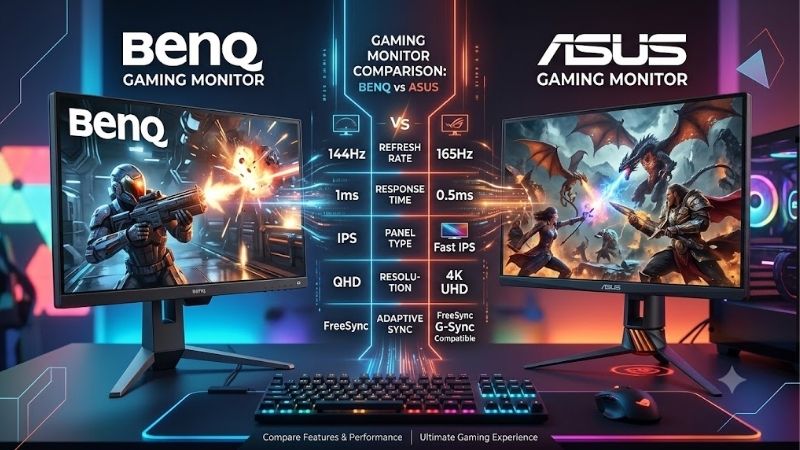
The gaming monitor BenQ vs ASUS decision depends on which product lines you compare and how you actually play. BenQ ZOWIE offers a focused approach to competitive FPS gaming, while BenQ MOBIUZ addresses broader entertainment needs. ASUS TUF and ROG provide alternatives ranging from conventional IPS displays to high refresh rate esports monitors and OLED models. Choose by resolution, motion handling, connections, and everyday usability rather than the brand badge. A dedicated Counter-Strike 2 setup needs a different screen from a computer used for work, movies, and occasional ranked matches.
- Gaming monitor BenQ vs ASUS: The quick verdict
- Understand the product lines before comparing brands
- A focused comparison of verified models
- Gaming monitor BenQ vs ASUS for competitive FPS
- Compare resolution and the demands on your PC
- Mainstream 1440p gaming: MOBIUZ versus TUF
- Picture quality, HDR, and OLED trade-offs
- Connections, synchronization, and compatibility
- Ergonomics, price, and everyday ownership
- Choose according to your main use case
- Frequently asked questions
- Gaming monitor BenQ vs ASUS: Final decision
Quick answer: Our top pick in 2026 is the BenQ ZOWIE XL2566X+ — our #1 rated choice. See the full ranked comparison, alternatives and buying advice below.
Gaming monitor BenQ vs ASUS: The quick verdict
Choose a BenQ ZOWIE model when your priority is a compact competitive gaming screen with dedicated motion blur reduction. The XL2566X+ illustrates that approach with a 24.1-inch, 1080p Fast TN panel, a 400Hz refresh rate, and DyAc 2. Its specifications emphasize competitive play rather than desktop space or cinematic presentation. ZOWIE US
Choose an ASUS ROG model such as the PG27AQN when you want high refresh gaming while retaining a larger, sharper desktop. Its 27-inch, 1440p Fast IPS panel supports up to 360Hz, offering a different balance from the smaller ZOWIE example. This recommendation follows their specifications; it is not a measured declaration that one has lower latency. ROG United States
For mainstream 1440p gaming, compare BenQ MOBIUZ with ASUS TUF. The EX2710Q and VG27AQ3A are more relevant starting points than either flagship esports display. For OLED picture quality, the ASUS PG27AQDM provides another option, but it belongs in a different comparison category.
There is no universal brand winner. First decide whether your main task is tournament practice, general gaming, or gaming combined with everyday computer use. Then compare models that serve that task at similar purchase prices.
Understand the product lines before comparing brands
BenQ and ASUS each sell monitors with substantially different purposes. Treating every BenQ screen as an esports monitor, or every ASUS screen as a premium gaming display, produces misleading recommendations.
For this comparison, ZOWIE represents BenQ’s competitive FPS approach, and MOBIUZ provides the general gaming example. ASUS TUF supplies the mainstream IPS alternative, while ROG supplies the high refresh IPS and OLED examples.
These are representative models with verifiable specifications, not an exhaustive catalog or a ranking of the newest releases. Their purpose is to make the purchasing trade-offs concrete.
Compare equivalent categories
The closest mainstream pairing here is the BenQ EX2710Q against the ASUS VG27AQ3A. Both have 27-inch, 2560 × 1440 IPS displays, making resolution and size comparable.
The XL2566X+ and PG27AQN address competitive gaming through different configurations. Their comparison is useful because it exposes the choice between a smaller 1080p screen and a larger 1440p screen. It does not isolate brand performance.
The PG27AQDM adds a panel technology decision. Comparing it with an IPS MOBIUZ monitor can answer which suits your activities, but differences in contrast and maintenance should not be presented as advantages shared by every ASUS monitor.
A focused comparison of verified models
The table summarizes manufacturer specifications. Refresh figures describe supported display operation, not guaranteed game frame rates or measured response times.
| Model | Display configuration | Maximum listed refresh | Relevant feature | Main purchasing trade-off |
|---|---|---|---|---|
| BenQ ZOWIE XL2566X+ | 24.1-inch, 1920 × 1080, Fast TN | 400Hz | DyAc 2 | Less desktop detail than 1440p |
| ASUS ROG Swift PG27AQN | 27-inch, 2560 × 1440, Fast IPS | 360Hz | ULMB 2 | Higher rendering demand at native resolution |
| BenQ MOBIUZ EX2710Q | 27-inch, 2560 × 1440, IPS | 165Hz | Integrated 2.1-channel audio | Lower refresh ceiling than the TUF example |
| ASUS TUF Gaming VG27AQ3A | 27-inch, 2560 × 1440, Fast IPS | 180Hz | ELMB Sync | No height adjustment on the supplied stand |
| ASUS ROG Swift OLED PG27AQDM | 26.5-inch viewable, 2560 × 1440, WOLED | 240Hz | OLED panel and adaptive synchronization | Requires consideration of static content exposure |
Specifications are supported by the respective manufacturer pages. These models should be compared within their intended categories rather than ranked together as interchangeable purchases. ZOWIE US
Gaming monitor BenQ vs ASUS for competitive FPS
Competitive players should consider frame consistency, visibility during movement, preferred screen size, and the settings they will actually use. Maximum refresh is only one component.
A monitor can accept frequent updates without your computer producing equally frequent new frames. A demanding match may also behave differently from an empty practice map. Evaluate performance during the situations that matter: busy engagements, effects, and rapid camera movement.
Refresh rate has diminishing timing differences
Refresh intervals provide useful mathematical context:
| Refresh rate | Approximate interval between refreshes |
|---|---|
| 165Hz | 6.06 milliseconds |
| 180Hz | 5.56 milliseconds |
| 240Hz | 4.17 milliseconds |
| 360Hz | 2.78 milliseconds |
| 400Hz | 2.50 milliseconds |
These values come from dividing 1,000 milliseconds by refresh rate. They are not input lag measurements.
The interval difference between 360Hz and 400Hz is approximately 0.28 milliseconds. That calculation cannot establish which monitor delivers clearer motion, cleaner pixel transitions, or better practical responsiveness.
Likewise, 180Hz versus 165Hz is a relatively small refresh interval change. It should not automatically outweigh an adjustable stand, useful connectivity, or a better price.
Motion clarity needs more than a response time label
Pixel response, refresh timing, and backlight behavior affect different parts of the moving image. A manufacturer’s best-case response time figure does not describe every color transition or every overdrive setting.
Overdrive accelerates LCD transitions, but aggressive settings can introduce inverse ghosting: visible bright or dark trails around moving objects. The strongest menu setting may therefore look worse than a moderate one.
Backlight strobing takes another approach by shortening the visible presentation period. ZOWIE offers DyAc 2 on the XL2566X+, while ASUS documents ULMB 2 support for the PG27AQN through its firmware update path. These feature names alone do not prove a comparative winner. ZOWIE US
If motion clarity determines your purchase, seek comparable measurements covering the same refresh rate, operating mode, and screen regions. Without that evidence, choose based on your required configuration and test the result during the return period.
Screen size changes your playing setup
A smaller screen can suit players who sit close and prefer a compact viewing area. A larger screen can make interfaces and distant details easier to inspect, depending on viewing distance and game settings.
Neither arrangement guarantees better aim. Preserve your preferred desk position when comparing displays rather than placing every screen at an identical distance.
Also consider resolution scaling. A 1440p monitor displaying a lower resolution involves scaling choices that may change image appearance. Check how your preferred stretched or aspect-correct mode looks before replacing a familiar competitive setup.
Compare resolution and the demands on your PC
A 2560 × 1440 image contains approximately 3.69 million pixels, while 1920 × 1080 contains approximately 2.07 million. That is about 78% more pixels, although game performance does not decrease by a fixed matching percentage.
Resolution affects GPU workload, while very high frame rate targets can expose CPU, memory, and engine limitations. Buying a faster GPU will not necessarily resolve every competitive gaming performance problem.
Before choosing a monitor, record your current frame rates at the resolution and settings you intend to use. Include difficult matches rather than relying only on averages from quiet scenes.
For a mixed gaming library, 1440p offers a practical compromise between desktop detail and rendering demand. For a dedicated competitive system, 1080p may leave more performance headroom.
An upgrade should address a visible limitation. If your current screen already feels smooth and your PC struggles with inconsistent frames, investigate the system first. An expensive display cannot correct shader compilation pauses, network issues, or CPU-related stutter.
Mainstream 1440p gaming: MOBIUZ versus TUF
The BenQ EX2710Q and ASUS VG27AQ3A make a useful comparison for players who want a conventional 27-inch IPS monitor.
BenQ lists a 165Hz refresh rate, FreeSync Premium, a USB hub, integrated 2.1-channel speakers, and 100mm of stand height adjustment for the EX2710Q. ASUS lists up to 180Hz, adaptive synchronization, ELMB Sync, and integrated stereo speakers for the VG27AQ3A, but no stand height adjustment. BenQ US
Choose the EX2710Q for its practical extras
The EX2710Q deserves consideration when you want audio, peripheral connections, and adjustable positioning in one package.
Those extras matter most if you will use them. A USB hub provides little purchasing benefit when your keyboard and mouse already connect conveniently to the computer. Integrated speakers matter less when you always wear headphones.
Its audio specifications also cannot establish listening quality by themselves. Speaker wattage and the presence of a woofer do not substitute for an audition.
Choose this model when its combination of conveniences fits your desk and the complete purchase price is competitive. Avoid paying a premium for features that duplicate equipment you already own.
Choose the VG27AQ3A for its display feature mix
The VG27AQ3A offers a higher listed refresh ceiling and ELMB Sync, making it worth considering for players interested in that operating mode.
However, its stand may introduce an additional expense if the fixed height does not suit your seated position. Include the cost of a compatible arm or stand before deciding which monitor is cheaper overall.
Do not assume a different TUF model has the same adjustments, ports, or blur reduction behavior. Small model suffix changes can represent meaningful hardware differences.
At similar complete setup prices, decide which features resolve an actual need. A slightly higher refresh ceiling is useful, but it is only one part of the ownership experience.
Picture quality, HDR, and OLED trade-offs
Picture quality depends on panel technology, contrast, brightness behavior, color settings, and room lighting. Brand identity alone cannot predict the result.
An IPS monitor can be a sensible choice for gaming and office tasks. OLED introduces a different balance, particularly when dark scenes and contrast matter.
HDR support does not describe the whole image
An HDR label can indicate signal compatibility or certification, but it does not fully describe how convincingly a monitor presents bright highlights beside dark areas.
For example, BenQ specifies DisplayHDR 400 for the EX2710Q. That specification should be reported accurately without turning it into a promise of premium HDR performance. BenQ US
Evaluate local dimming behavior, contrast, brightness across different image sizes, and tone mapping when HDR is a priority. Peak brightness alone leaves important questions unanswered.
Room conditions also matter. Reflections and bright ambient light can reduce the perceived benefit of darker blacks. Arrange your lighting before deciding that a different display technology will solve every picture quality complaint.
OLED suits some gaming desks better than others
The PG27AQDM uses a WOLED panel and supports 1440p operation up to 240Hz through DisplayPort. Its HDMI operating range is lower, so the connection affects the refresh modes available. ROG USA
OLED’s self-emissive pixels can produce deep blacks without an LCD backlight. That can be appealing for dark games and movie viewing.
The ownership considerations are different, however. Repeated static elements can contribute to uneven pixel wear, while text appearance depends partly on subpixel structure and application rendering.
Consider your full day of use. A screen showing spreadsheets, browser toolbars, or editing interfaces for many hours deserves a different evaluation from one used mainly for varied games.
Check the applicable US warranty for the exact model and purchase conditions. Do not transfer burn-in coverage from another ROG product or another region.
Connections, synchronization, and compatibility
The monitor’s headline refresh rate may apply to only one input. Verify the intended resolution and refresh combination rather than assuming every port supports it.
For the XL2566X+, ZOWIE documents 400Hz through DisplayPort and a 240Hz maximum through HDMI. ASUS lists the VG27AQ3A’s signal range up to 180Hz through DisplayPort and 144Hz through HDMI. ZOWIE US
Variable refresh and strobing serve different purposes
Variable refresh rate adjusts display timing to frame delivery, helping reduce tearing when frame rates fluctuate. Strobing aims to reduce visible motion persistence.
Their interaction is model-specific. ZOWIE lists variable refresh support on the XL2566X+ with DyAc 2 disabled. Do not assume both features operate simultaneously because they appear on the same product page. ZOWIE US
Choose the mode around your games. A demanding title with variable performance may benefit more from adaptive synchronization, while stable high frame rate gameplay may make a strobing mode worth trying.
After enabling a feature, inspect its effect during actual play. A technically supported mode can still produce a brightness or motion presentation you personally dislike.
Laptop and console buyers need separate checks
For laptops, inspect the complete output path: GPU routing, port capability, dock, adapter, and cable. A connector’s shape does not establish its supported display modes.
For consoles, do not pay for refresh rates the console cannot use. ZOWIE lists 1080p at 120Hz support for PS5 and Xbox Series X/S on the XL2566X+. That is distinct from its PC refresh capability. ZOWIE US
Verify console VRR and resolution support separately for any alternative. PC synchronization branding does not answer every console compatibility question.
If you need 4K console output or a specific HDMI feature, begin a shortlist around that requirement rather than choosing from these PC-focused examples.
Ergonomics, price, and everyday ownership
A technically impressive monitor can be frustrating if it sits too low, occupies your mouse space, or requires equipment you did not budget for.
Measure the desk before buying. Include keyboard position, mouse movement, viewing distance, and the depth needed by the supplied stand.
Check monitor arm compatibility using mounting pattern, panel weight without the stand, and the arm’s supported range. A matching VESA pattern alone does not establish that every arm is suitable.
Price comparisons should use exact models, the same condition, and comparable seller terms. An open-box unit and a new unit are different offers, particularly when warranty eligibility or return conditions differ.
This comparison does not assign a cheapest or best-value winner because a complete set of comparable US offers was not verified. A useful value decision includes tax, shipping, necessary accessories, and features you will actually use.
During the return period, check:
- Pixel defects and distracting uniformity problems.
- Sleep and wake behavior with your computer.
- The intended refresh mode in Windows and games.
- Motion appearance at your usual frame rates.
- Reflections and brightness in your normal room.
- Comfortable positioning during a full session.
Treat these as acceptance checks for your unit, not proof that an entire brand is reliable or unreliable.
Choose according to your main use case
A dedicated Counter-Strike 2 or Valorant setup
Shortlist the XL2566X+ when you prefer a compact 1080p screen and want DyAc 2 as part of your setup. Consider the PG27AQN when you prefer 1440p detail and a larger IPS screen while retaining a high refresh ceiling.
The winner depends on viewing preference, operating mode, and frame consistency. There is no verified head-to-head latency winner in this article.
A shared work and gaming computer
Start with the EX2710Q and VG27AQ3A category. Their matching size and resolution make it easier to compare practical features and total cost.
Give stand positioning and comfortable text use substantial weight. If you already own speakers and an arm, the EX2710Q’s included conveniences may be less valuable.
Immersive gaming with varied content
Consider the PG27AQDM if OLED contrast fits your priorities and you accept its maintenance considerations. Compare it against an appropriate OLED alternative before deciding that ASUS wins at the brand level.
If you prefer conventional LCD ownership or spend most of the day on static interfaces, an IPS monitor remains a reasonable choice.
Frequently asked questions
Is BenQ better than ASUS for gaming?
Neither brand is universally better. BenQ ZOWIE and ASUS ROG offer competitive gaming options, while MOBIUZ and TUF provide different mainstream choices. Select an exact model based on your games, computer performance, preferred resolution, and required features.
Does 400Hz automatically beat 360Hz?
No. It provides a shorter refresh interval, but practical results also depend on pixel transitions, operating modes, frame delivery, and input processing. The approximately 0.28-millisecond interval difference does not establish a measured performance winner.
Should I buy OLED for competitive gaming?
OLED can suit competitive gaming, but panel technology alone does not determine the best screen. Consider refresh capability, motion presentation, size, connections, and your static-content workload. Compare exact models rather than treating OLED and TN as universal winners or losers.
Can a monitor improve FPS?
A monitor does not make the computer render more frames. Lowering rendering resolution can reduce GPU demand in some workloads, but that is a settings change. A higher refresh monitor can display updates more frequently when the system delivers them.
Gaming monitor BenQ vs ASUS: Final decision
Choose the configuration that fits your actual desk and gaming habits. The BenQ ZOWIE XL2566X+ is the focused option here for a compact 1080p competitive setup. The ASUS PG27AQN offers a larger 1440p IPS alternative with a high refresh ceiling.
For mainstream gaming, compare the EX2710Q’s positioning and connectivity extras against the VG27AQ3A’s refresh and display features. For OLED, evaluate the PG27AQDM as a specific product with distinct benefits and ownership requirements.
Your final decision should survive three questions: Can your computer support the intended display mode? Will you use the features carrying the price premium? Does the screen remain comfortable outside your favorite game? Answer those before choosing the logo.
Editorial Source Log
Access date: October 13, 2026.
- BenQ ZOWIE XL2566X+: Verified size, resolution, panel type, refresh capability, input limits, DyAc 2, variable refresh restriction, and console mode. Official US product page.
- ASUS PG27AQN: Verified 27-inch 1440p Fast IPS configuration, DisplayPort connection, and refresh capability. Official US specifications.
- ASUS PG27AQN ULMB 2: Verified the documented firmware update path. Official ASUS feature explanation.
- BenQ EX2710Q: Verified resolution, IPS panel, 165Hz refresh, audio, USB hub, height adjustment, and DisplayHDR 400. The official specifications distinguish 2ms GtG from 1ms MPRT. Official US specifications.
- ASUS VG27AQ3A: Verified 1440p Fast IPS panel, refresh and input limits, ELMB Sync, speakers, and absence of stand height adjustment. Official US specifications.
- ASUS PG27AQDM: Verified WOLED panel, resolution, connections, and input frequency ranges. Official US specifications. Official size and refresh announcement.
- Evidence basis: Manufacturer specifications and editorial interpretation. No detailed research or matched independent performance dataset is claimed. Refresh intervals and pixel counts are calculations.
- Commerce limitations: Amazon listings, ASINs, stock, and comparable complete US purchase prices were not verified. No price-based winner is assigned.
- Duplication limitations: Targeted site search did not establish coverage of related Build-PC-Guide.com articles. A complete duplication audit remains unverified.
- Keyword handling: The supplied phrase is retained in the introduction and three H2 headings as search-query wording. Normal prose uses readable brand comparisons.
Ready to decide? Our #1 pick for 2026 is the BenQ ZOWIE XL2566X+.
Live price & availability on Amazon.









