
A budget 100 sRGB monitor is usually a display advertised for 99% sRGB coverage, not a panel guaranteed to reproduce every sRGB color perfectly. For everyday work, school, casual gaming, and beginner content creation, a well-chosen IPS screen around $80–$150 can be a sensible fit. The important distinction is between color-space coverage and color accuracy: a monitor can cover nearly all of sRGB and still need adjustment. This roundup prioritizes verified specifications, practical resolution and refresh-rate choices, and transparent trade-offs, with one more expensive option for buyers who specifically need a manufacturer-rated 100% sRGB display.
- Quick verdict: which budget 100 sRGB monitor should you buy?
- Quick comparison table
- How we selected each budget 100% sRGB monitor
- BenQ GW2490: best overall for everyday use
- ASRock CL27FFBE: best inexpensive 27-inch gaming screen
- Lenovo ThinkVision S24-4e: best for office and study
- Lenovo Legion 24-10: best for high-refresh competitive gaming
- KTC H27D9: best QHD option for multitasking
- ASUS ProArt PA248QV: the stretch pick for literal 100% sRGB
- What to check before buying a budget 100% sRGB monitor
- Frequently asked questions
- Final verdict
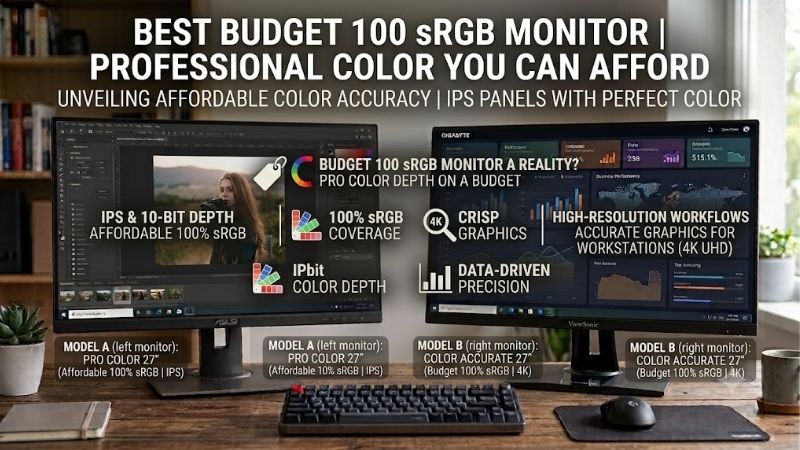
Quick answer: Our top pick in 2026 is the Monitor — our #1 rated choice. See the full ranked comparison, alternatives and buying advice below.
Quick verdict: which budget 100 sRGB monitor should you buy?
For most people, the BenQ GW2490 is a balanced starting point: a 23.8-inch IPS panel, Full HD resolution, 100Hz refresh rate, and a 99% sRGB claim. Choose the KTC H27D9 if you want more desktop space and sharper text from a 27-inch QHD panel. Gamers should look at the Lenovo Legion 24-10 for 240Hz or the ASRock CL27FFBE for a larger, lower-cost 144Hz screen. The Lenovo ThinkVision S24-4e is a straightforward office alternative. If literal 100% sRGB coverage and factory-calibration credentials matter more than staying near $150, the ASUS ProArt PA248QV is the stretch choice.
A note on terminology matters here. “100% sRGB” and “99% sRGB” are not interchangeable specifications, and no manufacturer claim by itself proves that every unit is perfectly calibrated. The five lower-cost options below specify 99% sRGB, while the ASUS ProArt is the one pick whose manufacturer states 100% sRGB and ΔE below 2 factory-calibrated accuracy. Prices and promotions change frequently, so verify the exact model and price before ordering.
Quick comparison table
| Monitor | Best fit | Defining specifications | Main trade-off |
|---|---|---|---|
| BenQ GW2490 | Everyday work and mixed use | 23.8-inch IPS, 1920 × 1080, 100Hz, 99% sRGB | Full HD workspace; basic stand |
| ASRock CL27FFBE | Cheap large screen for gaming | 27-inch IPS, 1920 × 1080, 144Hz, 99% sRGB | Lower pixel density at 27 inches |
| Lenovo ThinkVision S24-4e | Office and study | 23.8-inch IPS, 1920 × 1080, 100Hz, 99% sRGB | Basic connections and ergonomics |
| Lenovo Legion 24-10 | Competitive gaming | 23.8-inch IPS, 1920 × 1080, 240Hz, 99% sRGB | Fast refresh may cost more than needed |
| KTC H27D9 | Work, gaming, and multitasking | 27-inch IPS, 2560 × 1440, 100Hz, up to 120Hz, 99% sRGB | Stand adjustment and brand support deserve checking |
| ASUS ProArt PA248QV | Color-focused work, above budget | 24.1-inch IPS, 1920 × 1200, 75Hz, 100% sRGB | Usually priced above the core budget |
How we selected each budget 100% sRGB monitor
This is a specification-led shortlist, not a claim that the monitors were tested in our spec comparisons. We checked exact model names against manufacturer information for screen size, resolution, panel type, refresh rate, and stated color gamut. Where a retailer price was visible, it is treated as a time-sensitive snapshot rather than a stable street price. Independent instrument measurements were not available for every model in a matched test setup, so the article does not assign measured color accuracy, brightness, response time, or gaming performance beyond verified specifications.
The shortlist uses manufacturer-stated 99% sRGB coverage as a practical threshold, but that does not prove accuracy, uniformity, or factory calibration. The ASUS ProArt PA248QV is the stretch option because it specifies 100% sRGB and factory-calibrated ΔE below 2. For paid color work, consider independent measurements or a colorimeter.
BenQ GW2490: best overall for everyday use
The BenQ GW2490 is the most straightforward recommendation for a shared home desk. It combines a 23.8-inch IPS panel with 1920 × 1080 resolution, a 100Hz refresh rate, 250-nit typical brightness, and a manufacturer-rated 99% sRGB gamut. It also lists a 1300:1 native contrast ratio and a matte screen coating. A current US Best Buy listing showed $99.99 for the exact GW2490 model when checked, though retailer prices and sellers can change.
The size and resolution make sense together. Full HD at approximately 24 inches keeps text reasonably clear at normal desk distance while avoiding the GPU load of QHD or 4K. IPS viewing angles are also useful when more than one person looks at the screen or when the display is used for documents, browsing, and streaming. At 100Hz, scrolling and desktop motion can feel smoother than on a traditional 60Hz display, although it is not in the same class as a 165Hz or 240Hz gaming monitor.
BenQ includes Brightness Intelligence and low-blue-light modes, but these are convenience features rather than guarantees against eye strain. Brightness, glare, viewing distance, and breaks still matter. The monitor is not a professional color workstation, and 250 nits may be limiting in a very bright room.
Buy if you want one affordable screen for writing, schoolwork, browsing, video, and casual gaming. Skip if you need a factory-calibrated color workflow, a high-resolution workspace, or a highly adjustable stand.
ASRock CL27FFBE: best inexpensive 27-inch gaming screen
The ASRock Challenger CL27FFBE offers a 27-inch IPS panel, Full HD resolution, 144Hz refresh rate, 99% sRGB coverage, and a claimed 1ms MPRT response time. The manufacturer lists 300-nit typical brightness and 1500:1 typical contrast. Its connection selection is basic: HDMI 1.4 and VGA, with tilt adjustment and Adaptive-Sync support. A Newegg listing showed the model around $80.99 in recent results, while another listing showed a higher price, so treat that figure as a promotion-dependent snapshot rather than a guaranteed price.
The attraction is screen size and refresh rate for relatively little money. A 144Hz panel can display more frames per second than a 60Hz screen when the PC can supply them, while Adaptive-Sync can help reduce tearing across a supported range.
The compromise is pixel density. At 27 inches, 1920 × 1080 spreads the same number of pixels across a larger area than a 24-inch Full HD screen. Text and fine edges therefore appear less sharp at the same viewing distance. That can be acceptable for gaming or a user who prefers larger interface elements, but it is not the best choice for dense spreadsheets, precise image retouching, or small text. The HDMI/VGA selection also offers fewer flexible connections than options with DisplayPort.
Buy if the priority is a large, responsive screen at a low price. Skip if crisp text is a priority, you need USB-C, or the display will serve as your main screen for detailed design work.
Lenovo ThinkVision S24-4e: best for office and study
The ThinkVision S24-4e suits documents, online classes, spreadsheets, and home-office work. Lenovo specifies a 23.8-inch Full HD IPS panel, 100Hz refresh rate, and 99% sRGB coverage. Its near-edgeless three-sided design suits a clean or multi-monitor desk. A recent US retailer listing showed about $109.99, but that is not a guarantee of today’s price or stock.
Its strengths are familiar Full HD dimensions, broad IPS viewing angles, and refresh above 60Hz for smoother scrolling. It is easy to drive and suitable for general web content.
Do not confuse a high gamut claim with creator-grade accuracy. Lenovo’s 99% sRGB specification does not disclose measured Delta E, gamma tracking, white-point accuracy, or uniformity. Check the exact configuration for stand adjustments and ports; do not assume it has height adjustment, USB-C power delivery, or a USB hub.
Buy if you need a sensible everyday screen for work or school and prefer a conventional office design. Skip if you are shopping primarily for competitive gaming, higher-than-Full-HD resolution, or a calibration-certified editing display.
Lenovo Legion 24-10: best for high-refresh competitive gaming
The Lenovo Legion 24-10, part number 68C4GAC4US, is a 23.8-inch IPS Full HD gaming monitor specified for 240Hz refresh, 0.5ms MPRT, 99% sRGB, HDR10, and AMD FreeSync Premium. Lenovo also lists a stand with height, tilt, pivot, and swivel adjustment. A recent Lenovo listing showed a promotion around $119.99, but the live product price could not be confirmed from the refreshed page in this research, so check the current total before choosing it over a cheaper 144Hz model.
The important feature is 240Hz refresh, not the response-time number in isolation. That refresh rate can help in competitive games when the PC consistently delivers high frame rates. MPRT is not directly interchangeable with gray-to-gray pixel response time; actual clarity also depends on settings and artifacts from overdrive or strobing.
For productivity, it remains a 23.8-inch Full HD IPS monitor. The 240Hz premium is wasted if you mainly use office apps or your PC cannot deliver high frame rates. HDR10 support also does not guarantee impactful HDR; brightness and contrast matter.
Buy if competitive gaming is the main job and the price is close to an ordinary 144Hz screen. Skip if your priority is higher pixel density, professional color certification, or spending the least possible for office tasks.
KTC H27D9: best QHD option for multitasking
The KTC H27D9 stands out because it upgrades resolution, not just refresh rate. Its published specifications identify a 27-inch IPS panel at 2560 × 1440, 99% sRGB, 300-nit typical brightness, and 1300:1 contrast. The native refresh rate is listed as 100Hz, with support up to 120Hz. Ports include two HDMI 2.0 inputs and DisplayPort 1.4. The manufacturer’s US store displayed $149.99, while a Best Buy listing showed $129.99 when checked; the difference illustrates why you should compare the exact seller, return policy, and final price.
QHD at 27 inches gives more room for side-by-side windows and finer text than 27-inch Full HD. It is a strong fit for a user who alternates between browser tabs, documents, photo libraries, and games. Unlike the 240Hz Legion, this monitor is more about general-purpose workspace and resolution than maximizing refresh for esports. Its 99% sRGB claim makes the stated gamut suitable for ordinary web-oriented work, but it still should not be treated as a calibrated professional reference display.
Check the seller’s return window and warranty terms, and verify stand adjustments on the exact listing. The published specification describes tilt adjustment, so do not assume height adjustment or a USB hub. HDR10 is not proof of high-end HDR performance, and 300 nits does not guarantee visibility in direct sunlight.
Buy if you want 27-inch QHD sharpness and a faster-than-60Hz refresh rate without paying for a premium gaming panel. Skip if you need verified factory calibration, USB-C docking, or a proven professional support workflow.
ASUS ProArt PA248QV: the stretch pick for literal 100% sRGB
The ASUS ProArt PA248QV is different from the budget alternatives because ASUS explicitly specifies 100% sRGB and 100% Rec. 709 coverage, factory calibration, Calman Verified status, and ΔE below 2. Its 24.1-inch IPS panel uses a 1920 × 1200 resolution and 16:10 aspect ratio, so it offers extra vertical workspace compared with standard 1920 × 1080. Other listed features include 300-nit brightness, a 75Hz refresh rate, an ergonomic stand, and a selection of DisplayPort, HDMI, VGA, audio, and USB ports.
The 16:10 format gives extra vertical space for documents and editing interfaces. Factory calibration is more relevant to color-conscious work than gamut coverage alone, although calibration can drift and critical workflows may still need verification. At 75Hz, it suits general desktop use rather than high-refresh competitive play.
This is not a strict sub-$150 recommendation. The US retailer listing checked in this research showed $199, making it a stretch choice rather than part of the core budget tier. Its inclusion is useful because some buyers really do need a documented 100% sRGB specification and a calibration-focused feature set. If your work is limited to web browsing, office apps, homework, and casual games, a $100-class 99% sRGB monitor may be the more rational purchase.
Buy if color-focused work and ergonomic adjustments justify spending more. Skip if $150 is a hard ceiling or you want high-refresh gaming performance.
What to check before buying a budget 100% sRGB monitor
Gamut coverage is not the same as color accuracy
sRGB is the standard color space commonly used for web graphics, everyday photos, and much desktop content. A specification of 99% sRGB suggests that the monitor can cover nearly all of that gamut, but coverage describes the range of colors a display can reproduce, not how faithfully it reproduces a target color. Accuracy also depends on white point, gamma, grayscale tracking, uniformity, and calibration. A monitor may cover 99% sRGB yet display skin tones or grays inaccurately if its color mode is poorly tuned.
For general use, a credible 99% sRGB claim is a useful filter. For paid photo work, design handoffs, or a workflow where color differences are costly, look for transparent factory calibration information and independent instrument measurements. Consider using a colorimeter if consistency matters. Avoid assuming that the words “IPS,” “HDR,” or “gaming” certify color quality; they describe different characteristics or features.
Pick the right size and resolution
A 24-inch Full HD monitor is a good default for a smaller desk and clear-enough text at typical viewing distances. A 27-inch Full HD screen makes objects larger but does not add detail, so fine text can look softer. For 27 inches, QHD (2560 × 1440) is usually a better balance if the budget and graphics hardware allow it. The KTC H27D9 is the QHD choice in this list, while the other affordable options are Full HD.
Choose Full HD for a tight budget, a 24-inch screen, or higher gaming frame rates. Consider QHD for 27 inches, finer text, and multitasking, but remember that it raises gaming GPU demands.
Choose refresh rate for the way you use the PC
Refresh rate is how often the display updates. 100Hz feels smoother than 60Hz for scrolling; 144Hz or 240Hz is more relevant for fast games when your PC can deliver the frames. High refresh alone does not guarantee low input lag or clean pixel transitions.
Check ports, stand, brightness, and return policy
Confirm the monitor has a suitable input. DisplayPort is common on desktop GPUs, HDMI is widespread, and VGA is older analog technology. Do not assume any listed model supports USB-C video, data, and charging.
A tilt-only stand may be fine if the monitor sits at the right height, but a height-adjustable stand or a VESA-compatible mount can improve placement. Typical brightness figures around 250–300 nits are normal for indoor use, but no standard rating guarantees performance in direct sunlight. Check the seller’s return policy, dead-pixel policy, warranty terms, and shipping total. Those terms can be as important as a small difference in refresh rate or price.
Common mistakes to avoid
- Treating “99% sRGB” as measured proof of low Delta E or factory calibration.
- Buying a 27-inch Full HD screen without considering text sharpness.
- Assuming HDR10 certification guarantees an impactful HDR image.
- Paying for 240Hz when your games and graphics card rarely exceed 100–144 frames per second.
- Assuming every listing for a model has the same price, stand, warranty, or regional configuration.
- Confusing a wide-gamut percentage, such as a figure above 100% sRGB, with accurate sRGB reproduction. A gamut larger than sRGB may need a suitable color mode to avoid oversaturated output.
Frequently asked questions
Is 99% sRGB good enough for a budget monitor?
For browsing, schoolwork, streaming, and beginner content creation, 99% sRGB is usually reasonable. It suggests near-full gamut coverage, not accurate calibration. For professional deliverables, look for measured accuracy.
Do I need a 100% sRGB monitor for gaming?
No. Most games can be enjoyed without a monitor that explicitly lists 100% sRGB. A near-full sRGB display can show a broad range of standard colors; refresh rate, resolution, response behavior, and VRR compatibility may matter more for the gaming experience. Exact needs depend on whether you play competitive multiplayer games or visually rich single-player titles.
Is IPS better than VA for color?
Neither panel type automatically guarantees better color accuracy. IPS monitors commonly offer broad viewing angles and are common in affordable near-full-sRGB screens, while VA panels often provide higher native contrast. Calibration and measured performance matter more than the panel label alone.
Should I buy Full HD or QHD?
Choose Full HD if your budget is tight, your screen is around 24 inches, or you prioritize gaming frame rates. Consider QHD for 27-inch screens, detailed text, and multitasking. Remember that QHD increases the graphics workload in games, so balance resolution against the GPU you own.
Which monitor is best if I need actual 100% sRGB coverage?
Among these recommendations, the ASUS ProArt PA248QV is the clearest match because ASUS states 100% sRGB and factory-calibrated ΔE below 2. It costs more than the other options in this roundup, and the manufacturer’s specification still should not be mistaken for an independent test of the exact unit you receive.
Final verdict
For an affordable all-round screen, start with the BenQ GW2490: it combines 23.8-inch Full HD, 100Hz, IPS, and a documented 99% sRGB claim at a practical price point. The ASRock CL27FFBE is a low-cost way to get a larger 144Hz gaming screen if you accept the softness of 27-inch Full HD. Choose the Lenovo Legion 24-10 for 240Hz competitive gaming, the ThinkVision S24-4e for uncomplicated office use, or the KTC H27D9 when 27-inch QHD workspace is more important than peak gaming refresh rate.
If the requirement is not simply “nearly full sRGB” but an explicit 100% sRGB claim with factory calibration details, stretch the budget to the ASUS ProArt PA248QV. Whichever model you choose, verify the exact SKU, current seller price, return terms, and connection requirements. Treat gamut coverage as a useful starting point, not the final word on color quality.
Ready to decide? Our #1 pick for 2026 is the Monitor.
Live price & availability on Amazon.









