
The best matte OLED monitor for a gaming desktop that also connects to a laptop is the ASUS ROG Swift OLED PG32UCDP. Its anti-glare WOLED panel combines 4K at 240Hz with a separate 1080p 480Hz mode, while USB-C with up to 90W power delivery makes it useful beyond gaming. For dedicated competitive play, the LG UltraGear 27GX790B-B offers a different balance: 1440p at 540Hz, with an optional 720p 720Hz mode.
A matte finish is worth considering when reflections from windows or overhead lights interrupt your view. However, reduced glare does not automatically mean better picture quality in every room. Resolution, panel technology, connectivity, and the way you use your PC still determine which monitor makes sense.
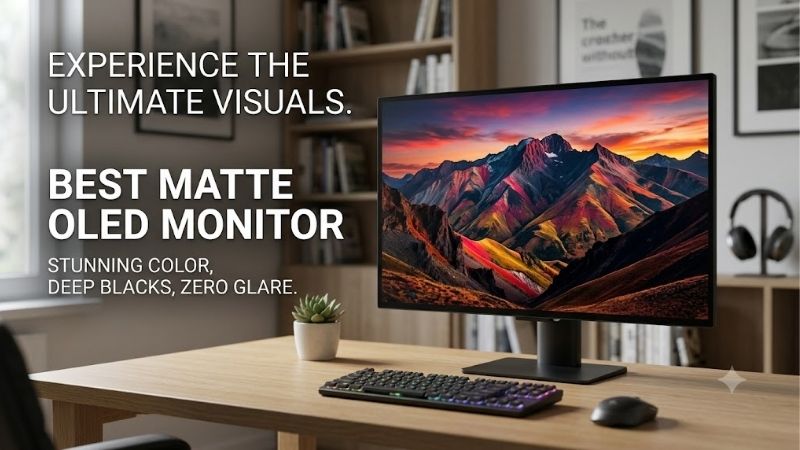
Quick answer: For most people in 2026, the best matte oled monitor is the ASUS ROG Swift OLED PG32UCDP — our #1 rated choice. See the full ranked comparison, alternatives and buying advice below.
Best Matte OLED Monitor: Quick Comparison
These six models have verified anti-glare or matte screen treatments. Refresh rates below describe supported display modes, not the frame rates your computer will necessarily produce.
| Monitor | Best fit | Panel and resolution | Maximum refresh rate | Main trade-off |
|---|---|---|---|---|
| ASUS ROG Swift OLED PG32UCDP | Gaming desktop plus compatible laptop | 31.5-inch WOLED, 3840 × 2160 | 240Hz at 4K; 480Hz at 1080p | Fastest mode sacrifices resolution |
| LG UltraGear 27GX790B-B | Competitive players prioritizing refresh rate | 27-inch Primary RGB Tandem OLED, 2560 × 1440 | 540Hz at 1440p; 720Hz at 720p | 720p mode substantially reduces detail |
| ASUS ROG Swift OLED PG27AQDP | 1440p esports with explicit burn-in coverage | 26.5-inch viewable WOLED, 2560 × 1440 | 480Hz at 1440p | No USB-C laptop charging |
| Samsung Odyssey OLED G6 G60SF | High-refresh QD-OLED gaming | 27-inch QD-OLED, 2560 × 1440 | 500Hz at 1440p | Resolution takes priority behind speed |
| LG UltraGear 32GS95UE-B | 4K gaming with integrated audio | 32-inch-class WOLED, 3840 × 2160 | 240Hz at 4K; 480Hz at 1080p | Large screen and lower-resolution speed mode |
| Samsung Odyssey OLED G8 G80SD | Gaming and streaming on one screen | 32-inch QD-OLED, 3840 × 2160 | 240Hz at 4K | Smart features do not replace laptop docking |
Prices are omitted because a comparable set of current US selling prices was not verified. The recommendations therefore use feature and use-case labels rather than unsupported budget rankings.
How We Selected These Monitors
Eligibility required an OLED panel and a documented matte or anti-glare surface. A glossy OLED with an anti-reflective treatment does not automatically qualify.
Manufacturer specifications were checked on October 10, 2026, with published RTINGS testing used where accessible to clarify practical limitations. This article is based on research, not detailed research by Build-PC-Guide.com.
The comparisons prioritize resolution, supported refresh modes, useful connections, reflection handling, and purchase considerations. The overall recommendation favors versatility for a gaming-focused desk; it does not imply the same model is best for every buyer.
The Six Recommended Matte OLED Monitors
ASUS ROG Swift OLED PG32UCDP — Best Overall for a Gaming Desktop and Laptop
The PG32UCDP earns the main recommendation by covering several desk setups. Its 31.5-inch anti-glare WOLED panel supports 4K at 240Hz, with a separate Full HD mode reaching 480Hz.
That flexibility suits someone who plays visually detailed games but also spends time in competitive shooters. The limitation is straightforward: switching to 480Hz means giving up 4K resolution. You cannot combine both maximums.
USB-C with DisplayPort Alt Mode and up to 90W power delivery adds a practical advantage for compatible laptops. Check your laptop’s charging requirements; 90W may not replace the original power adapter during demanding workloads.
ASUS lists a three-year warranty including panel burn-in on its US specifications page, subject to the applicable terms.
Pros: Flexible resolution modes, USB-C video and charging, explicit burn-in coverage.
Cons: The fastest mode reduces image detail; the screen requires substantial desk space.
Buy if: You want one matte OLED for a desktop, compatible laptop, and varied gaming.
Skip if: Your priority is the highest refresh rate while remaining at 1440p.
LG UltraGear 27GX790B-B — Best for Extreme Refresh-Rate Gaming
The 27GX790B-B is the speed-focused option here. LG specifies 540Hz at its native 2560 × 1440 resolution and a separate 720Hz mode at 1280 × 720. Its Primary RGB Tandem OLED panel has an anti-glare, low-reflection surface treatment.
The native 1440p mode is the more balanced starting point. The 720p option is a deliberate trade: substantially fewer pixels in exchange for a higher refresh ceiling.
This monitor makes sense only when the rest of the PC and the games you play justify it. A display’s refresh specification cannot compensate for inconsistent frame delivery or a system that produces far fewer frames.
Pros: Highest refresh ceilings in this shortlist, native 1440p speed mode, DisplayPort 2.1.
Cons: The 720Hz mode requires a major resolution compromise; many workloads will not benefit from that ceiling.
Buy if: Competitive gaming drives your hardware choices and you understand the lower-resolution mode.
Skip if: You mainly want sharper 4K visuals, spacious desktop work, or casual gaming.
ASUS ROG Swift OLED PG27AQDP — Best for 1440p Esports With Explicit Burn-In Coverage
The PG27AQDP combines a native 1440p 480Hz mode with an anti-glare WOLED panel. Unlike the 32-inch dual-mode models, it does not require dropping to 1080p to reach 480Hz.
ASUS lists DisplayPort 1.4 with Display Stream Compression, HDMI 2.1, and a USB hub. Its optional uniform-brightness setting is also relevant if changing window sizes make desktop brightness shifts distracting.
The US specifications explicitly list three years of warranty coverage including panel burn-in. That is a useful purchase detail, although buyers should still read eligibility and service conditions.
Its main connectivity limitation is the absence of USB-C video and charging. A laptop user will need another connection arrangement.
Pros: 480Hz at native 1440p, uniform-brightness option, explicit burn-in warranty wording.
Cons: No USB-C charging; lower resolution than the 4K alternatives.
Buy if: You want a matte 1440p esports monitor with clearly stated panel coverage.
Skip if: You need one-cable laptop connectivity or prioritize 4K detail.
Samsung Odyssey OLED G6 G60SF — Best for 500Hz QD-OLED Gaming
The G60SF offers a 27-inch QD-OLED panel, 2560 × 1440 resolution, and a 500Hz refresh rate. Samsung’s Glare Free treatment makes it eligible for this matte OLED shortlist.
Its appeal is maintaining native 1440p while offering a very high refresh ceiling. Samsung also specifies G-SYNC compatibility and FreeSync Premium Pro.
Do not select it solely because 500Hz is numerically higher than 480Hz. The gap is small relative to the importance of frame consistency, screen treatment preferences, warranty terms, and current selling price.
Check the exact model before ordering. Samsung’s G6 name covers multiple monitors; the G60SF should not be confused with the 360Hz G60SD.
Pros: Native 1440p at 500Hz, QD-OLED panel, Glare Free surface.
Cons: No 4K mode; the refresh ceiling may exceed what your games and PC can use.
Buy if: You specifically want a high-refresh matte QD-OLED for competitive play.
Skip if: Your decision is mainly about desktop sharpness or detailed 4K gaming.
LG UltraGear 32GS95UE-B — Best for 4K Gaming With Integrated Audio
The 32GS95UE-B combines an anti-glare WOLED display with 4K 240Hz and Full HD 480Hz modes. It is a strong alternative to the PG32UCDP when integrated sound matters more than USB-C charging.
LG’s Pixel Sound system provides audio directly from the display. That can simplify a desk used for videos, calls, and occasional gaming without headphones. It does not establish that the monitor replaces dedicated speakers for every listener.
As with the ASUS dual-mode model, the 480Hz setting is a separate lower-resolution mode. Evaluate it as an optional competitive setting rather than the best choice for everything.
Pros: 4K 240Hz, optional 1080p 480Hz, integrated Pixel Sound audio.
Cons: Fastest mode reduces detail; laptop charging is not its distinguishing feature.
Buy if: You want a large matte OLED for gaming and useful built-in audio.
Skip if: You prefer a compact 27-inch display or need USB-C power delivery.
Samsung Odyssey OLED G8 G80SD — Best for Gaming and Streaming
The G80SD is a 32-inch 4K 240Hz QD-OLED monitor with a matte surface, integrated smart apps, and a remote. Those features suit a desk that doubles as a place to watch streaming content without keeping the gaming PC running.
RTINGS’ published testing found effective glare reduction, but also noted a purple tint in bright environments. That distinction matters: reducing visible reflections does not eliminate every ambient-light effect on an OLED panel.
Choose it for the combination of gaming and streaming convenience. Buyers who need USB-C video and laptop charging should favor a monitor designed around those connections.
Pros: 4K 240Hz, matte reflection handling, integrated streaming features and remote.
Cons: Ambient light can still affect perceived blacks; no USB-C docking advantage.
Buy if: You want one screen for PC gaming and independent streaming.
Skip if: Laptop connectivity or a simpler monitor interface matters more than smart features.
How to Choose the Best Matte OLED Monitor
Match the Resolution to Your Games and PC
Start with the workload rather than the highest advertised refresh rate.
For detailed games and a spacious desktop, 4K is the more relevant priority. For competitive titles where your PC can sustain very high frame rates, 1440p offers a different balance.
A dual-mode monitor provides flexibility, but its faster mode changes the resolution. The 32-inch ASUS and LG models reach 480Hz at 1080p. The newer 27GX790B-B reaches 720Hz at 720p. Neither claim means maximum refresh at the panel’s native resolution.
Consider the Lighting Around Your Desk
A matte surface spreads reflected light rather than presenting the same sharply defined reflections as a glossy surface. That can make a window or overhead lamp less distracting, but it may introduce visible haze or texture.
Panel technology remains relevant. The G80SD illustrates why a matte QD-OLED can handle glare well while still showing raised or tinted blacks under strong ambient lighting.
If possible, inspect the screen with bright desktop content and dark scenes under lighting similar to your room. Move lamps and control window light before assuming any coating can solve an unfavorable setup.
Check the Entire Connection Path
A port label alone does not prove that your intended resolution and refresh rate will work.
Check the monitor’s supported timing, GPU output, cable, laptop port, and any dock or adapter between them. Display Stream Compression may be part of the supported high-bandwidth connection.
For USB-C, verify both video support and power delivery. A USB hub is not equivalent to a USB-C video input, and a charging specification does not guarantee full-speed operation for every laptop.
Read Burn-In Coverage Separately From Panel-Care Features
Pixel shifting, screen cleaning, and thermal management are preventive features. They are not warranty promises.
The two ASUS models have explicit three-year burn-in coverage wording on their US specifications pages. LG’s US OLED warranty document lists two years for parts and labor, including the panel, but that wording alone should not be presented as an unconditional burn-in guarantee.
For Samsung, confirm the complete US terms for the exact SKU rather than transferring coverage from another region or a related monitor.
For a desk dominated by static spreadsheets, dashboards, or applications, also consider whether an LCD would better suit the workload.
Frequently Asked Questions
Is Matte OLED Better Than Glossy OLED?
It depends on the room and your preferences. Matte finishes can make reflections less distinct, while glossy finishes may look clearer in controlled lighting. Compare the actual coating rather than treating either category as universally superior.
Does a Matte Finish Prevent OLED Burn-In?
No. The surface treatment addresses reflections. Burn-in concerns relate to uneven pixel wear, usage patterns, and panel management.
Is 500Hz Worth Choosing Over 480Hz?
The difference alone is a weak buying reason. At their maximum rates, refresh intervals are approximately 2.00 milliseconds and 2.08 milliseconds respectively. Those figures are mathematical intervals, not measured input lag. Price, frame delivery, connectivity, and screen preferences can matter more.
Are These Monitors Guaranteed to Be Available on Amazon?
No current Amazon availability claim is made here. Exact US listings, seller condition, prices, and availability were not fully verified. Check the full model number before purchasing.
Final Verdict
The ASUS ROG Swift OLED PG32UCDP is the best overall choice in this shortlist for a gaming desktop that also shares its display with a compatible laptop. Its 4K mode, optional high-refresh mode, and USB-C power delivery cover a useful range of needs.
Choose the LG 27GX790B-B for an extreme refresh-rate setup, the PG27AQDP for native 1440p 480Hz with explicit burn-in coverage, or the G80SD when streaming features are part of the purchase decision. The right matte OLED is the one whose resolution, connections, and coating suit your actual desk.
Editorial Source Log
For the editor; keep this section separate from the public article. Sources accessed October 10, 2026.
| Product or claim | Supporting source | Verification and limitations |
|---|---|---|
| ASUS PG32UCDP | ASUS US specifications | Anti-glare WOLED, resolution modes, USB-C 90W, and three-year warranty including burn-in. Overall ranking is an editorial inference from this feature combination. ROG USA |
| LG 27GX790B-B | LG US product page, LG Australia specifications | US page confirms 540Hz QHD and 720Hz HD modes; matching model’s Australian page documents anti-glare treatment and Primary RGB Tandem OLED. Regional warranty terms were not transferred. LG USA |
| ASUS PG27AQDP | ASUS US specifications, ASUS US features | Native 1440p 480Hz, anti-glare WOLED, connections, uniform-brightness option, and explicit three-year burn-in coverage. ROG USA |
| Samsung G60SF | Samsung US product page, Samsung launch specifications | Exact US SKU LS27FG602SNXZA; 27-inch 1440p 500Hz QD-OLED with Glare Free treatment and VRR support. Complete US burn-in terms remain to be checked. Samsung US |
| LG 32GS95UE-B | LG US product page, RTINGS exact-model testing | Dual modes and Pixel Sound verified from LG; panel and surface assessed using exact-model evidence. No independent audio-quality claim made. LG USA |
| Samsung G80SD | Samsung US model page, RTINGS exact-model testing | Tested model LS32DG802SNXZA: 4K 240Hz QD-OLED, matte coating, streaming features, and ambient-light purple tint. Qualitative findings attributed to RTINGS; no hidden test numbers used. Samsung US |
| LG US warranty wording | LG OLED monitor warranty | Two years of parts/labor including the OLED panel. Document wording does not establish unconditional burn-in coverage for every listed model. lg.com |
Amazon verification: Current exact-model listings, sellers, condition, stock, and prices remain unverified for all six recommendations. No ASINs or live Amazon purchase claims are supplied.
Ready to decide? Our #1 pick for 2026 is the ASUS ROG Swift OLED PG32UCDP.
Live price & availability on Amazon.









