
The best monitor for story games in a gaming-focused setup with controlled lighting is the MSI MPG 321URX QD-OLED. Its flat 32-inch-class 4K display combines detailed imagery with OLED’s ability to show deep blacks beside bright highlights. For players who prefer a wider view of supported PC games, the Alienware AW3425DW is the stronger ultrawide choice. If you want HDR without OLED’s burn-in considerations, the AOC Q27G3XMN provides a Mini LED alternative.
Story-driven games place different demands on a monitor than competitive shooters. Landscapes, character faces, shadow detail, subtitles, and atmospheric lighting often matter more than reaching the highest possible refresh rate. The right purchase balances those qualities with your GPU, room lighting, desk space, and game library.
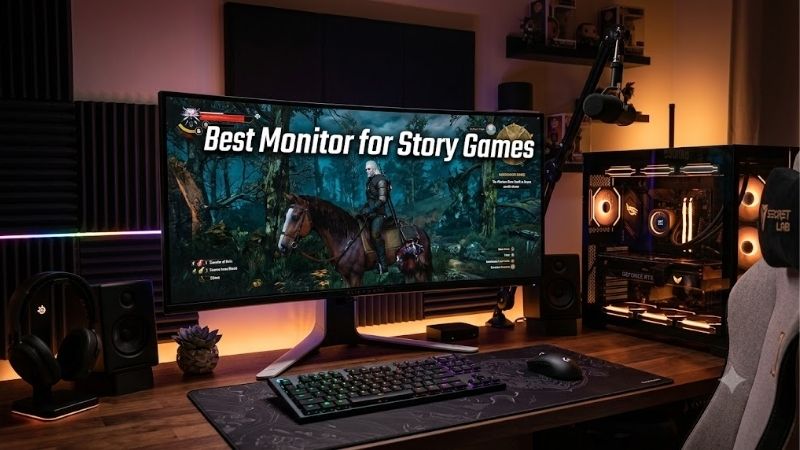
Quick answer: For most people in 2026, the best monitor for story games is the MSI MPG 321URX QD-OLED — our #1 rated choice. See the full ranked comparison, alternatives and buying advice below.
Best Monitor for Story Games: Quick Comparison
| Monitor | Best-fit player | Panel and resolution | Refresh rate | Main trade-off |
|---|---|---|---|---|
| MSI MPG 321URX QD-OLED | Flat-screen 4K gaming in controlled lighting | 31.5-inch QD-OLED, 3840 × 2160 | 240Hz | Strong ambient light can affect perceived blacks |
| Alienware AW3225QF | Curved 4K gaming | 32-inch-class QD-OLED, 3840 × 2160 | 240Hz | Curvature is a preference; no USB-C video input |
| Alienware AW3425DW | Ultrawide PC adventures | 34-inch-class QD-OLED, 3440 × 1440 | 240Hz | Games and cutscenes vary in 21:9 support |
| ASUS ROG Swift OLED PG32UCDP | Matte 4K gaming with laptop connectivity | 31.5-inch WOLED, 3840 × 2160 | 240Hz at 4K; 480Hz at 1080p | Faster mode reduces resolution |
| ASUS ROG Swift OLED PG27UCDM | Detailed 4K imagery on a smaller screen | 26.5-inch viewable QD-OLED, 3840 × 2160 | 240Hz | Smaller physical image than the 32-inch options |
| AOC Q27G3XMN | Mini LED HDR and mixed desktop use | 27-inch VA LCD, 2560 × 1440 | Up to 180Hz over DisplayPort, using overclocking | Black smearing and VRR flicker can be distracting |
Refresh rates describe supported display modes, not guaranteed game performance. Current prices are omitted because a comparable set of US retail offers was not fully verified.
How We Selected These Monitors
This shortlist prioritizes HDR capability, contrast, useful resolution, screen format, and practical connections. It includes flat and curved OLEDs, an ultrawide option, and a Mini LED LCD so that different gaming setups have a relevant choice.
Manufacturer specifications and accessible independent testing were checked on October 10, 2026. Published RTINGS findings inform the discussion of image quality and limitations where cited in the editorial source log. Build-PC-Guide.com did not perform detailed research for this article.
The overall recommendation is an editorial judgment for someone who wants a flat, detailed display for story games and also values useful desktop connections. It is not a claim that one monitor wins every HDR comparison.
The Six Recommended Monitors
MSI MPG 321URX QD-OLED — Best Overall for Flat 4K Story Gaming
The MPG 321URX combines a 31.5-inch flat QD-OLED panel with 3840 × 2160 resolution and a 240Hz refresh rate. That combination suits players who want detailed environments without committing to a curved screen or ultrawide format.
RTINGS’ testing found deep blacks without blooming around bright objects in dark rooms, along with vivid HDR colors. Those qualities are relevant to scenes containing small lights, dark interiors, and bright effects against shadowed backgrounds.
Its USB-C input supports video and up to 90W power delivery, while a KVM switch helps share peripherals between computers. MSI’s US specifications list three years of warranty coverage including panel burn-in.
The main limitation is lighting. RTINGS notes that strong light can make blacks appear slightly purple, so this is a better match for a controlled room than a screen directly opposite a sunny window.
Pros: Detailed flat 4K image, OLED contrast, USB-C charging and KVM.
Cons: Ambient-light sensitivity; static desktop use still requires consideration.
Buy if: You want a versatile flat OLED for story games and occasional laptop use.
Skip if: You cannot control strong light falling on the screen.
Alienware AW3225QF — Best for Curved 4K Gaming
The AW3225QF offers a curved 32-inch-class QD-OLED panel, 4K resolution, and a 240Hz refresh rate. It is the alternative to consider when you prefer a screen that curves around your central viewing position.
For story games, the appeal is the combination of detailed imagery and a large physical picture. Curvature does not improve resolution or guarantee greater immersion, but some players prefer it when sitting close to a desktop display.
Dell includes Dolby Vision support. That is useful only when the source, software, and playback path support the format; it should not be treated as a benefit in every game.
The connections include HDMI 2.1 and DisplayPort 1.4. Its downstream USB-C port is not a USB-C video input for a laptop. Dell also explicitly lists three-year service coverage including OLED burn-in.
Pros: Curved 4K OLED, Dolby Vision support, explicit burn-in coverage.
Cons: Curve preference is personal; no USB-C video-and-charging arrangement.
Buy if: You want a curved 4K screen for a dedicated gaming desk.
Skip if: You prefer a flat display or need one-cable laptop connectivity.
Alienware AW3425DW — Best for Ultrawide PC Adventures
The AW3425DW uses a curved QD-OLED panel with 3440 × 1440 resolution, a 21:9 aspect ratio, and a 240Hz refresh rate.
Its wider format can make supported games feel more expansive by extending the view across the desk. However, that benefit depends on the game’s implementation. Gameplay may support ultrawide while menus or cutscenes retain black bars.
Resolution also deserves attention. This monitor has the same vertical pixel count as a standard 1440p display, so it does not provide the same fine detail as a 4K screen.
Dell specifies HDMI 2.1 support for the monitor’s native resolution at up to 240Hz. Its USB-C connection is a downstream port with 15W charging, not a substitute for a laptop video input.
Pros: Wide 21:9 format, OLED panel, curved presentation.
Cons: Variable ultrawide support; less vertical detail than 4K.
Buy if: You play on PC and have checked support in your favorite games.
Skip if: You mainly use a console or want consistently full-screen cutscenes.
ASUS ROG Swift OLED PG32UCDP — Best for a Matte 4K Setup
The PG32UCDP combines a 31.5-inch anti-glare WOLED panel with 4K at 240Hz. Its separate 1080p 480Hz mode adds flexibility for competitive games, although story-focused players will usually have more reason to favor the native-resolution mode.
The matte surface is a useful alternative when sharply defined reflections interrupt your view. It does not make the display immune to poor lighting, so lamp placement and window control still matter.
USB-C with DisplayPort Alt Mode and up to 90W power delivery makes this a practical choice for a desk shared by a gaming desktop and compatible laptop. ASUS lists a three-year warranty including panel burn-in.
Pros: Matte surface, native 4K mode, USB-C video and charging.
Cons: The fastest mode sacrifices resolution; some buyers prefer a glossy surface.
Buy if: You want matte OLED gaming and useful laptop connectivity.
Skip if: You prefer a glossy presentation and have already controlled reflections.
ASUS ROG Swift OLED PG27UCDM — Best for Smaller 4K Setups
The PG27UCDM puts 3840 × 2160 resolution into a 26.5-inch viewable QD-OLED panel. Its smaller size gives it a higher pixel density than a 32-inch 4K monitor, making it appealing to players who sit close and prioritize fine detail.
It supports 240Hz, DisplayPort 2.1a UHBR20, HDMI 2.1, and USB-C with up to 90W power delivery. ASUS also lists three years of warranty coverage including panel burn-in.
The trade-off is physical scale. A smaller screen can fit a desk more comfortably, but scenery and characters occupy less of your view at the same seating distance. High pixel density also cannot compensate for subtitles that a game renders too small.
Pros: Dense 4K image, smaller screen format, extensive connections.
Cons: Less physical image area; desktop scaling and subtitle settings may need adjustment.
Buy if: You sit close and want 4K detail without a 32-inch panel.
Skip if: You prioritize a larger cinematic image.
AOC Q27G3XMN — Best Mini LED Alternative for Mixed Use
The Q27G3XMN combines a 27-inch 1440p VA panel with Mini LED backlighting and 336 local-dimming zones. It is the option here for someone who wants meaningful HDR capability while avoiding OLED-specific burn-in considerations.
RTINGS found strong HDR brightness and effective local dimming, but also identified black smearing and distracting VRR flicker when frame rates change. Those weaknesses can matter in dark games with frequent camera movement.
Connection limits are important: AOC’s manual lists up to 144Hz over HDMI and up to 180Hz over DisplayPort. The 170Hz and 180Hz settings use overclocking; the manual advises reducing the rate to 165Hz if display errors occur.
Pros: Mini LED HDR, 1440p resolution, suitable alternative for mixed desktop use.
Cons: Black smearing, narrow viewing angles, and possible VRR flicker.
Buy if: You want an LCD with local dimming for gaming and substantial desktop work.
Skip if: You are particularly sensitive to dark-motion trails or brightness flicker.
How to Choose the Best Monitor for Story Games
Prioritize Contrast and HDR Quality
An HDR-compatible label alone does not establish convincing HDR performance. The display needs to manage bright and dark areas effectively.
OLED controls light at the pixel level, which helps preserve dark backgrounds beside small highlights. Mini LED LCDs control groups of pixels through dimming zones, so a bright object may illuminate some surrounding area.
Neither technology guarantees accurate presentation in every game. Tone mapping, picture settings, room lighting, and the game’s HDR implementation remain part of the result.
Also avoid comparing HDR certification numbers as though they form a universal ranking across OLED and LCD. Brightness, black levels, color, and dimming behavior need to be considered together.
Choose a Resolution Your GPU Can Handle
At native resolution, 4K contains about 2.25 times as many pixels as 2560 × 1440. A 3440 × 1440 ultrawide contains about 34% more pixels than standard 1440p. These are pixel-count comparisons, not predictions of frame-rate differences.
Before buying, check performance in the games you actually play at your preferred settings. A detailed display is less useful if you must compromise image quality more than you want to achieve acceptable performance.
A 240Hz monitor can still make sense when games run well below 240 frames per second. You do not need to reach the panel’s maximum refresh rate to benefit from its resolution or HDR capabilities.
Check Ultrawide Support Before Committing
For an ultrawide purchase, check gameplay, cutscenes, menus, and interface placement separately.
A game may expand the rendered view, crop the image, or retain a standard aspect ratio depending on the scene. Do not assume that every story game will use the full screen simply because the monitor is 21:9.
For a console-first setup, a 16:9 monitor is the simpler starting point. Verify the console’s supported resolution, HDR, and VRR behavior on the exact display rather than relying on the presence of HDMI alone.
Match the Screen to Your Room and Desk
A larger display is not automatically more comfortable. Measure stand depth, screen width, and viewing distance before ordering.
Lighting can also change the apparent advantage of a panel. Deep blacks seen in a dark-room test may look different when daylight falls directly on the screen.
If you already own a good monitor, first try improving window control, moving lamps, and checking game picture settings. A display upgrade should solve a clear limitation in your current setup.
Frequently Asked Questions
Do Story Games Need a 240Hz Monitor?
No. A high refresh rate provides headroom for smoother motion, but it should not take priority over image quality solely because the number is larger. Choose around the games, performance, and visual qualities you care about.
Is OLED Always Better Than Mini LED?
No. OLED is particularly appealing for dark-room contrast and pixel-level light control. Mini LED is worth considering when you prefer an LCD, use static applications extensively, or want to avoid OLED burn-in considerations. Evaluate the exact model’s weaknesses.
Should I Choose 27 Inches or 32 Inches for 4K?
Choose 27 inches when you sit close and prefer a smaller display with higher pixel density. Choose 32 inches when you want a larger physical image and have enough desk depth. Both can deliver detailed 4K gaming.
Does Dolby Vision Make Every Game Look Better?
No. The content and playback path must support it. For games using HDR10, Dolby Vision support alone does not establish better performance.
Final Verdict
The MSI MPG 321URX QD-OLED is the strongest overall recommendation here for a flat 4K story-gaming setup in controlled lighting. It combines detailed imagery, OLED contrast, and useful connections without requiring a curved or ultrawide screen.
Choose the Alienware AW3425DW for supported ultrawide PC games, the ASUS PG27UCDM for a smaller 4K setup, or the AOC Q27G3XMN when an LCD better suits your daily use. Prioritize the picture you want, then confirm your PC and room can support it.
Editorial Source Log
Sources accessed October 10, 2026. Keep this section separate from the public article. No measured brightness, latency, or game-performance numbers are reproduced.
| Product or claim | Exact supporting source | Verification and limitations |
|---|---|---|
| MSI MPG 321URX QD-OLED | MSI US specifications, RTINGS testing | Flat 31.5-inch 4K QD-OLED, 240Hz, USB-C 90W, and three-year burn-in coverage. RTINGS tested firmware FW.011; qualitative HDR and ambient-light findings inform the recommendation. Overall ranking is editorial judgment. us.msi.com |
| Alienware AW3225QF | Dell US product specifications | Curved 4K QD-OLED, 240Hz, Dolby Vision, HDMI/DisplayPort connections, downstream USB-C, and explicit three-year coverage including OLED burn-in. Dell USA |
| Alienware AW3425DW | Dell US product specifications | 34-inch-class 3440 × 1440 QD-OLED, 21:9, 240Hz, curved panel, and USB-C downstream 15W. Three-year warranty verified; full burn-in service conditions should be checked before publishing a coverage claim. Game-specific ultrawide support was not verified. Dell USA |
| ASUS PG32UCDP | ASUS US specifications | Anti-glare WOLED, 4K 240Hz and separate Full HD 480Hz modes, USB-C 90W, three-year warranty including panel burn-in. ROG USA |
| ASUS PG27UCDM | ASUS US specifications, ASUS launch documentation | 26.5-inch viewable 4K QD-OLED, 240Hz, DisplayPort 2.1a UHBR20, HDMI 2.1, USB-C 90W, and explicit three-year burn-in coverage. Republic of Gamers|ROG USA |
| AOC Q27G3XMN | AOC US specifications, AOC manual, RTINGS testing | VA 1440p, 336 dimming zones, input-specific refresh limits, and overclocking qualification verified. RTINGS supplies qualitative HDR, black-smearing, viewing-angle, and VRR-flicker findings. aoc.com |
| Console setup checks | PlayStation resolution and video-output guidance | Resolution, HDR, and VRR depend on the display and connection configuration. Do not infer compatibility from an HDMI label alone. playstation.com |
Amazon US listing verification: A matching ASUS PG27UCDM listing was confirmed. Seller, condition, current price, and stock were not fully verified. Exact current Amazon listings for the other five recommendations remain unverified; no Amazon availability claims are made. amazon.com
Ready to decide? Our #1 pick for 2026 is the MSI MPG 321URX QD-OLED.
Live price & availability on Amazon.









