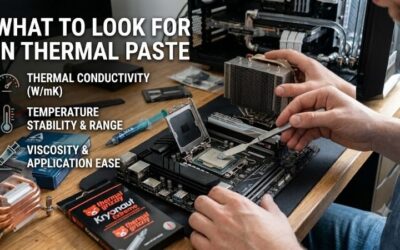
Best thermal paste for beginners should simplify a first cooler installation, especially when tutorials disagree about spreading techniques and syringe listings promise major temperature improvements. Application guidance, cleanup requirements, and compound quantity provide more useful distinctions. These recommendations suit ordinary desktop CPUs.
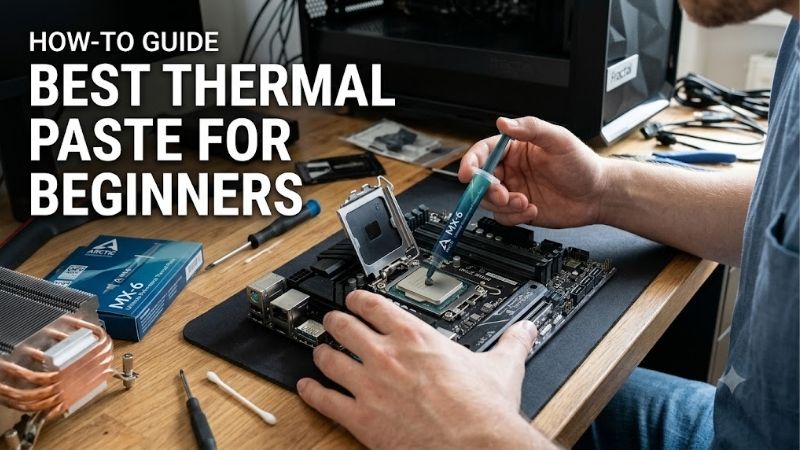
Quick answer: For most people in 2026, the best thermal paste for beginners is the Noctua NT-H1 3.5g — our #1 rated choice. See the full ranked comparison, alternatives and buying advice below.
How to Choose Thermal Paste for Beginners
This guide compares the best thermal paste for beginners through electrical properties, mounting instructions, package quantity, and cleaning supplies. Noctua NT-H1 is the default choice, with alternatives for value, a smaller purchase, and first-time repasting. Use nonconductive compound, and shut down and unplug the computer before maintenance.
Electrical Properties and Cooler Compatibility
Electrical conductivity describes whether a compound can carry current, rather than how effectively it transfers heat. All four recommendations are electrically nonconductive, which removes one avoidable complication around computer components. Noctua also specifies that NT-H1 and NT-H2 are noncorroding, supporting ordinary CPU cooler applications.
The best thermal paste for beginners still belongs on the intended cooling interface, not inside the socket or around electrical contacts. Nonconductive does not mean careless handling is acceptable. If you want a conventional compound for a mainstream desktop build, ARCTIC MX-4 4g provides a metal-free, electrically nonconductive option.
Application Instructions and Handling
Application instructions matter more than whether a syringe includes a spreading tool. Noctua states that NT-H1 and NT-H2 generally do not require manual spreading before cooler installation. Following the specific CPU deposit guidance removes the guesswork of creating a perfectly flat layer with a plastic spatula before mounting.
Different compounds can behave differently, so avoid applying every tutorial’s technique to every product. Your selected paste should have instructions that fit the cooler and processor you are installing. For a first desktop build where straightforward mounting guidance matters most, Noctua NT-H1 3.5g is my preferred starting point.
Package Quantity and Planned Installations
Package weight determines available material, while processor dimensions and remounting determine consumption. Packages range from Thermalright TF7’s 2g syringe to ARCTIC MX-4’s 4g package. Neither weight establishes an installation count. Compare quantity against your actual project rather than buying the largest tube available.
Noctua estimates around three to twenty applications from its 3.5g packages according to processor dimensions, illustrating how widely consumption varies. Preserve reserve for anticipated remounts, but avoid purchasing bulk stock for hypothetical projects. For one planned mainstream desktop build, consider Thermalright TF7 2g.
Cleaning Supplies and Complete Purchase Cost
Cleaning supplies affect total expenditure when replacing existing compound instead of installing a new cooler. Noctua NT-H2 3.5g includes three NA-CW1 wipes; standard NT-H1, plain MX-4, and TF7 packages should not be presumed to include them. Compare delivered prices while accounting for suitable materials already available in your toolkit.
The best thermal paste for beginners should reduce missing supplies without charging for accessories that remain unused. A tube-only purchase makes sense when your maintenance kit is already stocked. If you need both fresh compound and suitable cleaning wipes for your first repaste, choose Noctua NT-H2 3.5g when the bundle price is reasonable.
Top Picks
These selections approach the best thermal paste for beginners through installation needs. NT-H1 takes the overall role, MX-4 offers value when competitively priced, TF7 suits a smaller purchase, and NT-H2 provides cleaning supplies. Rankings reflect published features and beginner suitability, without claiming a temperature hierarchy.
| Product | Best For | Key Spec | Watch Out For |
|---|---|---|---|
| Noctua NT-H1 3.5g | Best Overall | 3.5g; no burn-in required | Standard package lacks cleaning wipes |
| ARCTIC MX-4 4g | Best Value when competitively priced | 4g; nonconductive, metal-free formula | Plain package lacks cleaning supplies |
| Thermalright TF7 2g | A single planned build | 2g; electrically nonconductive | Less reserve for repeated remounts |
| Noctua NT-H2 3.5g | First-time repasting | 3.5g plus three NA-CW1 wipes | Bundle may cost more than needed |
Noctua NT-H1 3.5g: Best Overall
Noctua NT-H1 3.5g is my overall recommendation for a first desktop cooler installation. Its nonconductive, noncorroding formula requires no burn-in, and the manufacturer’s instructions generally avoid manual spreading. The package balances enough material for future maintenance with a manageable quantity for someone learning cooler installation.
The standard package does not include the cleaning wipes supplied with NT-H2, reducing repasting convenience without suitable cleaning materials. Noctua recommends storage before use up to three years, which also discourages stockpiling. Choose NT-H1 for its application documentation rather than expecting unlimited shelf life.
ARCTIC MX-4 4g: Best Value
ARCTIC MX-4 4g is the value pick when its delivered price compares favorably with these alternatives. The electrically nonconductive, metal-free compound comes in a resealable syringe, and ARCTIC describes its consistency as suitable for beginners. Its 4g quantity provides more material than TF7’s 2g pack without requiring a bulk purchase.
I consider MX-4 the best thermal paste for beginners prioritizing quantity and straightforward desktop use, provided the price supports that role. Its plain package lacks cleaning wipes, and extra material is not an advantage if it remains unused. Compare the full checkout cost against NT-H1 before choosing purely on syringe weight.
Thermalright TF7 2g: Best for a Single Planned Build
Thermalright TF7 2g suits beginners planning one mainstream desktop assembly instead of multiple maintenance projects. Thermalright specifies electrical nonconductivity and publishes conductivity of 12.8 W/mK. Its smaller package reduces unused stock when replacement compound is simply required to complete the intended cooler installation.
Its main compromise is reserve quantity: repeated remounts or a larger processor consume a greater share of the 2g syringe. The advertised conductivity figure also cannot establish superiority over Noctua or ARCTIC compounds using different measurement methods. Choose TF7 when its smaller purchase actually saves money and future demand is limited.
Noctua NT-H2 3.5g: Best for First-Time Repasting
Noctua NT-H2 3.5g is the practical choice for first-time repasting when cleaning materials are missing. It includes three NA-CW1 wipes alongside nonconductive, noncorroding compound. Like NT-H1, it needs no burn-in, and Noctua’s application guidance generally does not require manually spreading paste before installing the cooler.
The bundle’s drawback is paying for cleaning supplies you might already have, particularly if its delivered price exceeds a tube-only alternative. Three wipes also form a finite supply rather than a complete maintenance inventory. Choose NT-H2 for the immediate repasting job when the included materials justify the additional purchase cost.
Frequently Asked Questions
These answers cover the decisions most likely to delay a first cooler installation: existing paste, application quantity, replacing old compound, and expected results. The best thermal paste for beginners is still only one part of the cooling system. Mounting, cooler capacity, and airflow must also suit the processor and intended workload.
Do I Need Thermal Paste if My Cooler Already Has It?
No, you do not need extra paste when your cooler already has an intact, appropriate factory application. Adding another compound creates an unnecessary variable rather than improving a correctly prepared interface. Inspect the cooler’s contact surface and follow its instructions before opening a separately purchased syringe for installation.
If the factory layer is damaged or the cooler has already been removed after mounting, consult the installation guidance about replacing the interface. Do not assume that every bundled tube is inferior to an aftermarket purchase. Having fresh replacement paste available is useful, but buying it does not make immediate replacement necessary.
How Much Thermal Paste Should a Beginner Apply?
No single paste quantity suits every CPU. Follow the processor-specific deposit pattern and the compound manufacturer’s instructions instead of assuming every heat spreader needs the same dot. When selecting the best thermal paste for beginners, clear application guidance matters more than copying a picture taken from a different socket.
A larger processor can require more material, and cooler remounting changes how much remains in the syringe. More paste is not an automatic cure for poor contact, incorrect mounting hardware, or an uneven installation. If temperatures look wrong afterward, investigate the mounting arrangement rather than repeatedly increasing the applied quantity.
Should I Remove Old Thermal Paste Before Applying More?
Yes, remove old compound from the intended contact surfaces before applying fresh paste for a remount. For Noctua compounds, the manufacturer recommends cleaning both the CPU and cooler base whenever the heatsink is removed. Leaving the previous interface undisturbed is not a reliable shortcut once those surfaces have separated.
Use the chosen product’s cleaning instructions and suitable lint-free materials, keeping cleaner away from sockets and other electrical connections. Let the contact surfaces dry before reassembly. Avoid abrasive scraping that could damage the finish, and do not confuse CPU paste removal with replacing thermal pads elsewhere in a computer.
Will New Thermal Paste Lower My CPU Temperature?
Fresh compound cannot guarantee a specific temperature reduction. Outcomes depend on previous interface condition, mounting pressure, processor consumption, cooler capability, and ambient temperature. Replacing functional paste may change temperatures minimally, whereas correcting a damaged interface can provide a more substantial improvement.
Evaluate results using comparable workloads, room conditions, and fan settings rather than comparing unrelated screenshots. Specific cooling gains require controlled, independent comparative testing. If overheating persists, check cooler installation and airflow before prioritizing another compound’s advertised conductivity.
Final Thoughts
Noctua NT-H1 3.5g is my default best thermal paste for beginners recommendation for a first desktop cooler installation. Choose ARCTIC MX-4 4g for competitive package value, Thermalright TF7 2g for limited demand, or Noctua NT-H2 3.5g when cleaning supplies are missing. Match the purchase to the actual task and follow the product instructions.
Ready to decide? Our #1 pick for 2026 is the Noctua NT-H1 3.5g.
Live price & availability on Amazon.