Is thermal paste worth it in 2026 when your CPU cooler already includes compound? Usually yes after removing an old cooler, replacing weak material, or tuning a hotter system. Premium paste is not magic, though. Cooler quality, mounting pressure, and airflow still have more influence than tiny differences between competent compounds.
Quick answer: Our top pick in 2026 is the Noctua NT-H2 3.5g — our #1 rated choice. See the full ranked comparison, alternatives and buying advice below.
How to Choose Thermal Paste
To judge whether is thermal paste worth it in 2026, this guide compares Noctua NT-H2, ARCTIC MX-6, Thermal Grizzly Kryonaut, and Corsair XTM70. The useful differences are application feel, package size, long-term behavior, and thermal data. Those traits make the decision clearer for a new builder than choosing by a marketing number.
Thermal Resistance
Your first question should be what is already on the system and whether the cooler must be removed. Fresh compound matters most after disturbed, aged, or poorly applied material. On a new installation, a reputable non-conductive compound is usually enough when the cooler is mounted correctly and the rest of the cooling system is sound.
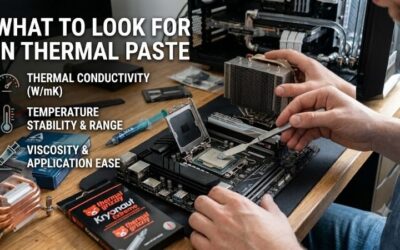
Thermal resistance is useful because paste fills microscopic gaps between a CPU heat spreader and cooler base. Lower resistance can improve heat transfer, but vendor figures are not directly comparable across methods. Kryonaut publishes 0.0032 K/W, while ARCTIC avoids promoting a single headline conductivity number for MX-6.
Application Feel
Published performance data matters most on high-power CPUs and sustained workloads. A capable compound helps transfer heat efficiently, but it cannot rescue a weak heatsink. Kryonaut fits enthusiasts chasing thermal headroom, while NT-H2 is a balanced option for gaming and workstation systems where easy, repeatable maintenance matters.
Application feel matters more than many first-time builders expect. A thick paste may resist manual spreading, while a fluid formula can be messier to control. MX-6 is highly viscous and relies on cooler pressure for distribution, whereas Kryonaut can be applied with a spatula or applicator, giving more control over coverage.
Package Size
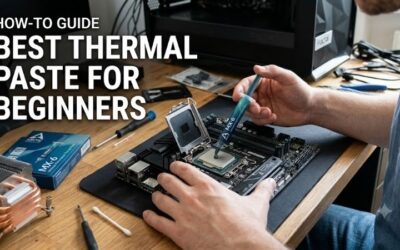
For a first installation, think about how much guidance you want. XTM70 includes an applicator card and two stencils, creating a structured process. NT-H2 keeps things simpler for users who prefer fewer steps. Both solve the same thermal-interface problem, but the installation experience differs and should match your confidence level.
Quantity affects both cost and storage. NT-H2’s 3.5 g package is rated for roughly 3–20 applications depending on CPU size, while MX-6 is offered in 2 g, 4 g, and 8 g sizes. Small syringes suit occasional builders; larger ones make more sense when maintaining several PCs or planning repeated upgrades at home over time.
Long-Term Stability
Long-term value also depends on storage behavior. Noctua rates NT-H2 for up to three years of storage and up to five years on the CPU. MX-6 emphasizes non-drying and non-bleeding behavior for long-term consistency, making both attractive to builders who upgrade infrequently rather than replacing paste every year of normal use.
Material behavior matters because conductive paste adds unnecessary risk for a beginner. These four compounds are non-electrically conductive in published specifications, while liquid metal is separate with different handling needs. For a normal desktop, NT-H2 and MX-6 keep the interface simple for routine maintenance.
Top Picks
For anyone asking, is thermal paste worth it in 2026, these four picks cover different value priorities. Noctua NT-H2 is the Best Overall, ARCTIC MX-6 is the Best Value, Corsair XTM70 is Best For Easy Application, and Thermal Grizzly Kryonaut is Best For High-Performance Builds. Their roles are clearer than a one-size-fits-all ranking.
| Product | Best For | Key Spec | Watch Out For |
|---|---|---|---|
| Noctua NT-H2 3.5g | Best Overall | 3.5 g; -50°C to +200°C; 3–20 applications | Smaller quantity for heavy users |
| ARCTIC MX-6 | Best Value | 2 g, 4 g, or 8 g; 45,000 poise | Very high viscosity |
| Corsair XTM70 | Best For Easy Application | 3 g; applicator card; 2 stencils | More application steps |
| Thermal Grizzly Kryonaut | Best For High-Performance Builds | 0.0032 K/W; 130–170 Pa·s | 1 g smallest standard size |
Noctua NT-H2 3.5g
For buyers asking, is thermal paste worth it in 2026, Noctua NT-H2 3.5 g is the Best Overall because its 3.5 g tube supports -50°C to +200°C operation and roughly 3–20 applications depending on CPU size. Three cleaning wipes are included, adding practical value for routine cooler maintenance for occasional home upgrades.
NT-H2’s biggest advantage is long-term stability: Noctua rates storage for up to three years and CPU use for up to five years, with no break-in period. The drawback is quantity for heavy users; 3.5 g is less economical when servicing many systems. For one PC or occasional upgrades, that smaller package remains practical.
ARCTIC MX-6
For a value-focused builder, is thermal paste worth it in 2026? ARCTIC MX-6 is the Best Value choice, offered in 2 g, 4 g, and 8 g versions. Its 45,000 poise viscosity and -50°C to 150°C continuous-use range suit ordinary desktop cooling. The formula is non-electrically conductive and easy to dose for occasional rebuilds.
MX-6’s key advantage is its package range plus non-drying, non-bleeding behavior. ARCTIC specifically says not to spread it with a spatula because of its high viscosity; cooler pressure distributes it instead. That method is easy once understood, but it can surprise beginners who expect to manually spread thermal compound across the CPU.
Corsair XTM70
For a beginner asking, is thermal paste worth it in 2026? Corsair XTM70 is Best For Easy Application because its kit provides physical guidance. The 3 g syringe includes an applicator card, two stencils, and three cleaning wipes. Corsair says the applicator works with common Intel and AMD desktop socket families today.
XTM70’s strongest advantage is its guided application system, especially during a first cooler installation. The drawback is extra procedure and accessories compared with simpler compounds. Corsair also positions XTM70 for high-end, high-TDP hardware, so a basic office PC may gain little from paying for its elaborate application approach.
Thermal Grizzly Kryonaut
For an enthusiast asking, is thermal paste worth it in 2026? Thermal Grizzly Kryonaut is Best For High-Performance Builds. Its data sheet lists 130–170 Pa·s viscosity, 0.0032 K/W thermal resistance, a -250°C to 350°C application range, and standard 1 g, 1.5 ml, and 3 ml sizes for demanding builds in tuned systems in practice today.
Kryonaut’s advantage is its enthusiast focus and broad published temperature range while remaining electrically non-conductive. The trade-off for a first-time builder is the 1 g smallest standard size and enthusiast positioning. It makes more sense when thermal tuning matters than when the buyer simply wants an easy, low-cost compound for routine builds.
Frequently Asked Questions
To decide, is thermal paste worth it in 2026, first check whether your cooler already has paste applied. Usually, you do not need to replace an adequate factory-applied compound immediately. Buying premium paste just to change brands may produce little benefit unless the interface is aged, disturbed, or part of a tuning project.
Do I Need Aftermarket Thermal Paste?
The exception is a system where CPU temperatures are unexpectedly high despite a capable cooler and sensible airflow. Check cooler mounting, contact, fan operation, and dust before buying more paste. Thermal compound is one link in the heat-transfer path, so replacing it alone may not fix a problem elsewhere in the system.
The practical point is that a pre-applied or included compound can be perfectly reasonable for a new system. Aftermarket paste becomes more useful when the original layer has been disturbed, has aged, or is part of a deliberate cooling upgrade. That makes replacement a targeted maintenance decision rather than an automatic first-build expense.
Can Thermal Paste Lower CPU Temperatures?
Can thermal paste lower CPU temperatures? Yes, but the result depends on what it replaces and how well the new interface is installed. Fresh compound can improve transfer compared with dried or poorly distributed material. The difference is usually more meaningful when the original layer is compromised than when swapping between competent premium pastes.
A brand-new PC with a quality cooler and correctly installed compound is the main exception. Changing paste immediately is rarely the best use of money or time. Check airflow and fan behavior first. Temperature differences seen in one CPU-and-cooler combination may not repeat elsewhere because mounting and heat density vary across systems.
How Long Does Thermal Paste Last?
How long does thermal paste last? There is no single universal replacement date. Noctua rates NT-H2 for up to five years on the CPU, while ARCTIC emphasizes resistance to drying and bleeding for MX-6. Those claims support condition-based maintenance rather than automatic yearly replacement when temperatures remain stable and the cooler stays mounted.
The practical exception is removing the cooler. Once the cooler separates from the CPU, the original interface has been disturbed, so fresh compound should be used before remounting. Actual temperatures are useful evidence too: a sustained rise after years of normal operation tells you more than a generic reminder that paste is simply old.
Is Expensive Thermal Paste Worth It For Gaming?
Is expensive thermal paste worth it for gaming? Usually only when the cooling system is already capable and you have a reason to care about small thermal differences. For mainstream gaming, NT-H2 or MX-6 is often the smarter buy. XTM70 helps when guided application matters, while Kryonaut is aimed more directly at enthusiast tuning.
The exception is a heavily loaded or tuned CPU where sustained temperature can affect clock behavior, noise, or thermal limits. A premium compound can be reasonable there, but it still cannot replace a capable cooler. Judge the entire cooling path first, then treat the paste as a final refinement rather than the foundation.
Final Thoughts
The answer to is thermal paste worth it in 2026 comes down to your current cooler interface needs. NT-H2 is the balanced pick, MX-6 is the value choice, XTM70 favors guided application, and Kryonaut targets demanding tuning. For most new builds, choose the compound matching your installation style and workload instead of paying for extra headroom.
Ready to decide? Our #1 pick for 2026 is the Noctua NT-H2 3.5g.
Live price & availability on Amazon.