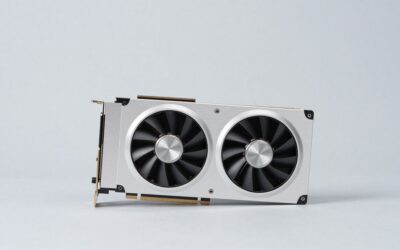
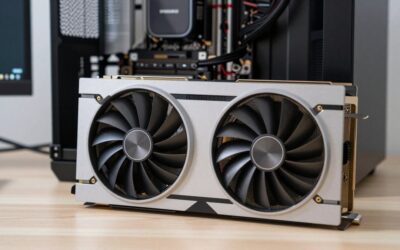
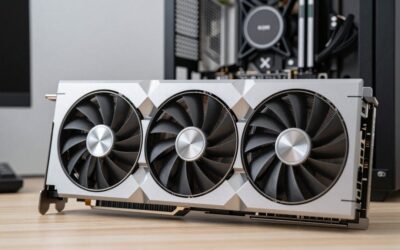
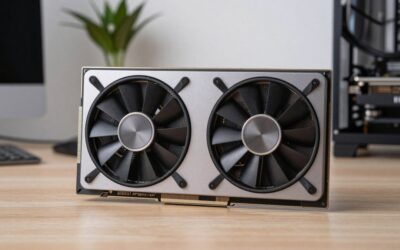
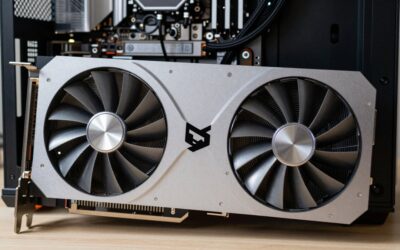
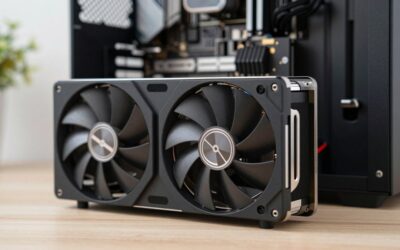
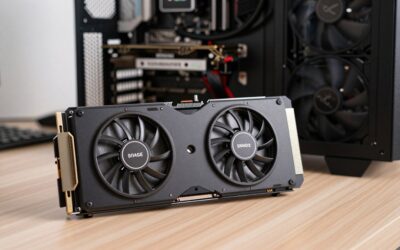
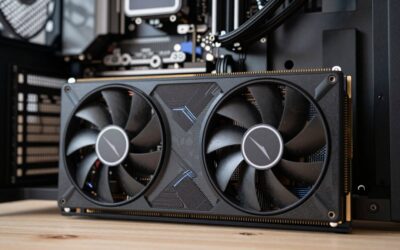
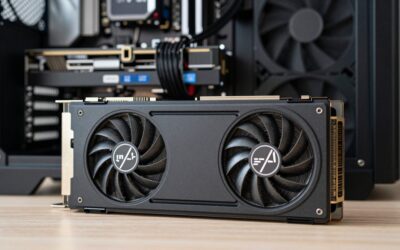
The best GPU for a Ryzen 7 5800X is a Radeon RX 9070 XT or GeForce RTX 5070 Ti if you game at 1440p or 4K, because the 5800X can feed a card of that class at those resolutions without wasting much of it; at 1080p, an RX 9070 or RTX 5070 is the more sensible ceiling. The same advice applies almost unchanged to the Ryzen 7 5700X, while the older Ryzen 7 3700X should step down one tier.
- Verdict at a glance
- What the 5800X brings to the table
- GPU picks for the Ryzen 7 5800X
- Recommended graphics cards for the Ryzen 7 5800X
- Streaming changes the answer
- Thermals and power: the 5800X is the warm one
- Ryzen 7 5700X and Ryzen 7 3700X
- Should you upgrade the CPU instead?
- Will the 5800X bottleneck my GPU? A resolution-based guide
- Upgrade the GPU, the CPU, or the whole platform?
- Summary by use case
- How we compared
- Frequently Asked Questions
Quick answer: For most people in 2026, the best gpu for ryzen 7 5800x is the RX 9070 XT — our #1 rated choice. See the full ranked comparison, alternatives and buying advice below.
Verdict at a glance
- Best for 1440p and 4K: PowerColor Hellhound RX 9070 XT. It’s the best value high-end match for the 5800X.
- Best for ray tracing and streaming: GIGABYTE RTX 5070 Ti Gaming OC, with NVENC AV1 and DLSS 4.
- Best balanced and efficient: ASRock RX 9070 Challenger 16GB.
- Best budget 1080p: XFX Swift RX 9060 XT 16GB, or the ASUS Dual RTX 5060 if you want DLSS on a smaller budget.
We made these pairings from published specifications and independent CPU and GPU benchmark data from TechPowerUp, GamersNexus, Tom’s Hardware and TechSpot. We did not bench-test these combinations ourselves.
What the 5800X brings to the table
The Ryzen 7 5800X is an 8-core, 16-thread Zen 3 processor with 32MB of L3 cache, a 105W TDP and boost clocks up to 4.7GHz. For pure gaming, it performs only a few percent ahead of the 6-core 5600X, because most games do not scale past six fast cores. Where the extra two cores pay off is everything running alongside the game: streaming with software encoding, Discord, browser tabs, recording and background downloads.
That means the 5800X has roughly the same gaming frame-rate ceiling as other Zen 3 chips without 3D V-Cache, but more room to multitask. The GPU you pair with it should be chosen by resolution first and by your workload second.
GPU picks for the Ryzen 7 5800X
| Card | VRAM / bus | Board power | Best resolution with a 5800X | Price tier | Verdict |
|---|---|---|---|---|---|
| RX 9070 XT | 16GB / 256-bit | 304W | 1440p high refresh, 4K | Upper mid-range | Best value high-end match |
| RTX 5070 Ti | 16GB / 256-bit | 300W | 1440p RT, 4K with DLSS | Premium | Best for ray tracing and streaming |
| RX 9070 | 16GB / 256-bit | 220W | 1080p 240Hz, 1440p | Mid-range | Most efficient balanced choice |
| RTX 5070 | 12GB / 192-bit | 250W | 1080p, 1440p | Mid-range | Good if you want DLSS on a budget |
| RTX 5080 | 16GB / 256-bit | 360W | 4K only | Premium | Only sensible at 4K |
| RX 9060 XT 16GB | 16GB / 128-bit | 160W | 1080p | Budget to mid-range | Budget pairing, leaves CPU headroom unused |
Recommended graphics cards for the Ryzen 7 5800X
The table above covers GPU classes. Below are specific cards in each class that work well with a 5800X, plus one CPU upgrade worth considering if you already own a strong GPU.
PowerColor Hellhound Radeon RX 9070 XT 16GB

PowerColor Hellhound AMD Radeon RX 9070 XT 16GB GDDR6
Included for 'Best GPU for Ryzen 7 5800X: Gaming, Streaming and Power Supply Matches' as a representative home product in this roundup; selection reflects the product set returned for this topic.
View on AmazonThe RX 9070 XT is the best value high-end match for a 5800X. It has 64 RDNA 4 compute units, 16GB of GDDR6 on a 256-bit bus and a 304W reference board power, and uses standard 8-pin connectors instead of the 16-pin plug on NVIDIA’s cards. PowerColor’s Hellhound is one of the quieter versions, with a large triple-fan cooler. Its clocks stay close to reference, so it doesn’t push power draw well past the 304W figure in the power budget above. At 1440p and 4K, the GPU sets the frame rate and a 5800X keeps up comfortably. GamersNexus measured the 9070 XT at 109 fps in Cyberpunk 2077 at 1440p Ultra without ray tracing, tied with the RTX 5070 Ti.
Strengths: high-end raster performance, 16GB of VRAM, FSR 4 support and no 16-pin adapter. Drawbacks: it trails NVIDIA in heavy ray tracing and path tracing, and it needs a quality 750W power supply with a 5800X. Its H.264 streaming encoder is weaker than NVENC.
GIGABYTE GeForce RTX 5070 Ti Gaming OC 16G

GIGABYTE GeForce RTX 5070 Ti Gaming OC 16G Graphics Card, 16GB 256-bit GDDR7, PCIe 5.0, WINDFORCE Cooling System, GV-N507TGAMING OC-16GD Video Card
Included for 'Best GPU for Ryzen 7 5800X: Gaming, Streaming and Power Supply Matches' because the listing adds cooling or gel-infused layers, which is the attribute this article compares.
View on AmazonFor streamers and ray tracing fans, this is the pairing we’d pick. The RTX 5070 Ti has 8,960 CUDA cores, 16GB of GDDR7 on a 256-bit bus and a rated power of about 300W through a single 12V-2×6 connector. GIGABYTE’s Gaming OC uses the triple-fan WINDFORCE cooler. Paired with a 5800X, the CPU runs the game while NVENC handles H.264, HEVC or AV1 encoding at almost no cost to frame rate. That’s the main reason to choose it over the RX 9070 XT, which matches it in rasterized games.
Strengths: the best ray tracing at this tier, DLSS 4 with Multi Frame Generation, and NVENC. Drawbacks: a premium price tier, and the 16-pin connector needs a native cable or a carefully installed adapter.
ASRock Radeon RX 9070 Challenger 16GB OC

ASRock Radeon RX 9070 Challenger 16GB OC Graphics Card, RDNA 4, 2520MHz Boost, 16GB GDDR6 256-bit, PCIe 5.0, Triple Fans, 0dB Silent, LED Indicator
Included for 'Best GPU for Ryzen 7 5800X: Gaming, Streaming and Power Supply Matches' as a representative home product in this roundup; selection reflects the product set returned for this topic.
View on AmazonThe non-XT RX 9070 is the most efficient balanced choice in our table. It keeps 16GB of GDDR6 on a 256-bit bus, drops to 56 compute units and is rated at about 220W. With a 5800X, a total system draw around 400W at peak means a quality 650W supply is enough, and the card is easier to cool in a smaller case. ASRock’s Challenger uses a triple-fan cooler and conventional 8-pin power. It’s a strong card for 1080p at 240Hz and for 1440p high refresh, roughly 10 to 15 percent behind the XT.
Strengths: 16GB of VRAM, low heat, and an easy fit for most power supplies. Drawbacks: the price gap to the XT is sometimes small, and path tracing performance is limited.
XFX Swift Radeon RX 9060 XT 16GB OC Triple Fan

XFX Swift AMD Radeon RX 9060 XT OC Triple Fan Gaming Edition with 16GB GDDR6 HDMI 2xDP, RDNA 4 RX-96TS316BA, Graphics Card, Compatible with Desktop PCs
Included for 'Best GPU for Ryzen 7 5800X: Gaming, Streaming and Power Supply Matches' as a representative home product in this roundup; selection reflects the product set returned for this topic.
View on AmazonFor 1080p, the RX 9060 XT 16GB is a sensible budget pairing. It leaves some of the 5800X’s headroom unused, but it keeps power and cost down. It has 32 RDNA 4 compute units, 16GB of GDDR6 on a 128-bit bus and a 160W board power. XFX’s Swift triple-fan version runs quietly. In independent reviews, the 16GB 9060 XT runs within a few percent of the RTX 5060 Ti 16GB in rasterized games, and the extra memory protects it in texture-heavy releases. One caveat for AM4 owners: the card uses a PCIe 5.0 x16 interface, but the 5800X platform provides PCIe 4.0, which makes no meaningful difference to performance.
Strengths: 16GB at a budget-to-mid-range tier, low power and FSR 4. Drawbacks: ray tracing trails the RTX 5060 Ti, and it’s overkill for esports-only players.
ASUS Dual GeForce RTX 5060 8GB OC Edition

ASUS Dual NVIDIA GeForce RTX 5060 8GB GDDR7 OC Edition (PCIe 5.0, 8GB GDDR7, DLSS 4, HDMI 2.1b, DisplayPort 2.1b, 2.5-Slot Design, Axial-tech Fan Design, 0dB Technology), 3 Year Warranty
Included for 'Best GPU for Ryzen 7 5800X: Gaming, Streaming and Power Supply Matches' as a representative home product in this roundup; selection reflects the product set returned for this topic.
View on AmazonThe RTX 5060 is the cheapest current NVIDIA card worth pairing with a 5800X. It has 3,840 CUDA cores, 8GB of GDDR7 and a rated power of about 145W, and ASUS’s Dual version is compact enough for most cases. It’s a good fit for 1080p high-refresh esports, and DLSS 4 helps in heavier games. The 8GB of VRAM is the limit: in newer AAA releases you’ll need High rather than Ultra textures. Note also that it uses a PCIe 5.0 x8 interface, which runs at PCIe 4.0 x8 on a B550 or X570 board. That’s fine, but it can cost a little performance when VRAM overflows. The 16GB RX 9060 XT is the safer long-term buy if the price gap is small.
Strengths: low power, DLSS 4 and NVENC, at a budget tier. Drawbacks: 8GB of VRAM, and it leaves most of the 5800X’s potential unused at 1440p.
Alternative: AMD Ryzen 7 5800X3D

AMD Ryzen 7 5800X3D 8-core, 16-Thread Desktop Processor with AMD 3D V-Cache Technology
Included for 'Best GPU for Ryzen 7 5800X: Gaming, Streaming and Power Supply Matches' as a representative home product in this roundup; selection reflects the product set returned for this topic.
View on AmazonIf you already own a capable GPU and your GPU usage sits well below 90 percent, swapping the 5800X for a 5800X3D on the same AM4 board is the most cost-effective upgrade available. It keeps eight Zen 3 cores but adds 3D V-Cache for 96MB of L3. In independent reviews, that raises frame rates noticeably in cache-sensitive titles such as simulation, strategy and many competitive shooters. It runs at slightly lower clocks than the 5800X, so productivity performance is similar or a little lower, and its overclocking options are limited. A BIOS update may be needed on older boards.
Strengths: a big gaming uplift with no platform change. Drawbacks: availability has thinned since AM4 production wound down, and it’s no help in GPU-bound games at 4K.
Streaming changes the answer
A lot of people buy an 8-core chip specifically to stream or record. If that is you, the encoder on the graphics card matters as much as raw frame rate.
- NVIDIA’s NVENC on RTX 50-series cards supports H.264, HEVC and AV1 with very low performance cost and wide support in OBS and streaming platforms. Pairing a 5800X with an RTX 5070 Ti lets the CPU handle the game while the GPU handles encoding almost for free.
- AMD’s encoder on RDNA 4 improved considerably and also supports AV1, but H.264 quality at low bitrates still trails NVENC, which matters for Twitch-style streams.
- CPU x264 encoding on the 5800X is possible thanks to the extra cores, but it will cost game frame rate. Use it only if you need a specific quality preset and have frames to spare.
For a dedicated streaming setup, the RTX 5070 Ti is the strongest single recommendation, with the RTX 5070 as the budget version.
Thermals and power: the 5800X is the warm one
The 5800X has a reputation for running hot because all eight cores sit on one compact chiplet. Under an all-core load it can draw around 120–140W and reach the high 80s Celsius on a mid-range air cooler. Combined with a 300W graphics card, that heat has to leave the case somehow.
Here is the power budget for the most common high-end pairing:
| Component | Gaming draw | Peak draw |
|---|---|---|
| Ryzen 7 5800X | ~90W | ~140W |
| RX 9070 XT (reference spec) | ~290W | 304W rated, short spikes higher |
| Motherboard, RAM, SSDs, fans | ~60W | ~80W |
| Total | ~440W | ~525W |
Taking the 525W peak and adding about 30% for transient spikes and aging gives roughly 680W, so a quality 750W unit is the right size. Factory-overclocked 9070 XT models can exceed 330W, which pushes the recommendation to 850W if you also overclock the CPU. For an RTX 5080 pairing, plan on 850W.
On the cooling side, a 240mm AIO or a large dual-tower air cooler keeps the 5800X comfortable, and enabling a negative Curve Optimizer offset in a recent BIOS can drop temperatures by several degrees without losing gaming performance.
Ryzen 7 5700X and Ryzen 7 3700X
Ryzen 7 5700X
The 5700X uses the same 8-core Zen 3 design at a 65W TDP with slightly lower clocks. In games it usually lands within about 5% of the 5800X, so every recommendation above applies directly. Its lower heat output makes it easier to pair with a big GPU in a smaller case.
Ryzen 7 3700X
The 3700X is Zen 2, with a split cache design and lower clocks that cut gaming performance by a noticeable margin compared with Zen 3. Its frame-rate ceiling in CPU-heavy titles is meaningfully lower, so the best GPU for a Ryzen 7 3700X is an RX 9070 or RTX 5070 at 1440p, or an RX 9060 XT 16GB at 1080p. A 9070 XT is fine for 4K, but at lower resolutions it will often wait on the CPU.
Should you upgrade the CPU instead?
If you already own a capable GPU and your frame rates are low in CPU-heavy games, the Ryzen 7 5700X3D or 5800X3D on the same AM4 board is often a better investment than a new card. The 96MB of 3D V-Cache raises the frame-rate ceiling in many simulation, strategy and competitive shooters. The rule of thumb:
- GPU usage near 99% in your games: upgrade the graphics card.
- GPU usage well below 90% with frame rates you dislike: the CPU is the limit, so look at an X3D chip or a platform change.
Check GPU usage with an on-screen overlay from your graphics driver while playing your usual games at your normal settings.
Will the 5800X bottleneck my GPU? A resolution-based guide
Whether the CPU limits your frame rate depends mostly on resolution and target refresh rate. As resolution rises, the GPU does more work per frame, and the CPU’s frame-rate ceiling matters less. The table summarises the pattern found in independent CPU-scaling data from TechPowerUp and Hardware Unboxed, which pair the same GPU with older and newer CPUs.
| GPU class | 1080p | 1440p | 4K |
|---|---|---|---|
| RTX 5080 / RTX 5070 Ti | CPU-limited in many games; a newer X3D chip adds a lot | Mild CPU limit in CPU-heavy titles | GPU-limited; 5800X is fine |
| RX 9070 XT / RX 9070 | CPU-limited at high refresh | Balanced; small losses in simulation and strategy games | GPU-limited; 5800X is fine |
| RTX 5070 / RX 9070 GRE | Mostly balanced | GPU-limited | GPU-limited (VRAM becomes the limit) |
| RX 9060 XT 16GB / RTX 5060 Ti | GPU-limited | GPU-limited | Not recommended |
| RTX 5060 / RX 9060 XT 8GB | GPU-limited | GPU-limited, with VRAM limits | Not recommended |
In short, the 5800X is a good match for anything up to RX 9070 XT or RTX 5070 Ti class at 1440p and above. If you play at 1080p and want 240Hz or more, the CPU becomes the limiting factor first.
Upgrade the GPU, the CPU, or the whole platform?
If you’re weighing a new GPU against a full platform change, it helps to see the costs side by side. The platform cost column covers the parts you’d need besides the GPU itself.
| Path | What you buy | Platform cost | Gaming gain with a fast GPU | Best for |
|---|---|---|---|---|
| Keep the 5800X, new GPU | GPU only | None | Large at 1440p and 4K | Most owners |
| 5800X3D or 5700X3D drop-in | CPU (plus a BIOS update) | Low: CPU only, same board and DDR4 | Large in CPU-limited games | High-refresh 1080p and 1440p players with a strong GPU |
| Budget AM5: Ryzen 5 7600 or 9600X | CPU, B650 board, DDR5 | Mid-range: board and memory on top of the CPU | Modest over a 5800X in games, plus a real upgrade path | Builders who want AM5 now and a faster CPU later |
| Top AM5: Ryzen 7 9850X3D or 9800X3D | CPU, B650 or X870 board, DDR5-6000 | Premium | The largest gain; the 9850X3D is currently the fastest gaming CPU | RTX 5080 or 5070 Ti owners chasing maximum frame rates |
Some context on the AM5 options. The Ryzen 7 9850X3D launched in January 2026 as a higher-clocked version of the 9800X3D: eight Zen 5 cores, 104MB of total cache, a 5.6GHz boost and the same 120W TDP. TechPowerUp and GamersNexus put it only about 0.5 to 4 percent ahead of the 9800X3D in games, so either chip is a huge step over the 5800X. The six-core Ryzen 5 7600 and Ryzen 5 9600X are the budget way onto AM5. In games they perform roughly level with or slightly ahead of the 5800X, so they only make sense if you value the upgrade path. Memory prices in 2026 have made DDR5 a large part of any platform switch, which strengthens the case for staying on AM4 with a new GPU or an X3D drop-in.
Summary by use case
- 1440p gaming: RX 9070 XT for value, RTX 5070 Ti for ray tracing.
- 4K gaming: RTX 5070 Ti or RX 9070 XT; RTX 5080 if budget allows.
- 1080p high refresh: RX 9070 or RTX 5070.
- Streaming and recording: RTX 5070 Ti or RTX 5070 for NVENC.
- Ryzen 7 3700X owners: drop one tier, or upgrade the CPU first.
How we compared
We based these recommendations on published specifications (VRAM, memory bus, board power and connectors) and independent data: TechPowerUp and GamersNexus CPU reviews (including the Ryzen 7 9850X3D), GamersNexus and TechSpot GPU reviews, and CPU-scaling tests that pair one GPU with several processors. The power budget figures above are estimates from rated specifications. We did not bench-test these combinations ourselves. Driver updates and new game releases shift results, so treat the bottleneck guide as a rule of thumb.
Frequently Asked Questions
Is the Ryzen 7 5800X still good for gaming in 2026?
Yes. At 1440p and 4K it keeps up with GPUs up to the RX 9070 XT and RTX 5070 Ti class with only small losses in CPU-heavy games. Its limits show at 1080p with very fast cards and high-refresh monitors.
Will an RTX 5080 be bottlenecked by a 5800X?
At 1080p and 1440p, often yes. A 5800X can’t feed an RTX 5080 fully in many games at those resolutions. At 4K, the GPU becomes the limit and the pairing works well. If you game at 1440p, an RTX 5070 Ti or RX 9070 XT is the better match.
Does PCIe 4.0 on AM4 hold back new PCIe 5.0 graphics cards?
Not for cards with a full x16 interface, such as the RX 9070 XT, RTX 5070 Ti and RX 9060 XT. The difference is within a few percent. Cards with an x8 interface, like the RTX 5060, lose a little more when their 8GB of VRAM overflows, which is another reason to prefer 16GB cards on older platforms.
What power supply do I need for a 5800X and an RX 9070 XT?
A quality 750W unit, based on the power budget above. For an RTX 5080, or for factory-overclocked 9070 XT models combined with CPU overclocking, step up to 850W. The RX 9070 and RTX 5070 pairings are comfortable on 650W.
Should I buy a 5800X3D instead of a new GPU?
Only if your GPU is already strong and underused (well below 90 percent usage in your games). If your GPU usage is near 99 percent, a new graphics card gives the bigger improvement.
Is the Ryzen 7 9850X3D worth switching to from a 5800X?
For pure gaming with an RTX 5080 or faster at 1080p or 1440p, it’s the biggest upgrade available. It also means buying a new AM5 motherboard and DDR5 memory. For most 5800X owners on a mid-range or upper-mid-range GPU, a new graphics card or a 5800X3D gives better value.
Ready to decide? Our #1 pick for 2026 is the RX 9070 XT.
Live price & availability on Amazon.