As an Amazon Associate we earn from qualifying purchases at no extra cost to you.

The Short Answer
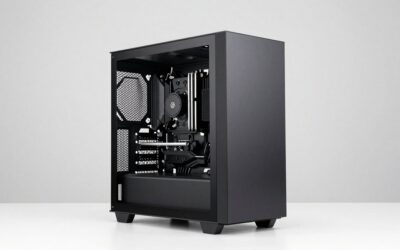
Yes, the RTX 5080 fits in most mid tower cases — but “most” is doing a lot of heavy lifting in that sentence. The NVIDIA Founders Edition card, at roughly 304mm in length, clears the GPU clearance limit of virtually every mid tower manufactured in the last five years. Custom AIB cards from ASUS, MSI, Gigabyte, and others push past 330mm and can exceed 360mm, which means they will not install in several popular compact mid towers, particularly those with front radiators or non-removable drive cages blocking the PCIe slot area. If your case spec sheet lists a GPU clearance of 330mm or less, and you are eyeing a triple-slot AIB card, you need to measure the actual internal space yourself before buying.
The Numbers
| Specification | Value / Range |
|---|---|
| Board Power (TGP) | 360W (Founders Edition); 360–420W (AIB cards depending on model) |
| Transient Power Spikes | Approximately 500–650W peak (TechPowerUp and Hardware Unboxed measurements across multiple partner boards suggest spikes are well controlled relative to the RTX 3080 era, though heavy overclocked AIB cards can exceed 700W momentarily) |
| Recommended PSU Wattage | 750W minimum (NVIDIA spec); 850W comfortable headroom for high-end CPU pairings |
| Power Connector | 16-pin 12V-2×6 (revised keying; not backward-compatible with 12VHPWR on some adapter configurations) |
| PCIe Interface | PCIe 5.0 x16 (backward-compatible with PCIe 4.0 and 3.0) |
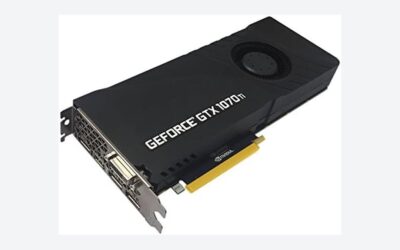
| Founders Edition Dimensions | Approximately 304mm length × 137mm height × 40mm (2-slot) |
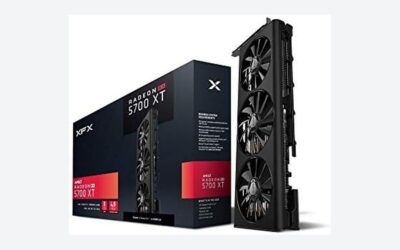
| AIB Dimensions (typical) | 315–365mm length × 130–155mm height × 55–70mm (2.5–3.5-slot) |
| BIOS Requirement | No specific BIOS version required for PCIe 5.0 operation on most boards, but several manufacturers recommend updating to the latest AGESA or Intel microcode release for full stability with 13th/14th Gen Intel and Ryzen 7000/9000 platforms |
When the Answer Changes
CPU pairing shifts the physical envelope you are working with. If you are building around a Ryzen 7 9800X3D or Core Ultra 7 265K with a 360mm front-mounted AIO, the radiator and its tubing consume depth that was previously available to the GPU. In cases like the Fractal Design Meshify 2 Compact or the Corsair 4000D Airflow, a front 360mm radiator reduces effective GPU clearance by 25–35mm depending on fan thickness and mounting hardware.
Overclocking changes the thermal picture. A stock Founders Edition card with a single-slot-width cooler design sits comfortably above the PCIe bracket. But heavily overclocked AIB cards like the ASUS ROG Strix or MSI Suprim X are often 3.0 to 3.5 slots thick. In a mid tower with a non-standard motherboard layout or a tight GPU-to-bottom-of-case distance, a 3.5-slot card can block a secondary fan mount or press against a bottom-shroud cable management bar.
Older power supplies present a different concern. If your 850W unit predates ATX 3.0 or lacks a native 12V-2×6 cable, you will rely on an adapter. Most adapters ship with the card, but their combined length can add 30–50mm of cable bulk in the space between the GPU and the front panel, which matters in shorter cases.
BIOS updates rarely block compatibility outright, but users on early AM5 motherboards (B650 and X670 boards from the first launch window) have reported intermittent PCIe link-speed negotiation issues that a board firmware update resolves. This is a functional concern rather than a physical fit one, but it belongs in the conversation because the symptom — display dropouts, PCIe lane degradation — mimics a poor physical connection.
How to Check Your Own System
Pull your case spec sheet and find the number listed as “GPU clearance” or “maximum graphics card length.” Then check the exact model you intend to buy on the manufacturer’s site for its listed length. If the card’s length plus 10mm of breathing room (for power cable routing) exceeds the case number, it will not fit without modification.
Open the side panel. Measure from the front edge of the PCIe slot area to the inner face of the front panel or radiator mount. This is your true clearance, which can differ from the manufacturer’s published number by 5–15mm depending on whether their measurement includes the slot bracket or the PCB edge.
Check the GPU mounting area for obstructions: cable shrouds, hard drive trays, front fan filters, or the power supply shroud lip. Some cases with a bottom PSU cover allow the shroud to flex slightly, buying an extra few millimeters of height for a 3.5-slot card, but do not count on that.
Safe Options if It Doesn’t Fit
If your mid tower cannot accommodate a 350mm-plus AIB card, the RTX 5080 Founders Edition remains the safest physical fit at 304mm. If even that is tight (rare in cases made after 2020, but possible in some ultra-compact designs like the Cooler Master NR200P), consider: removing the front intake fan and relying on positive pressure from below, or swapping to a 2-slot AIB design such as the Gigabyte Windforce OC or the PNY XLR8 variant, both of which stay near 300mm in length and 2-slot thickness. A vertical GPU mount bracket adds approximately 10–15mm of required height behind the motherboard tray; verify that your case supports this before committing.
FAQ
Does the RTX 5080 need a PCIe 5.0 motherboard?
No. The card is fully backward-compatible with PCIe 4.0 and PCIe 3.0. Performance loss on PCIe 4.0 is negligible for gaming (TechSpot and Hardware Unboxed testing at launch showed differences within measurement noise at 4K and under 2–3% at 1440p on PCIe 3.0 x4, which most boards will not run at). A PCIe 4.0 x16 slot delivers effectively the same bandwidth as PCIe 5.0 x16 for this GPU’s data throughput.
Will the RTX 5080 fit in a Corsair 4000D Airflow?
Yes, comfortably with the Founders Edition. Most AIB cards up to 360mm will also fit in the 4000D Airflow with its standard fan configuration, though a front 360mm radiator may require you to select a card under 330mm.
Do I need a new power supply for the RTX 5080?
Not necessarily. An 850W 80+ Gold unit from any reputable brand (Corsair RMx, Seasonic Focus, EVGA G5) handles the card without issue. A native 12V-2×6 connector is not required; the adapter included with the card or a separate 12VHPWR-to-dual-8-pin adapter works fine, provided your PSU has enough 8-pin PCIe cables to feed it.
Is the 16-pin connector a fire risk?
The revised 12V-2×6 connector addresses the keying weakness of the original 12VHPWR. Real-world failure reports (tracked by Gamers Nexus and corroborated by Reddit community surveys aggregated by multiple outlets) have dropped dramatically with the revised connector. Ensuring the cable is fully seated with no visible gap at the port eliminates the remaining practical risk.
Sources and Methodology
Dimensions and power figures reference NVIDIA’s official Founders Edition specifications and published AIB partner spec sheets. Transient spike ranges reflect TechPowerUp’s GPU database and Hardware Unboxed’s power delivery analysis. PCIe bandwidth impact estimates are based on testing published by TechSpot and Hardware Unboxed at launch. Physical fitment observations for specific case models reflect Gamers Nexus and Tom’s Hardware review commentary. All figures are approximate ranges; no individual measurement from this site is presented.