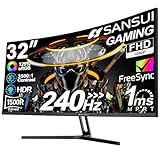
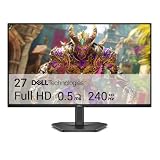
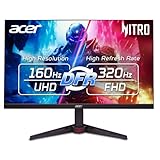
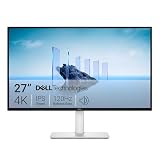
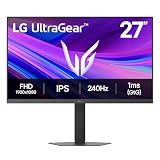
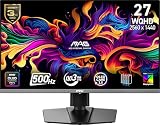
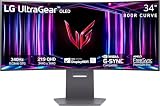
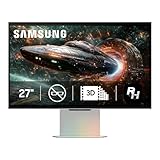
Choosing a gaming monitor in 2026 comes down to one fork in the road before resolution, refresh rate, or size ever enters the conversation: OLED or IPS. These two panel technologies produce an image in fundamentally different ways. OLED lights each pixel individually, so a black pixel is genuinely off. IPS uses a backlight shining through a liquid-crystal layer, which means even the darkest scene carries a faint glow. That single engineering difference cascades into contrast, motion clarity, brightness behaviour, longevity, and price.
The reason the decision matters more now than it did two years ago is that both camps have improved dramatically. QD-OLED and WOLED panels have pushed into the 240Hz-360Hz range at 1440p with 0.03ms response times, while manufacturer burn-in warranties have become standard rather than exceptional. Meanwhile, IPS has answered with faster overdrive tuning, 1000+ nit mini-LED variants, and pricing that OLED still cannot match at the entry level. Neither technology is objectively “better” — they are optimised for different players, different rooms, and different budgets.
As an Amazon Associate we earn from qualifying purchases.




⚡ Save on Your Next PC — Amazon Prime
Prime members get fast free shipping on the systems above, plus early access to Prime Day & Black Friday PC deals. New members get a 30-day free trial.
Watch: OLED vs IPS Gaming Monitor: 2026 Comparison — Video Review
Quick Verdict
Buy OLED if you play story-driven, atmospheric, or HDR-heavy games in a dim or light-controlled room and want the best motion clarity money can buy — the Samsung Odyssey OLED G6, LG UltraGear 27GX704A-B, and ASUS ROG Strix XG27ACDNG all deliver that experience at 1440p. Buy IPS if you game in a bright room, leave static HUDs or spreadsheets on screen for hours, need a second monitor for productivity, or simply want the most refresh rate and resolution per dollar without worrying about long-term wear.
Key Differences
- Contrast and black levels: OLED delivers true blacks and effectively infinite contrast, while IPS typically lands between 1000:1 and 1500:1, producing grey-ish blacks and visible backlight bloom in dark scenes.
- Motion clarity: OLED pixels transition in roughly 0.03ms versus 1-4ms on IPS, which eliminates smearing behind fast-moving objects even at matched refresh rates.
- Peak and sustained brightness: IPS holds high brightness across the entire screen indefinitely; OLED hits enormous peak highlights in small windows but dims full-screen white to protect the panel.
- Burn-in risk: IPS has essentially none. OLED carries a small but real risk from static elements, mitigated by pixel shifting, panel refresh cycles, and features like ASUS OLED Care+.
- Text rendering: IPS uses a standard RGB stripe for crisp text. QD-OLED’s triangular subpixel layout can show slight colour fringing on thin fonts, though glossy WOLED panels like the ROG XG27AQDMGR handle text noticeably better.
- Price: IPS remains substantially cheaper at every size and refresh tier, and the gap widens as you move to ultrawide formats.
OLED Gaming Monitors
OLED’s advantage is immediately visible rather than something you appreciate on a spec sheet. Night scenes in a horror title, space in a sci-fi shooter, or shadow detail in a racing game at dusk all gain a depth IPS simply cannot reproduce. Paired with DisplayHDR TrueBlack 400 certification — found on the LG 27GX704A-B and the Alienware AW3425DW — highlights punch out of genuinely black surroundings instead of a grey wash. The near-instant pixel response also means a 240Hz OLED often looks cleaner in motion than a 360Hz IPS, because there is no overshoot or trailing to muddy the frame.
The trade-offs are manageable but real. Automatic brightness limiting means a full-white browser page won’t blaze the way an IPS panel does, so a bright, sunlit room can undercut the effect. Static taskbars and HUDs need reasonable care, which is why panels like the ASUS XG27ACDNG include a custom heatsink and aggressive OLED Care+ routines. For ultrawide immersion, the 34-inch Alienware AW3425DW at 3440×1440 with an 1800R curve is the natural pick; for competitive 1440p play, the AOC Q27GAZD and Samsung G61SH cover the value end of QD-OLED nicely.
IPS Gaming Monitors
IPS earns its place by being consistently excellent rather than spectacular in one dimension. Colour accuracy out of the box is strong, viewing angles are wide, brightness is uniform and unrestricted, and there is no reason to think twice about leaving a static UI on screen for a ten-hour work session followed by a five-hour gaming session. For anyone running a single monitor that must do everything, that flexibility is worth more than contrast ratio.
Modern IPS also isn’t slow. Well-tuned 1440p panels at 240Hz to 360Hz produce genuinely competitive motion performance, and mini-LED backlit models with hundreds of dimming zones close much of the HDR gap — albeit with some blooming around bright objects on dark backgrounds. Most importantly, IPS costs meaningfully less. A high-refresh IPS monitor plus a GPU upgrade will often improve your actual gaming experience more than spending the same total on an OLED alone.
Which Should You Buy?
- For single-player and HDR immersion: pick OLED — contrast is the single biggest visual upgrade available.
- For competitive FPS on a budget: pick a high-refresh IPS and put the savings toward frame rate.
- For a bright, sunlit room: pick IPS, or a mini-LED IPS, for consistent full-screen brightness.
- For mixed work and play on one screen: pick IPS for text clarity and zero burn-in anxiety.
- For maximum immersion at ultrawide: pick a curved QD-OLED such as the Alienware AW3425DW.
Frequently Asked Questions
Is OLED burn-in still a problem in 2026?
It’s a manageable risk rather than an inevitability. Pixel-shifting, logo dimming, and scheduled panel refresh cycles are standard, and most manufacturers now include multi-year burn-in coverage. Typical mixed use rarely causes visible retention within the warranty period.
Is 240Hz OLED better than 360Hz IPS?
For perceived motion clarity, usually yes, because OLED’s near-instant response eliminates the smearing that limits IPS. For pure input latency at the highest frame rates, 360Hz still holds a small edge.
Do OLED monitors get bright enough for daytime gaming?
In most indoor conditions, yes. Peak HDR highlights are excellent, but full-screen brightness is limited, so a room with direct sunlight on the panel will favour IPS — particularly a glossy OLED, which reflects more.
Does QD-OLED text fringing matter for everyday use?
It’s noticeable on thin fonts at close range but fades quickly with familiarity and proper ClearType tuning. If text quality is a priority, a WOLED panel like the ROG XG27AQDMGR is the safer choice.
Final Verdict
OLED is the better gaming monitor and IPS is the better all-purpose monitor — and in 2026 that distinction is clearer than ever. If your primary use is gaming in a light-controlled room and your budget allows, an OLED such as the Samsung Odyssey OLED G6, LG 27GX704A-B, or ASUS ROG Strix XG27ACDNG will deliver the most dramatic upgrade you can make short of a new GPU. If you need one screen to handle work, browsing, and gaming in a bright room without compromise or caution, IPS remains the smarter, cheaper, and more durable buy.