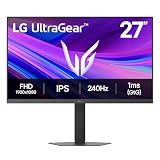
- Top Pick: LG 34GS95QE 34-inch Ultragear OLED Curved Gaming Monitor WQHD 1440p 800R 240Hz 0.03ms AMD FreeSync Premium Pro NVIDIA G-Sync HDMI 2.1 DisplayPort Tilt/Height/Swivel Stand Black
- Best Value: LG Ultragear 39GX900A-B 39” OLED Curved WQHD Gaming Monitor – 240Hz, 0.03ms, G-SYNC & FreeSync Premium Pro, HDMI 2.1, DisplayPort 1.4, USB-C, VESA, Anti-Glare, HDR True Black, 800R Curve
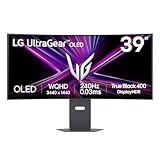
- Premium Choice: LG 39GS95QE Ultragear OLED Curved Gaming Monitor 39-Inch WQHD 800R 240Hz 0.03ms DisplayHDR True Black 400 AMD FreeSync Premium Pro NVIDIA G-Sync HDMI 2.1 DisplayPort Tilt/Height/Swivel Stand – Black
LG’s UltraGear OLED line has become the benchmark for premium gaming monitors, and its WQHD curved models sit at the heart of that reputation. Combining per-pixel OLED contrast, blistering 240Hz refresh rates, and near-instant response times, these displays deliver the kind of image and motion clarity that makes going back to an LCD feel like a downgrade.
This review focuses on the LG UltraGear WQHD OLED family, spanning 34″, 39″, and 45″ curved panels. I’ll cover what makes these monitors special, where the trade-offs lie, and which size makes sense for your desk and your games.
As an Amazon Associate we earn from qualifying purchases at no extra cost to you. Product prices and availability are accurate as of the date shown and are subject to change.




🎮 Get More From Your Setup — Free
Prime Gaming gives you free PC games every month, in-game loot, and a free Twitch channel sub — plus fast free shipping on all the gear above. New members get a 30-day free trial.
Watch: Lg Gaming Monitor Ultragear Wqhd Oled: Review & Buyer’s Guide — Video Review
Design & Build
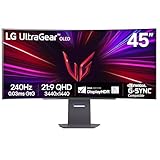
These UltraGear OLEDs are striking, with deep 800R curves that wrap the image around your field of view and slim, modern stands offering tilt, height, and swivel adjustment. The 34″ 34GS95QE model, available in black or white, is the most desk-friendly, while the 39GX900A and 45GX90SA push into ultra-immersive territory. Build quality is excellent, and the larger models add smart features via webOS, letting you stream and access apps without a PC. Connectivity is strong across the range, with HDMI 2.1, DisplayPort, and USB-C on higher-end models, including 65W power delivery on the 45″ panel.
Performance
This is where OLED earns its premium. The WQHD 3440×1440 resolution paired with 240Hz refresh and a 0.03ms response time produces motion so clean that fast shooters and racing games look razor-sharp. True per-pixel black levels and DisplayHDR True Black 400 certification give games extraordinary contrast and depth, and both NVIDIA G-Sync and AMD FreeSync Premium Pro eliminate tearing. The anti-glare coating on models like the 34GX90SA keeps reflections in check. The only meaningful caveats are OLED’s inherent considerations, careful use to avoid burn-in over years and slightly lower peak brightness than the best mini-LED panels in a bright room, but for immersive gaming, the experience is spectacular.
Pros & Cons
- Pro: Per-pixel OLED contrast delivers stunning blacks and HDR depth.
- Pro: 240Hz and 0.03ms response yield exceptional motion clarity.
- Pro: Immersive 800R curve and premium adjustable stands.
- Pro: G-Sync and FreeSync support plus webOS smarts on larger models.
- Con: OLED requires care to mitigate long-term burn-in risk.
- Con: Peak brightness trails mini-LED in very bright rooms.
- Con: Premium pricing, especially on the 39″ and 45″ panels.
Alternatives to Consider
If you want higher resolution for mixed work and play, a 4K OLED or mini-LED gaming monitor offers sharper text at the cost of some refresh rate. Bright-room gamers concerned about OLED brightness might prefer a high-end mini-LED display with full-array local dimming. And if the 45″ ultrawide is too much desk, the 34GS95QE delivers the same OLED magic in a far more manageable footprint.
Frequently Asked Questions
Is WQHD OLED better than 4K for gaming?
WQHD at 240Hz is easier to drive than 4K, letting mid-to-high-end GPUs hit high frame rates. If you prize motion and refresh over pixel density, WQHD OLED is the sweet spot.
Should I worry about OLED burn-in?
Modern OLEDs include pixel-refresh and protection features that greatly reduce the risk. Vary your content and use screen savers, and burn-in is unlikely to be a problem for typical gaming use.
What size UltraGear should I get?
The 34″ suits most desks and setups, the 39″ adds immersion, and the 45″ is for those who want a wraparound experience and have the space for it.
Do I need HDMI 2.1?
For high-refresh gaming from consoles or to fully use the panel’s bandwidth, yes. These UltraGear models include HDMI 2.1 for exactly that reason.
Verdict
LG’s UltraGear WQHD OLED monitors set the standard for immersive, high-refresh gaming, with the 34GS95QE offering the best balance of size, price, and desk fit. If you crave maximum immersion and have the room and budget, the 39″ and 45″ curved models deliver a genuinely cinematic gaming experience.