
144Hz is the refresh-rate tipping point where gaming feels fundamentally smoother than 60Hz — the difference jumps out the moment your frame rate meets or beats the refresh rate. Whether you’re gaming at 1080p on a mid-range card or 1440p on a high-end one, a 144Hz+ panel changes everything. This guide rounds up the best 144Hz gaming monitors of 2026 from $120 to $250, across both 1080p and 1440p.
| Monitor | Resolution | Refresh | Panel | Price |
|---|---|---|---|---|
| ASUS VG249Q3A | 1080p | 165Hz | IPS | Check on Amazon |
| ASUS TUF 24″ 280Hz | 1080p | 280Hz | IPS | Check on Amazon |
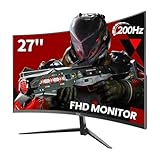
| Acer Nitro 27″ 1440P | 1440p | 165Hz | IPS | Check on Amazon |
| SANSUI 27″ 1440P | 1440p | 200Hz | VA | Check on Amazon |
| Samsung Odyssey G5 | 1440p | 165Hz | VA | Check on Amazon |
🛒 Best Price Today on Amazon
Prime members get fast, free shipping on everything above, plus member-only deals. New members get a 30-day free trial — cancel anytime.
As an Amazon Associate we earn from qualifying purchases.



60Hz vs 144Hz vs 240Hz — What You Actually Notice
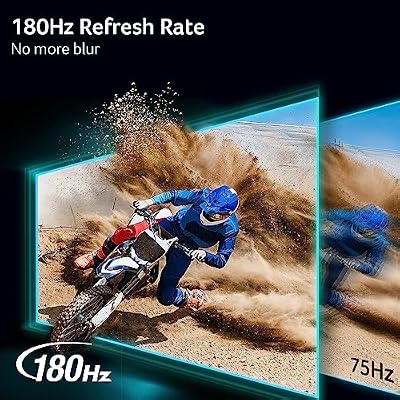
Going from 60Hz to 144Hz is the most obvious refresh-rate jump there is. At 60Hz, fast on-screen action smears and there’s clear lag between input and display. At 144Hz, everything snaps to life — mouse movements register instantly and quick-moving scenes stay crisp. The step up from 144Hz to 240Hz helps too, but with diminishing returns — mostly useful to competitive esports players who live and die by input lag. For the majority of PC gamers, 144–165Hz is the sweet spot.
Best Budget 144Hz (1080p): ASUS VG249Q3A
The ASUS VG249Q3A at around $120 serves up 24-inch 1080p IPS gaming at 165Hz — a full 144Hz+ experience at the lowest sensible price of entry. Its IPS panel keeps colors accurate and response quick at 1ms GtG. ASUS’s Extreme Low Motion Blur (ELMB) tames smearing in fast scenes, and it carries FreeSync Premium plus G-Sync Compatible certification. Paired with an RTX 5060 Ti in an entry-level sub-$800 build, this monitor rounds out a capable 1080p/144fps+ setup.

Best High-Refresh 1080p: ASUS TUF 24″ 280Hz
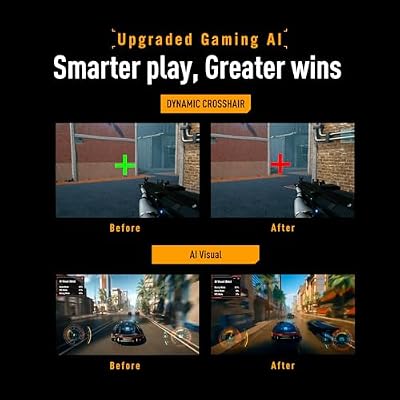
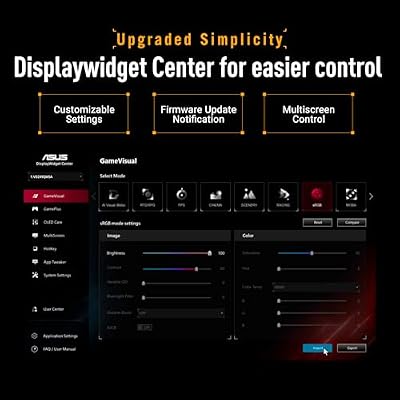
For competitive players who want the highest refresh at 1080p, the ASUS TUF Gaming VG249QM1A at around $160 hits 280Hz — enough to show every frame a strong GPU cranks out in CS2, Valorant, or Apex Legends at 1080p. Its Fast IPS panel reaches 0.5ms GtG. This is the pick for gamers who value the competitive edge over resolution, knowing that 1080p/280fps delivers a reaction advantage 1440p/144fps simply can’t match.

ASUS TUF Gaming VG249QM5A 24 Inch 1080p 240Hz G-SYNC Gaming Monitor | ELMB Sync, FreeSync Premium, Gaming AI, Fast-IPS, 0.3ms, 99% sRGB,Extreme Low Motion Blur Sync,3yr warranty




As an Amazon Associate we earn from qualifying purchases. Product prices and availability are accurate as of the date/time indicated.
Best Value 1440p/165Hz: Acer Nitro 27″ 1440P
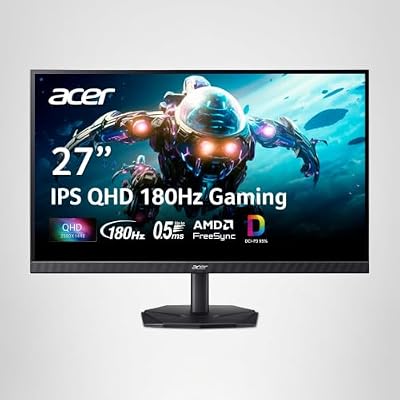
At around $160, the Acer Nitro 27″ 1440P 165Hz IPS ranks among the best monitor deals in PC gaming for 2026. Getting 1440p at 165Hz on IPS for just $10 over the 1080p budget option is real value. Jumping from 1080p to 1440p at basically the same price makes this an easy call for anyone running a mid-to-high-range GPU. The IPS panel also serves up better color than VA options in this price range.
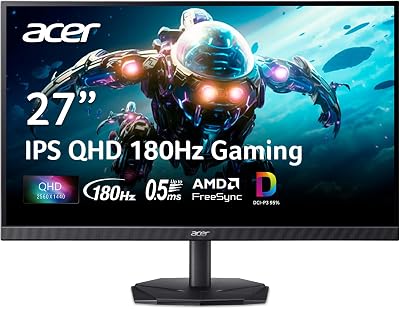

Acer Nitro 27in QHD 2560x1440 IPS 180Hz Gaming Monitor KG271U N3bmiipx | 0.5ms, AMD FreeSync, DCI-P3 95%, 2xHDMI, DisplayPort, Speaker, VESA Mountable, Bluelight Filter, Flickerless Technology




As an Amazon Associate we earn from qualifying purchases. Product prices and availability are accurate as of the date/time indicated.
Frequently Asked Questions
Is 144Hz still worth buying in 2026?
Absolutely. 144Hz remains the sweet spot of smoothness and value, delivering a dramatic upgrade over 60Hz for motion clarity and responsiveness. While 240Hz and 360Hz exist, the jump from 60 to 144 is by far the most noticeable, and 144Hz panels cost far less.
What GPU do I need to drive 144Hz?
For 1080p at 144fps a mid-range card like an RTX 5060 or RX 9060 is plenty. At 1440p you want an RTX 5070 or RX 9070 class card to keep frames near the refresh ceiling in modern titles, using upscaling where needed.
Should I pick 1080p or 1440p at 144Hz?
1440p at 144Hz offers noticeably sharper detail and more screen real estate, ideal for immersive and mixed use, but demands a stronger GPU. 1080p 144Hz is easier to drive and cheaper, making it the better pick for esports players who prioritize high frame rates.
Do I need adaptive sync at 144Hz?
Yes, it helps a lot. FreeSync or G-Sync Compatible matches the monitor to your live frame rate, so when frames dip below 144 you avoid tearing and stutter. Nearly every 144Hz gaming monitor includes it, and it should be enabled in both the OSD and GPU driver.
Does response time matter as much as refresh rate?
They work together. A fast 1ms to 4ms gray-to-gray response prevents ghosting so the extra frames from 144Hz actually look crisp. A high refresh rate paired with a slow panel still smears, so check independent response-time tests, not just the marketing number.
Ready to decide? Our #1 pick for 2026 is the ASUS VG249Q3A.
Live price & availability on Amazon.










