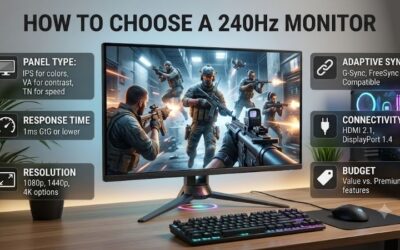
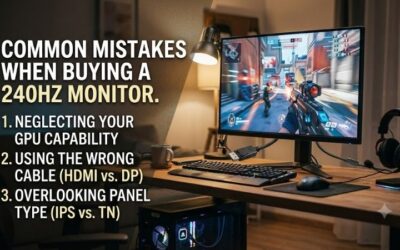
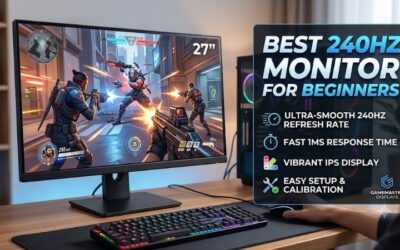
What to look for in a 240hz monitor extends beyond the advertised refresh rate. Screens accepting identical signals can differ considerably in motion clarity, contrast, and connection compatibility. Your purchase should reflect your preferred games, measured system performance, and the compromises acceptable during everyday use.
How to Choose a 240Hz Monitor
This guide explains what to look for in a 240hz monitor through four purchasing decisions: resolution, panel behavior, connection compatibility, and everyday ownership. Four specific recommendations demonstrate those differences, helping you prioritize useful capabilities instead of paying extra for specifications unrelated to your routine.
Resolution and Screen Size
Resolution determines image detail and graphics workload. A 2560 x 1440 display renders approximately 78% more pixels than 1920 x 1080, potentially reducing frame rates at equivalent settings. Benchmark demanding gameplay before prioritizing sharper scenery and desktop text over the performance headroom required for competitive gaming.
When considering what to look for in a 240hz monitor for mixed use, 27-inch 1440p balances workspace and gaming detail. The Alienware AW2723DF provides that versatility, whereas smaller displays concentrate your field of view. Choose the BenQ ZOWIE XL2546X for competitive gaming when 24.5-inch 1080p better matches your graphics performance.
Panel Type and Motion Clarity
A 240Hz display refreshes roughly every 4.17 milliseconds, but pixels still need time to change color. Slow transitions leave trails, while overly aggressive LCD overdrive can produce bright halos. Advertised response times describe selected conditions, so look for measured motion behavior at both high and lower refresh rates.
IPS suits varied work and gaming; OLED adds deep blacks and rapid pixel transitions, with different ownership demands. Backlight strobing is another approach: it reduces visible persistence by pulsing the backlight, but requires trade-offs. Choose the ASUS ROG Swift OLED PG27AQDM for OLED contrast or the XL2546X for DyAc 2.
Ports and Variable Refresh Rate
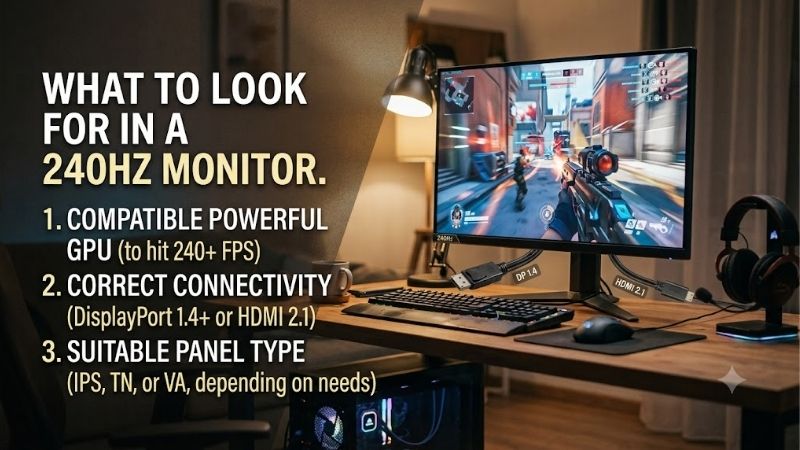
Connection compatibility matters when researching what to look for in a 240hz monitor: individual inputs can impose different refresh ceilings. Consult the manufacturer’s timing table for the intended resolution. The AW2723DF supports native 240Hz through DisplayPort, but its HDMI connection reaches only 144Hz at 2560 x 1440.
Variable refresh rate synchronizes display timing with incoming frames, reducing tearing during performance fluctuations. Compatibility depends on the display, connection, and graphics hardware; certification alone does not confirm every combination. Choose the LG UltraGear 27GR83Q-B for 1440p 240Hz through a compatible HDMI 2.1 source.
Desk Fit and Ownership Costs
Stand dimensions deserve attention when low mouse sensitivity requires generous movement space. Check footprint depth, height adjustment, and mounting compatibility against your available desktop area. The AW2723DF provides height, swivel, tilt, and pivot adjustments, making it practical for positioning a screen between gaming and office duties.
OLED ownership involves additional considerations: prolonged static content can cause permanent image retention, while text may exhibit colored fringes. Examine the specific US warranty and retain enabled panel protection. Choose the PG27AQDM for varied, gaming-heavy usage, or the LG UltraGear 27GR83Q-B for prolonged static desktop workloads.
Top Picks
These recommendations translate what to look for in a 240hz monitor into four purchasing priorities. Best Overall emphasizes desktop versatility; Best Value remains conditional on the available selling price. Specialized alternatives prioritize competitive shooting or OLED contrast, with meaningful limitations rather than universal promises.
| Product | Best For | Key Spec | Watch Out For |
|---|---|---|---|
| Alienware AW2723DF | Best Overall | 27-inch 1440p IPS; native 240Hz | 1440p HDMI limited to 144Hz |
| LG UltraGear 27GR83Q-B | Best Value | 27-inch 1440p IPS; 240Hz; HDMI 2.1 | Modest IPS contrast; price-dependent value |
| BenQ ZOWIE XL2546X | Competitive FPS | 24.5-inch 1080p TN; 240Hz; DyAc 2 | TN viewing angles; older stock |
| ASUS ROG Swift OLED PG27AQDM | OLED gaming | 26.5-inch viewable 1440p OLED; 240Hz | Burn-in risk; HDMI limited to 120Hz |
Alienware AW2723DF: Best Overall
The Alienware AW2723DF balances competitive gaming with everyday productivity. Its 27-inch Fast IPS display combines 2560 x 1440 resolution, native 240Hz operation, and an optional 280Hz DisplayPort overclock. Stand adjustment and an integrated USB hub provide flexibility for positioning your screen and connecting desktop peripherals.
The principal connection limitation is 144Hz at 1440p through HDMI, preventing an HDMI-only laptop from accessing full refresh capability at that resolution. IPS contrast also falls short of OLED black depth. Consider it for DisplayPort gaming and productivity at a competitive price, rather than paying inflated prices for remaining inventory.
LG UltraGear 27GR83Q-B: Best Value
The LG UltraGear 27GR83Q-B suits buyers prioritizing 27-inch 1440p IPS gaming without OLED ownership considerations. Alongside 240Hz operation, it provides two HDMI 2.1 inputs, G-SYNC Compatible certification, and FreeSync Premium support. Connection flexibility is its particular advantage for compatible computers requiring HDMI output.
The value designation reflects features rather than lowest pricing; compare the purchase total against equivalent alternatives. DisplayHDR 400 certification does not eliminate the IPS panel’s contrast limitations in dark environments. Choose this model when competitively priced, prioritizing versatile SDR gaming over cinematic HDR contrast.
BenQ ZOWIE XL2546X: Best for Competitive FPS
The BenQ ZOWIE XL2546X concentrates on competitive shooters. Its 24.5-inch 1920 x 1080 Fast TN display operates at 240Hz, with DyAc 2 supplying dedicated motion-blur reduction. A compact stand preserves mouse movement space, while the included S Switch simplifies accessing display settings during practice sessions or tournament preparation.
Lower resolution and narrower TN viewing angles compromise detail, shared viewing, and creative flexibility. DyAc 2 cannot operate simultaneously with variable refresh rate, requiring a choice between modes. The XL2546X is discontinued: inspect inventory condition and seller support, and distinguish it carefully from the different XL2546X+.
ASUS ROG Swift OLED PG27AQDM: Best for OLED Gaming
The ASUS ROG Swift OLED PG27AQDM combines rapid transitions with OLED contrast for gaming-focused setups. Its 26.5-inch viewable display operates at 2560 x 1440 and 240Hz, with a manufacturer-rated 0.03ms gray-to-gray response. Individual pixel illumination produces deeper blacks than the conventional backlit IPS and TN alternatives featured here.
Burn-in exposure complicates prolonged spreadsheet or taskbar use. HDMI connections support only 120Hz, requiring DisplayPort for 240Hz operation. When what to look for in a 240hz monitor includes cinematic contrast, this model deserves consideration, provided panel maintenance and potential text fringing remain acceptable for your desktop routine.
Frequently Asked Questions
Completing your assessment of what to look for in a 240hz monitor requires checking system compatibility. Refresh rate, frame rate, and pixel response describe separate characteristics, while console restrictions add limits. These purchasing questions clarify whether higher refresh capability addresses your actual gaming requirements.
Is 240Hz Worth It Compared With 144Hz?
Yes, 240Hz can benefit competitive gaming when accompanied by consistently high frame rates. Refresh intervals decrease from approximately 6.94 milliseconds at 144Hz to 4.17 milliseconds at 240Hz, providing more opportunities for updated visual information. That mathematical advantage cannot guarantee improved accuracy or competitive results.
The difference becomes less persuasive for slower-paced games or systems consistently operating below 144 fps. Higher resolution or stronger contrast may offer greater benefit. Existing 144Hz owners should examine measured motion clarity and transition behavior before upgrading, since specifications cannot describe the entire experience.
Do You Need 240 FPS for a 240Hz Monitor?
No, reaching 240 fps is unnecessary for compatibility, although lower performance supplies fewer unique frames. Variable refresh rate accommodates fluctuations within the supported operating range. Performance approaching 240 fps uses more refresh opportunities, but consistent frame delivery generally matters more than occasional peaks.
Evaluate demanding encounters using benchmark captures or frame-time graphs rather than undemanding practice areas. Severe fluctuations can expose processor, graphics, or engine limitations beyond the monitor’s control. Reduce expensive rendering settings and repeat measurements; preserve upgrade funds if hardware performance is the bottleneck.
Is a 1ms Response Time Enough?
A 1ms label alone cannot establish what to look for in a 240hz monitor. Gray-to-gray response measures pixel transitions; input lag concerns the delay before an input appears onscreen. Neither substitutes for refresh rate. LCD manufacturers may advertise their fastest overdrive setting despite distracting halos during actual gameplay.
Also distinguish gray-to-gray from moving picture response time, often abbreviated MPRT. The latter relates to perceived motion persistence and may involve a strobing mode, rather than faster pixel transitions. Favor test results that show overshoot and several refresh rates, especially if your games regularly fall below 240 fps.
Can PS5 or Xbox Series X Use 240Hz?
No, PS5 and Xbox Series X gameplay output reaches a maximum of 120Hz in supported modes. Purchasing a 240Hz display cannot raise console gameplay to 240 fps. Resolution, HDR handling, and variable refresh compatibility remain relevant, so examine supported console timings and individual game performance modes before making your selection.
A shared computer-and-console setup can justify 240Hz because the computer benefits from additional refresh capacity while the console uses supported modes. Console-only buyers should compare suitable 120Hz or 144Hz alternatives. Equivalent spending on improved contrast or resolution may provide a noticeable upgrade for their preferred games.
Final Thoughts
Understanding what to look for in a 240hz monitor means matching capabilities with everyday requirements. Choose the AW2723DF for desktop versatility, the 27GR83Q-B for competitively priced connectivity, the XL2546X for specialized FPS gaming, or the PG27AQDM for OLED contrast. Verify input compatibility and seller terms before purchasing.